Build a LLM app with RAG to chat with PDF using Llama 3.2 running...

Sumanth@Sumanth_077
58 views
Dec 01, 2024
~1 min read
Advertisement
1
Build a LLM app with RAG to chat with PDF using Llama 3.2 running locally on your computer (100% free and without internet):
2
1. Install and Import necessary libraries
@getreflex for building the web app in Python
Embedchain for the RAG functionality
tempfile for creating temporary files and directories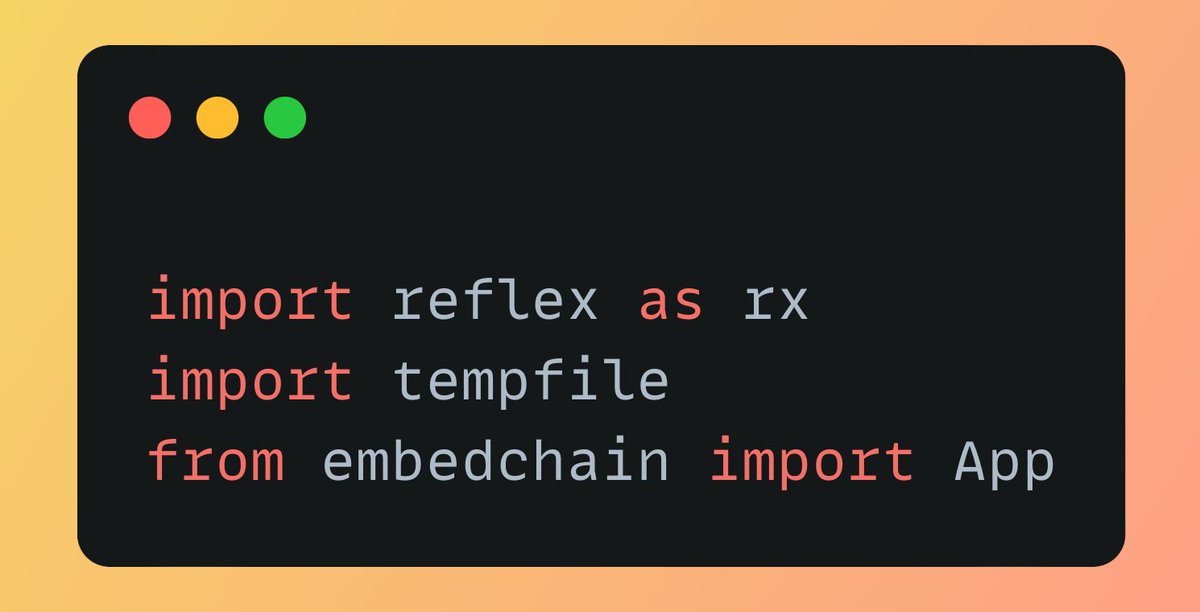
@getreflex for building the web app in Python
Embedchain for the RAG functionality
tempfile for creating temporary files and directories
3
2. Create the app state class
Defines variables like messages (chat history), db_path (temporary file storage), and user_question to store data for the app.
We will use Llama 3.2 with Ollama as the LLM provider and Chroma DB as vector database to store and retrieve PDF data.
Defines variables like messages (chat history), db_path (temporary file storage), and user_question to store data for the app.
We will use Llama 3.2 with Ollama as the LLM provider and Chroma DB as vector database to store and retrieve PDF data.
4
3. Handle file upload and processing
Manages the PDF file upload and processing. It saves the file to the app's temporary storage and adds it to the ChromaDB vector database using Embedchain.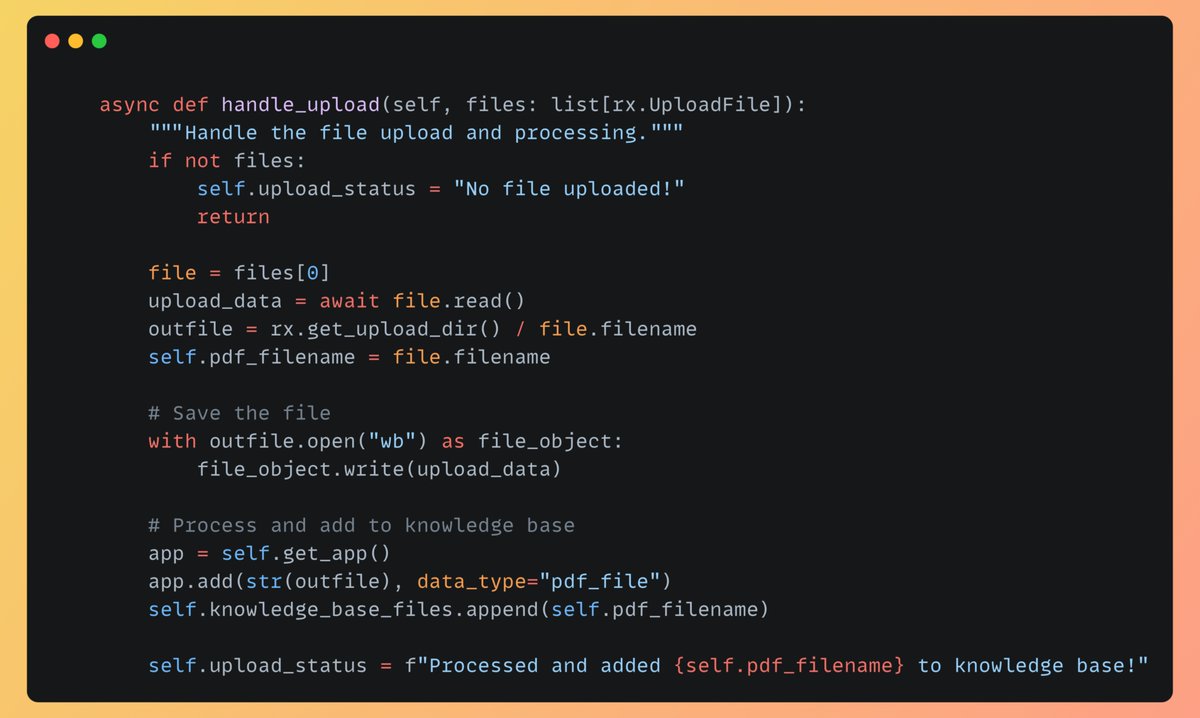
Manages the PDF file upload and processing. It saves the file to the app's temporary storage and adds it to the ChromaDB vector database using Embedchain.
5
4. Create chat and clear chat functions
"chat" sends the user’s question to the AI model and returns a response.
"clear_chat" resets the chat history by clearing all previous messages.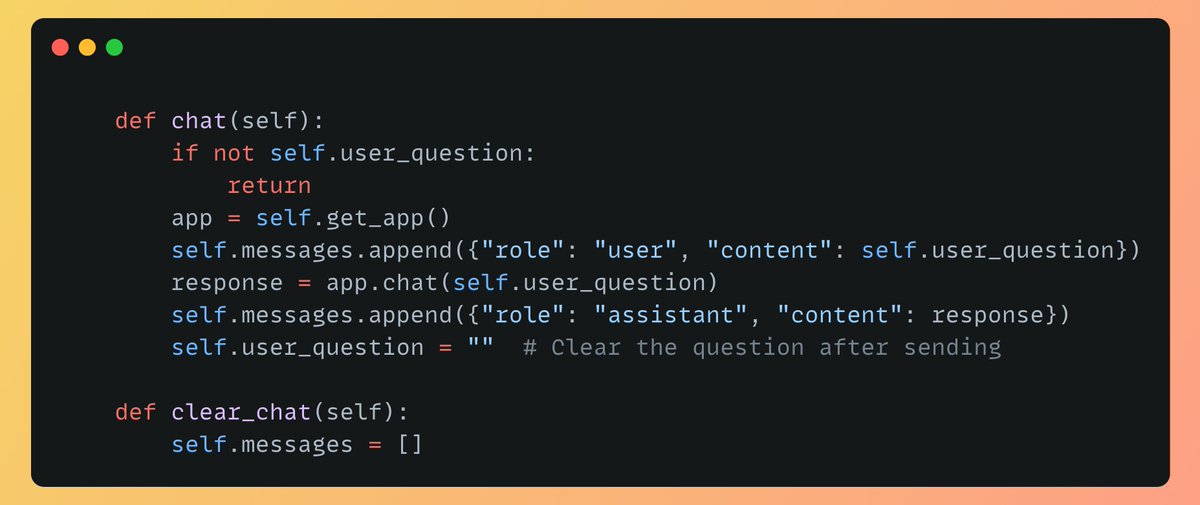
"chat" sends the user’s question to the AI model and returns a response.
"clear_chat" resets the chat history by clearing all previous messages.
6
5. Define the PDF upload and user interface (Part 1)
This sections defines the UI for PDF upload, including buttons to select files and initiate the upload process, and shows the upload status.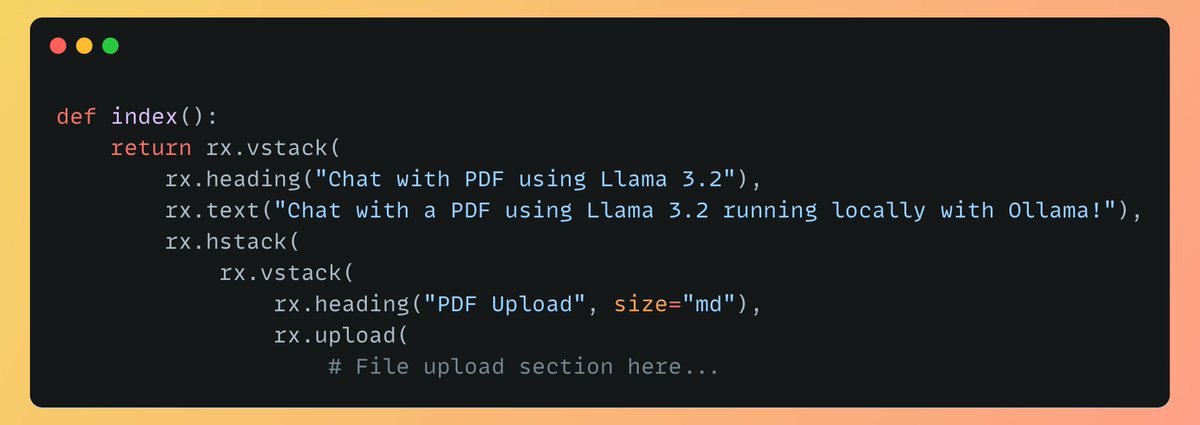
This sections defines the UI for PDF upload, including buttons to select files and initiate the upload process, and shows the upload status.
7
6. Define the chat interface (Part 2)
This section displays the chat messages, differentiating between user and assistant responses, and provides an input field for new user questions.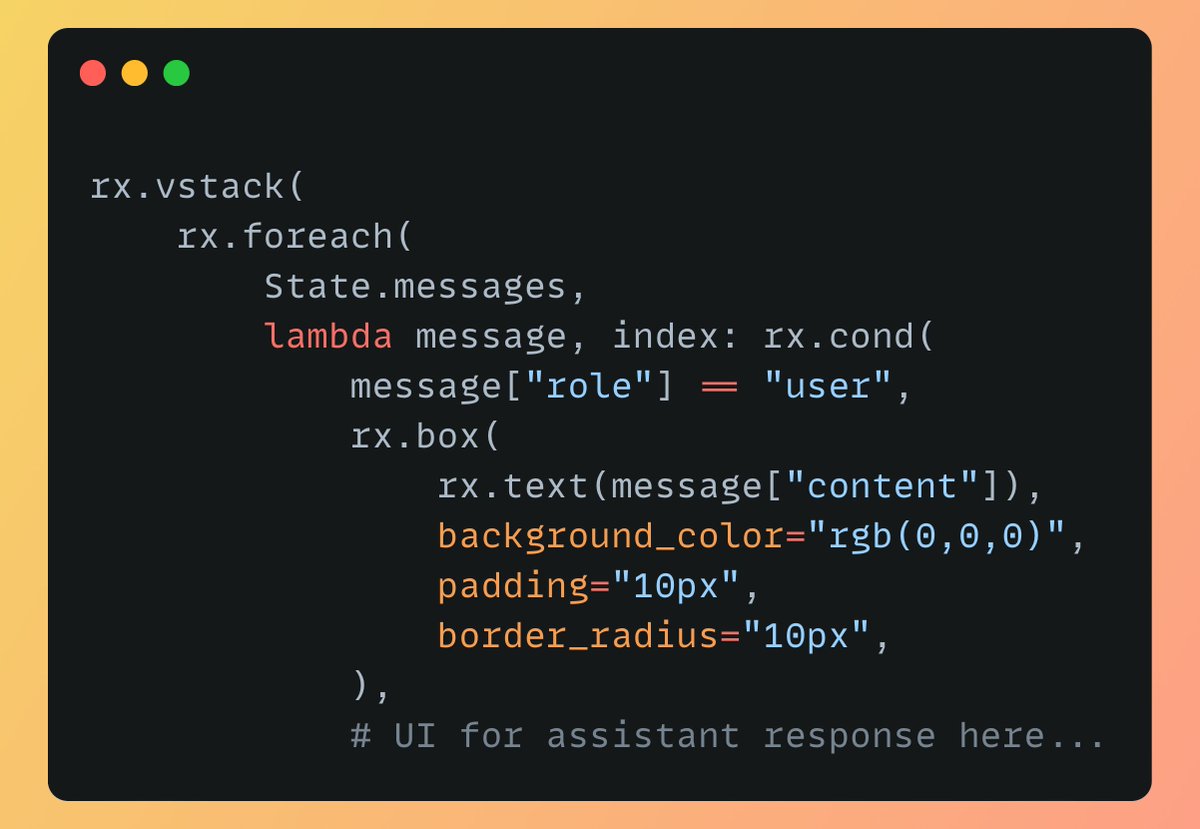
This section displays the chat messages, differentiating between user and assistant responses, and provides an input field for new user questions.
8
7. Finally setup the app
Initializes the Reflex app and adds the main page to it, making the app functional and ready to run.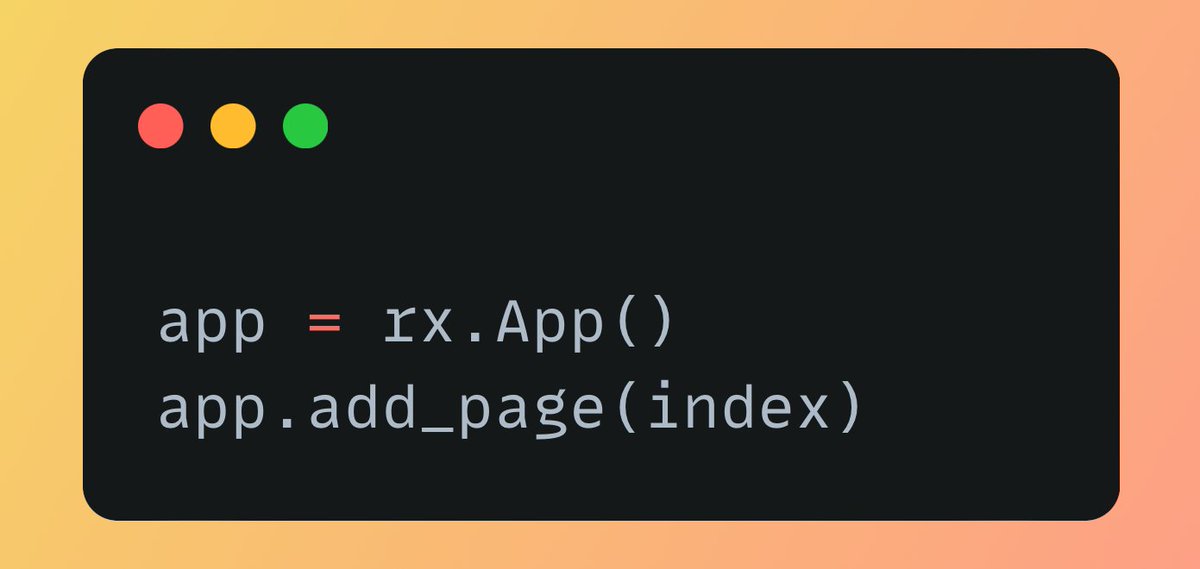
Initializes the Reflex app and adds the main page to it, making the app functional and ready to run.
9
Working Application demo using Reflex:
0:40
10
The code for the app is Open Source, Find the GitHub repo below:
Check out the code and give it a star if you like it!
github.com/Sumanth077/cha…
Check out the code and give it a star if you like it!
github.com/Sumanth077/cha…
