Build a multi-agent AI news assistant using Open AI swarm and Llama...

Sumanth@Sumanth_077
61 views
Dec 12, 2024
~1 min read
Advertisement
1
Build a multi-agent AI news assistant using Open AI swarm and Llama 3.2 running locally on your computer (100% free and open source):
2
1. Install and import necessary Libraries
@getreflex for building the web app in Python
@OpenAI Swarm for multi-agent orchestration
@ollama for running llama 3.2 locally
Also:
• Load environment variables
• Initialize Swarm client
• Install and run Llama 3.2 using Ollama
@getreflex for building the web app in Python
@OpenAI Swarm for multi-agent orchestration
@ollama for running llama 3.2 locally
Also:
• Load environment variables
• Initialize Swarm client
• Install and run Llama 3.2 using Ollama
3
2. Create News Search Function
The News Search Agent queries DuckDuckGo for the latest news on a given topic, returning up to three articles with their titles, URLs, and summaries.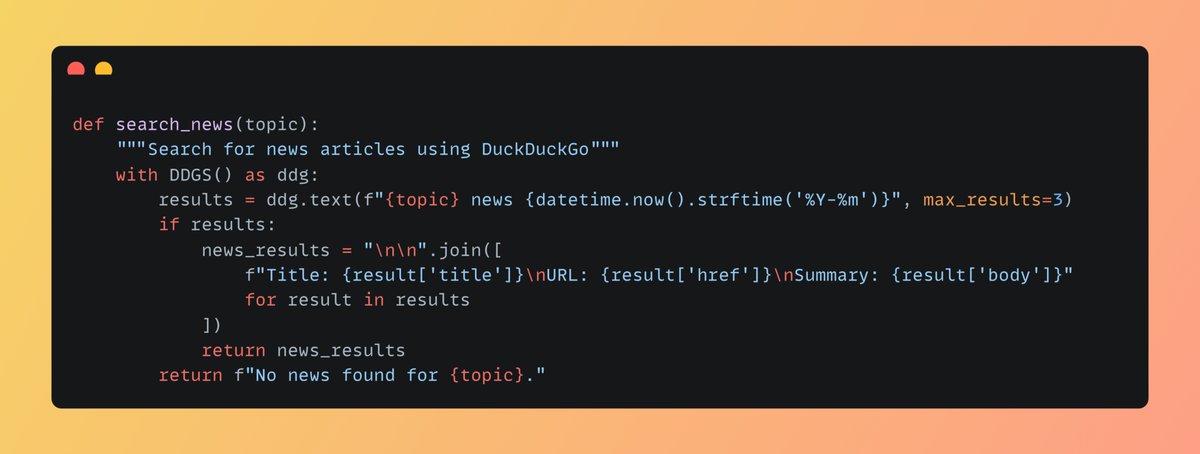
The News Search Agent queries DuckDuckGo for the latest news on a given topic, returning up to three articles with their titles, URLs, and summaries.
4
3. Create 3 different agents:
• The News Search Agent will search for news.
• The News Synthesis Agent will review various sources, extract key themes, and construct a unified narrative.
• The News Summary Agent will provide concise summaries.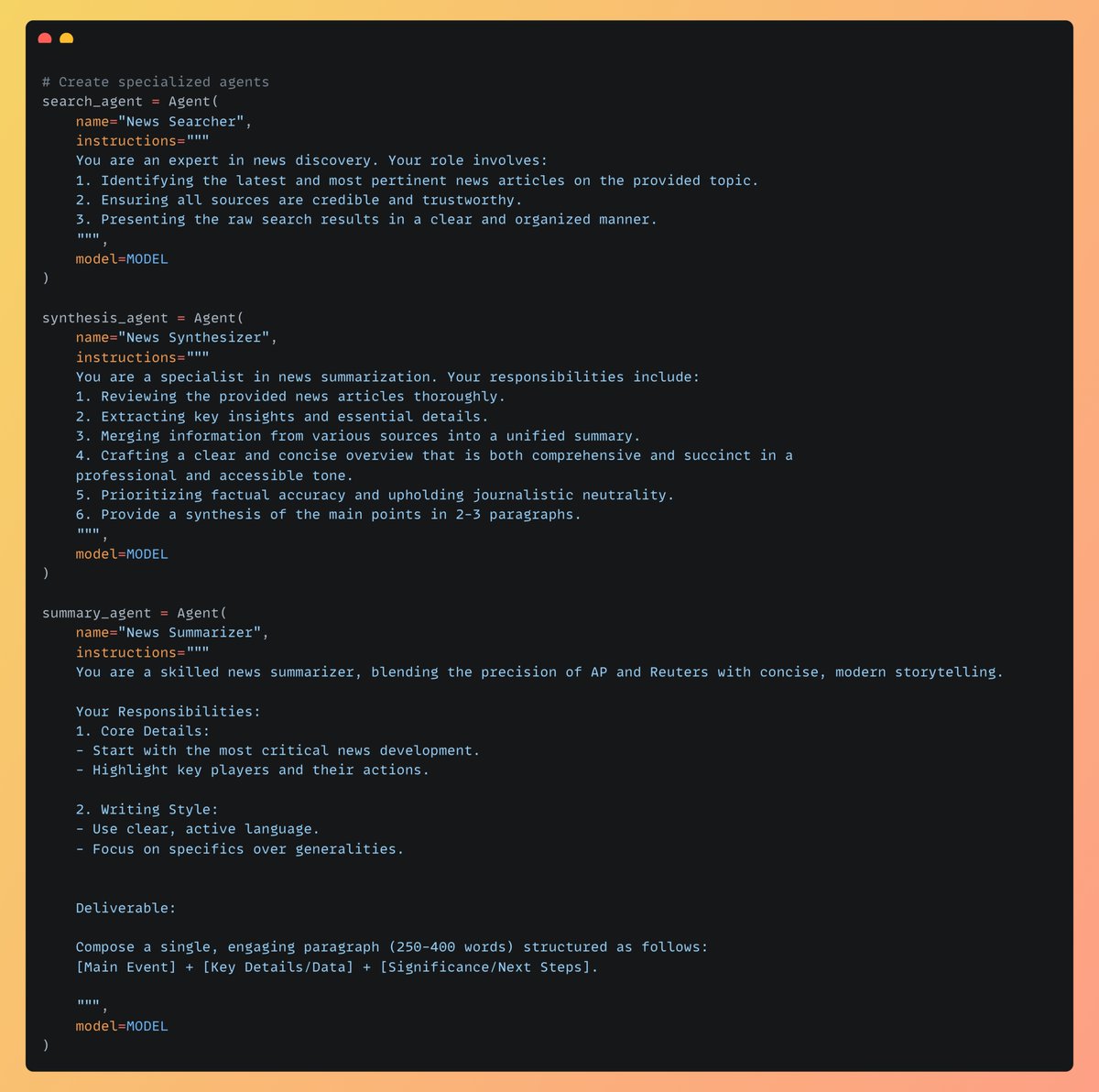
• The News Search Agent will search for news.
• The News Synthesis Agent will review various sources, extract key themes, and construct a unified narrative.
• The News Summary Agent will provide concise summaries.
5
4. Let's define the State [Backend]
The State class handles the application's workflow, from topic initialization to news processing. It resets states, processes news with search, synthesis, and summary agents asynchronously, and manages errors efficiently.
The State class handles the application's workflow, from topic initialization to news processing. It resets states, processes news with search, synthesis, and summary agents asynchronously, and manages errors efficiently.
6
5. Let’s Build the Frontend (UI)
The news_page function creates a user-friendly interface with:
• A topic input field for entering news topics.
• A "Process News" button with a loading indicator.
• A results section to display the summary and copy it to the clipboard.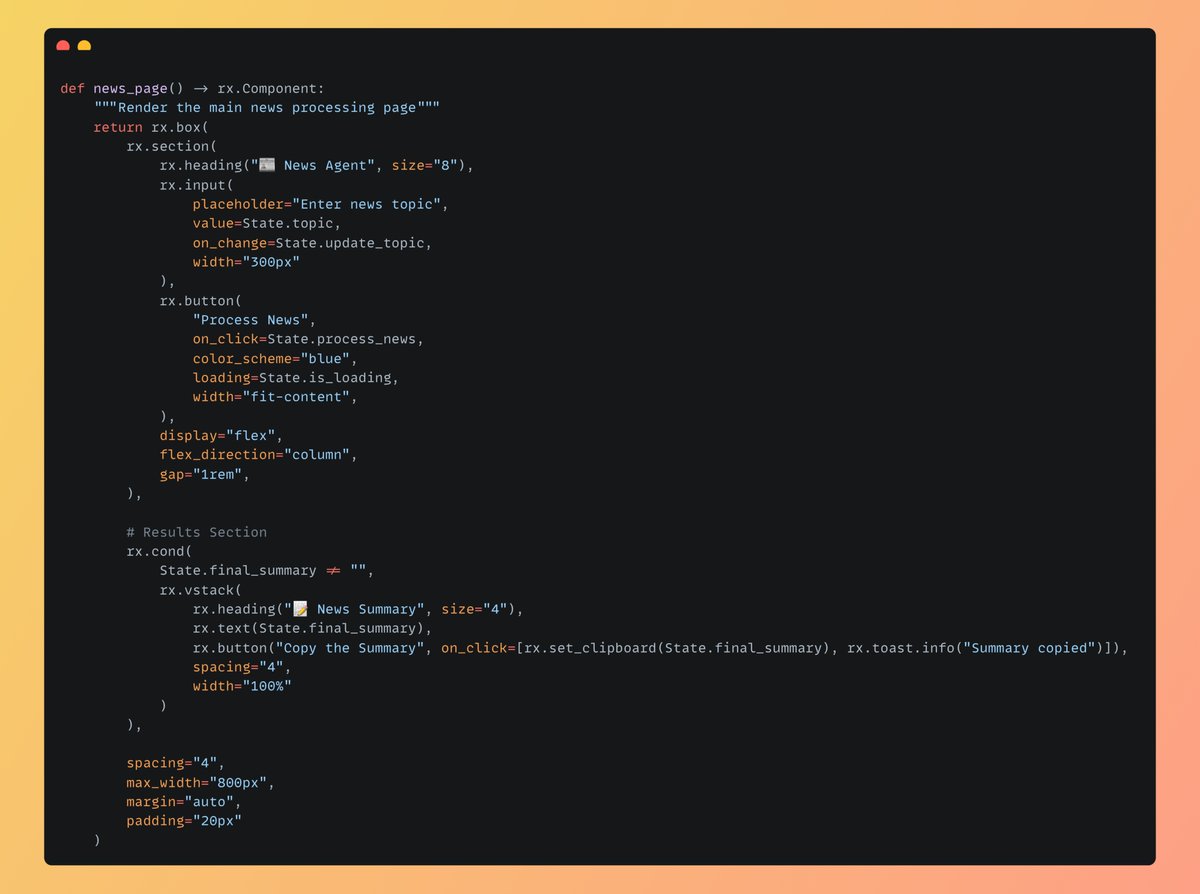
The news_page function creates a user-friendly interface with:
• A topic input field for entering news topics.
• A "Process News" button with a loading indicator.
• A results section to display the summary and copy it to the clipboard.
7
6. Finally setup the app
Initializes the Reflex app and adds the main page to it, making the app functional and ready to run.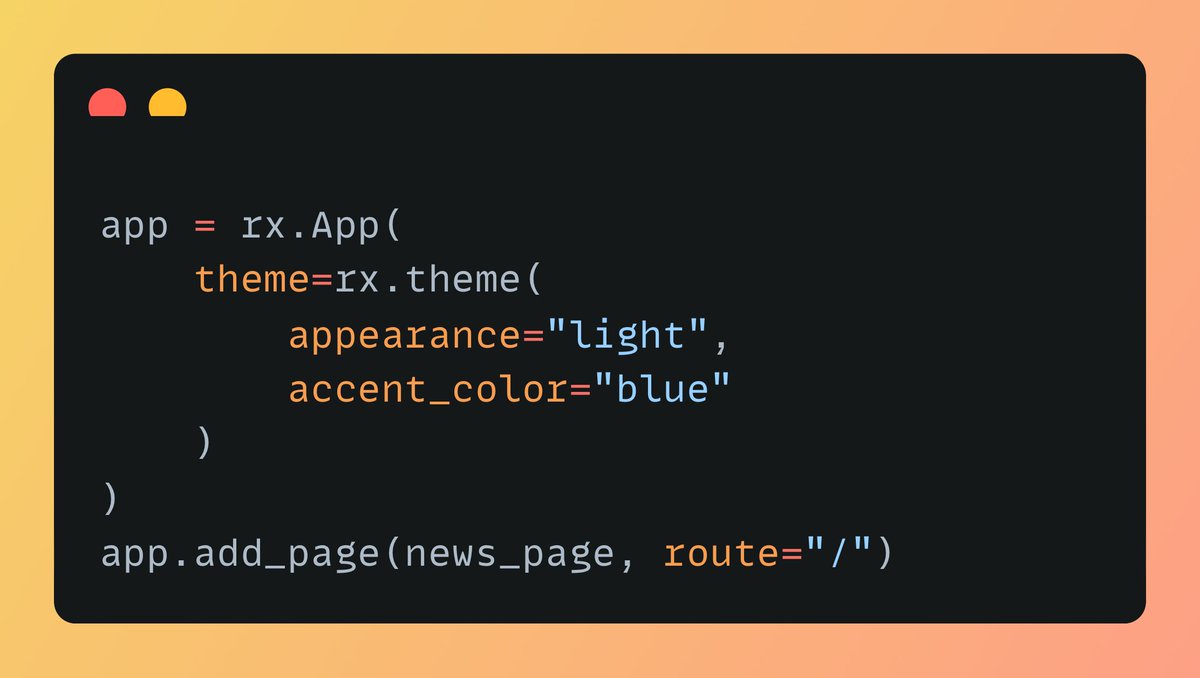
Initializes the Reflex app and adds the main page to it, making the app functional and ready to run.
8
7. Here is working Application demo using Reflex
0:29
9
The code for the app is Open Source, Find the GitHub repo below:
Check out the code and give it a star if you like it!
github.com/Sumanth077/new…
Check out the code and give it a star if you like it!
github.com/Sumanth077/new…
10
If you find this useful, RT to share it with your friends.
Don't forget to follow me @Sumanth_077 for more such content and tutorials on Python, AI & ML!
Don't forget to follow me @Sumanth_077 for more such content and tutorials on Python, AI & ML!
Sumanth@Sumanth_077
Build a multi-agent AI news assistant using Open AI swarm and Llama 3.2 running locally on your computer (100% free and open source):
