You can turn any iPhone into a "dumb phone". Strip out...

Clint Jarvis@clinjar
37 views
Apr 18, 2025
~2 min read
Advertisement
1
You can turn any iPhone into a "dumb phone".
Strip out distractions. Keep what matters. And switch back whenever you need.
Here’s how to do it using Focus Mode + Shortcuts (in under 5 minutes):
Strip out distractions. Keep what matters. And switch back whenever you need.
Here’s how to do it using Focus Mode + Shortcuts (in under 5 minutes):
2
First, the end result:
Once you complete this setup, with one tap you'll be able to:
• Turn on grayscale
• Block all distracting apps
• Simplify your Home Screen view
• Make your Lock Screen simple and boring
In other words, make your iPhone a Dumb Phone.
Once you complete this setup, with one tap you'll be able to:
• Turn on grayscale
• Block all distracting apps
• Simplify your Home Screen view
• Make your Lock Screen simple and boring
In other words, make your iPhone a Dumb Phone.
3
Here's how to do it:
Step 1: Create a custom Focus
• Open your iPhone settings and create a new Focus.
• Call it something like “Dumb Phone” or “Offline Mode”
Step 1: Create a custom Focus
• Open your iPhone settings and create a new Focus.
• Call it something like “Dumb Phone” or “Offline Mode”
4
Step 2: Customize notification settings
• Choose which people and apps can send notifications while it’s on
• Keep it minimal... just what’s essential
• Choose which people and apps can send notifications while it’s on
• Keep it minimal... just what’s essential
5
Step 3: Switch up your lock screen
• Set a simple lock screen for this Focus
• A plain black wallpaper works great
• Set a simple lock screen for this Focus
• A plain black wallpaper works great
6
Step 4: Minimize your home screen
• Hide most of your home screen pages
• You can create a new view with only the basics
• Hide most of your home screen pages
• You can create a new view with only the basics
7
Step 5: Install an app blocker
We'll use Roots in this example:
• Create an "App Group" in Roots
• Select all distracting apps
Be sure the app blocker has a Shortcuts integration so it can be used in the automation (Roots does)
apps.apple.com/app/apple-stor…
We'll use Roots in this example:
• Create an "App Group" in Roots
• Select all distracting apps
Be sure the app blocker has a Shortcuts integration so it can be used in the automation (Roots does)
apps.apple.com/app/apple-stor…
8
Step 6: Automate it with Shortcuts
1. Open the Shortcuts app and go to the Automation tab
2. Tap Create or +, then search "Focus" and choose the new one
3. Select "When Turning On" and "Run Immediately" then tap Next
1. Open the Shortcuts app and go to the Automation tab
2. Tap Create or +, then search "Focus" and choose the new one
3. Select "When Turning On" and "Run Immediately" then tap Next
9
4. Tap "New Blank Automation" and search for “Set Color Filters > On"
5. Tap Search and find Roots
6. Choose "Start Block Now session" and select the apps you'll block
7. Tap Done, but make sure "Run Immediately" is turned on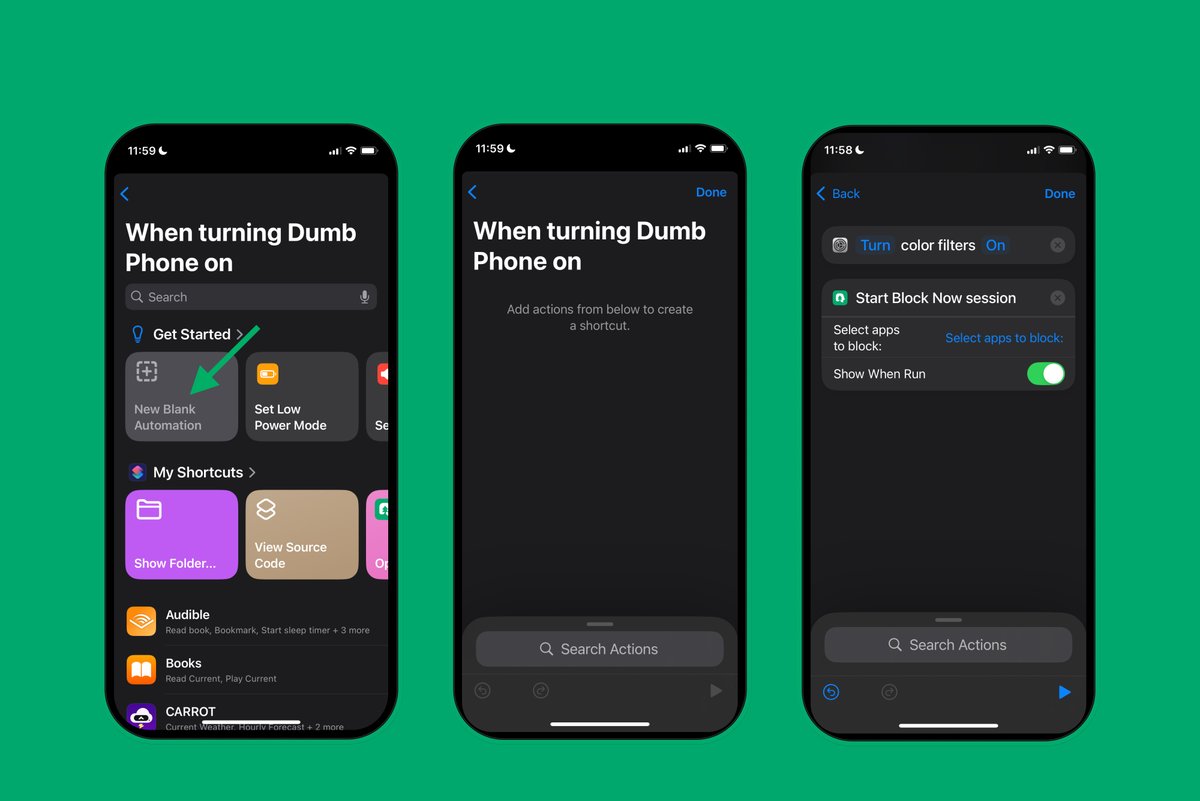
5. Tap Search and find Roots
6. Choose "Start Block Now session" and select the apps you'll block
7. Tap Done, but make sure "Run Immediately" is turned on
10
Then create a reverse automation for the "Dumb Phone" Focus is turned off...
Reverse the actions: turn off color filters, stop Roots blocking, and change appearance back.
Reverse the actions: turn off color filters, stop Roots blocking, and change appearance back.
11
That's it!
Now you can easily toggle on "Dumb Phone Mode" using your iOS Focus controls with one tap.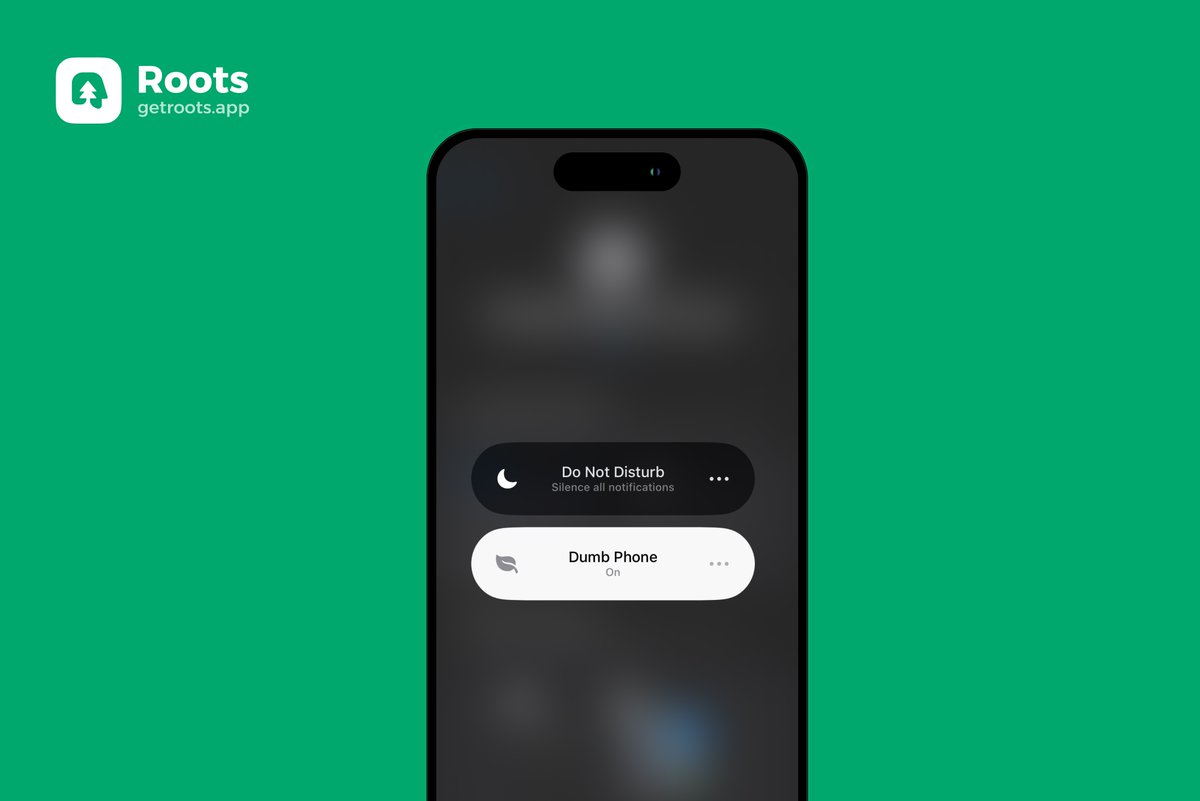
Now you can easily toggle on "Dumb Phone Mode" using your iOS Focus controls with one tap.
12
Shoutout to Easlo, a creative creator, for inspiring the idea of using Focus + Shortcuts to create a Dumb Phone.
