How to turn Claude into your own legal team (nothing but Claude):

Lawyers jumped on Claude way before you.

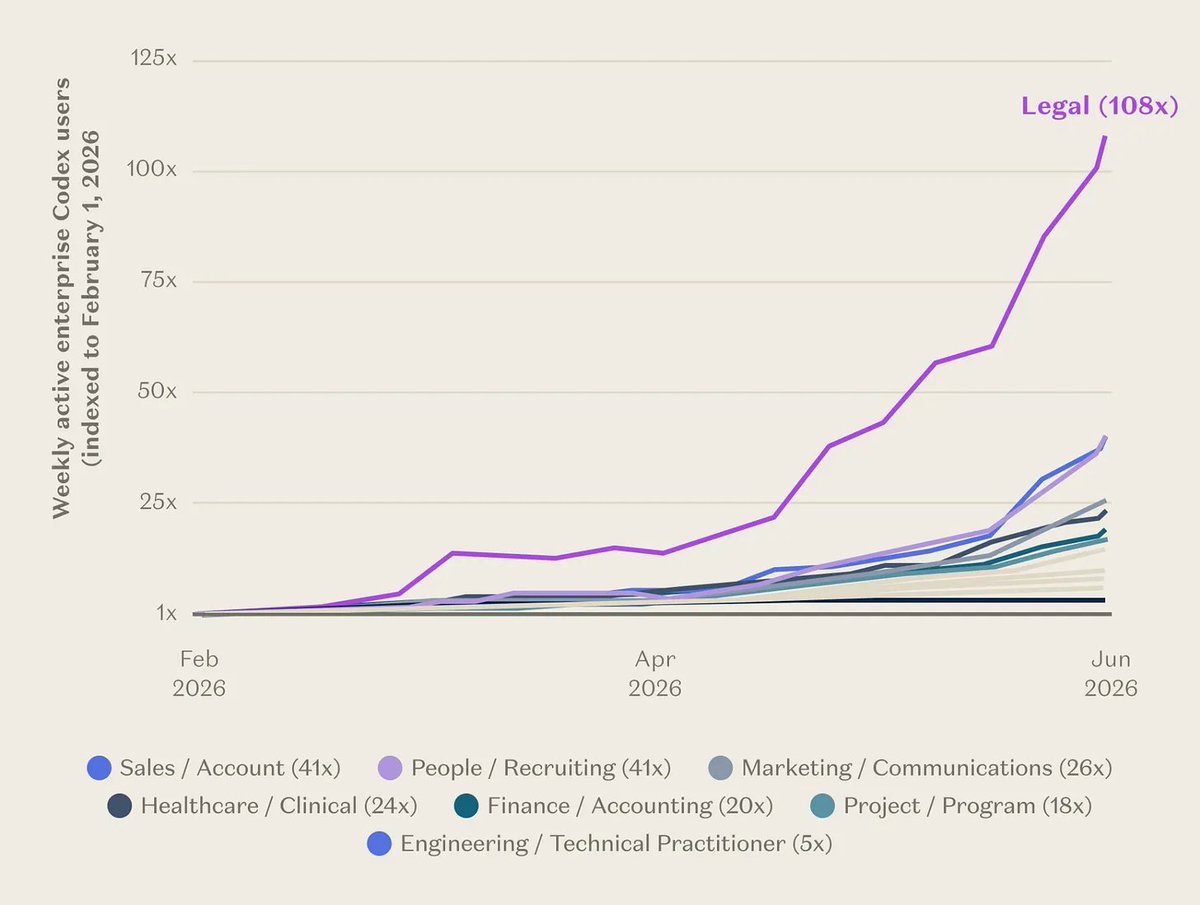
In May, they became its #1 power users: 3x more usage than any other job.
These people bill $349 an hour, on average, in the US.
And they still let AI do the first read (and they should).
You sign contracts too. An NDA before a sales call. A tool’s terms. A sponsor’s “standard agreement” (maybe that’s mostly me). 1 in 4 small business owners sign contracts as-is (Rocket Lawyer, 2026). They don’t correct anything.
You must jump on it as lawyers did.
In May, Anthropic released its legal plugins → they come with the $20/$100 a month you already pay for Claude. The one for contracts reads your NDAs & deals, rates NDAs green, yellow, or red, writes the changes to ask for, most things you’d pay a lawyer to do.
And you don’t need to be a lawyer.
Its setup has an option button for you: “Non-lawyer”.
You keep asking me:
“How do you handle sensitive information?”
Here’s the full answer, in 4 steps. One of them would have saved me from a six-figure sponsor deal. This guide sets it all up in 30 minutes. You will know:
Two things before we start:
1. Install Claude Legal.
Step 1: Customize → Plugins → search “commercial”.
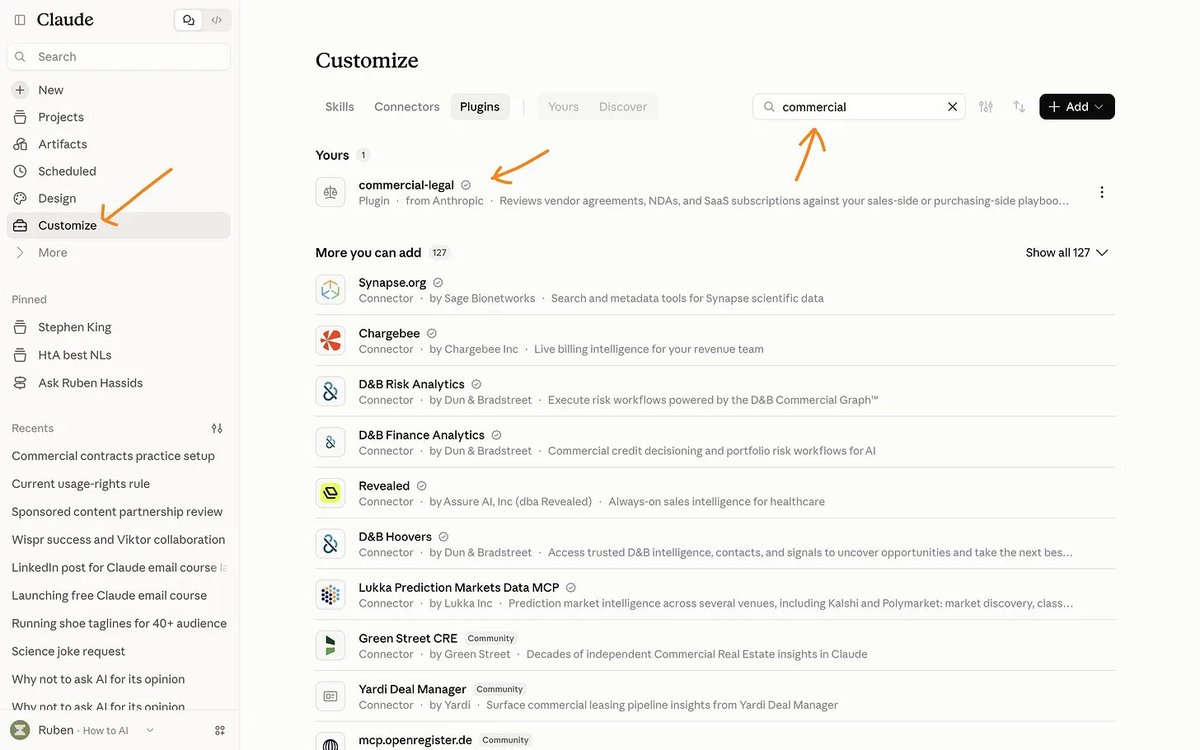
Step 2: Click Add, then Continue.
Claude shows a warning before any plugin that runs code.
This one is Anthropic’s own plugin. So it’s perfectly safe.
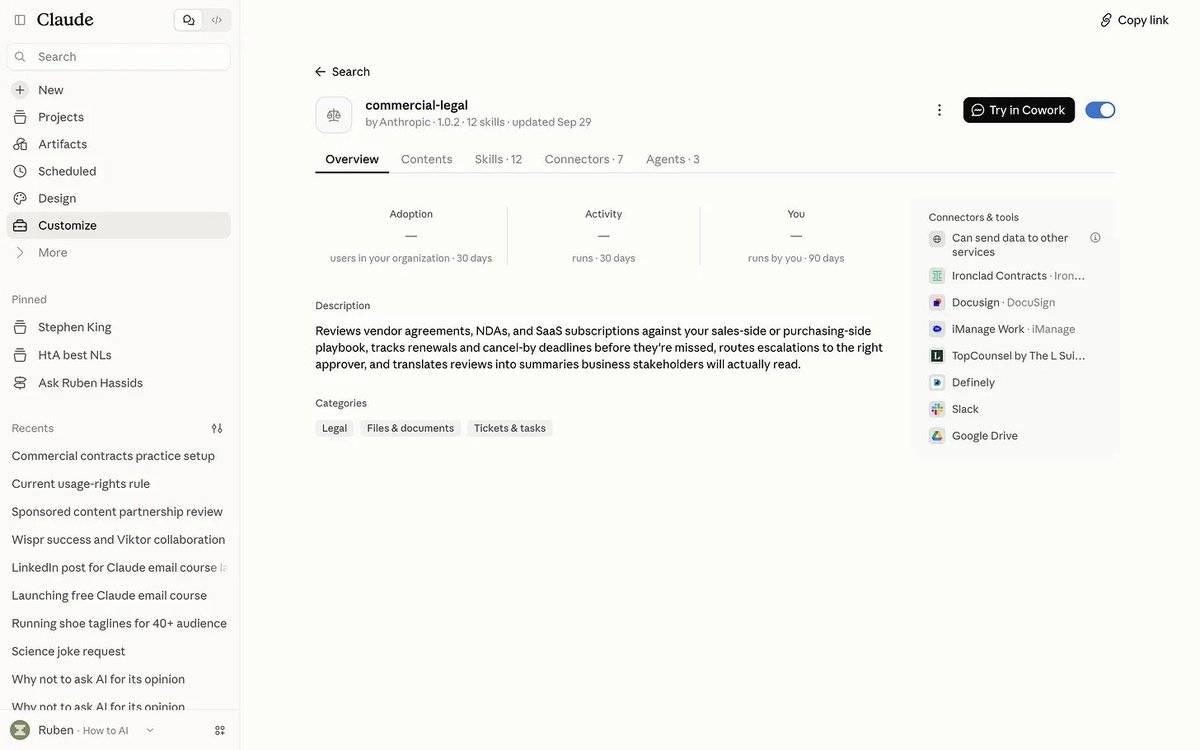
It works on every paid plan (but yes, you must pay for Claude; I hope you do).
Install it once, and it follows you into Claude Code too.
Step 3: Type /.
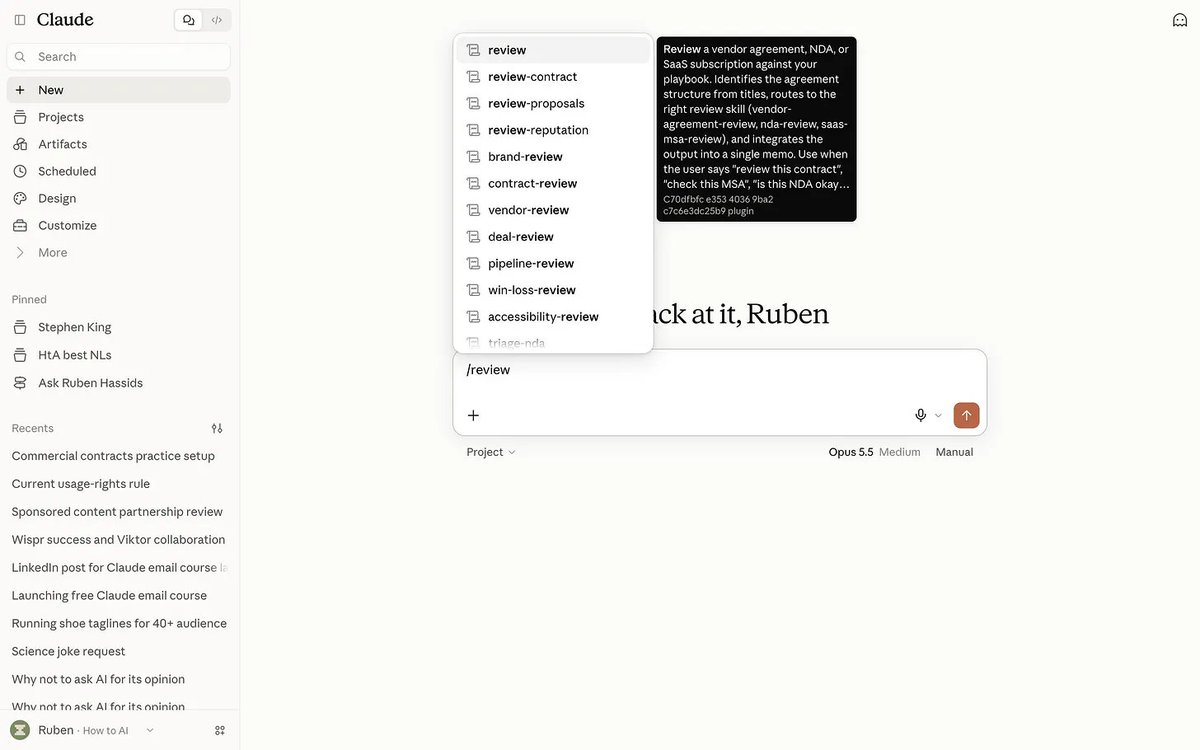
Here’s what’s inside:
It’s built for lawyers, so it talks like one. Three words to know:
At first, it’s empty. You must teach it your rules.
2. Teach it your rules.
At the end of 2025, I bumped into a girl I used to date. I already felt awkward, until she looked at me and said:
“I see you all of the time. Can you stop targeting me?”
She meant my face. In her Instagram Reels. Every. Single. Day.
And not only in her feed. For months, everyone told me the same thing: how annoying I was, because they couldn’t open Instagram without seeing me.
So I asked the brand to stop.
Their answer: “But it’s in the contract.”
I had signed it. A six-figure sponsor deal, with a short section called “usage rights”. I had no say. My ex and I had to deal with it.
A lawyer would have caught it. Back then, I wasn’t using AI for legal work. And I’m the AI guy. Today, not only do I, but every contract and every email I get is read by Claude first.
And I wrote down what I want instead. For usage rights: 30 days. Paid ads only. My approval on every ad.
That line is one rule of a playbook.
Hence why you must know how to properly set it up.
So start by typing:
/commercial-legal:cold-start-interview
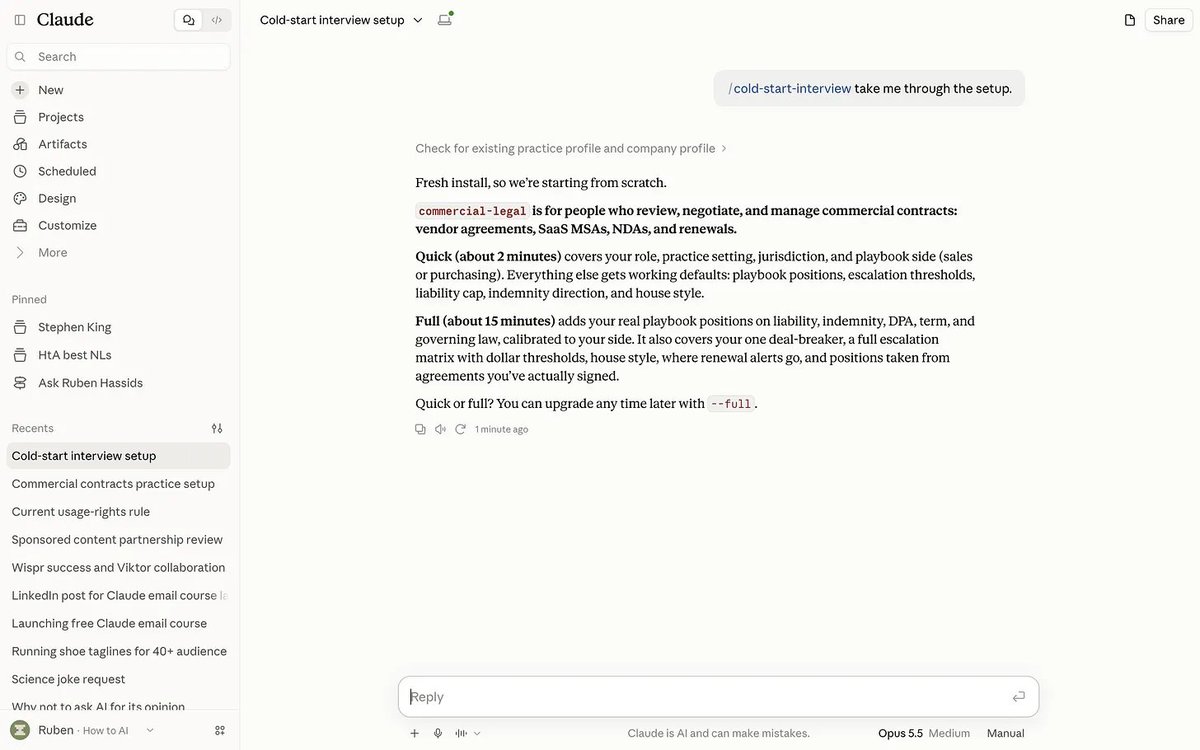
The full version compares what you say you accept with what you signed.
Start with quick if you’re in a hurry.
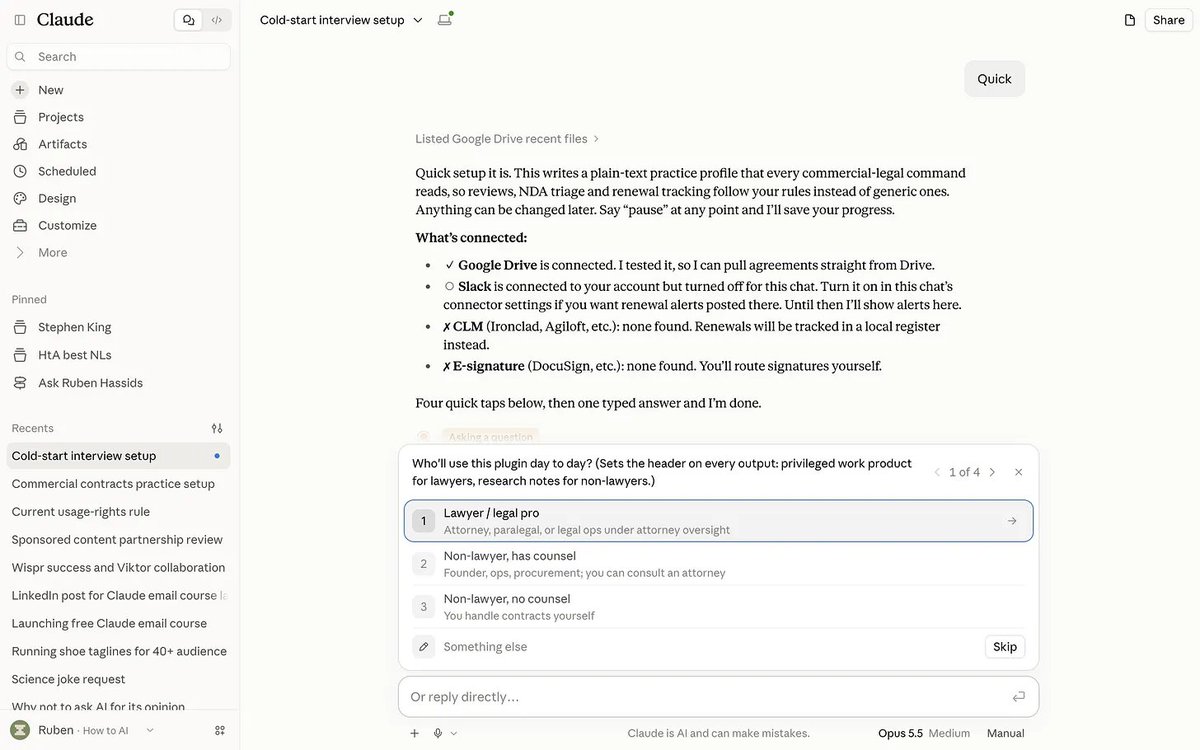
Then pick Founder / business owner, and which side you’re on: selling, buying, or both.
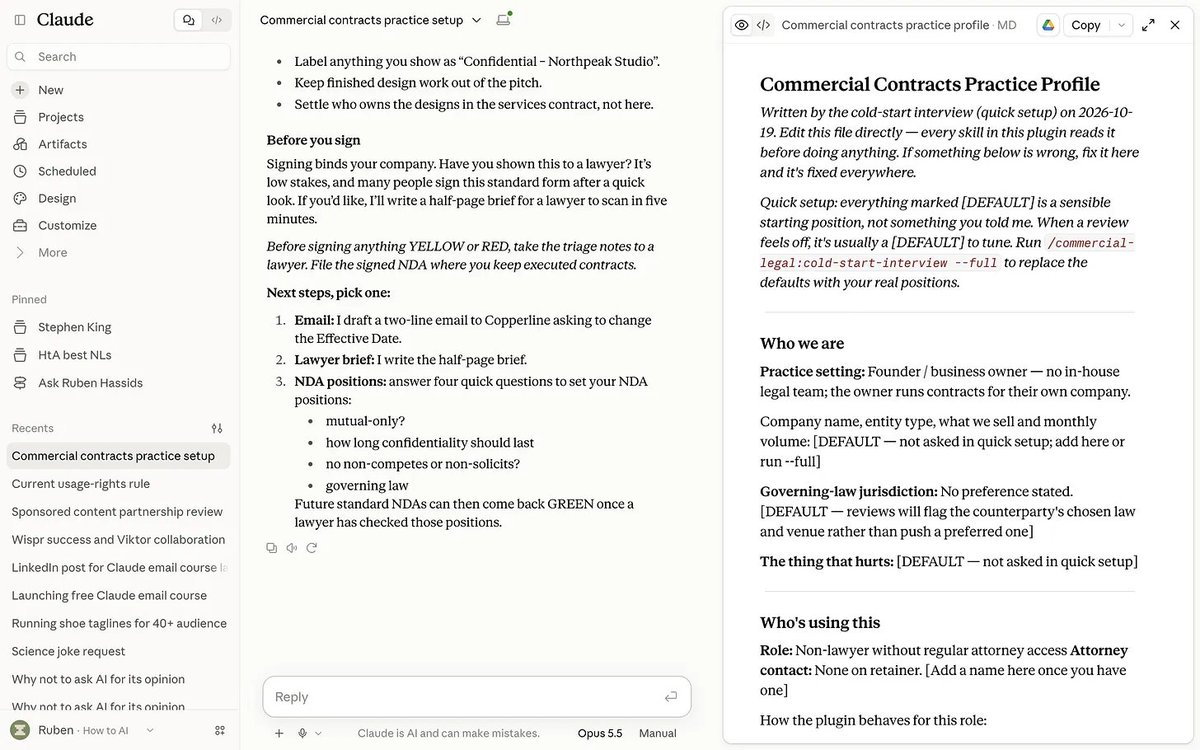
Then add your own red lines, in plain words:
/commercial-legal:customize Add to my playbook: usage rights. A brand may use my content in its paid ads for 30 days, on the channels we list, with my approval on every ad. Never accept "in perpetuity", "all media" or no approval.
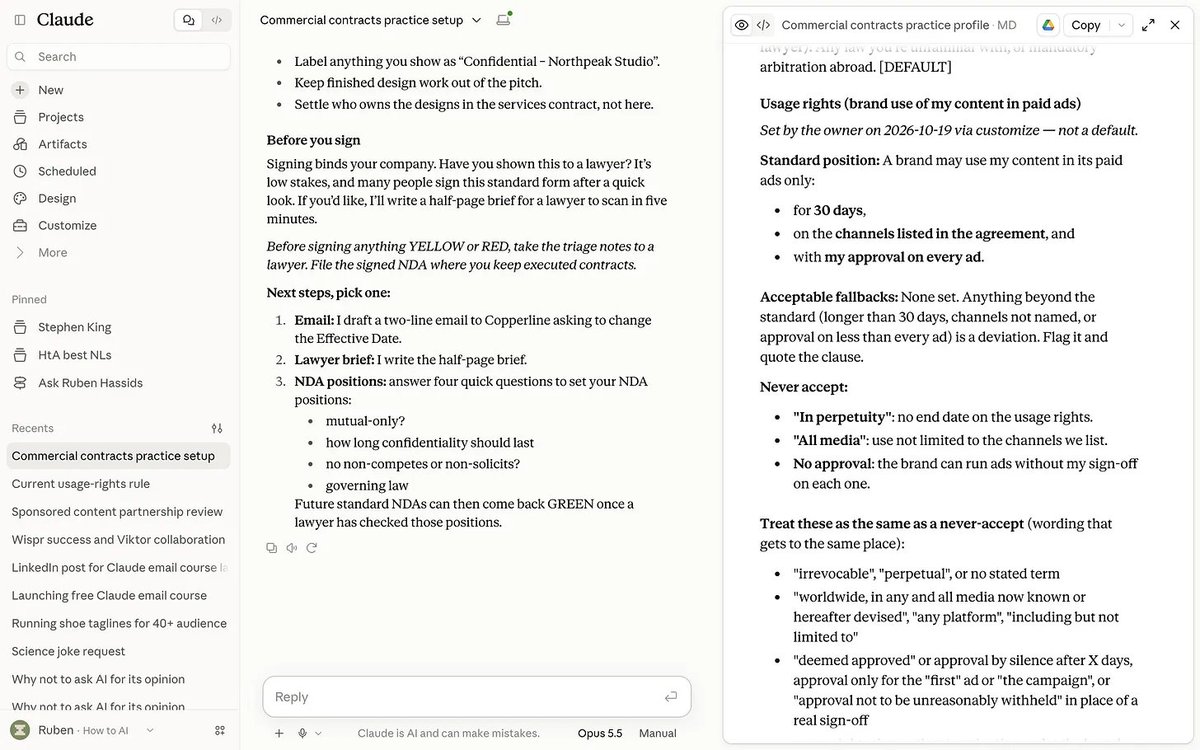
Here’s the difference on a sample sponsor deal: $28,000 from a skincare brand, with a forever-license to your name and face hidden in section 3.5.
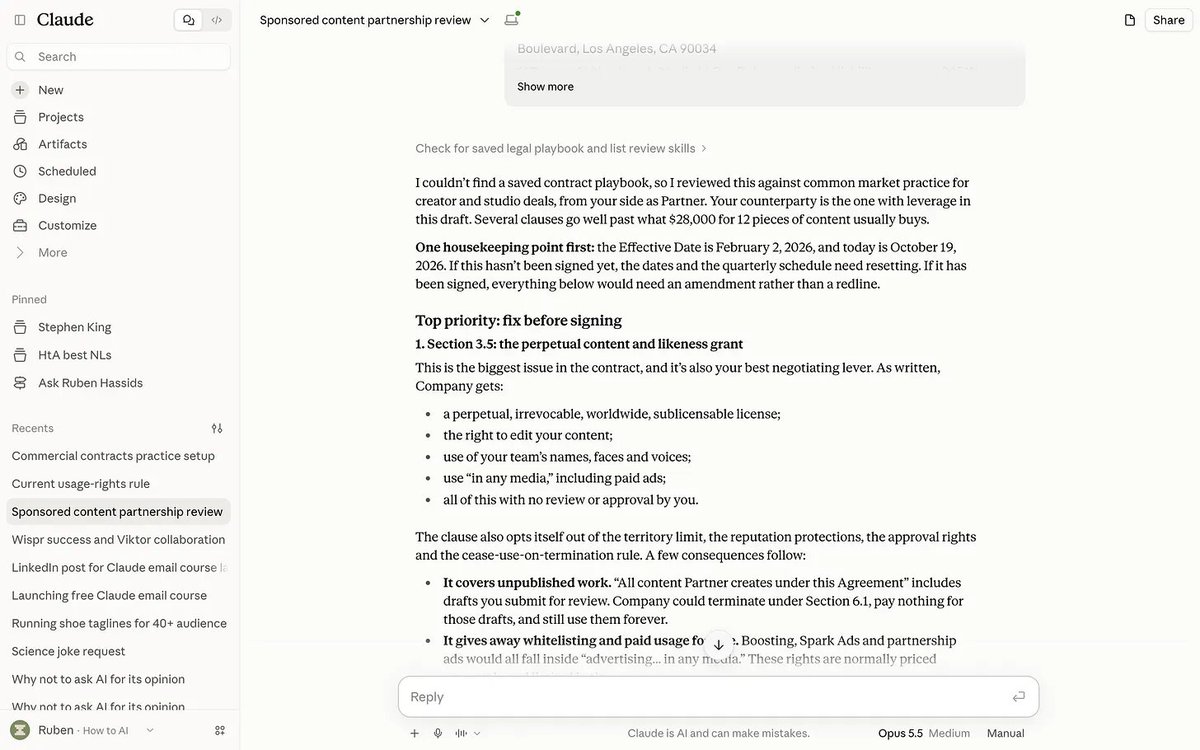
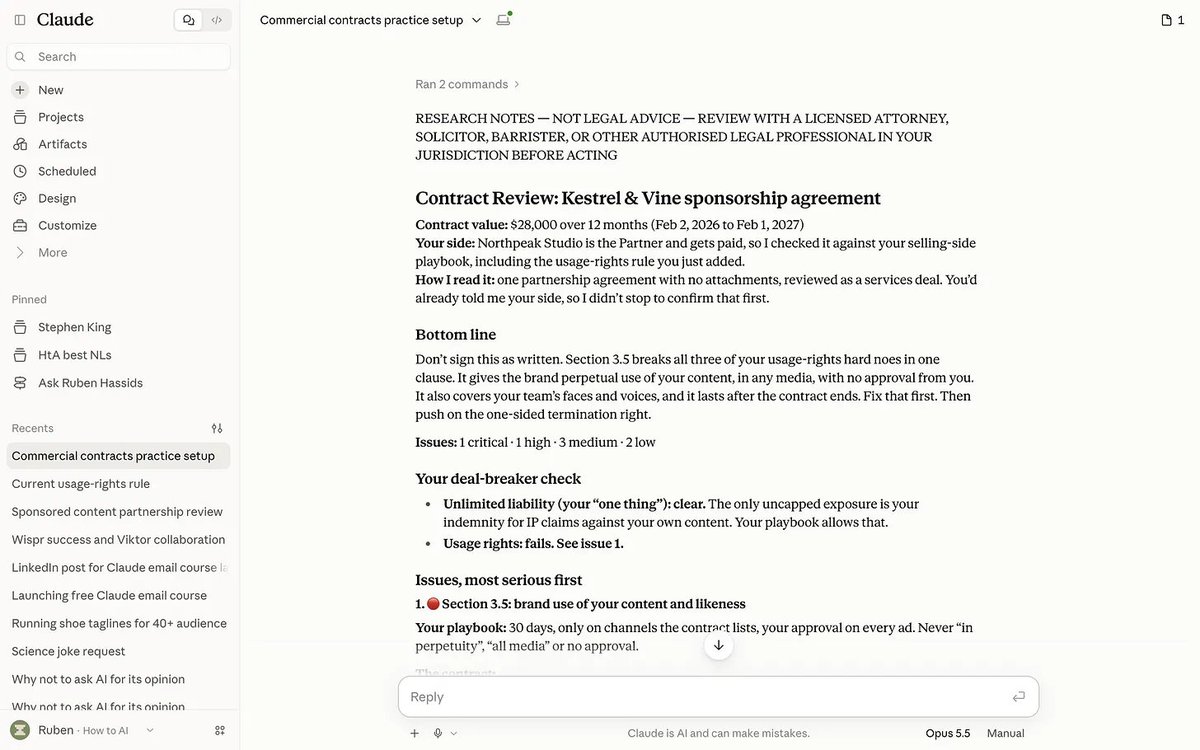
The second review knows your rules.
Do this setup in Claude Code (the Code tab of the Claude app), not in a chat. In a chat, your rules live inside one conversation: a new chat answers “I couldn’t find your commercial-legal practice profile.” In Claude Code, they’re saved in a file on your computer, and every new session reads them. Forever.
Now it’s time to put it to work.
3. Put it to work.
Open Claude Code, paste or attach the contract, then type what you want.
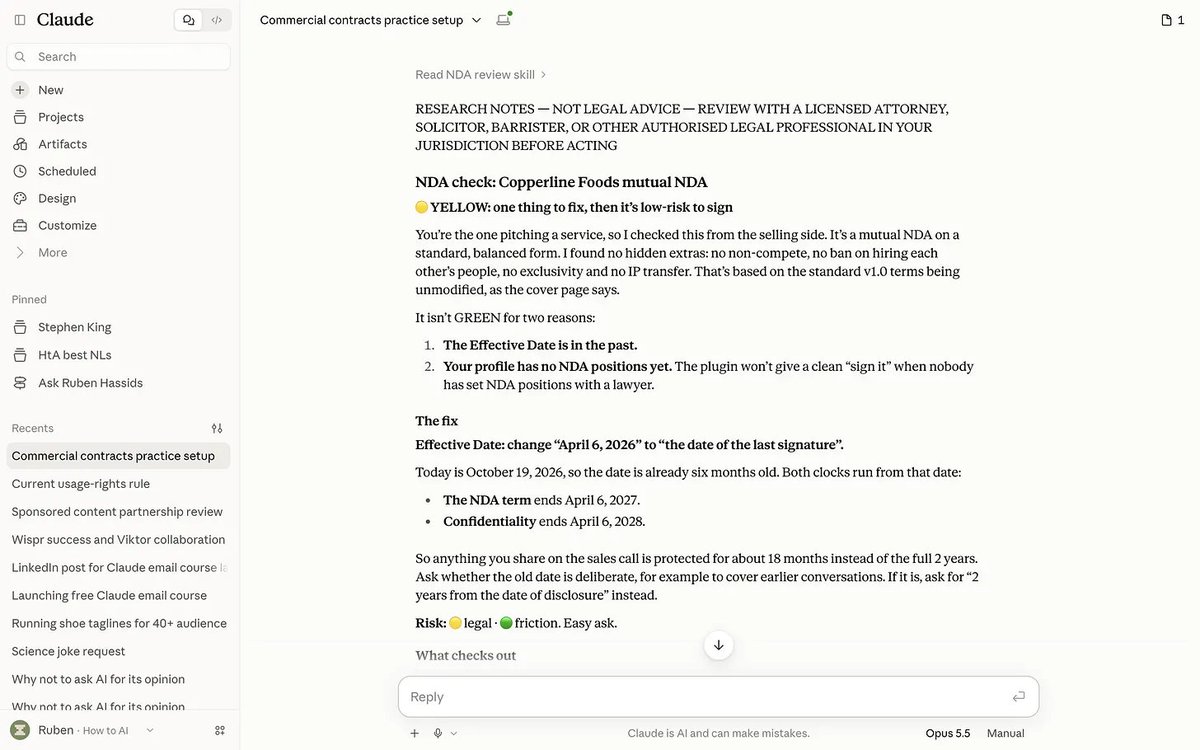
Job 1: “They sent me an NDA.”
/commercial-legal:review [attach the NDA]
You get green, yellow or red, the clauses that break your rules, and the changes to ask for.
Job 2: “Should I sign this contract?”
/commercial-legal:review [attach the contract] I'm the [customer / supplier / partner].
Always say which side you’re on.
Job 3: “Is this tool safe for our data?”
Before you click “I agree”, download the terms, then:
/commercial-legal:review [attach their terms] I'm the customer. Focus on our data: can they train AI on it, keep it after we leave, or share it?
Job 4: “What renews soon?”
After you sign anything, type: “Add this to the renewal tracker.” Then every Monday:
/commercial-legal:renewal-tracker
It lists every cancel-by date coming up, before the notice window closes.
Job 5: “Can I sign?”
/commercial-legal:stakeholder-summary
After any review, it gives you the two-minute version: can you sign, and what you need to know.
Claude can do all 5. But here’s where you still need a human.
Because yes, I still pay for a lawyer.
4. I still pay for a lawyer.
It’s not a lawyer. Anthropic says so in the plugin’s own instructions: “Every output is a draft for attorney review.” It flags problems and drafts changes.
You make the call.
It doesn’t know your country’s law by heart. A clause that’s fine in New York can be void in France. Tell it your country in the interview, and treat anything about local law as a question for a lawyer.
And obviously, laws evolve. It’s good to make it check the latest.
Some things always go to a lawyer. Add this list to your playbook with /commercial-legal:customize:
Your contracts are private. Check your settings. On Free, Pro and Max, go to Settings → Privacy and switch off the toggle that lets Anthropic use your chats to improve its models. With it on, chats are kept up to 5 years. With it off, 30 days. Team plans don’t train on your chats by default.
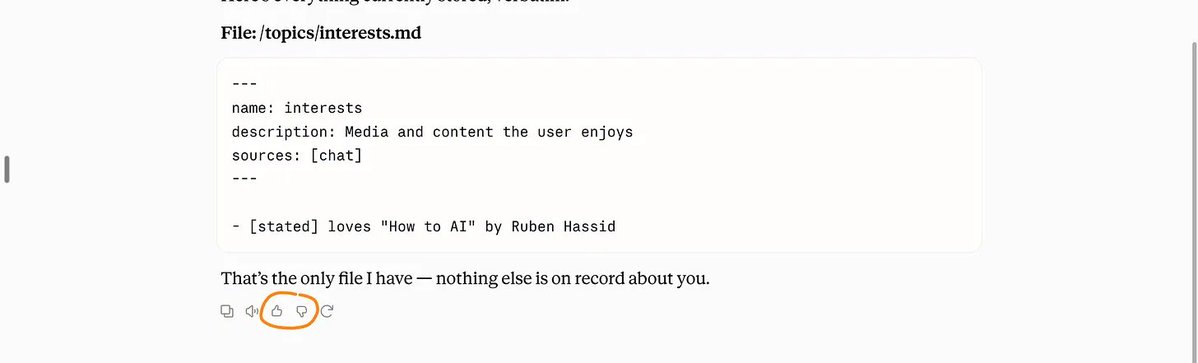
And never click on the thumbs below your chats (they train on these messages automatically).
Alright. That was a lot. You’re probably lost on where to start.
Let’s recap:
Where to start.
30 minutes. Today.
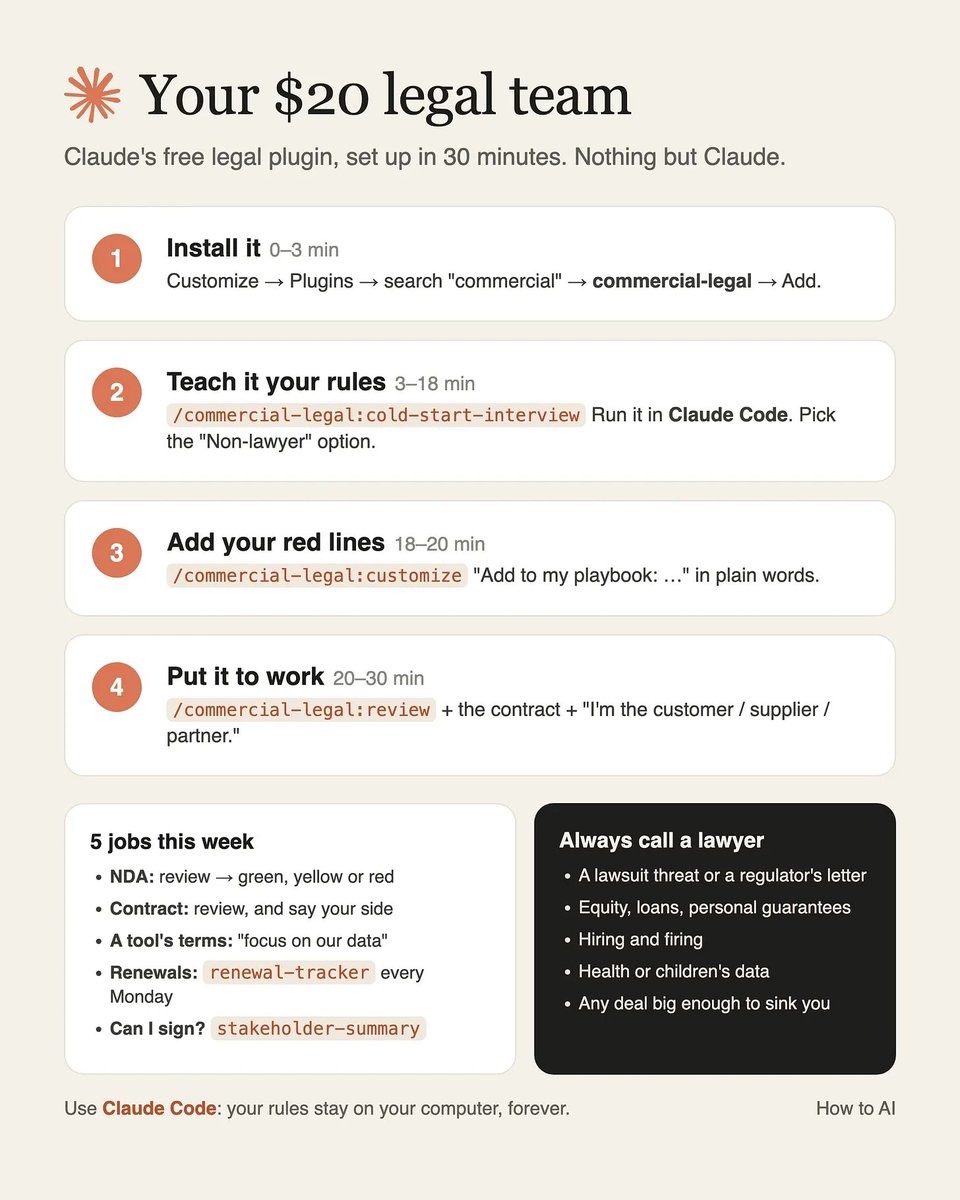
Minutes 0–3: Customize → Plugins → search “commercial” → commercial-legal → Add.
Minutes 3–18: Open Claude Code. Gather 5–10 contracts you’ve signed. Run /commercial-legal:cold-start-interview (full).
Minutes 18–20: Add your red lines with /commercial-legal:customize.
Minutes 20–30: In Claude Code, paste the last contract you signed. Run /commercial-legal:review on it. Then type: “Add this to the renewal tracker.”
See what it flags.
Set it up with me.
I could tell you to read every contract yourself. You won’t.
I could sell you a “legal prompt”. Claude already writes one when you ask.
I could lie and build a “super intelligent & expensive tool”. It won’t beat Claude.
What I can do is train you:
→ 23 minutes to go from zero to 80% of Claude. Every Monday.
→ 46 minutes to go from 80% to 95%. Our “AI 201” class. Claude Code, connected to your apps. You don’t need to know how to code. I don’t know how to code. But Claude Code is where I spend most of my days. It’s where you should, too.
Both are live, every single week. And both are recorded.
It’s only available on my paid Substack offer.
Here’s what $200 a year buys you (it’s 55 cents a day, less than a grapefruit!):
Sounds like a deal?
I will now leave the link to join the live session behind the paywall.
Once you upgrade, you can book it on your calendar right away: how-to-ai.guide
I am not paid by Claude to write this. I don’t pick sides. I’m sharing, twice a week, how my work is changing (very fast) with AI. And oh boy… it changes faster than ever. I am still buzzing from the latest Claude Code releases.
If I can’t keep up, I can’t imagine how you can. I mean. That’s my full time job.
Do you feel anxious these days? I’d love to know.
Humanly yours, Ruben.