I Built a Second Brain Using Grok Bot That Works 24×7, 365 Days

@KanikaBK
Kanika@KanikaBK
2 views Aug 26, 2026 ~6 min read
Advertisement

A second brain only works if it captures, organizes, and acts without waiting for you.

Media image
Media image

Most note apps and chat tools still need you to open them, prompt them, and push every next step. Grok Bot changes this because each bot has its own cloud computer, shared logins, memory, and the ability to keep running after you shut your laptop.

This article shows the exact second-brain system I built so research, notes, follow-ups, and daily reviews happen continuously 24×7, 365 days.

Why normal second brains fail

Notes pile up and never get reused.

AI chats reset every session.

You become the bottleneck: capture, sort, rewrite, remind, follow up.

A brain that only works when you are at the keyboard is just another inbox.

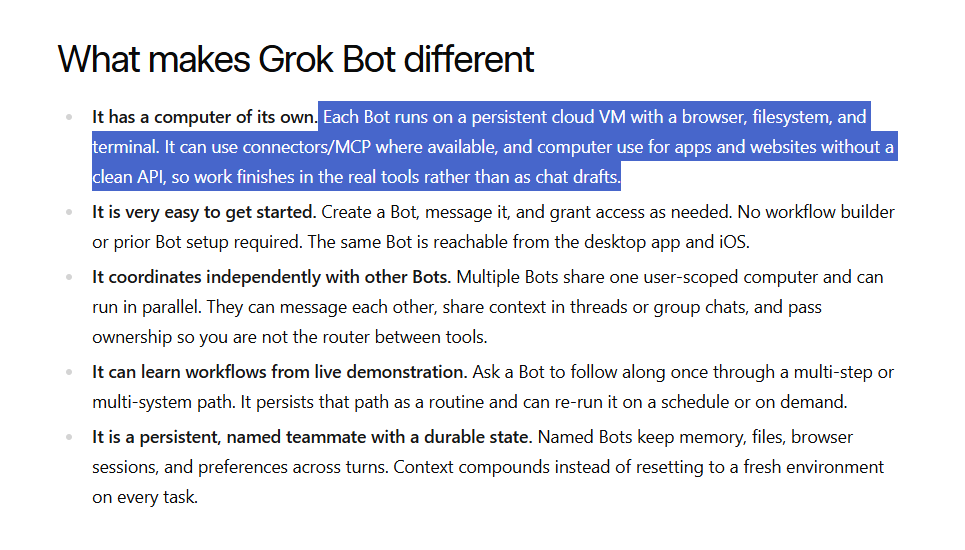
What makes Grok Bot different
Media image

It is not a chatbot you visit.

Each bot is a role with a charter, tools, and time.

One account, one shared cloud computer, multiple bots.

They can click, navigate, file, draft, log, and schedule.

You teach a task once. It becomes a reusable skill. Then it runs on a schedule or trigger.

The second-brain architecture

Think in roles, not prompts.

I use five core bots:

Chief of Staff

  • Coordinates the others and reports to you.
  • Owns meeting prep, inbox triage, and post-call drafts.
  • Spins up specialist bots when work needs them.
  • Delivers one morning brief and one nightly recap.
  • Scout

  • Captures research, links, papers, and daily signals.
  • Watches sources you already use (X, docs, email, saved pages).
  • Everything lands in a consistent format: source, why it matters, next owner.
  • Librarian

  • Files, tags, links, and updates the knowledge base.
  • Organizes into Notion / Drive / your vault.
  • Updates one living index (topics, projects, open questions).
  • Links new notes to related older notes so the system compounds.
  • Writer

  • Turns notes into drafts (never publishes alone).
  • Produces article outlines, post drafts, and briefs.
  • Works from your voice rules and style guide.
  • Operator

  • Handles inbox, calendar, follow-ups, and reminders.
  • Drafts replies, schedules reviews, and flags decisions.
  • Nothing money, legal, or public goes out without you.
  • One objective goes in. Work is split. You only step in for judgment.

    How the 24×7 system works

    Capture

    Scout watches sources you already use (X, docs, email, saved pages).

    Everything lands in a consistent format:

  • Source (link, file, thread).
  • Why it matters (1–2 sentences).
  • Next owner (Librarian, Writer, Operator).
  • Organize

    Librarian files into Notion / Drive / your vault.

    Updates one living index:

  • Topics
  • Projects
  • Open questions
  • Links new notes to related older notes so the system compounds.

    Synthesize

    Overnight, the team turns raw capture into:

  • A morning brief (5–7 bullets: what changed, what needs attention).
  • Updated project pages.
  • Draft posts or article outlines.
  • A short "what changed" log.
  • Act (with guardrails)

    Operator drafts replies, schedules reviews, and flags decisions.

    Nothing money, legal, or public goes out without you.

    Review loop

    Nightly checkpoint: what ran, what failed, what needs a better skill.

    Weekly cleanup so the second brain does not become another junk drawer.

    Build plan (practical)

    1. Write the charter first

    For every bot: what it owns, what good looks like, what it must never do without asking.

    Example for Scout:

  • Owns: Daily research capture from X, saved pages, and key newsletters.
  • Good looks like: 10–20 items/day, each with source, 1-sentence why it matters, and suggested owner.
  • Must never do: Delete sources, skip the index, or send anything externally.
  • Do this for all five bots before you connect tools.

    2. Connect tools once

    Gmail, Drive, Notion, Slack, calendar - account-level.

    Connect only what the second brain truly needs.

    Start with:

  • Email (for capture and Operator).
  • Drive or Notion (for Librarian).
  • Calendar (for Operator and Chief of Staff).
  • Add more later (X, GitHub, linear, CRM) once the core is stable.

    3. Teach one recurring task

    Best first skill: weekly, multi-tool, stable steps.

    Example: "Every night, file new research and update the index."xyoutube

    Walkthrough:

  • Show Scout where to pull from (saved links, newsletter folder, X bookmarks).
  • Show Librarian where to file (Notion database, Drive folder).
  • Show how to update the index (topics, projects, open questions).
  • Save as a named routine: "Nightly Knowledge Filing."
  • 4. Add schedules and triggers

    Set simple, repeatable triggers:

  • 7am: Morning brief from Chief of Staff.
  • New useful link/email: Capture + file by Scout + Librarian.
  • Friday 5pm: Weekly knowledge review (top insights, outdated notes, open questions).
  • Start with 2–3 triggers. Expand only after they run reliably.

    5. Put the bots in one group

    Give an objective, not a task list.

    Example objective: "Keep my knowledge base current, linked, and useful with minimal manual work."

    Rules:

  • One owner per stage (Scout → Librarian → Writer → Operator).
  • No silent sending.
  • Chief of Staff reports up; you review and adjust.
  • What "works 24×7" actually means

    It does not mean unsupervised forever.

    It means capture, filing, briefing, and drafting continue while you sleep.

    You keep decisions. The bots keep the grind.

    In practice:

  • You wake up to a morning brief instead of a blank page.
  • New research is already filed and linked.
  • Drafts and follow-ups are ready for your review.
  • You spend your time on judgment, not busywork.
  • Honest limitations

    Access is not cheap and is still early.

  • UI changes can break click-through flows.
  • Shared computer = shared blast radius do not connect sensitive finance or client systems first.
  • Start with reversible work. Watch early runs. Tighten the charter before you scale.
  • Treat the first month as a pilot. Assume you will adjust roles, tools, and routines as you learn.

    Starter stack (do these 4 first)

    If you want the fastest path to value, start with these four:

  • Librarian bot + knowledge index
    One Notion database or Drive folder as your "second brain."
    Routine: "File all new research and update the index nightly."
  • Scout bot + morning radar
    Watches 2–3 key sources (X list, newsletter folder, saved links).
    Routine: "Every morning, send 10–20 high-signal items with why they matter."
  • Morning brief routine
    Chief of Staff compiles: what changed, what needs attention, today's focus.
    Delivered at a fixed time (e.g., 7am).
  • Weekly review routine
    Friday 5pm: top insights, outdated notes, open questions, next-week priorities.
    Chief of Staff + Librarian + Writer collaborate.
  • Add Writer and Operator only after filing is reliable.

    A day in the life of this second brain

    Night (automated):

  • Scout captures new links, posts, and emails.
  • Librarian files them and updates the index.
  • Writer drafts 1–2 article outlines or post ideas from the day's notes.
  • Chief of Staff logs what ran and flags any failures.
  • Morning (you):

  • Open your morning brief.
  • Scan: what changed, what needs attention.
  • Approve 1–2 drafts to publish or send.
  • Adjust filters or routines if something looks off.
  • During the day:

  • You focus on deep work and conversations.
  • Operator handles inbox triage and drafts replies.
  • Scout keeps capturing in the background.
  • Librarian keeps linking and organizing.
  • End of week:

  • Weekly review summarizes insights and open questions.
  • You decide what to double down on, what to drop.
  • The system compounds instead of decaying.
  • Key takeaway

    A second brain is not more notes.

    It is a small team of Grok Bots with clear jobs, shared tools, and a schedule that never takes a day off.

    Build the charter, teach one stable task, then let the system run.

    The shift is simple: you stop prompting all day and start reviewing work that already happened.

    Hope you liked the article.

    Building better AI workflows for creators like you.

    ❣️I’m Kanika (@KanikaBK) — follow for more practical tests and setups.

    Also subscribe to my newsletter:
    https://passiveincomehabit.beehiiv.com/

    Actions
    What You Can Do
    • Export as PDF or Markdown
    • Batch Export to Notion
    • Bookmark & Highlight
    • LinkedIn & Instagram Carousel Maker
    Create Free Account

    Includes 7-day Premium trial

    Advertisement