How to Run a Real US TikTok Account From Anywhere (The Full Setup, Step by Step)

If you're targeting the US market — and after burning months on Europe, I've told you why you should — your TikTok account needs to actually be a US account. US IP, US signals, US For You page.

The problem: do it wrong and TikTok flags you instantly. Wrong proxy type, switching IPs, opening the app before the proxy is on — any of these and your reach is dead before you've posted once.
This is the simplest and cheapest setup I know that actually works. No agency, no $100/month tools. Here's the whole thing.
Step 1 — Reset your iPhone as a fresh US device
Before anything else: fully reset an iPhone and set it up as a new device with the region set to US.
You want the device itself to look American — not just the connection. A phone full of German settings, keyboards, and app history sends mixed signals that no proxy can fix.
Best case: create a fresh Apple ID along with it. That's the cleanest possible start. But to be transparent — it worked for me without a fresh Apple ID too. If that's too much friction, the reset + US region alone got the job done in my case.
Step 2 — Buy the right proxy
Go to a provider like IPRoyal or ProxyCheap and get a US mobile proxy (4G/5G) — or an ISP / static residential proxy.
The type matters more than the provider. You want an IP that looks like a real US phone or home connection, not a datacenter. Look for IPs from carriers/ISPs like:
After purchase you'll get four things: IP, port, username, password. That's all you need.
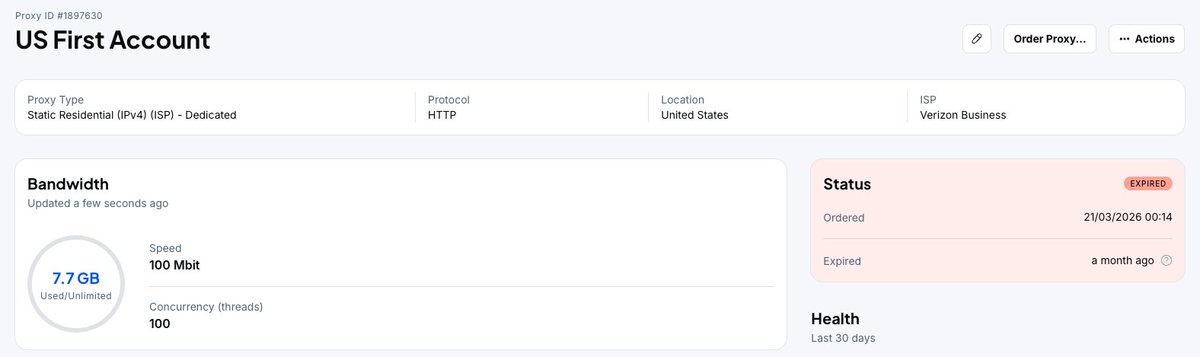
Step 3 — Install the proxy app
Download Shadowrocket from the App Store (Surge works too, Shadowrocket is the cheaper option).
Step 4 — Set up the proxy

In Shadowrocket:
Step 5 — Activate it
Flip the switch in the app to ON.
Step 6 — Verify it's working
Open Safari and google "what is my IP."
Location should show USA. If it doesn't, stop — don't open TikTok until it does.
Step 7 — Now open TikTok
The order is everything:
Every single time. No exceptions.
🚨 The rules that keep you unblocked
This is the part people mess up. The setup is easy — the discipline is what protects the account:
TikTok doesn't block you for using a proxy. It blocks you for looking inconsistent. A stable, boring, always-the-same US connection is invisible. That's the whole trick.
The short version
Simple setup. That's what keeps a US account alive.
I'm building in public — every setup, every number, every fail. Follow along for the rest of the playbook. 🚐