So, some people are asking how to use mods. Recent guides on...

Anilyan (they/them)@Anilyan13
957 views
Dec 11, 2025
~4 min read
Advertisement
1
So, some people are asking how to use mods.
Recent guides on youtube tell people to use XXMI, which yes is convenient, but since now it logs you out often unless you use some workarounds, I will teach how to use good-old GIMI and all you need to know
Recent guides on youtube tell people to use XXMI, which yes is convenient, but since now it logs you out often unless you use some workarounds, I will teach how to use good-old GIMI and all you need to know

2
First, go here github.com/SilentNightSou…
It says it's deprecated, but works perfectly fine. Get this thing, the version for playing with mods
It says it's deprecated, but works perfectly fine. Get this thing, the version for playing with mods
3
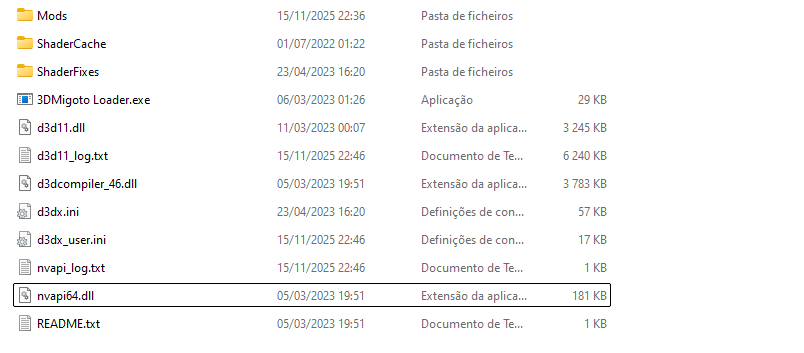
Inside, you will have a folder with this. All mods you download will have to be placed unzipped inside your Mods folder (make sure you only have one for each characters at a time, unless you make your own merges)
4
You need 2 other things inside Mods, that XXMI would update automatically, but with GIMI needs to be manually
TexFX github.com/sinsofseven/Te…. Unzip it, and drop it inside Mods.
Orfix.ini and OrfixAPI.ini github.com/leotorrez/LeoT…. Put them inside Mods » BufferValues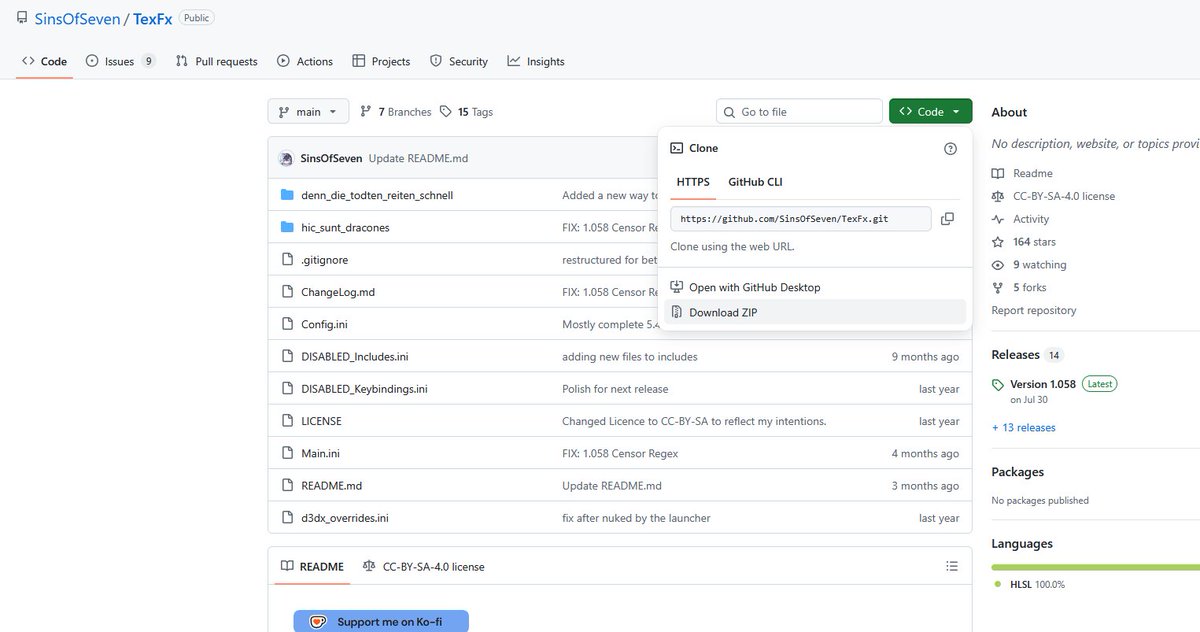


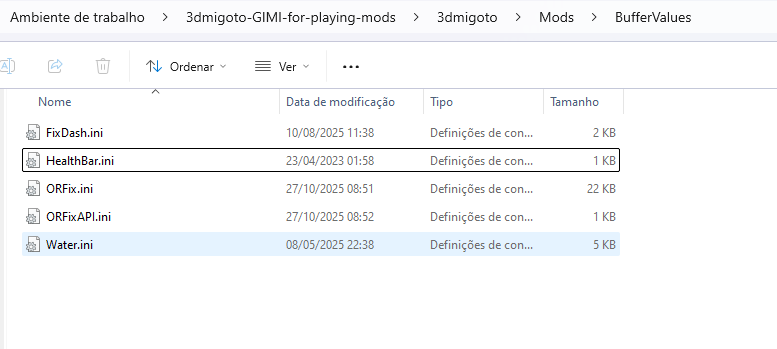
TexFX github.com/sinsofseven/Te…. Unzip it, and drop it inside Mods.
Orfix.ini and OrfixAPI.ini github.com/leotorrez/LeoT…. Put them inside Mods » BufferValues
5
To run the game with mods, double-click 3dmigotoLoader.exe, and let the console open. If your pc asks for permission, say yes.
Then you open the game normally through the official launcher. This is going to close.
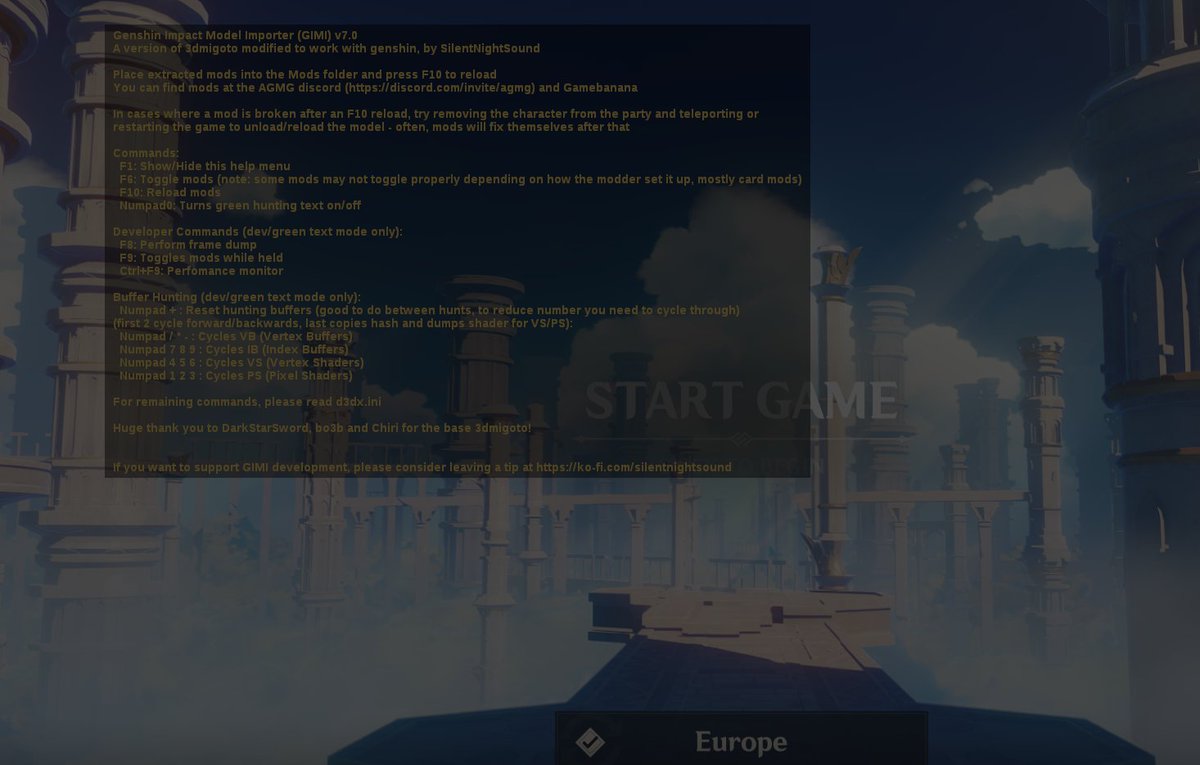
You can be sure that mods loaded if F1 shows this window
Then you open the game normally through the official launcher. This is going to close.
You can be sure that mods loaded if F1 shows this window
6
One last important thing: Mods are incompatible with Dynamic Character Resolution. You need to turn this off, or mods will look completely broken
To use mods, that is all. Now I will go over things you should know and common issues
To use mods, that is all. Now I will go over things you should know and common issues
7
Mod visibility:
First, if you ever want to turn off mods quickly, you can just press F6.
Second, you need to double click the loader before using the game launcher every time you want to see mods
First, if you ever want to turn off mods quickly, you can just press F6.
Second, you need to double click the loader before using the game launcher every time you want to see mods
8
Mod detection:
Hoyo has always been able to detect when people use mods. No one was ever banned over that, and if you see the game's terms, you will see it refers (I would say exclusively) to things that change fairness or gameplay, or cheats.
Skin mods don't fall under that
Hoyo has always been able to detect when people use mods. No one was ever banned over that, and if you see the game's terms, you will see it refers (I would say exclusively) to things that change fairness or gameplay, or cheats.
Skin mods don't fall under that
9
If you are using fps unlocker or mouse-clickers to skip dialogue, that is far more against the terms than skin mods are.
Same for private servers - mods can be used in your real accounts without problems
Same for private servers - mods can be used in your real accounts without problems
10
XXMI, due to the separate launcher, has gotten people logged off frequently, which is annoying + proves hoyo detects mods.
Still no bans, and if you prefer the automatic updates that it brings, you can use that instead of GIMI, with the old GIMI loader gamebanana.com/posts/13024449
Still no bans, and if you prefer the automatic updates that it brings, you can use that instead of GIMI, with the old GIMI loader gamebanana.com/posts/13024449
11
(explanation above)
Ppl fear having their UID in pics/videos, but I don't think it's an issue, since hoyo can detect mods anyway. Not just that, I was once a content creator, so they have my id
Still, you can use this to hide the id gamebanana.com/mods/523278
Ppl fear having their UID in pics/videos, but I don't think it's an issue, since hoyo can detect mods anyway. Not just that, I was once a content creator, so they have my id
Still, you can use this to hide the id gamebanana.com/mods/523278
12
Where to get mods:
Gamebanana. Just filter by character and scroll.
Filters let you indicate if you want nsfw , and you can block users
Some moders have patreon. The tool devs allow mods to be paywalled for 1 month max. Modders that don't follow that are breaking the terms
Gamebanana. Just filter by character and scroll.
Filters let you indicate if you want nsfw , and you can block users
Some moders have patreon. The tool devs allow mods to be paywalled for 1 month max. Modders that don't follow that are breaking the terms
13
Common error 1 - broken mesh
Can be caused by:
1) Dynamic Character Resolution (sometimes it turns on automatically, so check and turn it off)
2) More than 1 mod for the same character
3) Modding tool being silly. Try entering a domain, it forces the mod to reload
Can be caused by:
1) Dynamic Character Resolution (sometimes it turns on automatically, so check and turn it off)
2) More than 1 mod for the same character
3) Modding tool being silly. Try entering a domain, it forces the mod to reload
14
4) Old mods that need an update. Fix:
Put this in a folder.
Put the broken mods unzipped in the same folder.
Double click the script to update them: gamebanana.com/tools/15654
Put this in a folder.
Put the broken mods unzipped in the same folder.
Double click the script to update them: gamebanana.com/tools/15654
15
Common error 2 - green mods
Sometimes, hoyo updates things and mods turn like this. You will need to update ORfix (if the update that broke stuff just released, give it some days for the tool to update)
Besides that, the mods might need changes to their .ini. -
Sometimes, hoyo updates things and mods turn like this. You will need to update ORfix (if the update that broke stuff just released, give it some days for the tool to update)
Besides that, the mods might need changes to their .ini. -
16
You can:
1) Run a script to fix. Put the script and the mods unzipped inside the same folder, double click the script to update all. Script: gamebanana.com/tools/16472)
2) Update manually gamebanana.com/news/21936. The instruction here might be confusing so I will explain
1) Run a script to fix. Put the script and the mods unzipped inside the same folder, double click the script to update all. Script: gamebanana.com/tools/16472)
2) Update manually gamebanana.com/news/21936. The instruction here might be confusing so I will explain
17
(Pre-sumeru characters didn't need ORFix, so they will be the most broken)
Basically, find the texture override head/body/dress sections
» If it's the Traveler, or it has a NormalMap, add
run = CommandList\global\ORFix\ORFix
» If not, add
run = CommandList\global\ORFix\NNFix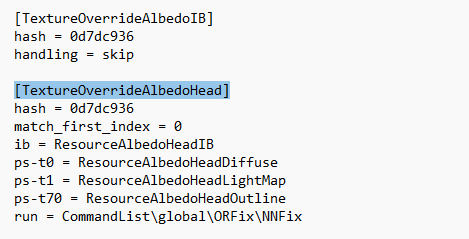
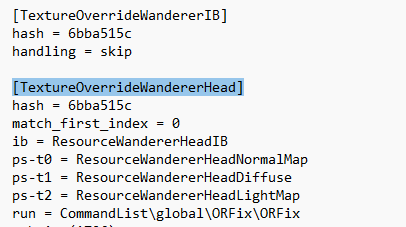
Basically, find the texture override head/body/dress sections
» If it's the Traveler, or it has a NormalMap, add
run = CommandList\global\ORFix\ORFix
» If not, add
run = CommandList\global\ORFix\NNFix
18
Broken face textures:
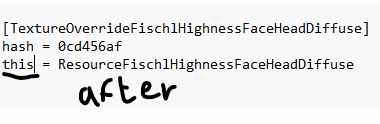
The .ini might be using ps-t0 for the face texture, which doesn't work anymore, causing this issue in the face.
The simplest solution is to get rid of extra slots, and in the diffuse slot, replace the slot code with the word "this"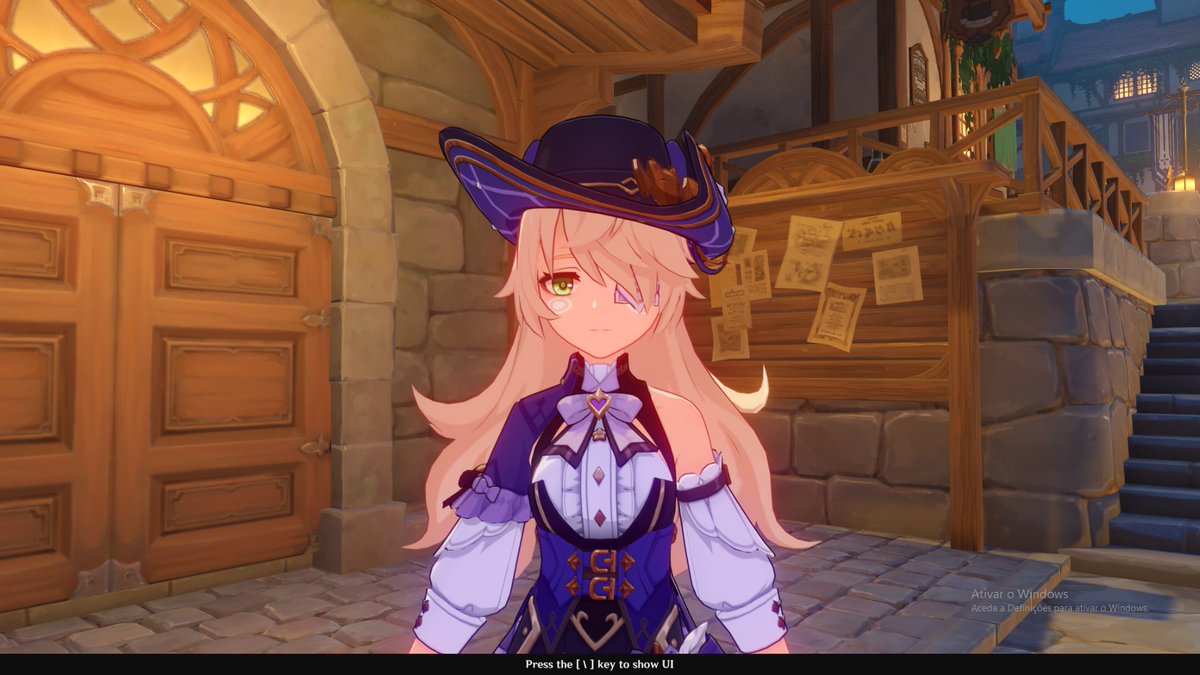

The .ini might be using ps-t0 for the face texture, which doesn't work anymore, causing this issue in the face.
The simplest solution is to get rid of extra slots, and in the diffuse slot, replace the slot code with the word "this"
19
That should cover all the issues! For anything else, I really recommend joining the main discord server and asking for help there discord.gg/agmg
20
Lastly, about co-op:
Other people can't see you are using mods. If you see modded characters in co-op, those are the mods that YOU are using for those characters, not them
Face mods, gliders, or things that check if a character is on-screen to display, can get buggy in co-op
Other people can't see you are using mods. If you see modded characters in co-op, those are the mods that YOU are using for those characters, not them
Face mods, gliders, or things that check if a character is on-screen to display, can get buggy in co-op
21
I wrote a word document that is far more complete and organized, so check that instead

Anilyan (they/them)@Anilyan13
As a mod creator since mid-Sumeru, here is everything I know about modding genshin (for mod users)
Every question, every modding method, and every glitch is covered. I will try to keep this document updated.
Link below!
#genshinimpact
Every question, every modding method, and every glitch is covered. I will try to keep this document updated.
Link below!
#genshinimpact
