How I stopped breaking things in Cursor The workflow that reduced...

Prajwal Tomar@PrajwalTomar_
51 views
Jun 04, 2025
~2 min read
Advertisement
1
How I stopped breaking things in Cursor
The workflow that reduced errors by 90%
Bookmark this ↓
The workflow that reduced errors by 90%
Bookmark this ↓
2
1/ Why you need TaskMaster
Cursor is powerful, but as your MVP grows, you’re juggling:
– Feature backlog
– Refactors
– Bugs
– AI forgetting context
TaskMaster fixes that.
It acts like a project manager inside your terminal.
Cursor is powerful, but as your MVP grows, you’re juggling:
– Feature backlog
– Refactors
– Bugs
– AI forgetting context
TaskMaster fixes that.
It acts like a project manager inside your terminal.
3
2/ What TaskMaster does
It takes your PRD and turns it into a dynamic task system:
– Breaks it down into clear tasks
– Adds priorities + dependencies
– Tracks progress
– Works directly with Cursor via MCP
You get clarity and structure. AI stops hallucinating.
It takes your PRD and turns it into a dynamic task system:
– Breaks it down into clear tasks
– Adds priorities + dependencies
– Tracks progress
– Works directly with Cursor via MCP
You get clarity and structure. AI stops hallucinating.
4
3/ How to set it up (5 mins)
• Get the MCP configuration from the documentation
• Add Claude + Perplexity API keys in .env
• Paste your PRD
• Prompt cursor to parse the PRD
Done. You’re ready.
• Get the MCP configuration from the documentation
• Add Claude + Perplexity API keys in .env
• Paste your PRD
• Prompt cursor to parse the PRD
Done. You’re ready.
5
4/ The AI-powered dev loop
Once your tasks are generated:
• Ask → “What should I work on next?”
• TaskMaster suggests a task
• Cursor implements it
• You test + mark it done
• Repeat
No more vibe coding. Just a clear loop.
Once your tasks are generated:
• Ask → “What should I work on next?”
• TaskMaster suggests a task
• Cursor implements it
• You test + mark it done
• Repeat
No more vibe coding. Just a clear loop.
6
5/ What if Bolt already built half your project?
No problem.
Just describe the remaining features in your PRD.
Parse it again with TaskMaster.
It’ll generate tasks only for what’s pending.
Perfect for Bolt → Cursor handoffs.
No problem.
Just describe the remaining features in your PRD.
Parse it again with TaskMaster.
It’ll generate tasks only for what’s pending.
Perfect for Bolt → Cursor handoffs.
7
6/ Got a bug? Turn it into a task
Let’s say something breaks:
“Create a new task to fix the bug where filter is case-sensitive. Make it case-insensitive.”
TaskMaster adds it, tracks it, and keeps your system clean.
You never lose track of edge cases or random hotfixes.
Let’s say something breaks:
“Create a new task to fix the bug where filter is case-sensitive. Make it case-insensitive.”
TaskMaster adds it, tracks it, and keeps your system clean.
You never lose track of edge cases or random hotfixes.
8
7/ Why this changed how I ship
Before TaskMaster:
– Cursor forgot what I built
– I repeated code
– Planning was messy
– Bugs fell through cracks
After:
– I build in a loop
– Tasks are structured
– PR is organized
– Cursor performs better
It’s a full system.
Before TaskMaster:
– Cursor forgot what I built
– I repeated code
– Planning was messy
– Bugs fell through cracks
After:
– I build in a loop
– Tasks are structured
– PR is organized
– Cursor performs better
It’s a full system.
9
8/ Pro Tip: Analyze task complexity
Use:
Taskmaster's analyze complexity tool
It checks how hard each task is (based on docs, libraries, dependencies).
Gives them a complexity score out of 10
Then do this... 🔽
Use:
Taskmaster's analyze complexity tool
It checks how hard each task is (based on docs, libraries, dependencies).
Gives them a complexity score out of 10
Then do this... 🔽
10
9/ Pro Tip: Breakdown complex tasks
Use:
Taskmaster's expand tool to breakdown complex tasks which have a complexity score of more than 6
It will break down the task into subtasks for easy implementation.
Use:
Taskmaster's expand tool to breakdown complex tasks which have a complexity score of more than 6
It will break down the task into subtasks for easy implementation.
11
The full video walkthrough is now live inside @aimvpbuilders
Join 215+ founders, devs, and indie hackers learning how to build smarter with AI.
Let’s gooo.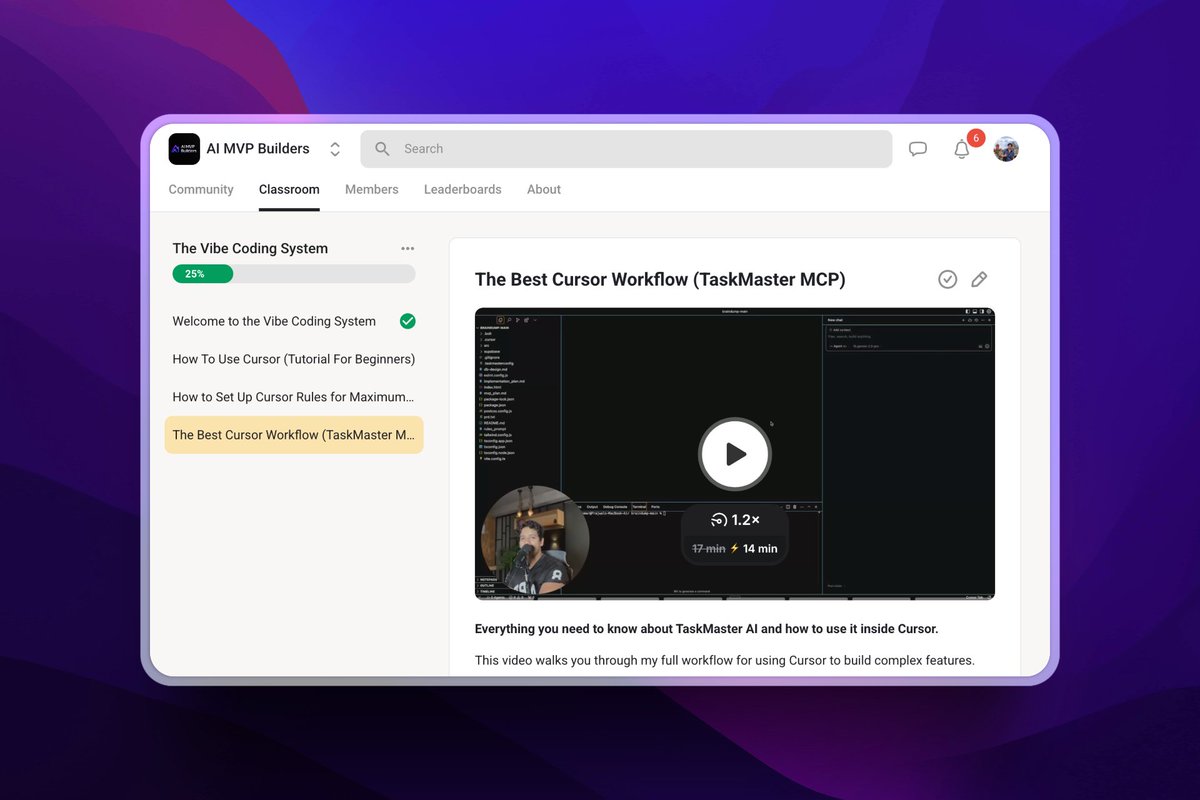
Join 215+ founders, devs, and indie hackers learning how to build smarter with AI.
Let’s gooo.
