I built this UI design with v0 and Claude·ai (web app) It took me...

CJ Zafir@cjzafir
40 views
Mar 11, 2025
~2 min read
Advertisement
1
I built this UI design with v0 and Claude·ai (web app)
It took me 25 minutes to code this interface.
Let me share my new UI design workflow: ↓
It took me 25 minutes to code this interface.
Let me share my new UI design workflow: ↓
2
Before we start here're few other pages of same web app:
- Sign up page
- Sign in page
You can see the style consistency.

- Sign up page
- Sign in page
You can see the style consistency.
3
For this new UI workflow I used 3 tools.
1. CodeGuide
2. Claude·ai
3. v0
I used @CodeGuidedev to write the coding documentation.
For UI design I use:
1. PRD
2. Frontend Guidelines
For quality code and style consistency and quality "coding documents" are important.
1. CodeGuide
2. Claude·ai
3. v0
I used @CodeGuidedev to write the coding documentation.
For UI design I use:
1. PRD
2. Frontend Guidelines
For quality code and style consistency and quality "coding documents" are important.
4
After generating docs with CodeGuide I go to Claude AI web app.
Claude Sonnet 3.7 (thinking) model works great in Claude Web app due to their heavy system prompt.
Sonnet 3.7 is the best model right now to code UI components
Steps:
- Open Claude·ai
- Start a new project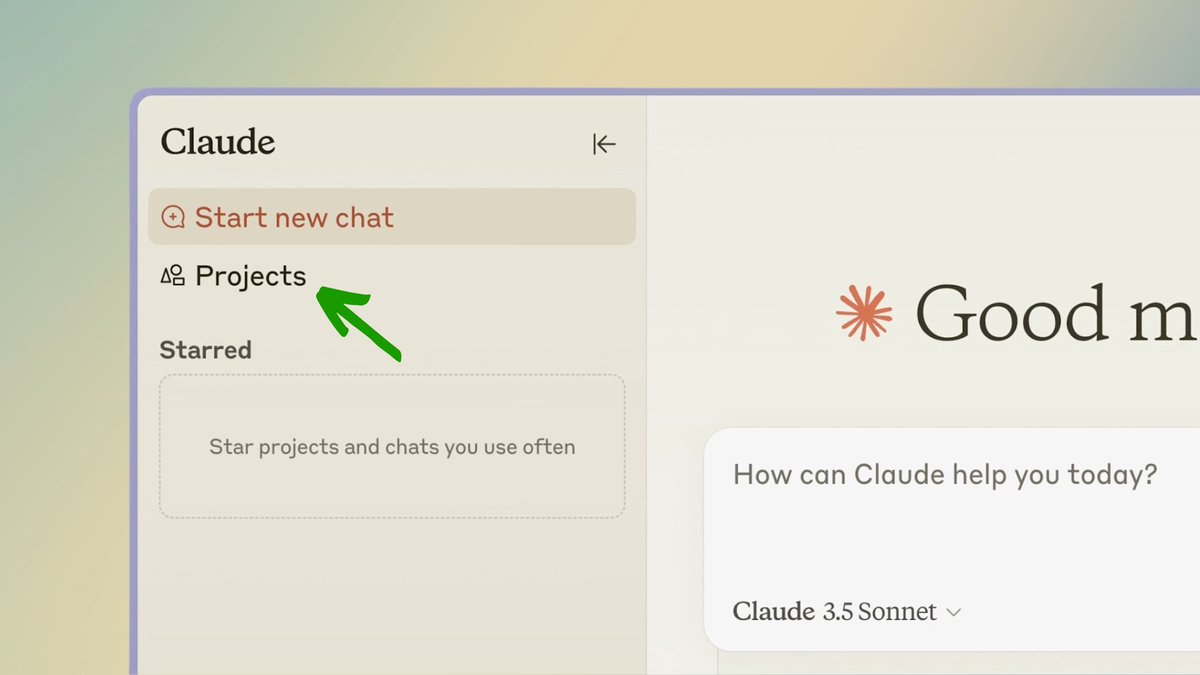
Claude Sonnet 3.7 (thinking) model works great in Claude Web app due to their heavy system prompt.
Sonnet 3.7 is the best model right now to code UI components
Steps:
- Open Claude·ai
- Start a new project
5
After Starting a new project, I attach 2 documents that I generated from CodeGuide
These docs serve as a 'Knowledge base' for Claude to understand:
- what the project is all about?
- what tech stack I am using?
- what's my style guidelines?
Upload PRD + Frontend Guidelines doc
These docs serve as a 'Knowledge base' for Claude to understand:
- what the project is all about?
- what tech stack I am using?
- what's my style guidelines?
Upload PRD + Frontend Guidelines doc
6
You're set now.
Now start asking it to code the UI components step by step for all pages like:
- Landing page
- Sign up page
- Login page
- Dashboard
- Settings
- Help
etc
Tip: Use new chat for each new page (within the project) to save message requests
Claude coded this: ↓
Now start asking it to code the UI components step by step for all pages like:
- Landing page
- Sign up page
- Login page
- Dashboard
- Settings
- Help
etc
Tip: Use new chat for each new page (within the project) to save message requests
Claude coded this: ↓
7
Now copy the code of this component.
And got to v0.
Open a new chat.
Prompt: "run this code: (paste the code)"
v0 will load the component 10/10 times.
Now you can start refining the style.
v0 refined the above component to this: ↓
(for backgrounds I use midjourney)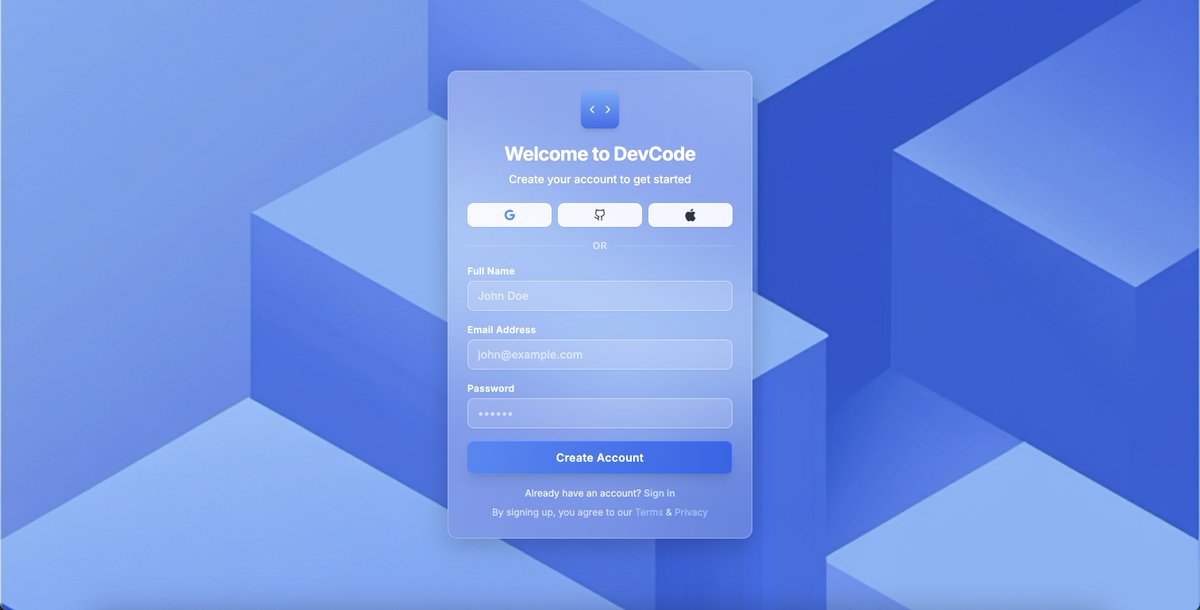
And got to v0.
Open a new chat.
Prompt: "run this code: (paste the code)"
v0 will load the component 10/10 times.
Now you can start refining the style.
v0 refined the above component to this: ↓
(for backgrounds I use midjourney)
8
Once you're good with this component.
do the same for other pages.
Tip: Always open a new chat in v0 and Claude both.
Steps:
1. Ask Claude to code new page component. Copy the code.
2. Open new chat in v0. Paste the code. Refine the UI.
Sign in + Dashboard pages: ↓

do the same for other pages.
Tip: Always open a new chat in v0 and Claude both.
Steps:
1. Ask Claude to code new page component. Copy the code.
2. Open new chat in v0. Paste the code. Refine the UI.
Sign in + Dashboard pages: ↓
9
With 2-3 hours you'll have your complete frontend coded.
Now you need to use Cursor/Windsurf and just paste the code for each page there.
Cursor Agent and Cascade are good to analyze code, chop it and paste it in relevant files in file structure.
Now you need to use Cursor/Windsurf and just paste the code for each page there.
Cursor Agent and Cascade are good to analyze code, chop it and paste it in relevant files in file structure.
10
TL;DR
1. Use @CodeGuidedev to generate Coding Docs
2. Use Claude AI to code individual components
3. use v0 to load components and refine
4. Paste code in Cursor/Windsurf to stitch frontend
There you go, your frontend is ready
This new UI workflow saved me alot of time + tokens
Every tool has its superpower. Work smartly and build fast.
If you like this tutorial, share this and I'll be creating more for you.
Peace.
1. Use @CodeGuidedev to generate Coding Docs
2. Use Claude AI to code individual components
3. use v0 to load components and refine
4. Paste code in Cursor/Windsurf to stitch frontend
There you go, your frontend is ready
This new UI workflow saved me alot of time + tokens
Every tool has its superpower. Work smartly and build fast.
If you like this tutorial, share this and I'll be creating more for you.
Peace.