Complete step-by-step guide on Cursor: 🧵

CJ Zafir@cjzafir
54 views
Jan 12, 2025
~3 min read
Advertisement
1
Complete step-by-step guide on Cursor:
🧵
🧵
2
Let's start with basics: How AI coding works?
We prompt AI model in plain english and they turn our request into code.
The better the instructions the better the code!
To create detailed instructions we use AI to write us detailed project development documentation.
This step is very important and can't be skipped if you want to build production-ready application.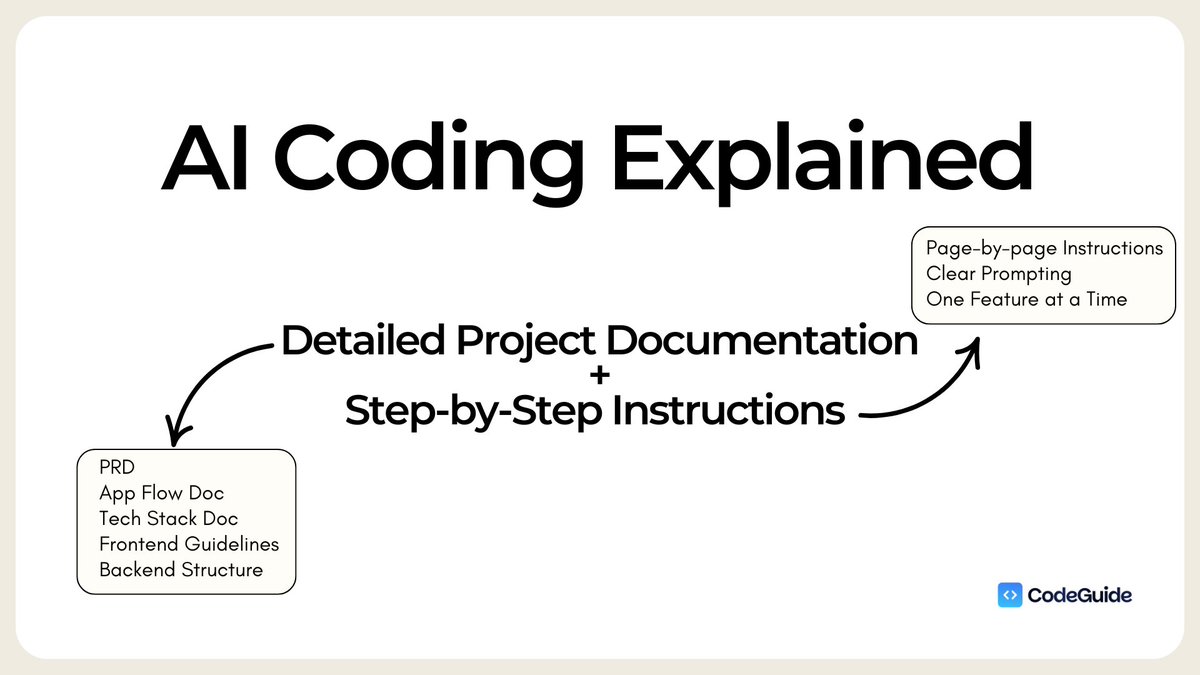
We prompt AI model in plain english and they turn our request into code.
The better the instructions the better the code!
To create detailed instructions we use AI to write us detailed project development documentation.
This step is very important and can't be skipped if you want to build production-ready application.
3
GPT4o model and Claude Sonnet 3.5 model are implementation models.
Which means you give it a plan and they'll execute very well.
BUT if you don't give them a plan, they'll "think" (which is bad because they are not reasoning models) and things will start to break.
Which means you give it a plan and they'll execute very well.
BUT if you don't give them a plan, they'll "think" (which is bad because they are not reasoning models) and things will start to break.
4
1/ Write detailed Project Documentation about your application.
Documents include:
- PRD
- App Flow Doc
- Tech STack Doc
- Frontent Guidelines
- Backend Structure Doc
and any other docs you might find useful.
Attach it to Cursor under root directory.
Documents include:
- PRD
- App Flow Doc
- Tech STack Doc
- Frontent Guidelines
- Backend Structure Doc
and any other docs you might find useful.
Attach it to Cursor under root directory.
5
Use @CodeGuidedev to create all your Project Docs.
CodeGuide uses a 37-prompts long chain of prompts to generate documents.
It is built on top of:
- GPT o1-preview API
- GPT 4o API
- Claude Sonnet 3.5 API
(Right now there's 30% New Year discount on Yearly plan.)
CodeGuide uses a 37-prompts long chain of prompts to generate documents.
It is built on top of:
- GPT o1-preview API
- GPT 4o API
- Claude Sonnet 3.5 API
(Right now there's 30% New Year discount on Yearly plan.)
6
2/ AI Chat
You'll notice 2 features with same layout:
- AI Chat
- Composer
AI chat gives you more control. It won't implement anything autonomously
Use AI chat to understand code, errors and ask for step by step fixes
It's like a code tutor that can help you learn & fix code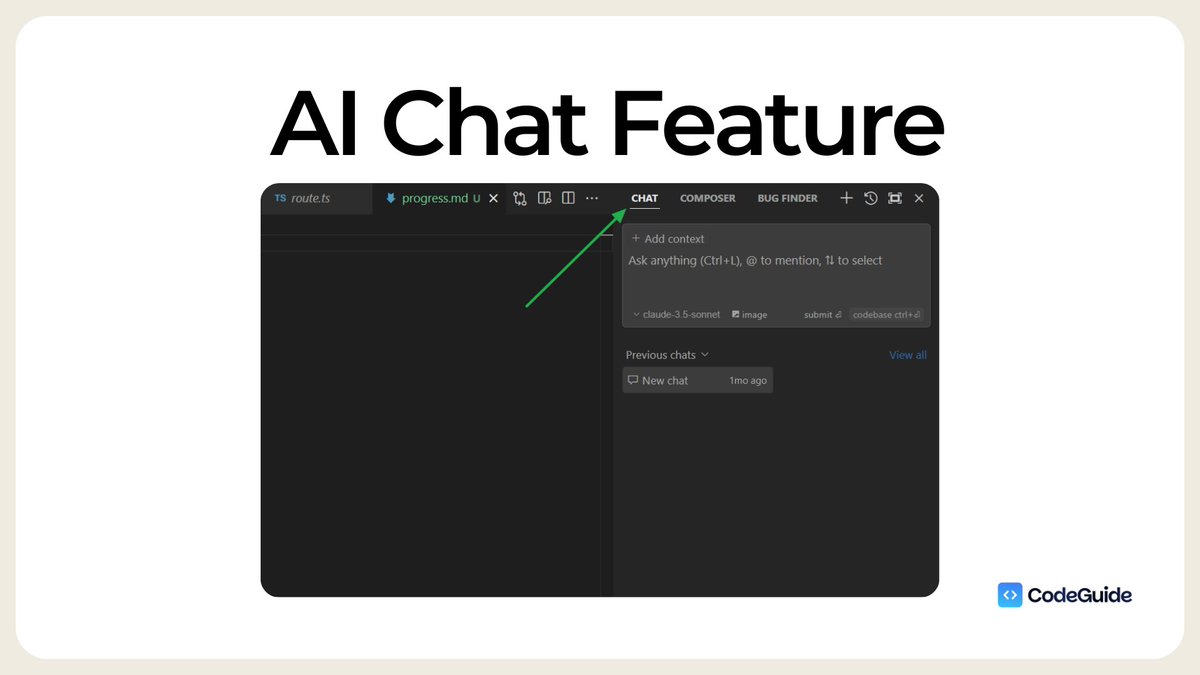
You'll notice 2 features with same layout:
- AI Chat
- Composer
AI chat gives you more control. It won't implement anything autonomously
Use AI chat to understand code, errors and ask for step by step fixes
It's like a code tutor that can help you learn & fix code
7
3/ Cursor AI Composer
This is the main feature of Cursor. This is where Cursor uses AI to write code and implement code.
It has 2 options:
1. normal
2. agent
Normal composer is the old composer where terminal is not integrated in chat.
With agent update now it can reason, implement, iterate and fix errors.
Agent is getting better and better and that's what most AI devs use on daily basis.
This is the main feature of Cursor. This is where Cursor uses AI to write code and implement code.
It has 2 options:
1. normal
2. agent
Normal composer is the old composer where terminal is not integrated in chat.
With agent update now it can reason, implement, iterate and fix errors.
Agent is getting better and better and that's what most AI devs use on daily basis.
8
4/ Rules For AI
Go to Settings → General → Rules For AI
You need to add a Role for AI + tech stack + guidelines + limitations.
These boundaries will enhance the code quality and you'll get less errors.
Notre: Rules for AI and .cursorrules file are 2 different files.
Go to Settings → General → Rules For AI
You need to add a Role for AI + tech stack + guidelines + limitations.
These boundaries will enhance the code quality and you'll get less errors.
Notre: Rules for AI and .cursorrules file are 2 different files.
9
5/ .cursorrules file
Rules for AI is like a personality of our your AI coding model.
And .cursorrules file is project specific instructions. It's like a map of your project.
You need to add:
- what file structure you want?
- which file will go in which folder?
- project specific guidelines and instructions.
CodeGuide can also write .cursorrules file.
Rules for AI is like a personality of our your AI coding model.
And .cursorrules file is project specific instructions. It's like a map of your project.
You need to add:
- what file structure you want?
- which file will go in which folder?
- project specific guidelines and instructions.
CodeGuide can also write .cursorrules file.
10
6/ (@ codebase) purpose
→ Tag @ codebase: and cursor will scan the entire file directory (open new composer and try this for better results)
→ Tag @ (specific file): and cursor will scan that file and make changes to that file and relevant files.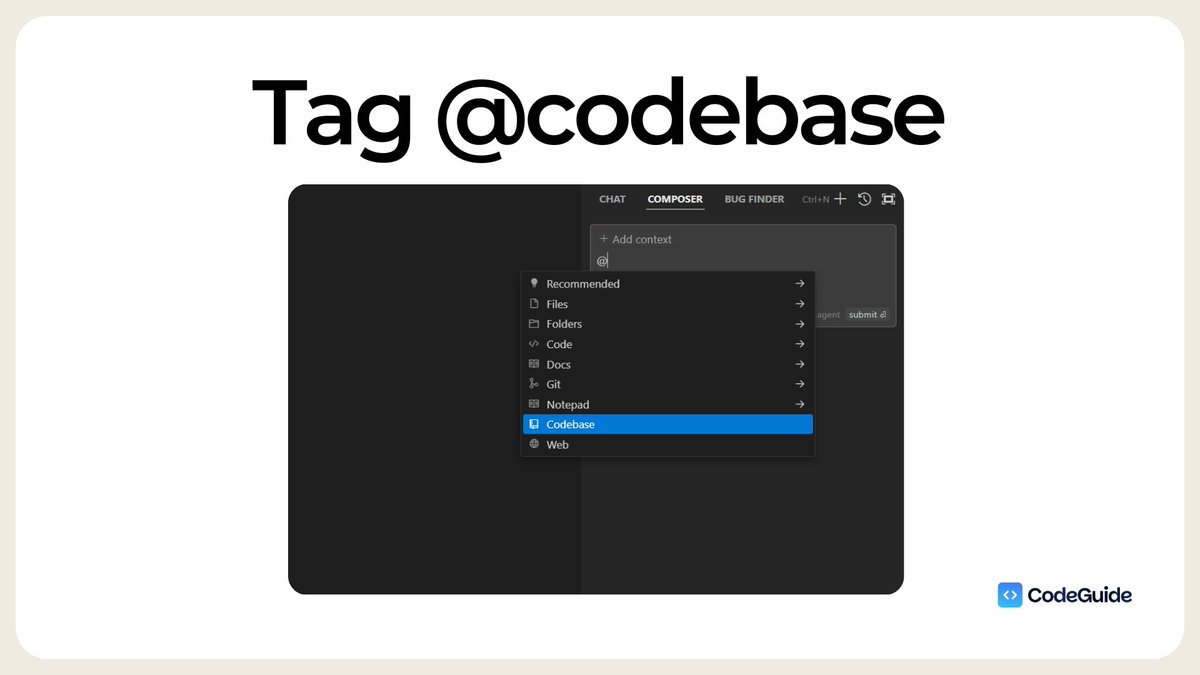
→ Tag @ codebase: and cursor will scan the entire file directory (open new composer and try this for better results)
→ Tag @ (specific file): and cursor will scan that file and make changes to that file and relevant files.
11
8/ Tag @ Docs:
This is where you can attach web links of any official docs you might be using in the project like API Docs, NextJS docs, Shadcn Docs. (this doesn't work all the time but still beneficial)
This is where you can attach web links of any official docs you might be using in the project like API Docs, NextJS docs, Shadcn Docs. (this doesn't work all the time but still beneficial)
12
9/ Tag @ folder:
For ex: if you Tag Documentation folder that has all project dev docs (PRD, app flow etc) then cursor will scan this folder. You can use this to remind cursor about the context of the project.
For ex: if you Tag Documentation folder that has all project dev docs (PRD, app flow etc) then cursor will scan this folder. You can use this to remind cursor about the context of the project.
13
10/ Ask the Web
Use this to get latest information from the web (facts, figures, stats)
Cursor will search the web and find latest and relevant information.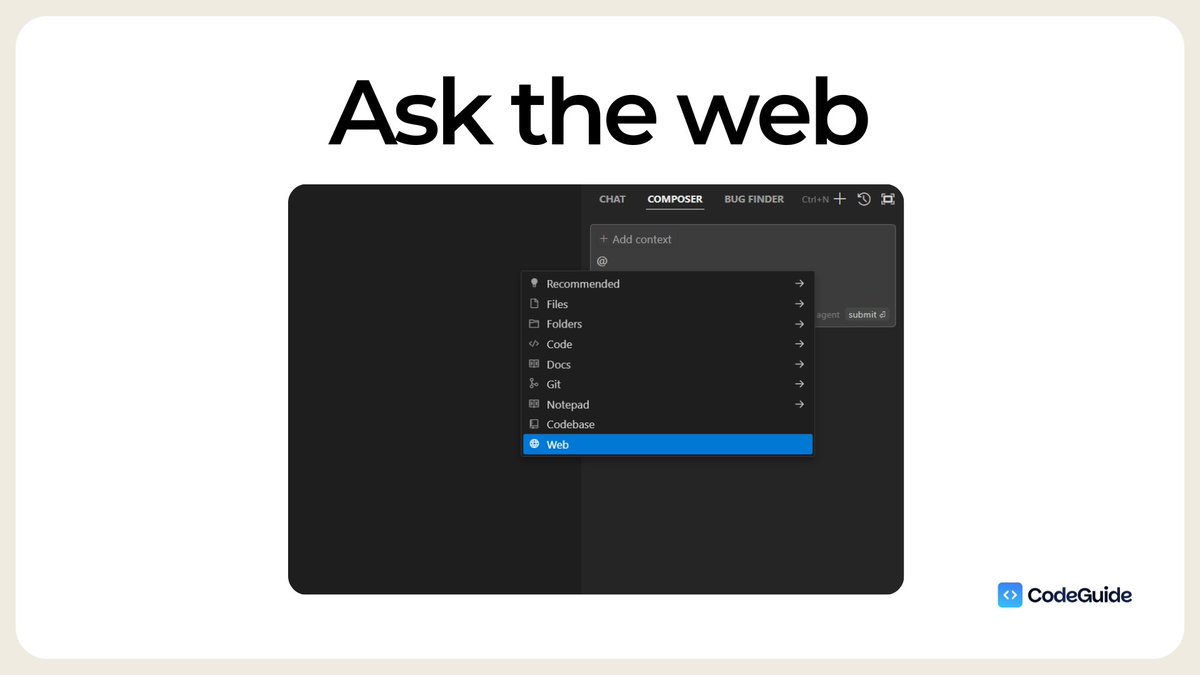
Use this to get latest information from the web (facts, figures, stats)
Cursor will search the web and find latest and relevant information.
14
Announcement for CodeGuide members:
Enjoy Exclusive Deals from Top AI coding tools.
We have:
✅ @stackblitz bolt .new deal (15% off on all packages)
✅ @create_xyz (25% discount on all packages)
✅ @SoftgenAI (20% discount on all packages)
7-10 more deals coming. 🙌
Enjoy Exclusive Deals from Top AI coding tools.
We have:
✅ @stackblitz bolt .new deal (15% off on all packages)
✅ @create_xyz (25% discount on all packages)
✅ @SoftgenAI (20% discount on all packages)
7-10 more deals coming. 🙌
15
@stackblitz @create_xyz @SoftgenAI If you haven't join CodeGuide yet.
Join now and get 30% discount on Yearly CodeGuide Membership.
codeguide.dev
We are just 10 days old Startup, on a Mission to add 100,000 AI devs into the system in 2025.
We already have 701 community members. 🎉
Join now and get 30% discount on Yearly CodeGuide Membership.
codeguide.dev
We are just 10 days old Startup, on a Mission to add 100,000 AI devs into the system in 2025.
We already have 701 community members. 🎉