Cursor/Windsurf technique to remove 80% hallucinations. Stop AI to...

CJ Zafir@cjzafir
43 views
Mar 10, 2025
~2 min read
Advertisement
1
Cursor/Windsurf technique to remove 80% hallucinations.
Stop AI to think and plan. Attach 'coding documents' and force AI to use it as a knowledge base.
If you code with AI, read this: ↓
Stop AI to think and plan. Attach 'coding documents' and force AI to use it as a knowledge base.
If you code with AI, read this: ↓
2
When we let AI plan on it own, AI messes up the codebase.
Top AI coding models (Claude 3.5/3.7 Sonnet, GPt4o) are predictive models.
They can follow the the instructions and go from point A to point B.
But they are not good think, plan and map out next steps.
We can fix this.
Top AI coding models (Claude 3.5/3.7 Sonnet, GPt4o) are predictive models.
They can follow the the instructions and go from point A to point B.
But they are not good think, plan and map out next steps.
We can fix this.
3
We need to provide a knowledge base to AI model about our project.
That knowledge base is your "Coding Documents" that include:
- PRD
- App Flow Doc
- Tech Stack Doc
- Frontend Guidelines
etc
AI reference these files while coding and works with the provided context.
That knowledge base is your "Coding Documents" that include:
- PRD
- App Flow Doc
- Tech Stack Doc
- Frontend Guidelines
etc
AI reference these files while coding and works with the provided context.
4
Your coding documents forces AI to not hallucinate or assume anything but refer to docs and just execute code.
We need to use AI as a {coding brain} not as a project manager.
I use @CodeGuidedev to write Project Coding Documents.
You can also use o1/o3-mini model.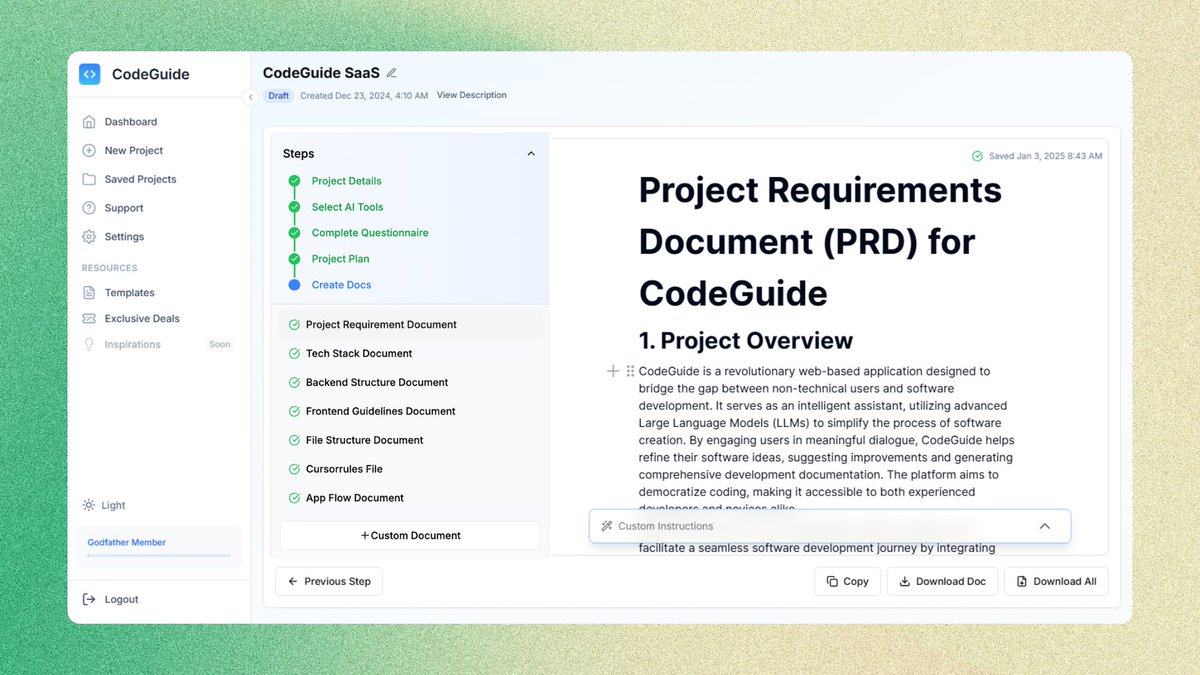
We need to use AI as a {coding brain} not as a project manager.
I use @CodeGuidedev to write Project Coding Documents.
You can also use o1/o3-mini model.
5
To make it even air tight. You can add a detailed "implementation Plan."
This works as a blueprint for AI to go from point A to point B.
CodeGuide provides a 50-step implementation plan to code the complete app.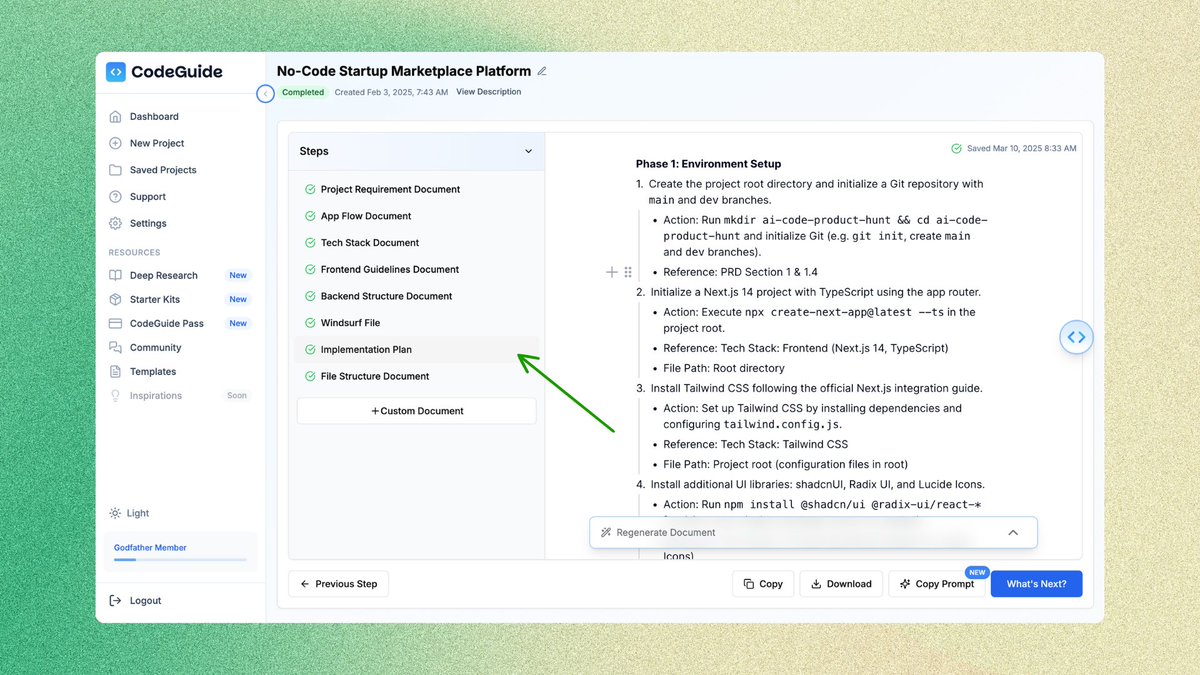
This works as a blueprint for AI to go from point A to point B.
CodeGuide provides a 50-step implementation plan to code the complete app.
6
Cursor and Windsurf are getting more autonomous with each update, which can make or break your project.
Cursor Agent and Windsurf Cascade, both need this plan to work smoothly.
We just need to say "start execution from step 1" and it'll start following the plan autonomously.
Cursor Agent and Windsurf Cascade, both need this plan to work smoothly.
We just need to say "start execution from step 1" and it'll start following the plan autonomously.
7
TL;DR
1. Create "project coding docs" as AI knowledge base
2. Create "implementation plan" so AI can execute code
3. Create "instructions" folder and attach docs in Cursor
4. Add cursorrules/windsurfrules files
5. Use Sonnet 3.5/3.7 to code and GPT o1 to debug
6. Ask AI to update implementation plan after each step
7. Complete all steps
8. Test all features
9. Deploy your app
Knowledge base (coding docs) is must for production ready apps.
1. Create "project coding docs" as AI knowledge base
2. Create "implementation plan" so AI can execute code
3. Create "instructions" folder and attach docs in Cursor
4. Add cursorrules/windsurfrules files
5. Use Sonnet 3.5/3.7 to code and GPT o1 to debug
6. Ask AI to update implementation plan after each step
7. Complete all steps
8. Test all features
9. Deploy your app
Knowledge base (coding docs) is must for production ready apps.