I've coded 33 projects in last 5 moths. without writing a single...

CJ Zafir@cjzafir
42 views
Feb 05, 2025
~2 min read
Advertisement
1
I've coded 33 projects in last 5 moths.
without writing a single line of code.
I am about to share my AI coding workflow with you for FREE: 🧵
(Bookmark this for future use)
without writing a single line of code.
I am about to share my AI coding workflow with you for FREE: 🧵
(Bookmark this for future use)
2
1st thing: Understand what is AI coding.
2024 has blessed us with powerful AI coding model like Claude Sonnet 3.5.
This model enabled anyone with computer skills to code software without writing a single line of code.
2024 has blessed us with powerful AI coding model like Claude Sonnet 3.5.
This model enabled anyone with computer skills to code software without writing a single line of code.
3
Then we saw amazing AI coding tools like:
- Windsurf
- Lovable
- Cursor
- Replit
- Bolt
- v0
etc
All these AI coding tools used AI coding model Claude Sonnet 3.5.
1. You need to use the {AI coding tool}
- Windsurf
- Lovable
- Cursor
- Replit
- Bolt
- v0
etc
All these AI coding tools used AI coding model Claude Sonnet 3.5.
1. You need to use the {AI coding tool}
4
2. You need to write detailed {project development documentation}
Yes, it sounds boring but if you want a production ready app - this step is must.
I've attached, what documents you need to create.
Yes, it sounds boring but if you want a production ready app - this step is must.
I've attached, what documents you need to create.
5
To create this documents I've built @CodeGuidedev
Simple process:
1. You just dump your ideas
2. Follow 5 steps and your documents are generated
3. Download your documents
4. Unzip download docs and attach them to AI tools
Simple process:
1. You just dump your ideas
2. Follow 5 steps and your documents are generated
3. Download your documents
4. Unzip download docs and attach them to AI tools
0:18
6
3. Once you attach your project documentation then start your coding workflow.
Now here comes another blessing for us, o3-mini model.
a reasoning model, that can write 50+ step implementation plan for other AI coding models
I've implemented this too in @CodeGuidedev
Now here comes another blessing for us, o3-mini model.
a reasoning model, that can write 50+ step implementation plan for other AI coding models
I've implemented this too in @CodeGuidedev
0:38
7
What this does is it provides complete blueprint to code the app - from start to finish.
And o3-mini is also a great coding model too. (a bit slow but powerful)
Here's how I'm using o3-mini + Claude Sonnet 3.5 in a mix.
project planning: o3-mini (done by CodeGuide)
packages installation: Sonnet 3.5
frontend implementation: Sonnet 3.5
backend implementation: o3-mini
entire Codebase analysis: o3-mini
minor bugs: Sonnet 3.5
complex bugs: o3-mini
deployment build: o3-mini
Use Claude mostly but on important stages of your dev work, use o3-mini
Switch between these models when you use @windsurf_ai or @cursor_ai as your AI coding tools
And o3-mini is also a great coding model too. (a bit slow but powerful)
Here's how I'm using o3-mini + Claude Sonnet 3.5 in a mix.
project planning: o3-mini (done by CodeGuide)
packages installation: Sonnet 3.5
frontend implementation: Sonnet 3.5
backend implementation: o3-mini
entire Codebase analysis: o3-mini
minor bugs: Sonnet 3.5
complex bugs: o3-mini
deployment build: o3-mini
Use Claude mostly but on important stages of your dev work, use o3-mini
Switch between these models when you use @windsurf_ai or @cursor_ai as your AI coding tools
8
That's it.
Here's the rundown;
1. use @CodeGuidedev to write your project dev. docs.
2. use @windsurf_ai or @cursor_ai to code complex apps
3. to start: ask AI to follow the prompt (attached below)
4. switch between o3-mini & sonnet 3.5 while coding
5. Deploy you app.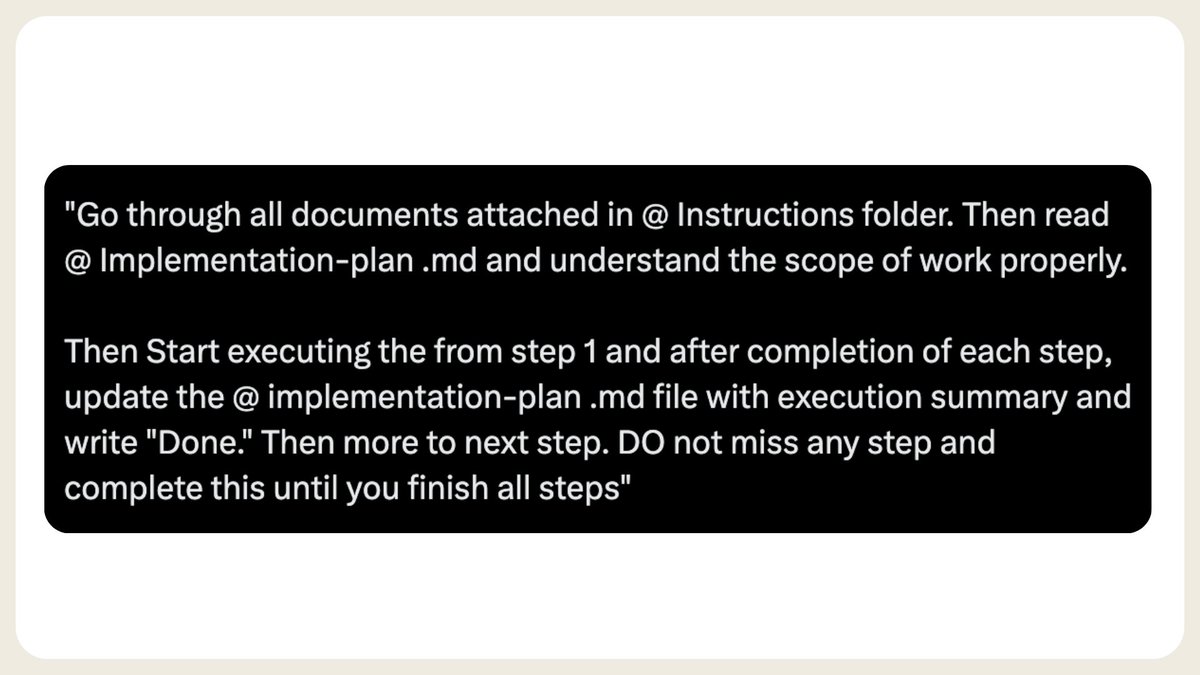
Here's the rundown;
1. use @CodeGuidedev to write your project dev. docs.
2. use @windsurf_ai or @cursor_ai to code complex apps
3. to start: ask AI to follow the prompt (attached below)
4. switch between o3-mini & sonnet 3.5 while coding
5. Deploy you app.
9
@CodeGuidedev @windsurf_ai @cursor_ai Join codeguide.dev here
Limited 40% Discount on Yearly Membership
(Last 5 days)
Get access to:
- CodeGuide Starter Kit Pro
- Project Documentation Tool (using 03-mini)
- Built-in Community for AI Coders
- Codie - AI Agent to help you use AI tools
more incoming...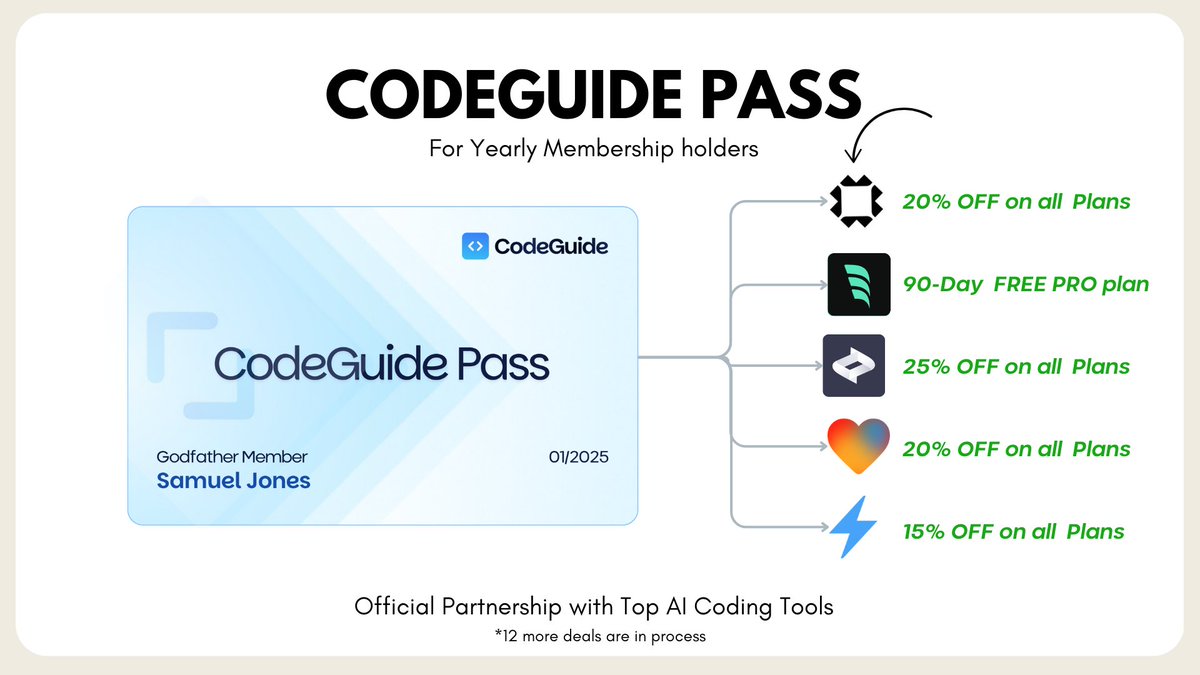
Limited 40% Discount on Yearly Membership
(Last 5 days)
Get access to:
- CodeGuide Starter Kit Pro
- Project Documentation Tool (using 03-mini)
- Built-in Community for AI Coders
- Codie - AI Agent to help you use AI tools
more incoming...