JavaScript Objects🔥 Open this🧵

Shefali@Shefali__J
46 views
Dec 06, 2024
~2 min read
Advertisement
1
JavaScript Objects🔥
Open this🧵
Open this🧵
2
💠Creating Objects
You can create objects in the following ways:
You can create objects in the following ways:
3
1⃣Object Literal
You can create an object using object literal i.e., curly braces.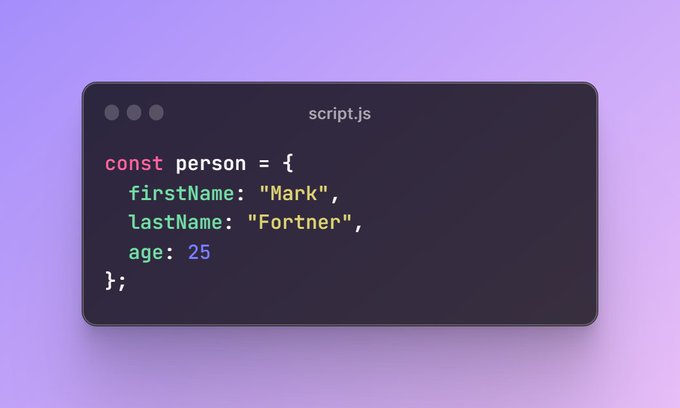
You can create an object using object literal i.e., curly braces.
4
2⃣Constructor Function
Using the 'new' keyword, the constructor function allows the creation of multiple objects.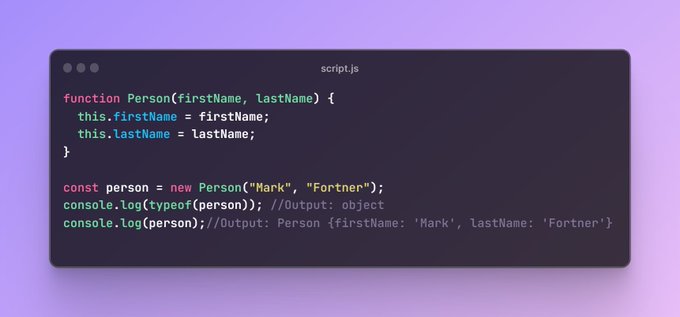
Using the 'new' keyword, the constructor function allows the creation of multiple objects.
5
3⃣Factory Function
Factory functions are functions that return objects.
You can create objects using factory functions.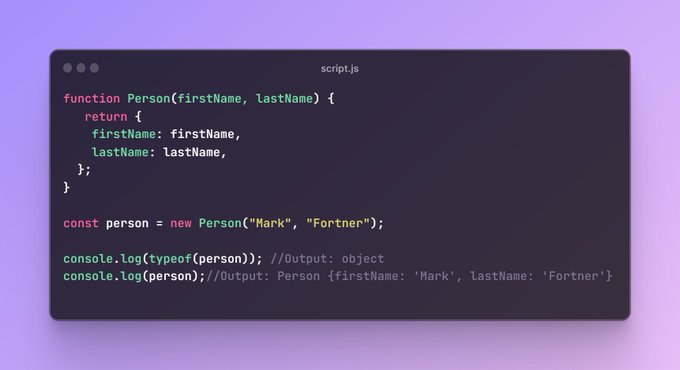
Factory functions are functions that return objects.
You can create objects using factory functions.
6
4⃣Object.create()
Using Object.create() method, you can create a new object using an existing object as the prototype for the newly created object.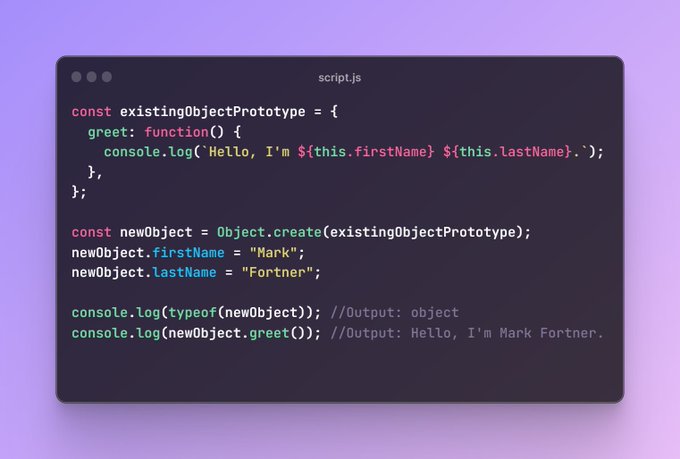
Using Object.create() method, you can create a new object using an existing object as the prototype for the newly created object.
7
5⃣ES6 Class Syntax
You can use the 'class' keyword to define a constructor and methods for objects.
You can use the 'class' keyword to define a constructor and methods for objects.
8
💠Object Properties Methods
1⃣Accessing Properties
You can access the properties of an object using dot notation or square brackets.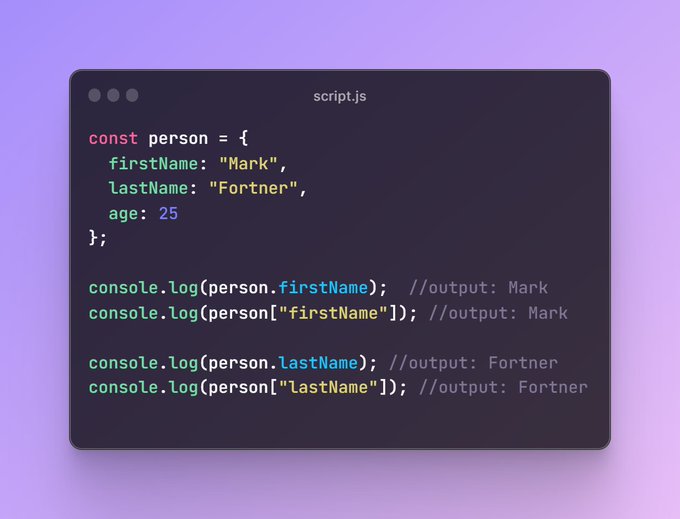
1⃣Accessing Properties
You can access the properties of an object using dot notation or square brackets.
9
2⃣Modifying Properties
Objects are mutable, so you can modify the value of a property by assigning a new value to it.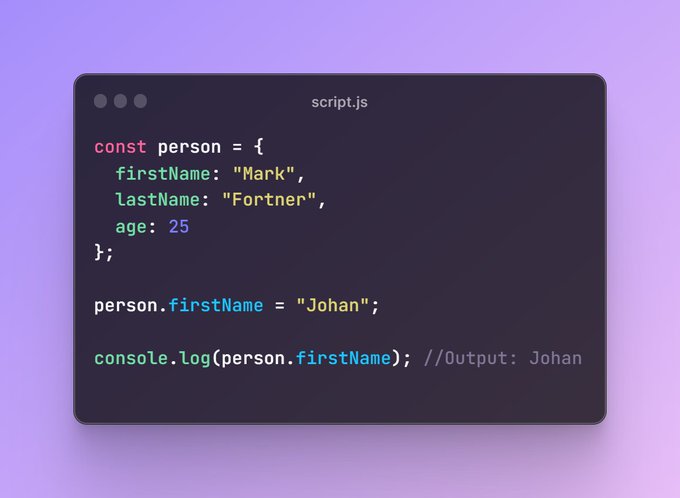
Objects are mutable, so you can modify the value of a property by assigning a new value to it.
10
3⃣Adding Properties
You can add new properties to an object as follows.
You can add new properties to an object as follows.
11
4⃣Checking the Presence of a Property
You can check if an object has a specific property using the following methods.
🔹hasOwnProperty method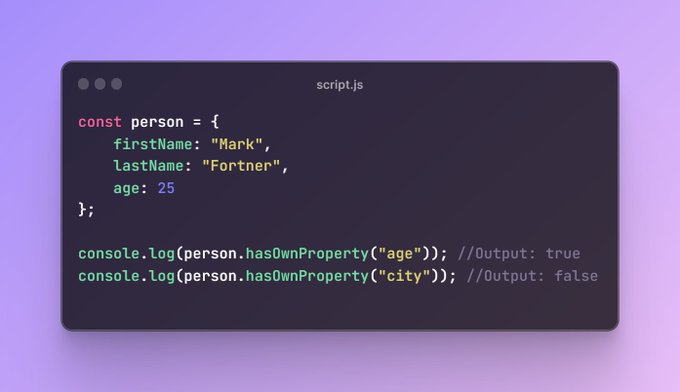
You can check if an object has a specific property using the following methods.
🔹hasOwnProperty method
12
🔹in operator

13
5⃣Deleting Properties
You can use the 'delete' operator to remove a property from an object.
You can use the 'delete' operator to remove a property from an object.
14
6⃣Object.freeze()
You can use Object.freeze() method to prevent any changes to an object, including adding, modifying or deleting properties.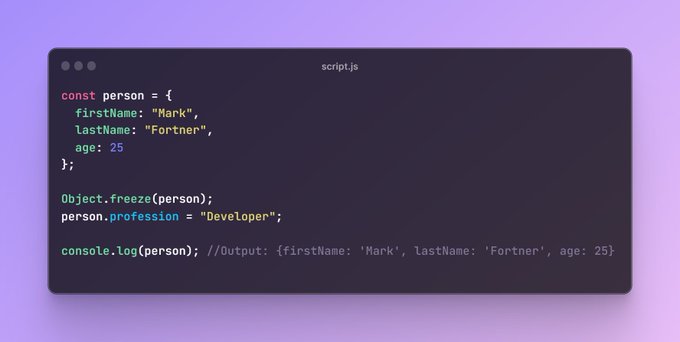
You can use Object.freeze() method to prevent any changes to an object, including adding, modifying or deleting properties.
15
7⃣Object.seal()
You can use Object.seal() method to prevent adding or removing properties in the object.
You can use Object.seal() method to prevent adding or removing properties in the object.
16
8⃣Looping through Properties
You can loop through an object's properties using the following methods.
🔹for...in loop
You can loop through an object's properties using the following methods.
🔹for...in loop
17
🔹Object.keys
This method returns the array of keys of an object.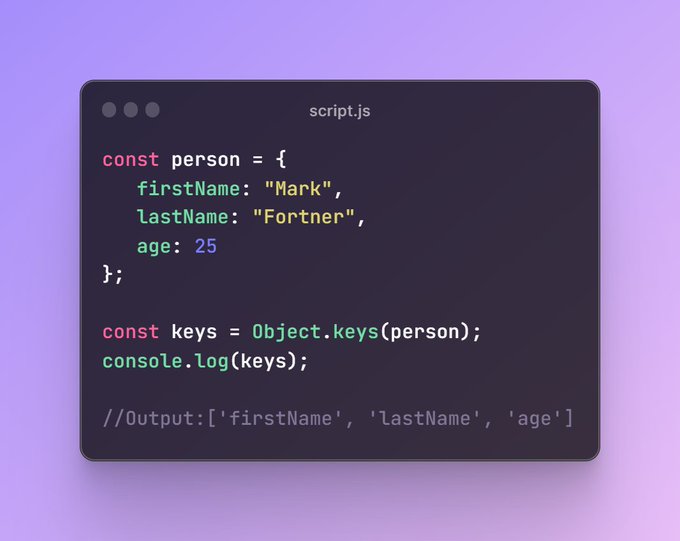
This method returns the array of keys of an object.
18
🔹Object.values
This method returns the array of values of an object.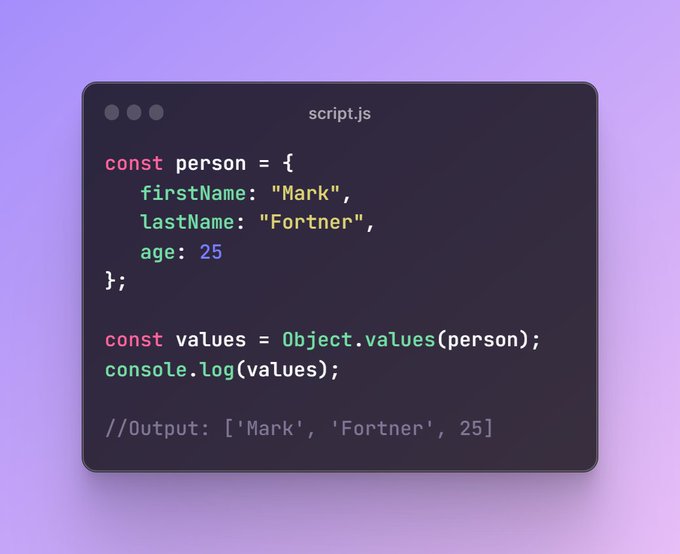
This method returns the array of values of an object.
19
🔹Object.entries
This method returns the array of key-value pairs of an object.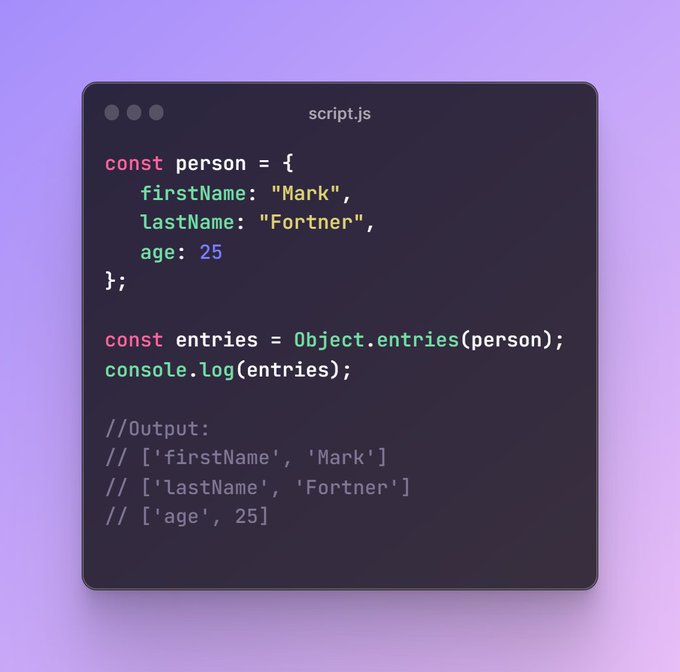
This method returns the array of key-value pairs of an object.
20
💠Nested Objects
If you create an object, in which, an object is used as a value of the object, then this refers to a nested object.
This is used for organizing and structuring complex data hierarchies.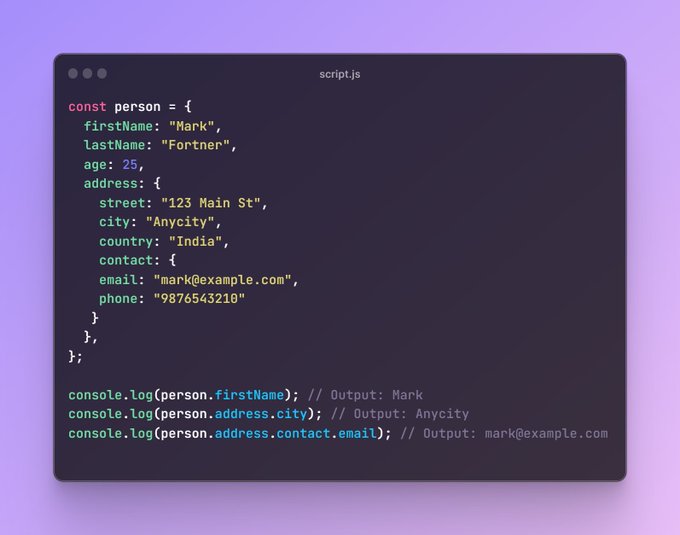
If you create an object, in which, an object is used as a value of the object, then this refers to a nested object.
This is used for organizing and structuring complex data hierarchies.
21
💠Object Destructuring
Object destructuring in JavaScript is a way to extract specific properties from an object and assign them to variables.
It's a handy shortcut that lets you access object properties without typing out long dot notation every time.
Object destructuring in JavaScript is a way to extract specific properties from an object and assign them to variables.
It's a handy shortcut that lets you access object properties without typing out long dot notation every time.
22
💠Object Spread Operator
If you want to create an object by copying the properties of an existing object and adding or modifying properties as needed, then you can use the spread '...' operator.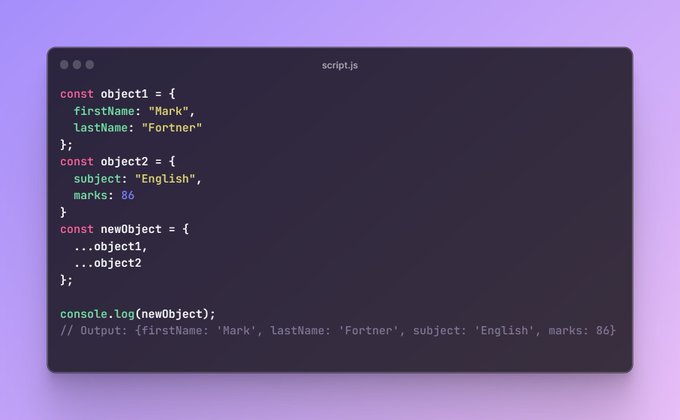
If you want to create an object by copying the properties of an existing object and adding or modifying properties as needed, then you can use the spread '...' operator.
23
You can read the full article here👇
shefali.dev/javascript-obj…
shefali.dev/javascript-obj…
24
That's a wrap.
Thanks for checking out.
If you find this helpful, then consider:
❤️Like
✅Follow me @Shefali__J for more content like this.
🔁Repost the below quote 👇
x.com/Shefali__J/sta…
Thanks for checking out.
If you find this helpful, then consider:
❤️Like
✅Follow me @Shefali__J for more content like this.
🔁Repost the below quote 👇
x.com/Shefali__J/sta…

