How to Build a Full 3D & Game Development Pipeline with Claude Code + Blender

Point Claude Code at a repo and it patches, tests, merges. Point it at Blender and the same agent habit becomes a 3D operator: open a live scene, write real bpy, inspect what it built, fix the mess, and hand you a file your game engine will actually import.
This is not “AI makes a pretty mesh once and you screenshot it for Twitter.”
This is a closed loop for props, kits, environments, cleanup jobs, and export pipelines the expensive middle of game art where most indie projects stall.
Here is the stack I would actually run, where it shines, where it fails, and how to drive a session that ships a usable asset instead of a gray cube with vibes.
The idea in one line
Claude Code decides. Blender executes. You review. The engine receives a clean GLB.
Most AI-3D demos optimize for spectacle: one prompt, one organic blob, one hero render. Games do not ship hero renders. Games ship named objects, correct scale, sane origins, materials that survive export, and triangle counts that fit a budget.
So the product is not generation. The product is iteration with proof.

Why Claude Code belongs here
Claude Code already does the agent work a 3D pipeline needs:
Your job shifts.
You stop babysitting every operator click: Extrude, Bevel, Set Origin, Apply Scale, Export glTF, miss one checkbox, reimport, suffer.
You start writing intent: what the object is for, size in meters, tri budget, style, export target. Same discipline as a good coding brief. Different medium.
Blender stays the source of truth
Blender does not become optional. It becomes the runtime.
Mesh, materials, UVs, collections, modifiers, armatures all still live there. Claude does not replace the DCC. Claude drives it.
That matters because toy sandboxes and one-shot generators skip what games care about: applied transforms, bottom-center origins, clean names (no Cube.017), collision-friendly geo, PBR that survives glTF, kit structure.
Real bpy is the difference. Claude writing Blender Python inside a live or headless Blender is closer to “technical artist with infinite patience” than “image model that dumps a mesh.”
Two ways to connect
A. Official Blender Lab MCP / Claude Blender connector
Built by Blender people. Natural-language access to the Python API and docs. Strong for exploring complex setups, batch changes, cleanup, and tool-writing — not only spawning primitives. Works with Claude Desktop and other MCP clients, including Claude Code, once the add-on and server run.
B. Community mcp-for-blender
Live two-way control: execute Blender Python, inspect the scene, look at multi-angle / wireframe / render views, pull Poly Haven / Sketchfab assets, optional text-to-3D generators (Meshy, Tripo, Rodin, Hunyuan3D).
claude mcp add blender uvx mcp-for-blenderThen in Blender: enable the addon → start the MCP server → ask Claude to build.

Pick one primary bridge per project. Dual sockets are how you debug ports all afternoon instead of shipping crates.
The loop that actually works
Without the look step you get confident nonsense: a “1-meter crate” that is 17 meters tall, “low poly” at 80k tris, an origin floating in space so the prop orbits a random corner in-game.
With the look step, Claude behaves like a coder who runs the app after each change. That is why the pairing is worth it.

Game delivery is a separate skill
A mesh that looks fine in Blender can still be garbage in-engine. Axes, unit scale, leaf bones, tangents, compression, collision, and material models differ across targets. Treat export as its own stage.
Defaults that save pain:
Validation layers help: broken geo, unapplied scale, bad origins, UV issues, tri budget, then export and read the file back. Godot flows often drop GLB into assets/models/, instance, add collision, run. Unity flows can bridge Blender → temp file → import and compare screenshots. Same pattern: Blender is not done until the engine agrees.

What it is good for (and not)
Good for:
Be honest about the ceiling. Agent-driven geometry earns its keep on structured hard-surface and the integration layer: dims, pivots, grid, export, validation. It does not replace hero organic characters, lush foliage, cloth, or ornate handcrafted props at shipped quality. For those: generators + retopo + bake, libraries, or a real artist and still use Claude for the boring glue around them.
One prompt will not replace art direction. A force multiplier will, if you already know what “good” looks like.
Brief like a tech artist
Weak: “Make a cool sci-fi crate for my game.”
Strong:
Open the current Blender scene and report what is already there.

Build a low-poly sci-fi storage crate for a first-person prototype.
- Size: 1.0m × 0.8m × 0.9m
- Budget: ≤ 800 tris
- Style: hard edges, slight bevel, industrial silhouette
- Materials: metal + yellow hazard stripe (PBR)
- Names: Crate_SciFi_01 / Metal_Hazard_A / Stripe_Hazard_A
- Apply loc/rot/scale; origin at bottom center on Z=0
- Do not include lights/cameras in the export set

Then: multi-angle solid + wireframe looks, report tris and bounds,
fix anything that fails, export selection as crate_01.glb for Godot
(+Y up, materials embedded), list path and warnings.
Claude Code chases checklists. Give it one.
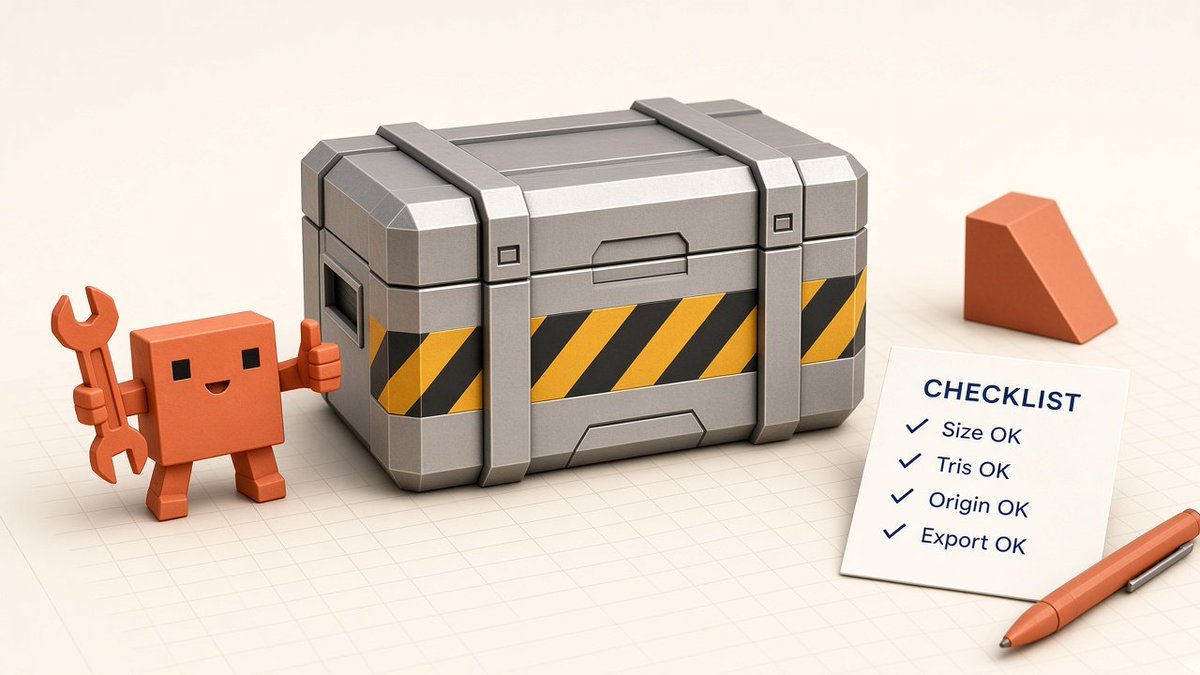
Other patterns that work: approve one module, then “seven variants, same trim language, 0.5m grid.” Or demand a cleanup report before any destructive pass on a messy file.
Failure modes
Blind confidence : no screenshot, fake victory.
Scale lies : “about a meter” becomes random units.
Origin lies : fine in Blender, cursed in-engine.
Name pollution : Cube.003 in a fifty-prop kit.
Over-promising organics : cylinder piles are blockouts; label them.
Unsafe Python : save before big execute calls; checkpoint.
MCP confusion : wrong port, tools not loaded; restart after adding servers.
License amnesia : generators and marketplaces need CREDITS.md.
Week one is calibration, not production. Build ugly crates until the loop is boring.
Week-one setup
Day 1: connect MCP, confirm scene info + screenshot, rename the default cube.
Day 2: repo rules file : meters, naming, budgets, export folders, engine target.
Day 3: one prop through the full loop into the engine. Measure the break (usually origin or scale).
Day 4: turn it into a reusable prompt/checklist + a tiny validation script.
Day 5: a 5–10 piece kit with shared language, then decide if generators belong in the loop.
By then you will know if this is a toy or a department of one.
What “done” means
Do not let the agent stop at “I created the mesh.”
Done means:
If any of those are missing, the task is still open. Say so explicitly in the prompt: “Do not stop until done-criteria pass.” Agents respect hard stop conditions better than vibes.
That single habit defining done the way you would for a PR is what turns Claude Code + Blender from a novelty into a pipeline teammate.
Close
Claude Code agents the work.
Blender MCP runs bpy.
Look tools stop blind edits.
Checks catch scale, origin, and budget lies.
GLB/FBX hit the engine.
You keep taste.
If you already use Claude Code for repos, this is the same habit pointed at 3D.
Wire MCP once. Save the .blend. Build something deliberately ugly. Force the look step. Export. Open it in the engine.
The loop matters more than the first mesh. When the loop is boring, you are ready to make things that are not.