Update on the Trust Wallet Browser Extension (v2.68) incident:...

Trust Wallet@TrustWallet
30 views
Dec 28, 2025
~1 min read
Advertisement
1
Update on the Trust Wallet Browser Extension (v2.68) incident:
We’ve confirmed that approximately $7M has been impacted and we will ensure all affected users are refunded.
Supporting affected users is our top priority, and we are actively finalizing the process to refund the impacted users. We appreciate your patience and will share instructions on next steps soon.
Please do no interact with any messages that do not come from our official channels.
We’ve confirmed that approximately $7M has been impacted and we will ensure all affected users are refunded.
Supporting affected users is our top priority, and we are actively finalizing the process to refund the impacted users. We appreciate your patience and will share instructions on next steps soon.
Please do no interact with any messages that do not come from our official channels.
Trust Wallet@TrustWallet
We’ve identified a security incident affecting Trust Wallet Browser Extension version 2.68 only. Users with Browser Extension 2.68 should disable and upgrade to 2.69.
Please refer to the official Chrome Webstore link here: chrome.google.com/webstore/detai…
Please note: Mobile-only users and all other browser extension versions are not impacted.
We understand how concerning this is and our team is actively working on the issue.
We’ll keep sharing updates as soon as possible.
Please refer to the official Chrome Webstore link here: chrome.google.com/webstore/detai…
Please note: Mobile-only users and all other browser extension versions are not impacted.
We understand how concerning this is and our team is actively working on the issue.
We’ll keep sharing updates as soon as possible.
2
For affected users on Browser Extension v2.68, please follow these steps as soon as possible:
Step 1: Do NOT open the Trust Wallet Browser Extension v2.68 on your desktop device, to ensure the security of your wallet and prevent further issues.
Step 2: Go to Chrome Extensions panel in your Chrome browser by copying following to the address line (shortcut to the Official Trust Wallet Browser Extension): chrome://extensions/?id=egjidjbpglichdcondbcbdnbeeppgdph
Step 3: Switch the toggle to "Off" below the Trust Wallet if it's still "On".
Step 4: Click "Developer mode" in the upper right corner.
Step 5: Press the "Update" on the left upper corner.
Step 6. Check the version number: 2.69. This is the latest and secure version.
Step 1: Do NOT open the Trust Wallet Browser Extension v2.68 on your desktop device, to ensure the security of your wallet and prevent further issues.
Step 2: Go to Chrome Extensions panel in your Chrome browser by copying following to the address line (shortcut to the Official Trust Wallet Browser Extension): chrome://extensions/?id=egjidjbpglichdcondbcbdnbeeppgdph
Step 3: Switch the toggle to "Off" below the Trust Wallet if it's still "On".
Step 4: Click "Developer mode" in the upper right corner.
Step 5: Press the "Update" on the left upper corner.
Step 6. Check the version number: 2.69. This is the latest and secure version.
3
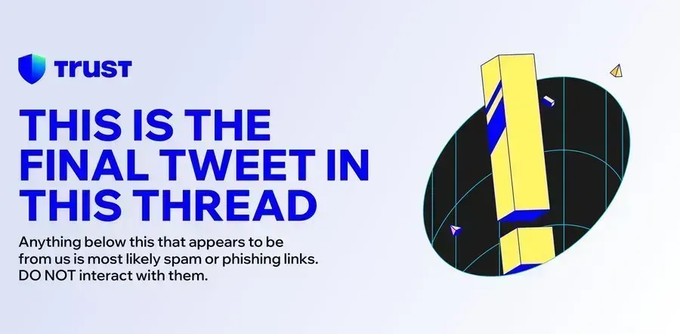
Please be aware of impersonators. This is the final tweet of this thread.