Take your AI videos to the next level with this workflow! Learn how...

TechHalla@techhalla
22 views
Dec 12, 2025
~2 min read
Advertisement
1
Take your AI videos to the next level with this workflow!
Learn how to create cinematic grids, extract stills, and animate using the latest video models in Higgsfield.
All the info’s in this thread 👇
Learn how to create cinematic grids, extract stills, and animate using the latest video models in Higgsfield.
All the info’s in this thread 👇
0:57
2
It’s been a crazy few weeks, but the @higgsfield_ai team keeps rolling out new features. They’ve already integrated the latest from Kling, along with top image models like NB Pro and Seedream 4.5.
The key is now in the prompts and I’m sharing all of them with you below.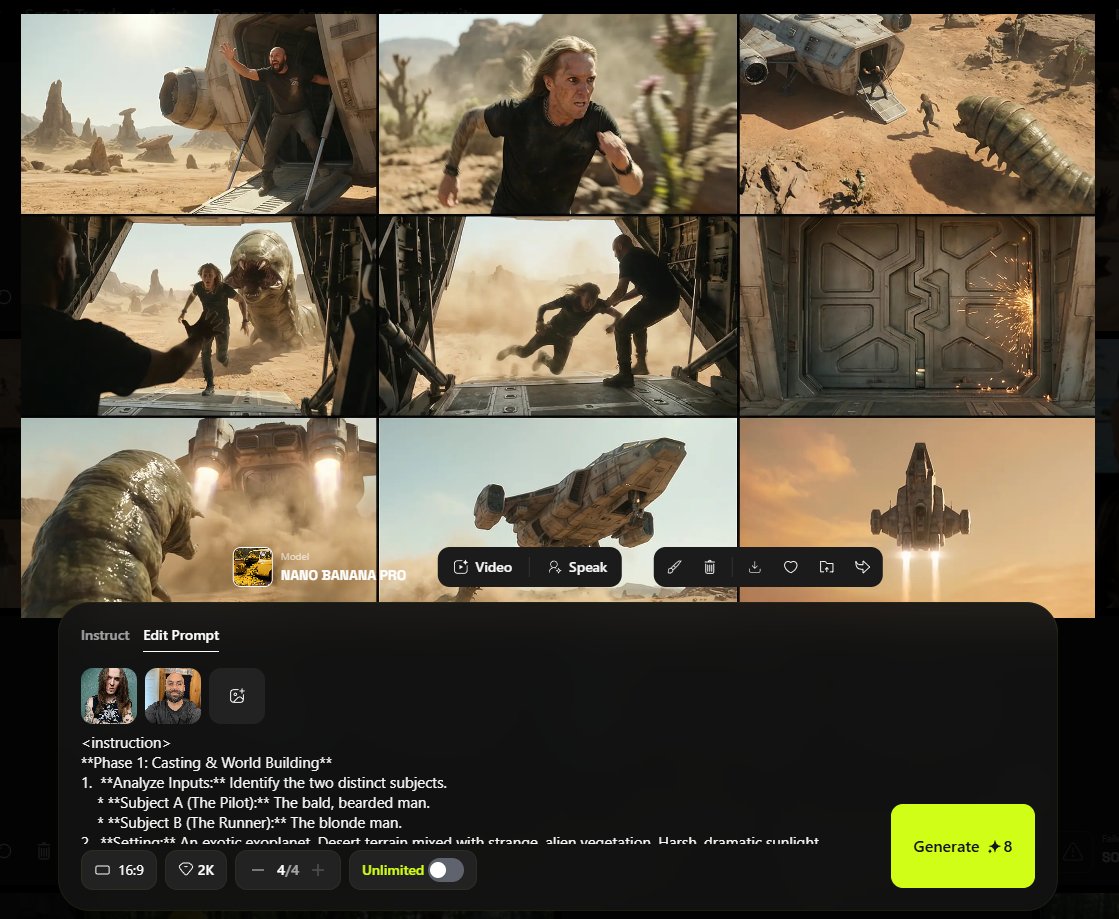
The key is now in the prompts and I’m sharing all of them with you below.
3
Let’s kick off with the grid. Nano Banana Pro is your go-to. Upload two character refs, then use the prompt from the screenshot.
It’s too long to fit in the ALT! So there's the screenshot.
That’ll give you a cinematic grid. Feel free to tweak it, just keep the structure.
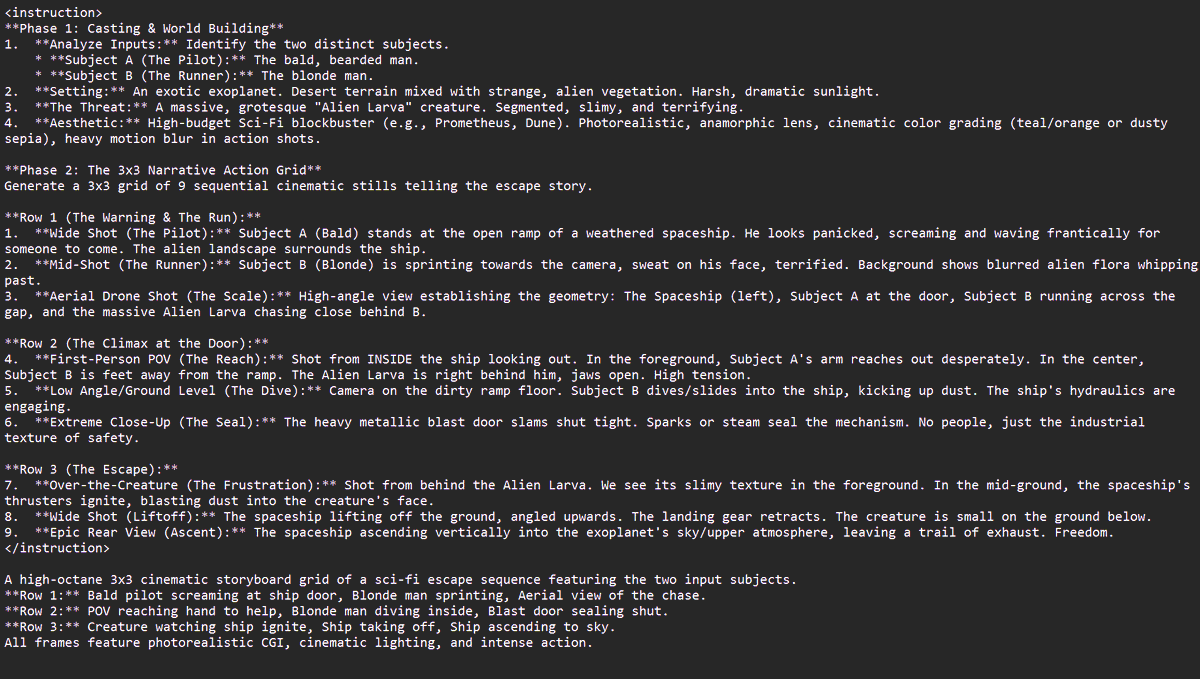
It’s too long to fit in the ALT! So there's the screenshot.
That’ll give you a cinematic grid. Feel free to tweak it, just keep the structure.
4
Now we’ll start pulling the stills.
This part can be a bit hit or miss, but with this prompt I’ve had over 80% success getting the right still:
extract and amplify only still from row X column Y


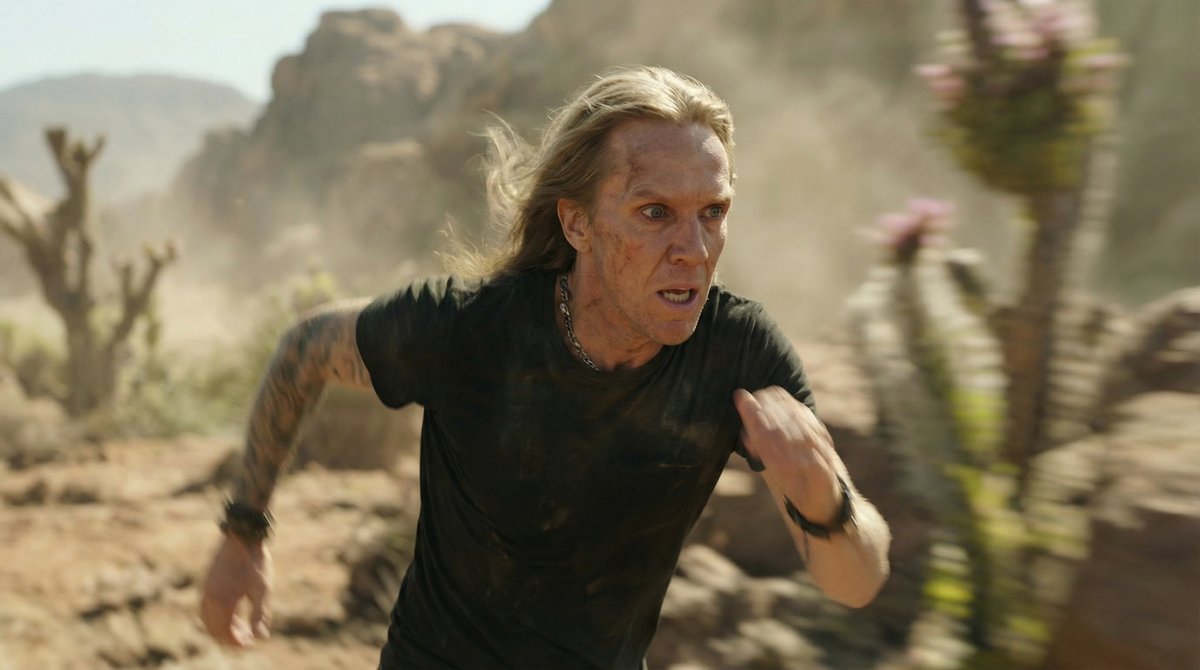
This part can be a bit hit or miss, but with this prompt I’ve had over 80% success getting the right still:
extract and amplify only still from row X column Y
5
If you need extra shots, just use the stills you already pulled as references. You can even combine them if needed.
Here’s a cool trick: even though I didn’t end up including it, you can actually “rewind scenes”, super useful for transitions!
I dropped the prompt in the ALT.


Here’s a cool trick: even though I didn’t end up including it, you can actually “rewind scenes”, super useful for transitions!
I dropped the prompt in the ALT.
6
Now all that’s left is animating.
Need dialogue?
Try VEO 3.1 fast on Higgs, use a starting frame, and a JSON prompt like this one.
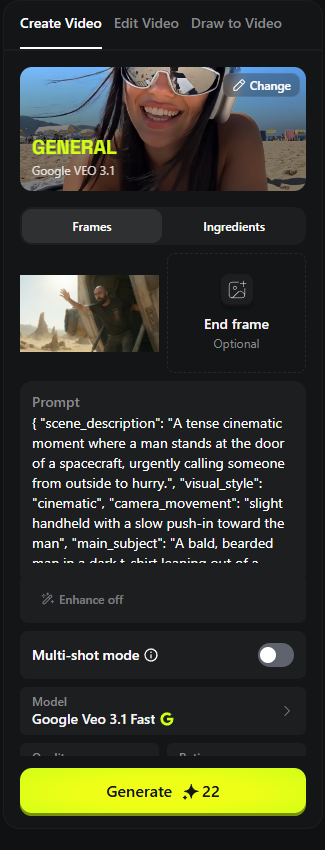
Need dialogue?
Try VEO 3.1 fast on Higgs, use a starting frame, and a JSON prompt like this one.
7
Want awesome transitions or effects? We’ve got Kling 2.5 with initial/start frames, Kling 2.6 with a start frame, and O1 as the omnireference model.
Totally up to you!
Here are a couple more examples:
👈 2.5 - O1👉


Totally up to you!
Here are a couple more examples:
👈 2.5 - O1👉
8
With all these tools and prompts at your fingertips, you’ve got everything you need to create amazing videos!
Here’s how to access Higgsfield:
Here’s how to access Higgsfield:
TechHalla@techhalla
It’s wild, right?
Try it out on Higgsfield using my partner link and let me know how it works for you!
goto.higgsfield.ai/techhalla
Try it out on Higgsfield using my partner link and let me know how it works for you!
goto.higgsfield.ai/techhalla
9
Hope you liked it!
Follow me at @techhalla for more guides, updates, and generative AI prompts, and don’t forget to like, repost, and bookmark the main post.
It really helps me keep making this kind of content!
Follow me at @techhalla for more guides, updates, and generative AI prompts, and don’t forget to like, repost, and bookmark the main post.
It really helps me keep making this kind of content!
TechHalla@techhalla
Take your AI videos to the next level with this workflow!
Learn how to create cinematic grids, extract stills, and animate using the latest video models in Higgsfield.
All the info’s in this thread 👇
Learn how to create cinematic grids, extract stills, and animate using the latest video models in Higgsfield.
All the info’s in this thread 👇

