MCP is one of the most important things to learn right now. •...

Millie Marconi@MillieMarconnni
49 views
Aug 16, 2025
~3 min read
Advertisement
1
MCP is one of the most important things to learn right now.
• powers next-gen AI workflows
• core to building useful agents
• rapidly becoming industry standard
Here’s the complete roadmap I followed to learn it in 30 days:
• powers next-gen AI workflows
• core to building useful agents
• rapidly becoming industry standard
Here’s the complete roadmap I followed to learn it in 30 days:
2
Most people still have no idea what MCP is.
Model Context Protocol is the missing layer between LLMs and tools.
It’s how you make an AI agent:
• Talk to any API
• Use any tool
• Do it safely & consistently
Model Context Protocol is the missing layer between LLMs and tools.
It’s how you make an AI agent:
• Talk to any API
• Use any tool
• Do it safely & consistently
3
Why you should care:
Without MCP, you’re relying on brittle hacks custom integrations, prompt tricks, and API glue code.
With MCP, you get a standard way to define tools, call them from any model and scale without rewriting everything.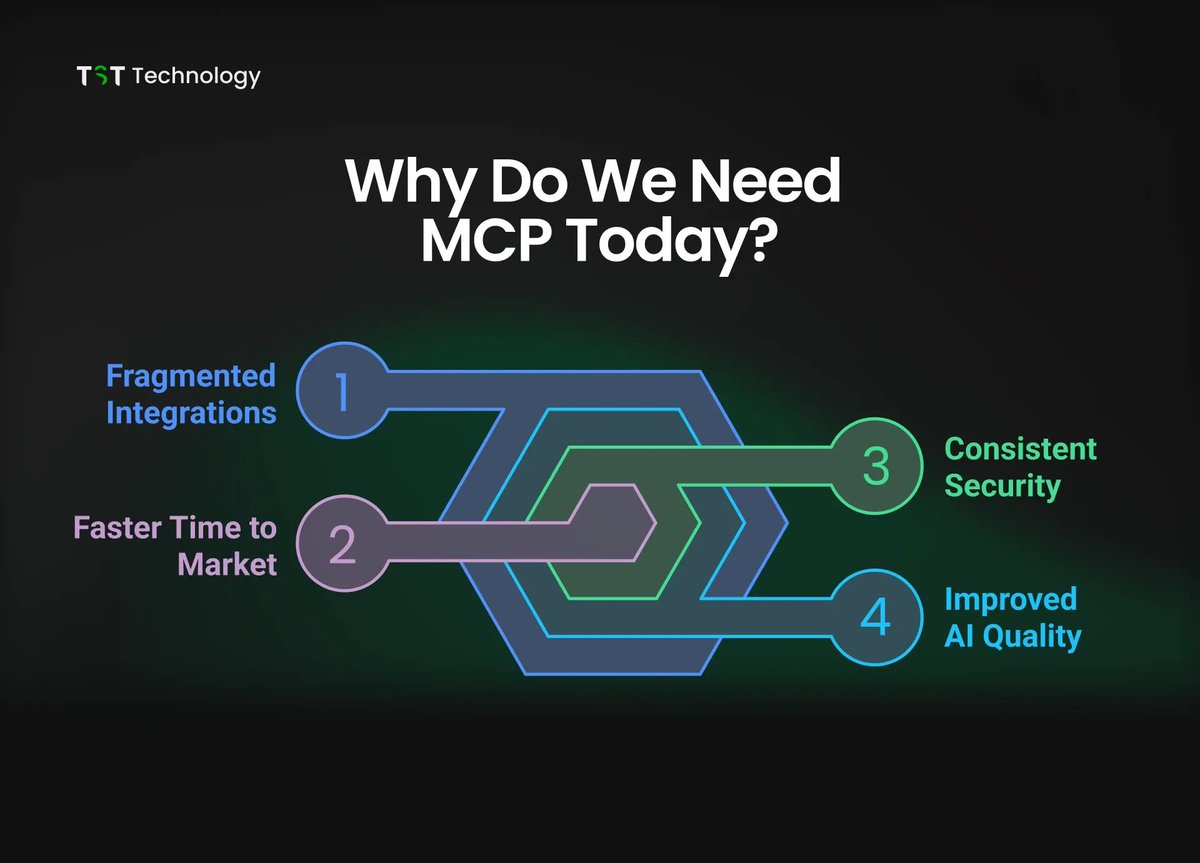
Without MCP, you’re relying on brittle hacks custom integrations, prompt tricks, and API glue code.
With MCP, you get a standard way to define tools, call them from any model and scale without rewriting everything.
4
Here’s the 30-day plan I wish I had when learning MCP (bookmark the thread for later):
Week 1: Fundamentals
• Read the MCP spec (keep it light, just get the overview)
• Understand how MCP defines “resources” and “capabilities”
• Learn the difference between “tools” in MCP vs. function calling in OpenAI
The goal is to know what MCP is and what problems it solves.
Week 1: Fundamentals
• Read the MCP spec (keep it light, just get the overview)
• Understand how MCP defines “resources” and “capabilities”
• Learn the difference between “tools” in MCP vs. function calling in OpenAI
The goal is to know what MCP is and what problems it solves.
5
Week 2: Hello, MCP - Core Components
• Install the MCP CLI & run your first example server
• Create a toy MCP tool (e.g. weather fetcher)
• Connect it to a simple LLM call and see the data flow
Make a model call a tool through MCP at least once... so you can learn how it works.
• Install the MCP CLI & run your first example server
• Create a toy MCP tool (e.g. weather fetcher)
• Connect it to a simple LLM call and see the data flow
Make a model call a tool through MCP at least once... so you can learn how it works.
6
Week 3: Real Integrations
• Wrap a real API you use (Notion, Slack, Google Sheets)
• Handle authentication in MCP
• Add parameters & validation so the model can’t break things
Learn to build a reliable integration you could actually use
• Wrap a real API you use (Notion, Slack, Google Sheets)
• Handle authentication in MCP
• Add parameters & validation so the model can’t break things
Learn to build a reliable integration you could actually use
7
Week 4: Production-Ready
• Add error handling & retries
• Test with different LLMs (OpenAI, Claude, local models)
• Deploy your MCP server so it’s accessible from anywhere
Goal: Ship an MCP integration you trust in production.
• Add error handling & retries
• Test with different LLMs (OpenAI, Claude, local models)
• Deploy your MCP server so it’s accessible from anywhere
Goal: Ship an MCP integration you trust in production.
8
Pro tip: MCP isn’t tied to any single AI provider.
If you build it once, you can switch models, frameworks, or even agents your tools still work.
If you build it once, you can switch models, frameworks, or even agents your tools still work.
9
You’ll start seeing patterns:
• All MCP tools have a schema
• Models handle the reasoning
• MCP just gives them a safe bridge to the real world
Common mistake: skipping validation.
If you don’t define parameters and constraints, your model will send garbage requests and fail silently.
• All MCP tools have a schema
• Models handle the reasoning
• MCP just gives them a safe bridge to the real world
Common mistake: skipping validation.
If you don’t define parameters and constraints, your model will send garbage requests and fail silently.
10
By Day 30, you should:
• Understand the MCP spec basics
• Have 1–2 real tools wrapped
• Be able to connect them to any LLM agent
Once you get it, MCP unlocks crazy possibilities:
• AI agents that manage your calendar
• Code assistants that run scripts on your machine
• Bots that coordinate multiple APIs in one request
• Understand the MCP spec basics
• Have 1–2 real tools wrapped
• Be able to connect them to any LLM agent
Once you get it, MCP unlocks crazy possibilities:
• AI agents that manage your calendar
• Code assistants that run scripts on your machine
• Bots that coordinate multiple APIs in one request
11
The best way to learn MCP is to use it daily.
Replace your manual scripts or Zapier flows with an MCP tool + LLM call.
It forces you to think about design, safety, and reusability.
Master MCP now and you’ll be ahead of 95% of AI builders.
This is the standard everyone will adopt you can either wait for it… or build with it today.
Replace your manual scripts or Zapier flows with an MCP tool + LLM call.
It forces you to think about design, safety, and reusability.
Master MCP now and you’ll be ahead of 95% of AI builders.
This is the standard everyone will adopt you can either wait for it… or build with it today.
12
Resources you can use to learn MCP for free online from the best in the industry:
MCP Specification (official docs): github.com/modelcontextpr…
Example MCP servers & tools:
github.com/modelcontextpr…
Function Calling & Tool Use in LLMs (OpenAI Technical Report):
platform.openai.com/docs/guides/fu…
LangChain MCP integration guide:
composio.dev/blog/langchain…
AutoGen MCP quickstart:
microsoft.github.io/autogen/0.2/do…
“Connecting LLMs to APIs with MCP” YouTube tutorial: youtu.be/YUch6OEgkE4
“Building MCP Tools from Scratch”:
youtube.com/watch?v=RhTiAO…
13
I hope you've found this thread helpful.
Follow me @Yesterday_work_ for more.
Like/Repost the quote below if you can:
Follow me @Yesterday_work_ for more.
Like/Repost the quote below if you can:
Millie Marconi@MillieMarconnni
MCP is one of the most important things to learn right now.
• powers next-gen AI workflows
• core to building useful agents
• rapidly becoming industry standard
Here’s the complete roadmap I followed to learn it in 30 days:
• powers next-gen AI workflows
• core to building useful agents
• rapidly becoming industry standard
Here’s the complete roadmap I followed to learn it in 30 days:

