ChatGPT can now access your: - Gmail - Teams - Outlook - Google...

Poonam Soni@CodeByPoonam
60 views
Aug 18, 2025
~2 min read
Advertisement
1
ChatGPT can now access your:
- Gmail
- Teams
- Outlook
- Google Drive
- HubSpot
.... and so much more!
Here's EVERYTHING you need to know:
- Gmail
- Teams
- Outlook
- Google Drive
- HubSpot
.... and so much more!
Here's EVERYTHING you need to know:
2
1. Teams: Record Mode
No more scribbling during meetings.
With Record Mode, ChatGPT:
→ Transcribes live discussions
→ Summarizes key points & action items
→ Links transcript quotes with timestamps
→ MacOS-app only for now
No more scribbling during meetings.
With Record Mode, ChatGPT:
→ Transcribes live discussions
→ Summarizes key points & action items
→ Links transcript quotes with timestamps
→ MacOS-app only for now
1:50
3
2. Deep Research + Internal Connectors = Game Changer
You can now use Deep Research across:
→ Web
→ Gmail
→ HubSpot
→ GitHub
→ SharePoint
→ Outlook
→ Google Drive
→ Dropbox
…and more.
Find insights across ALL your work apps in seconds.
You can now use Deep Research across:
→ Web
→ Gmail
→ HubSpot
→ GitHub
→ SharePoint
→ Outlook
→ Google Drive
→ Dropbox
…and more.
Find insights across ALL your work apps in seconds.
0:45
4
3. Instant Team Intelligence
→ ChatGPT now respects your org's permissions.
→ Only see what you’re authorized to see — all queries stay secure.
→ Perfect for cross-functional teamwork without silos.
→ ChatGPT now respects your org's permissions.
→ Only see what you’re authorized to see — all queries stay secure.
→ Perfect for cross-functional teamwork without silos.
1:16
5
Don't miss the latest AI updates!
Join my free newsletter to receive weekly AI news and tutorials.
Read the latest edition: aitoast.beehiiv.com
Check out more updates in the next post 👇
Join my free newsletter to receive weekly AI news and tutorials.
Read the latest edition: aitoast.beehiiv.com
Check out more updates in the next post 👇
6
4. Analyze + visualize data with ChatGPT
→ Instantly access metrics and insights with time series charts
→ No spreadsheets. No wait.
→ Instantly access metrics and insights with time series charts
→ No spreadsheets. No wait.
1:02
7
5. Summarize User Interviews in Seconds
Search interviews across Dropbox.
Then ask:
→ "What are the top pain points?"
→ "Rank by ROI."
→ "Generate a Q3 plan."
Done. Instantly. With sources cited.
Search interviews across Dropbox.
Then ask:
→ "What are the top pain points?"
→ "Rank by ROI."
→ "Generate a Q3 plan."
Done. Instantly. With sources cited.
3:22
8
6. MCP Custom Connectors Are Here
Now you can.
→ Build custom connectors (like “WhiskerDB”) with MCP and plug them into ChatGPT.
→ Even Pro users can now publish their own!
Now you can.
→ Build custom connectors (like “WhiskerDB”) with MCP and plug them into ChatGPT.
→ Even Pro users can now publish their own!
1:28
9
7. HubSpot: CRM with a ChatGPT deep research connector
HubSpot data + ChatGPT's brain = 🤯
HubSpot data + ChatGPT's brain = 🤯
1:00
10
How to access it:
Admins can enable connectors by navigating to Settings → Connectors. From there, access each app’s existing permissions.
Admins can enable connectors by navigating to Settings → Connectors. From there, access each app’s existing permissions.
11
Thanks for reading.
Get latest AI updates and Tutorials in your inbox for FREE.
Join my AI Toast Community of 35,000+ readers:
aitoast.beehiiv.com
Get latest AI updates and Tutorials in your inbox for FREE.
Join my AI Toast Community of 35,000+ readers:
aitoast.beehiiv.com
12
Check out free courses from OpenAI academy:
Poonam Soni@CodeByPoonam
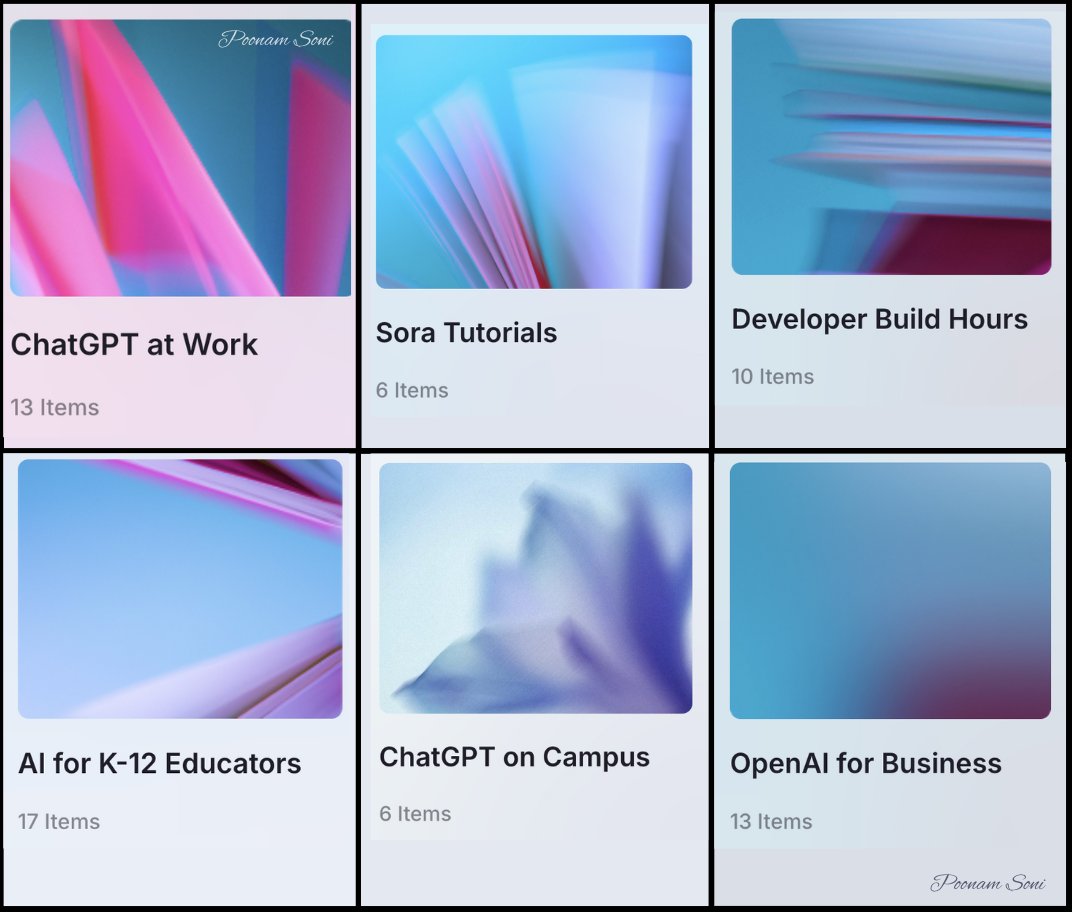
OpenAI just dropped free courses on OpenAI Academy.
You can learn:
- Prompt Engineering
- Text-to-Video using Sora
- AI in Business
- Practical uses of OpenAI's API and models.
and so much more...
6 best courses you don’t want to miss:
You can learn:
- Prompt Engineering
- Text-to-Video using Sora
- AI in Business
- Practical uses of OpenAI's API and models.
and so much more...
6 best courses you don’t want to miss:
13
Don't forget to bookmark for later.
If you enjoyed reading this post, please support it with like/repost of the post below 👇
If you enjoyed reading this post, please support it with like/repost of the post below 👇
Poonam Soni@CodeByPoonam
ChatGPT can now access your:
- Gmail
- Teams
- Outlook
- Google Drive
- HubSpot
.... and so much more!
Here's EVERYTHING you need to know:
- Gmail
- Teams
- Outlook
- Google Drive
- HubSpot
.... and so much more!
Here's EVERYTHING you need to know: