1/39 It's time to share how I create portraits for The Grand...

Igor Stepahin@stepahin
40 views
Dec 26, 2024
~8 min read
Advertisement
1
1/39
It's time to share how I create portraits for The Grand Timeline! Get ready for a ton of technical details. As usual, I couldn't explain it briefly.
🧶
It's time to share how I create portraits for The Grand Timeline! Get ready for a ton of technical details. As usual, I couldn't explain it briefly.
🧶
1:31
2
2/39
Back when I shared my portraits last summer, I thought this project would be outdated in a month. SD3 & FLUX came out, tons of tools, yet I still don't see anything like it. Six months later, I can confidently say: NO ONE'S DONE ANYTHING LIKE THIS.
Don't click, read the 🧶
Back when I shared my portraits last summer, I thought this project would be outdated in a month. SD3 & FLUX came out, tons of tools, yet I still don't see anything like it. Six months later, I can confidently say: NO ONE'S DONE ANYTHING LIKE THIS.
Don't click, read the 🧶
3
3/39
What's the tech challenge?
1. Real people, not abstract ones, gotta look super lifelike
2. They're living now, not 200 years ago
3. Needs to look like a photo, not digital art
4. No AI vibes or uncanny valley weirdness
5. A unified style BUT with tons of variety
What's the tech challenge?
1. Real people, not abstract ones, gotta look super lifelike
2. They're living now, not 200 years ago
3. Needs to look like a photo, not digital art
4. No AI vibes or uncanny valley weirdness
5. A unified style BUT with tons of variety
4
6. Style like top magazine portraits, not AI "photorealism"
7. Stable results across 100+ portraits
8. Fast turnaround, a month for 100 portraits
9. Must run local on NVIDIA 4090
Hitting 2-4 of these targets? Easy. But nailing every single one? That was a challenge!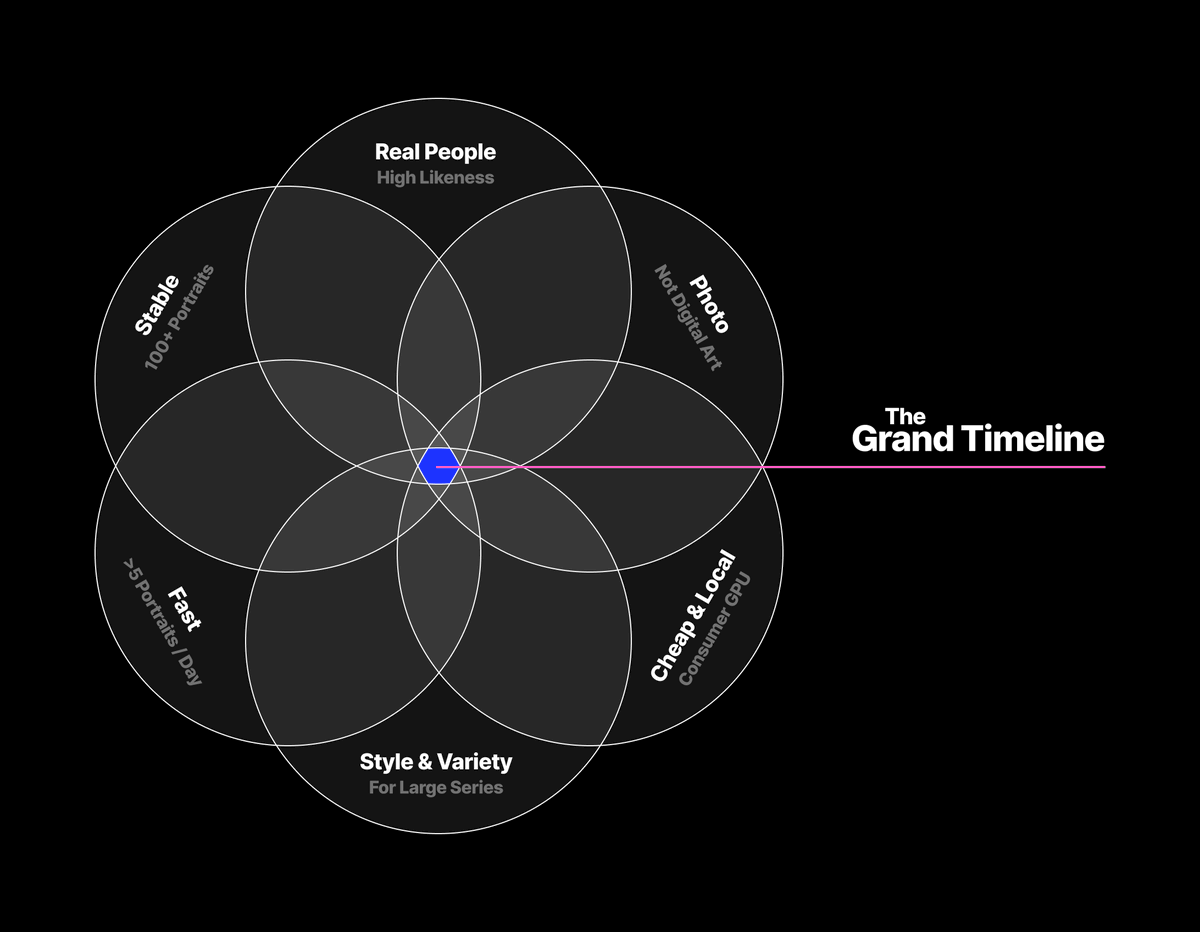
7. Stable results across 100+ portraits
8. Fast turnaround, a month for 100 portraits
9. Must run local on NVIDIA 4090
Hitting 2-4 of these targets? Easy. But nailing every single one? That was a challenge!
5
5/39
Alright folks, I locked myself in a room for a month to master ComfyUI and Stable Diffusion. I've split the work into 3 key parts:
- STYLE of portraits
- VARIETY within the 100+ series
- LIKENESS to real people
Alright folks, I locked myself in a room for a month to master ComfyUI and Stable Diffusion. I've split the work into 3 key parts:
- STYLE of portraits
- VARIETY within the 100+ series
- LIKENESS to real people
6
6/39
STYLE
It was clear that controlling style with text prompt would be tricky. Working with SDXL, if too many factors influence the model, it stops listening to prompts. So it's easier to "show" your visual goals with examples than to "tell" them with words. Time to train my model!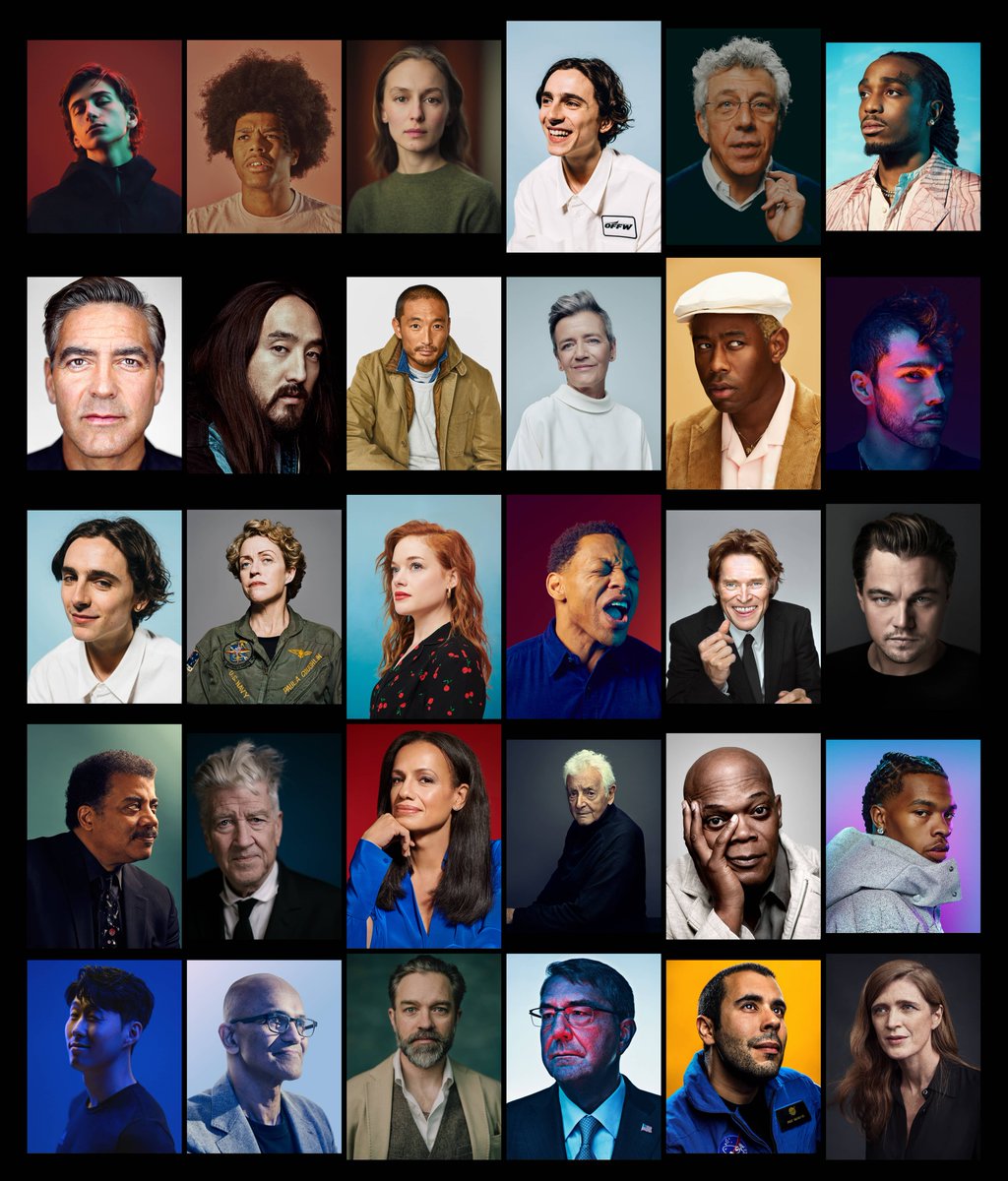
STYLE
It was clear that controlling style with text prompt would be tricky. Working with SDXL, if too many factors influence the model, it stops listening to prompts. So it's easier to "show" your visual goals with examples than to "tell" them with words. Time to train my model!
7
7/39
I dove into kohya_ss — the software for training LoRa models on top of the base model. Had to tinker with the settings a bit, and here's how it looks (1/3 of it). @kohya_tech 👋
Ask 10 LoRa training gurus for settings, get 10 different recipes (I'm 11th).
I dove into kohya_ss — the software for training LoRa models on top of the base model. Had to tinker with the settings a bit, and here's how it looks (1/3 of it). @kohya_tech 👋
Ask 10 LoRa training gurus for settings, get 10 different recipes (I'm 11th).
8
8/39
My first experiments were all about nailing the lighting, depth of field, retouching, and vibe of the great Mackenzie Stroh @martinschoeller.
Results:
1. The real Zach Galifianakis @galifianakisz
2. My reimagined Zach (why angry?)
3-4. My friends @polyakov_s57129 @gn0me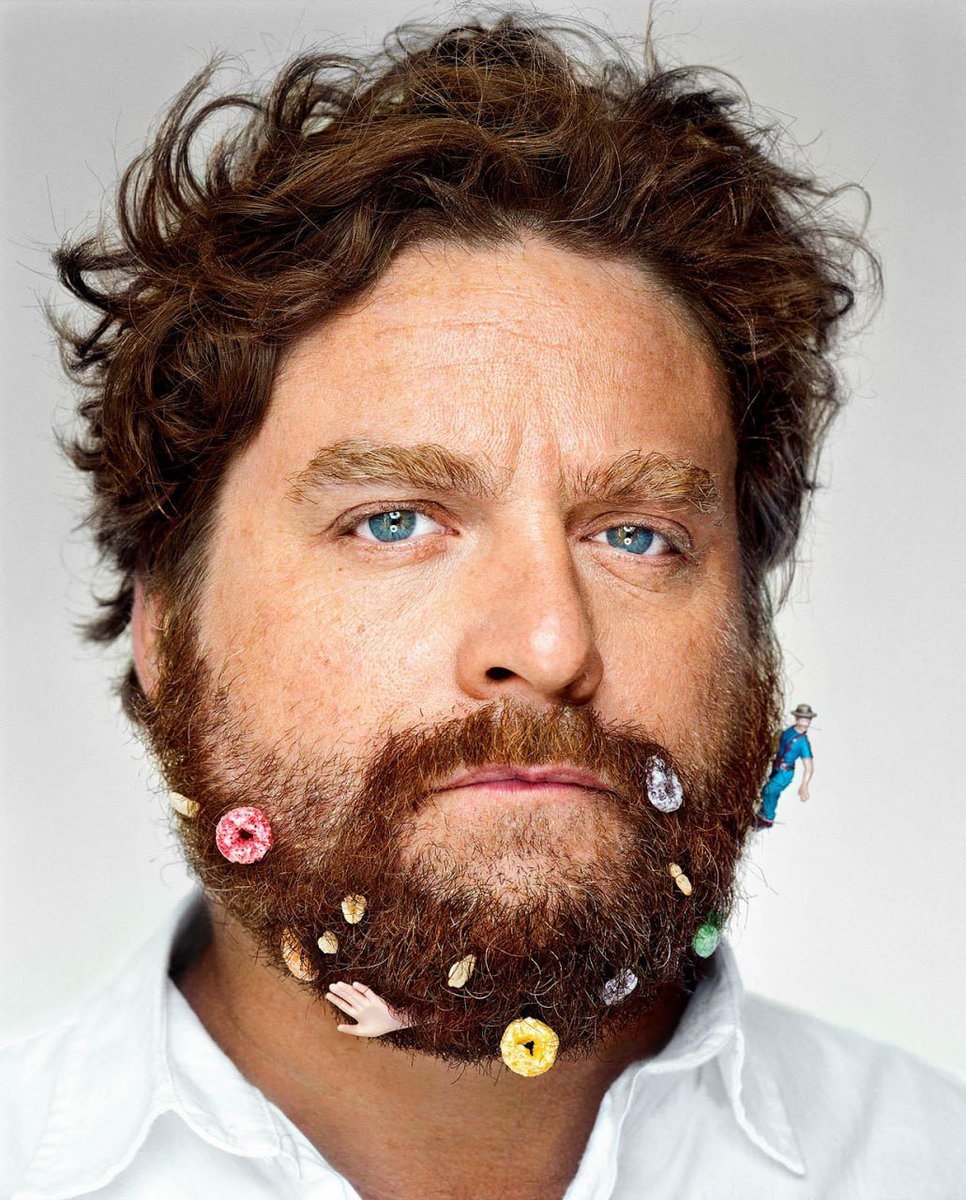


My first experiments were all about nailing the lighting, depth of field, retouching, and vibe of the great Mackenzie Stroh @martinschoeller.
Results:
1. The real Zach Galifianakis @galifianakisz
2. My reimagined Zach (why angry?)
3-4. My friends @polyakov_s57129 @gn0me
9
9/39
I put together a dataset from over 20 top portrait photographers who shoot for mags like @Forbes @TIME @FortuneMagazine @BW @NYMag @esquire @WSJ @Inc @WIRED @FastCompany.
In case you're curious, here’s my inspiration list:
x.com/stepahin/statu…
x.com/stepahin/statu…
I put together a dataset from over 20 top portrait photographers who shoot for mags like @Forbes @TIME @FortuneMagazine @BW @NYMag @esquire @WSJ @Inc @WIRED @FastCompany.
In case you're curious, here’s my inspiration list:
x.com/stepahin/statu…
x.com/stepahin/statu…
10
10/39
The boring part was manually tagging the dataset. Sorting out the background, lighting, a medium shot or close-up, who’s in it, what they’re wearing, their age, hairstyle, accessories... A text file for each of the ~300 photos. Now, I'm not even sure it was necessary.
The boring part was manually tagging the dataset. Sorting out the background, lighting, a medium shot or close-up, who’s in it, what they’re wearing, their age, hairstyle, accessories... A text file for each of the ~300 photos. Now, I'm not even sure it was necessary.
11
11/39
BTW, I tried using local LLMs that fit into my 4090 VRAM for annotations, but they messed up and hallucinated too much. So, it's all about that good old manual work with human eyes.
BTW, I tried using local LLMs that fit into my 4090 VRAM for annotations, but they messed up and hallucinated too much. So, it's all about that good old manual work with human eyes.
12
12/39
Trained! Took about 5 tries, each lasting 3-6 hours. My LoRa learned to mimic light, color, lighting, depth of field, retouching from 20 different photographers, but nailed it with around 12. Now I just add a trigger word in the prompt to bring out the style. Test stand:
Trained! Took about 5 tries, each lasting 3-6 hours. My LoRa learned to mimic light, color, lighting, depth of field, retouching from 20 different photographers, but nailed it with around 12. Now I just add a trigger word in the prompt to bring out the style. Test stand:
13
13/39
Totally forgot that each style needs its own background range, can't just share one! You gotta set the background color and style trigger word in the prompt. But you can't just use a color picker and drop in RGB/HEX. Base model demands actual color names!
Totally forgot that each style needs its own background range, can't just share one! You gotta set the background color and style trigger word in the prompt. But you can't just use a color picker and drop in RGB/HEX. Base model demands actual color names!
14
14/39
Back to manual mode! I was clicking around with the color picker, matching color names here colors.artyclick.com/color-name-fin… for each style. Then, I asked @ChatGPTapp to add similar colors, and voilà, got a unique list for each style.
Back to manual mode! I was clicking around with the color picker, matching color names here colors.artyclick.com/color-name-fin… for each style. Then, I asked @ChatGPTapp to add similar colors, and voilà, got a unique list for each style.
15
15/39
VARIETY
Nodes randomly pick from 12 styles × 5-10 backgrounds × outfits and emotions like "wearing {t-shirt | hoodie | classic suit}, {neutral expression | slight smile | sly smirk}". Here is what the randomization nodes look like.
VARIETY
Nodes randomly pick from 12 styles × 5-10 backgrounds × outfits and emotions like "wearing {t-shirt | hoodie | classic suit}, {neutral expression | slight smile | sly smirk}". Here is what the randomization nodes look like.
16
16/39
So, the magic combo of Style × Background × Outfit × Generation Seed = gives enough variety while staying consistent throughout the project. Check out the selected portraits of @sandeepnailwal
So, the magic combo of Style × Background × Outfit × Generation Seed = gives enough variety while staying consistent throughout the project. Check out the selected portraits of @sandeepnailwal
17
@GrandTimeline 17/39
LIKENESS
The trickiest, most unstable part! Sure, you can train a separate LoRa model for a person like I did for style. But it takes ages to gather the dataset, train the model, and the results aren't guaranteed + a second LoRa (char.) can weaken the first LoRa (style).
LIKENESS
The trickiest, most unstable part! Sure, you can train a separate LoRa model for a person like I did for style. But it takes ages to gather the dataset, train the model, and the results aren't guaranteed + a second LoRa (char.) can weaken the first LoRa (style).
18
18/39
The real struggle with training a model for each is they're not you — they won't take 15 high-quality selfies for you. Unless it's CZ or Vitalik, good luck getting a decent dataset.
Classic case, 1-3 poor photos: Tim May, Wei Dai, Wladimir van der Laan, @PacmanBlur

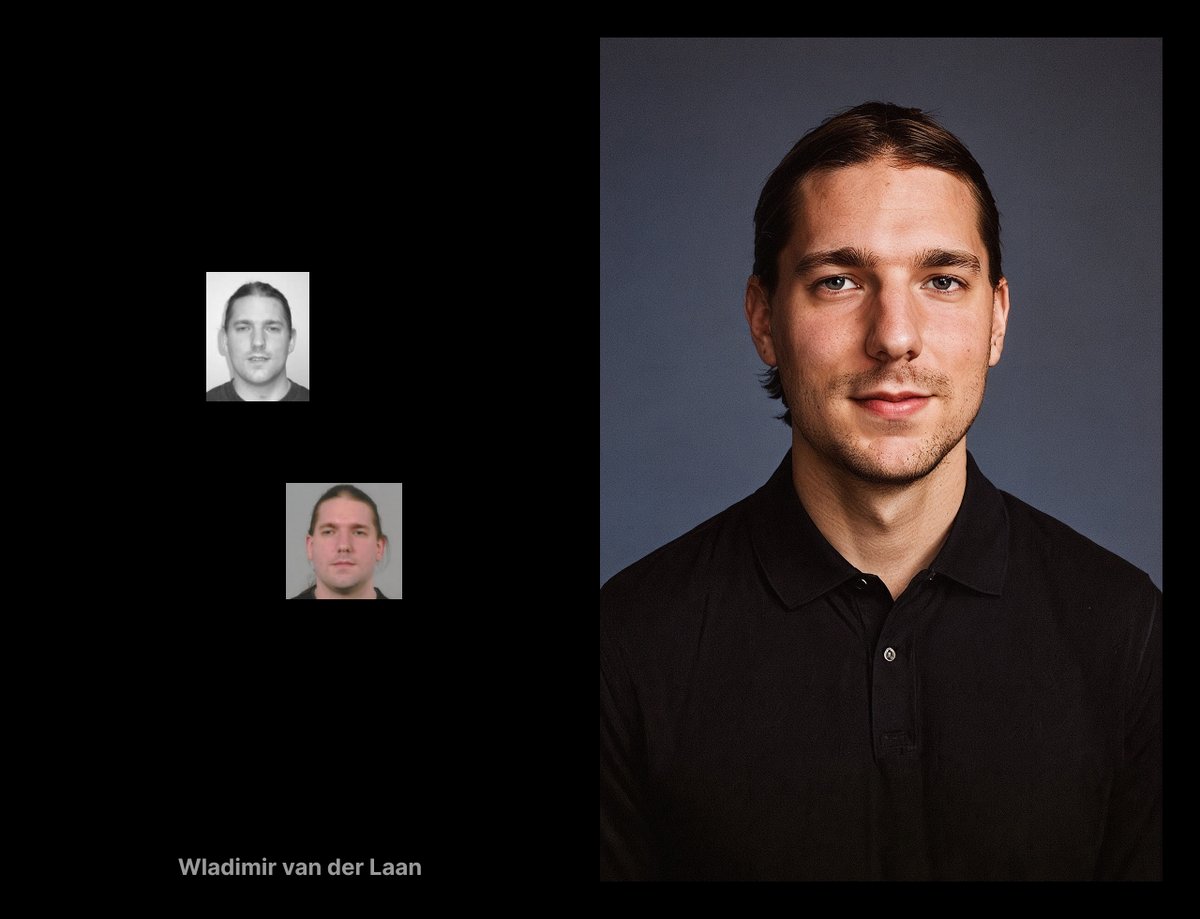

The real struggle with training a model for each is they're not you — they won't take 15 high-quality selfies for you. Unless it's CZ or Vitalik, good luck getting a decent dataset.
Classic case, 1-3 poor photos: Tim May, Wei Dai, Wladimir van der Laan, @PacmanBlur
19
@GrandTimeline 19/39
So I'm diving into transferring facial features WITHOUT a pre-trained model — thanks to IPAdapter FaceID, shoutout to @cubiq. This tool showed up just a year ago, and I realized IT'S TIME. Just feed it 1-3 photos. Here's a peek at one of my workflow "slots."
So I'm diving into transferring facial features WITHOUT a pre-trained model — thanks to IPAdapter FaceID, shoutout to @cubiq. This tool showed up just a year ago, and I realized IT'S TIME. Just feed it 1-3 photos. Here's a peek at one of my workflow "slots."
20
20/39
The biggest issue with IPAdapter FaceID? It just moves eyes, mouth, nose, and ignores head shape, hairstyle, and body. SDXL makes everyone look average slim. You have to manually tweak everything in prompts.
Sometimes you mix new inputs with old prompt — don't ask who!
The biggest issue with IPAdapter FaceID? It just moves eyes, mouth, nose, and ignores head shape, hairstyle, and body. SDXL makes everyone look average slim. You have to manually tweak everything in prompts.
Sometimes you mix new inputs with old prompt — don't ask who!
21
21/39
To shake things up from the usual skinny look and narrow faces, there's a nifty "slider" called Chubby. It's a LoRa model that lets you manually adjust body weight with an index.
To shake things up from the usual skinny look and narrow faces, there's a nifty "slider" called Chubby. It's a LoRa model that lets you manually adjust body weight with an index.
22
22/39
Some things just wouldn't cooperate with the prompt, so I had to "photoshop" them in the final frame, doing some Inpainting in Fooocus. Like @willywoo's beard — masking areas, prompting what should be there, and generating dozens to nail the perfect beard.
Some things just wouldn't cooperate with the prompt, so I had to "photoshop" them in the final frame, doing some Inpainting in Fooocus. Like @willywoo's beard — masking areas, prompting what should be there, and generating dozens to nail the perfect beard.
0:03
23
23/39
Smiles... Oh, how I hate smiles. Those structures with a clear "grid" are a nightmare for neural networks (at least SDXL, six months ago). If the workflow's complex, with many components influencing generation beyond prompts, it turns into a mess. A lof of inpainting.
Smiles... Oh, how I hate smiles. Those structures with a clear "grid" are a nightmare for neural networks (at least SDXL, six months ago). If the workflow's complex, with many components influencing generation beyond prompts, it turns into a mess. A lof of inpainting.
0:07
24
24/39
Interesting dilemma with @cameron & @tyler Winklevoss. Can you tell them apart? Bet you can't! I couldn't either. So why not generate both with a single input? Nope, not fair and way too easy.
1. Studied loads of photos, found one difference
👁️╰👁️ Cameron
👁️ ^ 👁️ Tyler

Interesting dilemma with @cameron & @tyler Winklevoss. Can you tell them apart? Bet you can't! I couldn't either. So why not generate both with a single input? Nope, not fair and way too easy.
1. Studied loads of photos, found one difference
👁️╰👁️ Cameron
👁️ ^ 👁️ Tyler
25
2. Cropped pairs into Cam & Tyler for parallel inputs.
3. Generated with the same seed & prompt (style, bg, clothes).
4. Picked my fave Cam & Tyler from 1000 gens.
5. Sorted the files by generation time to select portrait pairs where both Cam and Tyler looked excellent.
Done
3. Generated with the same seed & prompt (style, bg, clothes).
4. Picked my fave Cam & Tyler from 1000 gens.
5. Sorted the files by generation time to select portrait pairs where both Cam and Tyler looked excellent.
Done
26
@cameron @tyler @GrandTimeline 26/39
Strategies: Rapid setup inputs and generating 1000 portraits to find the perfect one, rather than tweaking settings endlessly to get good generation the first time. I just hit autoqueue and switch from PC to Mac for 3 hours. I call it Likeness Mining.
@balajis in progress
Strategies: Rapid setup inputs and generating 1000 portraits to find the perfect one, rather than tweaking settings endlessly to get good generation the first time. I just hit autoqueue and switch from PC to Mac for 3 hours. I call it Likeness Mining.
@balajis in progress
0:09
27
27/39
Here's my entire 🍝 workflow: it's got 8 slots, and with my 24 GB VRAM, I can run 3-4 slots at once. I let it run wild for hours, generating non-stop.
Here's my entire 🍝 workflow: it's got 8 slots, and with my 24 GB VRAM, I can run 3-4 slots at once. I let it run wild for hours, generating non-stop.
28
28/39
At the end of generation, a Face Embeds Distance node compares real and generated photos, saving the likeness index in the filename. This helps sort and select the top 20% with the best likeness.
← 0.837 poor likeness | 0.676 I recognize @pmarca →

At the end of generation, a Face Embeds Distance node compares real and generated photos, saving the likeness index in the filename. This helps sort and select the top 20% with the best likeness.
← 0.837 poor likeness | 0.676 I recognize @pmarca →
29
@GrandTimeline 29/39
I've been cranking out 500-1500 portraits of the same person in one go (sometimes one go is enough, sometimes it takes up to ten). My NVIDIA 4090 takes about 3 hours to whip up 1000 portraits. Here's what 1,000 Vitaliks look like.
I've been cranking out 500-1500 portraits of the same person in one go (sometimes one go is enough, sometimes it takes up to ten). My NVIDIA 4090 takes about 3 hours to whip up 1000 portraits. Here's what 1,000 Vitaliks look like.
30
@VitalikButerin 30/39
The no-pre-training approach with IPAdapter was pretty solid, but I hit a wall with four tricky faces: @CharlieShrem, @CryptoHayes, @cz_binance, and @VitalikButerin. Had to gather a dataset and train LoRas for them. Spot the resemblance?
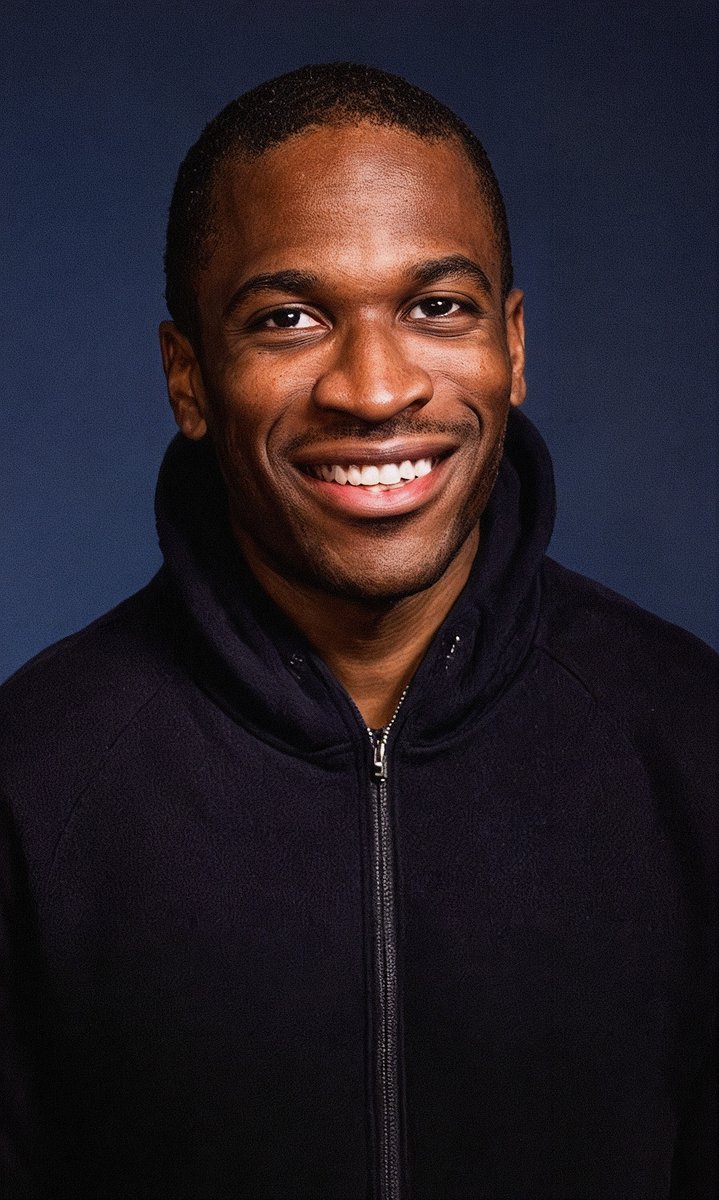


The no-pre-training approach with IPAdapter was pretty solid, but I hit a wall with four tricky faces: @CharlieShrem, @CryptoHayes, @cz_binance, and @VitalikButerin. Had to gather a dataset and train LoRas for them. Spot the resemblance?
31
@GrandTimeline 31/39
FYI, models like @midjourney often gets famous faces like Trump & Musk right, but likeness is hit-or-miss. With less known like @VitalikButerin, it's even worse. Look on google images — only half of these are the real Vitalik. Media, stop doing this — it looks terrible.
FYI, models like @midjourney often gets famous faces like Trump & Musk right, but likeness is hit-or-miss. With less known like @VitalikButerin, it's even worse. Look on google images — only half of these are the real Vitalik. Media, stop doing this — it looks terrible.
32
32/39
To snag over 100 portraits for the "first season" of @GrandTimeline, I cranked out 160,000+ generations, used up 220 GB, and it took just over a month. The room was always cozy warm.
To snag over 100 portraits for the "first season" of @GrandTimeline, I cranked out 160,000+ generations, used up 220 GB, and it took just over a month. The room was always cozy warm.
33
33/39
I was so scared of messing up my software and hardware that I didn't even touch my Formd T1 with a 4090. Here's how it looked after two months of nonstop work.
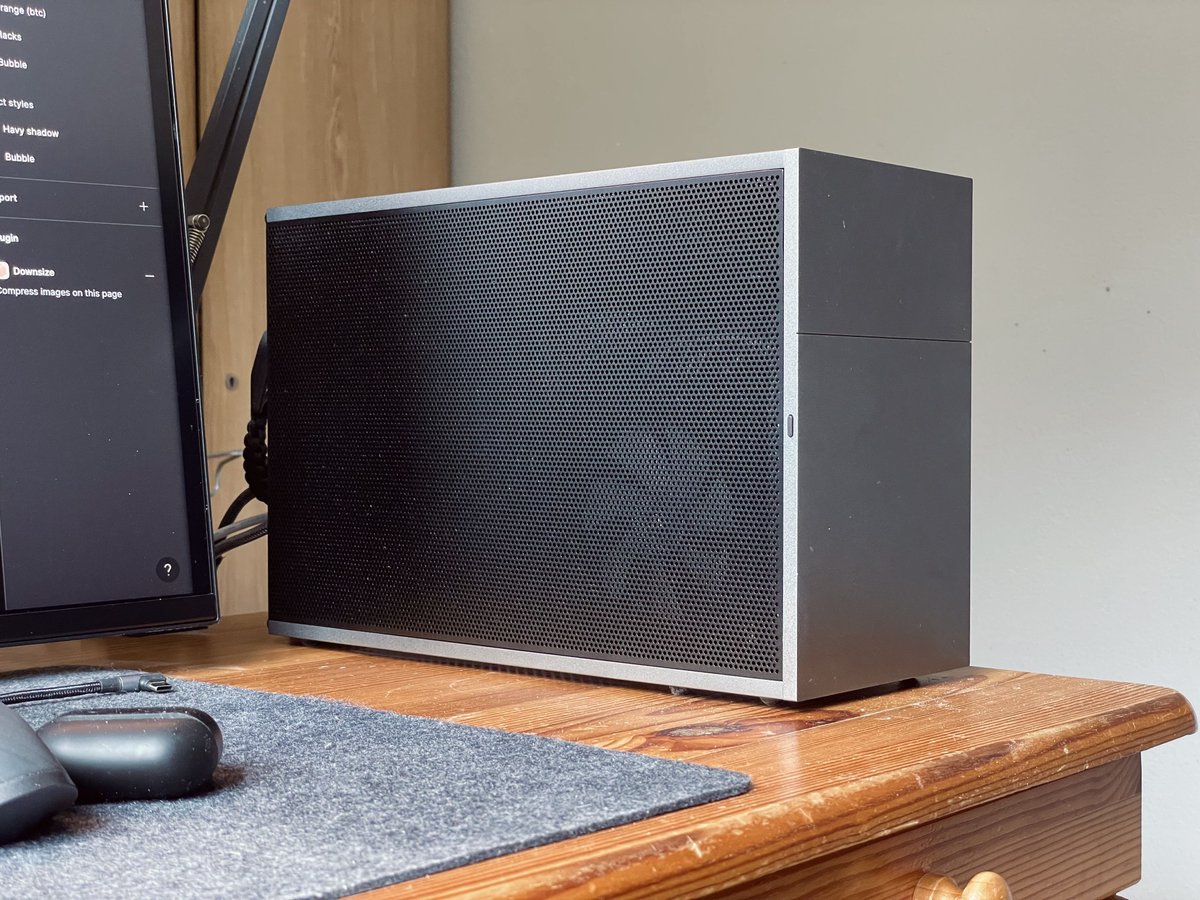
I was so scared of messing up my software and hardware that I didn't even touch my Formd T1 with a 4090. Here's how it looked after two months of nonstop work.
34
34/39
Just for fun, let’s calculate the electricity costs! ⚡
My PC eats about 200 watts while generating.
(4090 peaks at 450, but averages 90)
Electricity costs €18.60 per kWh here.
Result:
Entire project: 109.22 kWh = €2,032
Per person: 1.04 kWh = €19.35
Just for fun, let’s calculate the electricity costs! ⚡
My PC eats about 200 watts while generating.
(4090 peaks at 450, but averages 90)
Electricity costs €18.60 per kWh here.
Result:
Entire project: 109.22 kWh = €2,032
Per person: 1.04 kWh = €19.35
35
35/39
Picked the best portraits and tossed them into @Figma (~6 GB of PNGs in a single file page whaaat?) to narrow down the selection in two stages. Then, by looking at the big picture and the card sequence on @GrandTimeline, I spread out the styles and colors evenly.
Picked the best portraits and tossed them into @Figma (~6 GB of PNGs in a single file page whaaat?) to narrow down the selection in two stages. Then, by looking at the big picture and the card sequence on @GrandTimeline, I spread out the styles and colors evenly.
0:30
36
36/39
The final production steps were Outpainting and Upscale. Outpainting the lower body to transform a 4:3 portrait into a 16:9 for those sleek cards. Couldn't nail Outpainting directly in ComfyUI, so I switched to Fooocus instead.
The final production steps were Outpainting and Upscale. Outpainting the lower body to transform a 4:3 portrait into a 16:9 for those sleek cards. Couldn't nail Outpainting directly in ComfyUI, so I switched to Fooocus instead.
0:08
37
37/39
I'm using the awesome SUPIR for upscaling, arguably the best AI upscale, but also the most resource-intensive. Interesting fact: SUPIR was created by @stephantual, former Ethereum CCO & Slock·it co-founder who left the community after The DAO drama.
Before SUPIR | After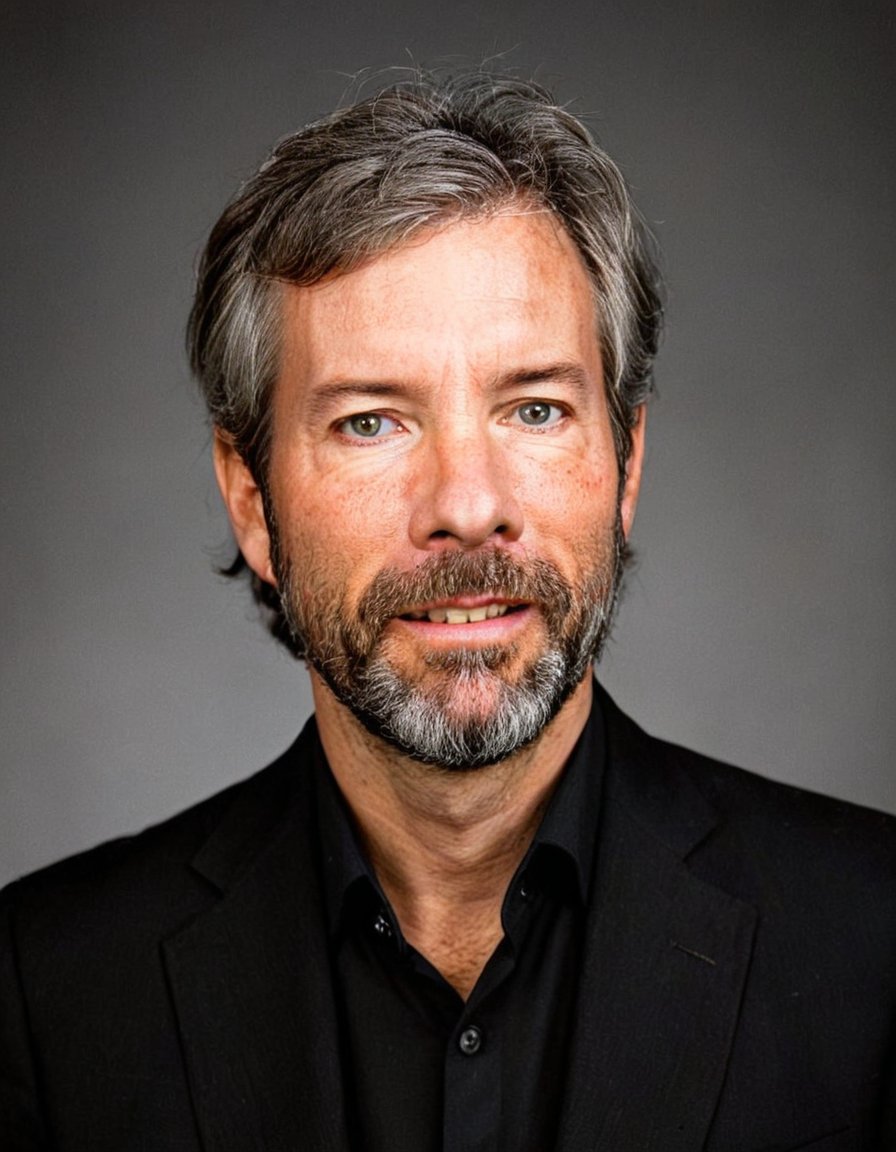

I'm using the awesome SUPIR for upscaling, arguably the best AI upscale, but also the most resource-intensive. Interesting fact: SUPIR was created by @stephantual, former Ethereum CCO & Slock·it co-founder who left the community after The DAO drama.
Before SUPIR | After
38
@saylor @GrandTimeline 38/39
Alright, here's the full pipeline
UI — ComfyUI
Base model — SDXL Lightning
Facial features — IPAdapter
Training LoRa — kohya_ss / OneTrainer
Inpainting, outpainting — Fooocus
Upscale — SUPIR
Number-munching beast — RTX 4090, local only
Editors — Figma, Photopea (no Adobe)
Alright, here's the full pipeline
UI — ComfyUI
Base model — SDXL Lightning
Facial features — IPAdapter
Training LoRa — kohya_ss / OneTrainer
Inpainting, outpainting — Fooocus
Upscale — SUPIR
Number-munching beast — RTX 4090, local only
Editors — Figma, Photopea (no Adobe)
39
39/39 🏁
That’s it!
Check out @GrandTimeline at grandtimeline.org (best on desktop) and support us if you like it!
It's still far from v1.0. We are working on Season 2 and new portraits. Drop names in the replies who should be on the timeline!
That’s it!
Check out @GrandTimeline at grandtimeline.org (best on desktop) and support us if you like it!
It's still far from v1.0. We are working on Season 2 and new portraits. Drop names in the replies who should be on the timeline!
Igor Stepahin@stepahin
1/39
It's time to share how I create portraits for The Grand Timeline! Get ready for a ton of technical details. As usual, I couldn't explain it briefly.
🧶
It's time to share how I create portraits for The Grand Timeline! Get ready for a ton of technical details. As usual, I couldn't explain it briefly.
🧶
