🚨AI Influenceur Workflow🚨 In just a few minutes, you can create an...

Pierrick Chevallier | IA@CharaspowerAI
118 views
Dec 01, 2024
~2 min read
Advertisement
1
🚨AI Influenceur Workflow🚨
In just a few minutes, you can create an AI influencer, animate it, make it talk, and monetize its social media.
In this thread, I’ll show you the full process to create an AI influencer using just one AI.
🧵🔽 Bookmark this for later!
In just a few minutes, you can create an AI influencer, animate it, make it talk, and monetize its social media.
In this thread, I’ll show you the full process to create an AI influencer using just one AI.
🧵🔽 Bookmark this for later!
0:05
2
1⃣ Step 1: Go to @rendernet_ai 🤖
Render Net is THE go-to platform for creating and managing any type of AI avatar.
👉 From the homepage, click Create New to start creating your avatar.
Render Net is THE go-to platform for creating and managing any type of AI avatar.
👉 From the homepage, click Create New to start creating your avatar.
3
2⃣ Create your avatar 👤
Upload a front-facing photo of your model.
Give your avatar a name.
That’s it—your AI avatar is ready to go! 🎉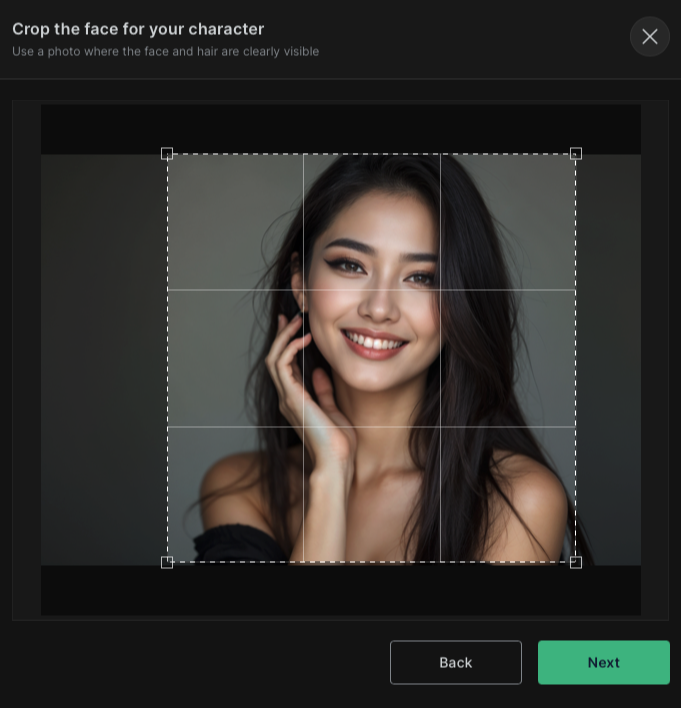
Upload a front-facing photo of your model.
Give your avatar a name.
That’s it—your AI avatar is ready to go! 🎉
4
3⃣ Generate your first visuals 🎨
Head over to Studio to showcase your AI influencer:
- Choose your flux model.
- Select your image ratio.
- Use prompts to generate visuals that highlight your AI influencer.
Head over to Studio to showcase your AI influencer:
- Choose your flux model.
- Select your image ratio.
- Use prompts to generate visuals that highlight your AI influencer.
5
4⃣ Example of an effective prompt 💡
Your character wearing a delicate black lace lingerie set, paired with an oversized white blazer that hangs loosely off one shoulder. She is seated on a minimalist armchair in a modern studio, her legs crossed confidently. Backdrop features soft beige tones for a timeless, chic aesthetic. Professional studio photography, Hasselblad X1D.
Your character wearing a delicate black lace lingerie set, paired with an oversized white blazer that hangs loosely off one shoulder. She is seated on a minimalist armchair in a modern studio, her legs crossed confidently. Backdrop features soft beige tones for a timeless, chic aesthetic. Professional studio photography, Hasselblad X1D.
6
5⃣ Bring your character to life 🎥
Click Video Anyone to animate your avatar:
Use a simple prompt to describe the actions or scene.
👉 You’ll get a captivating video ready for content.
Click Video Anyone to animate your avatar:
Use a simple prompt to describe the actions or scene.
👉 You’ll get a captivating video ready for content.
7
6⃣ Feed its social media 🌟
Now that you have visuals and videos, keep producing content:
Post regularly.
Engage with your audience.
👉 This will promote your AI influencer and grow its network.
Now that you have visuals and videos, keep producing content:
Post regularly.
Engage with your audience.
👉 This will promote your AI influencer and grow its network.
0:05
8
You now know the full process to create an AI influencer from start to finish using @rendernet_ai .
👉 If you enjoyed this thread, like and share it far and wide!
👉 For more AI and tech content, follow @CharaspowerAI 🤖✨
#RenderCollab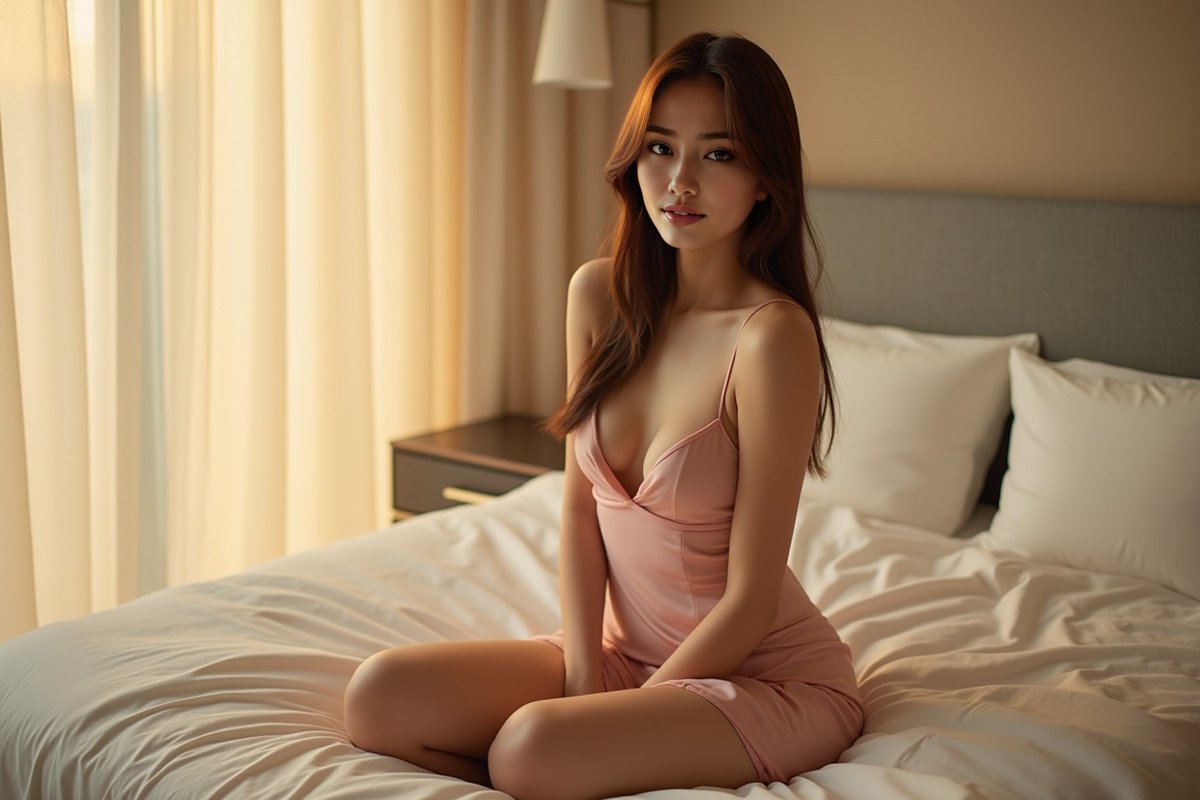
👉 If you enjoyed this thread, like and share it far and wide!
👉 For more AI and tech content, follow @CharaspowerAI 🤖✨
#RenderCollab
