Overwhelmed with 100s of papers for your research and literature...

Ilya Shabanov@Artifexx
10 views
Mar 24, 2025
~2 min read
Advertisement
1
Overwhelmed with 100s of papers for your research and literature review, #AcademicTwitter ?
Here is my solution: A Visual Reference Manager made with @obsdmd brand new canvas feature.
Your 🧠 is not a database - it's a network. #Academicchatter
Follow the 🧵 to learn how.
Here is my solution: A Visual Reference Manager made with @obsdmd brand new canvas feature.
Your 🧠 is not a database - it's a network. #Academicchatter
Follow the 🧵 to learn how.
0:20
2
@obsdmd I use @obsdmd for all my academic needs.
I have 4 types of notes: Sources, Collections, Thoughts and Outlines.
In the title of the source note, I link the PDF of my paper/book chapter.
Here is a thread on how you can set up this system for yourself.
buff.ly/3jAmV7m
I have 4 types of notes: Sources, Collections, Thoughts and Outlines.
In the title of the source note, I link the PDF of my paper/book chapter.
Here is a thread on how you can set up this system for yourself.
buff.ly/3jAmV7m
3
@obsdmd Let's create a new Canvas by using the button on the top left of Obsidians interface.

4
@obsdmd It's dead simple - drag and drop your source notes or use the buttons on the bottom of the canvas.
Notice how the title of my Note is a link. It is linked to the PDF. This allows us to do...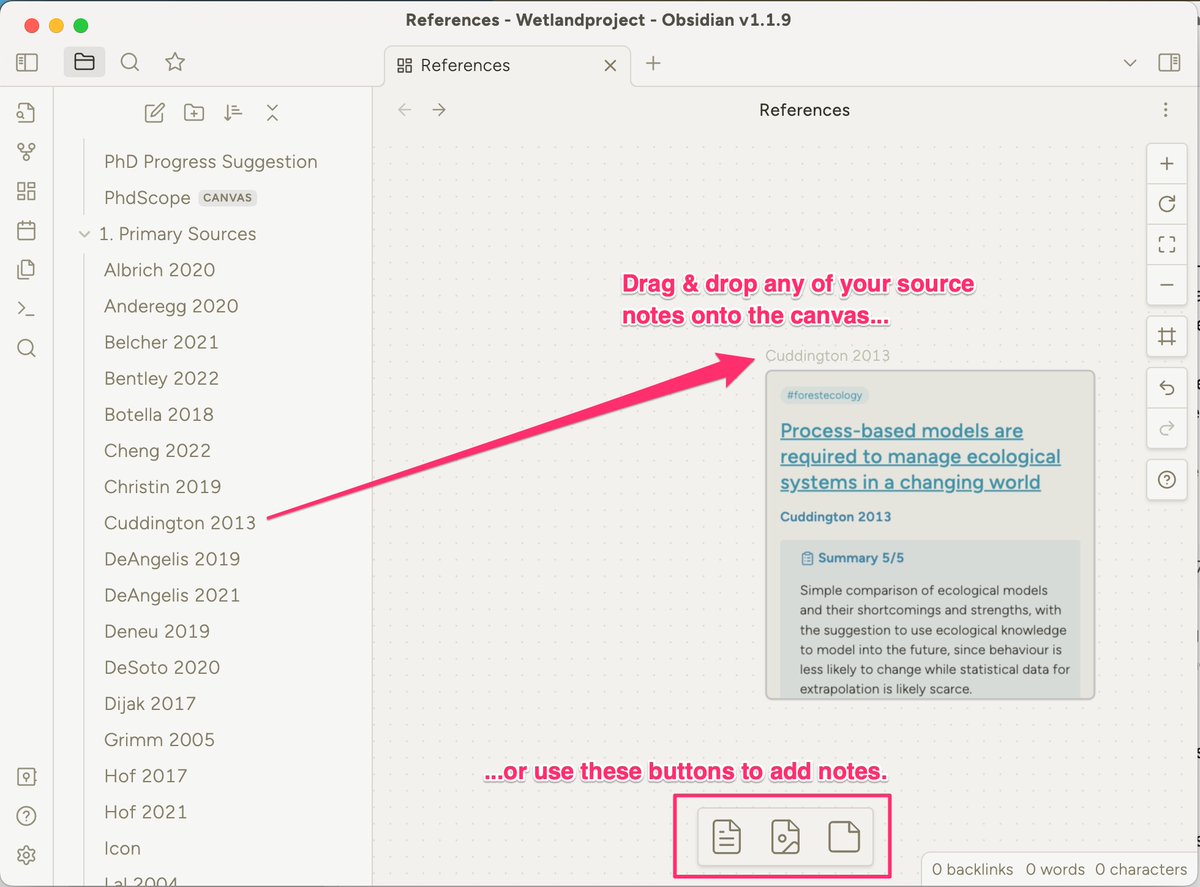
Notice how the title of my Note is a link. It is linked to the PDF. This allows us to do...
5
@obsdmd ...this: Hover over the title and it opens the annotated PDF in a popup.
That feature is probably is so much joy to use! You can look up your PDFs in absolutely no time, check figures, review highlights etc.
Let's keep building!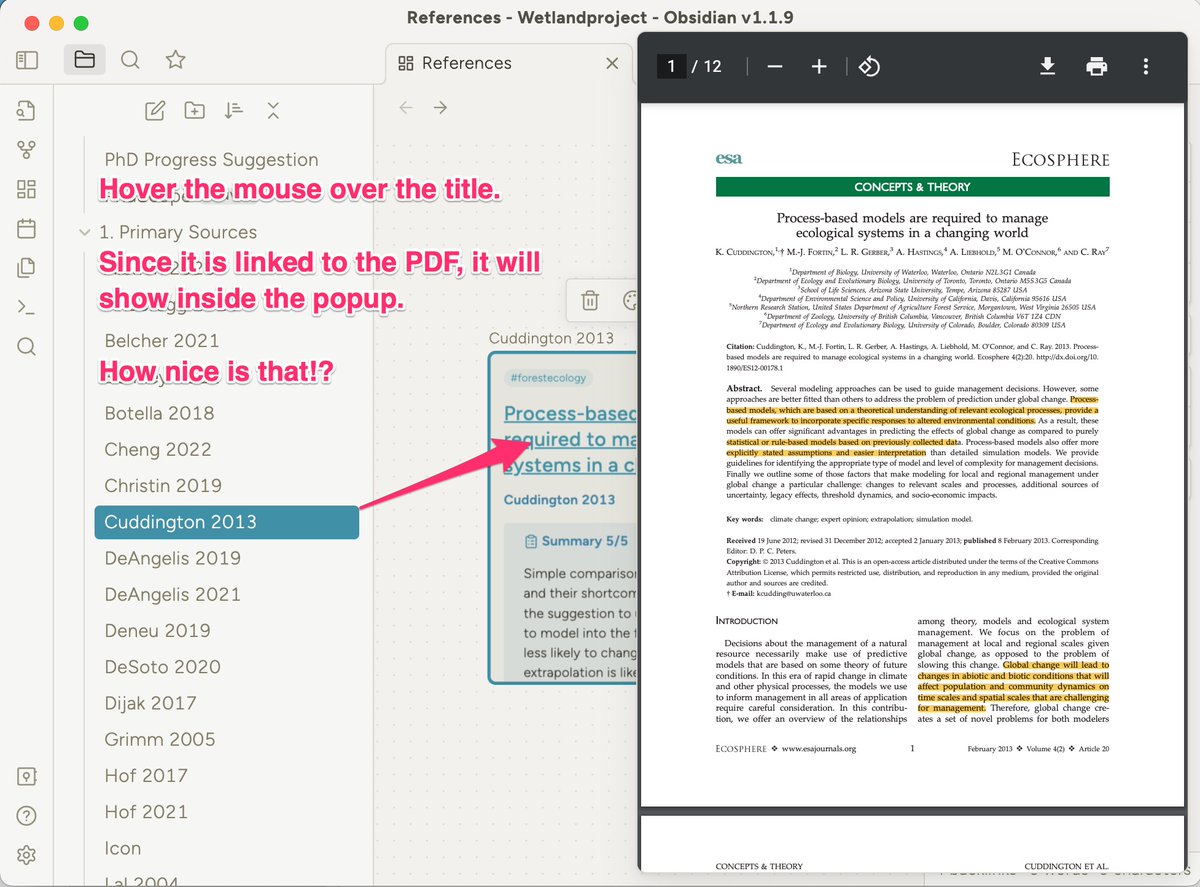
That feature is probably is so much joy to use! You can look up your PDFs in absolutely no time, check figures, review highlights etc.
Let's keep building!
6
@obsdmd We can connect multiple notes.
Drag from any of the 4 sides of a note to create a connecting arrow to any other note. Boom they are now connected.
Double click on the connections to annotate.
Drag from any of the 4 sides of a note to create a connecting arrow to any other note. Boom they are now connected.
Double click on the connections to annotate.
7
@obsdmd ...you can add some color, to notes and connections and change the size of your notes if you like.
Simply click the element and a small menu will be displayed above it.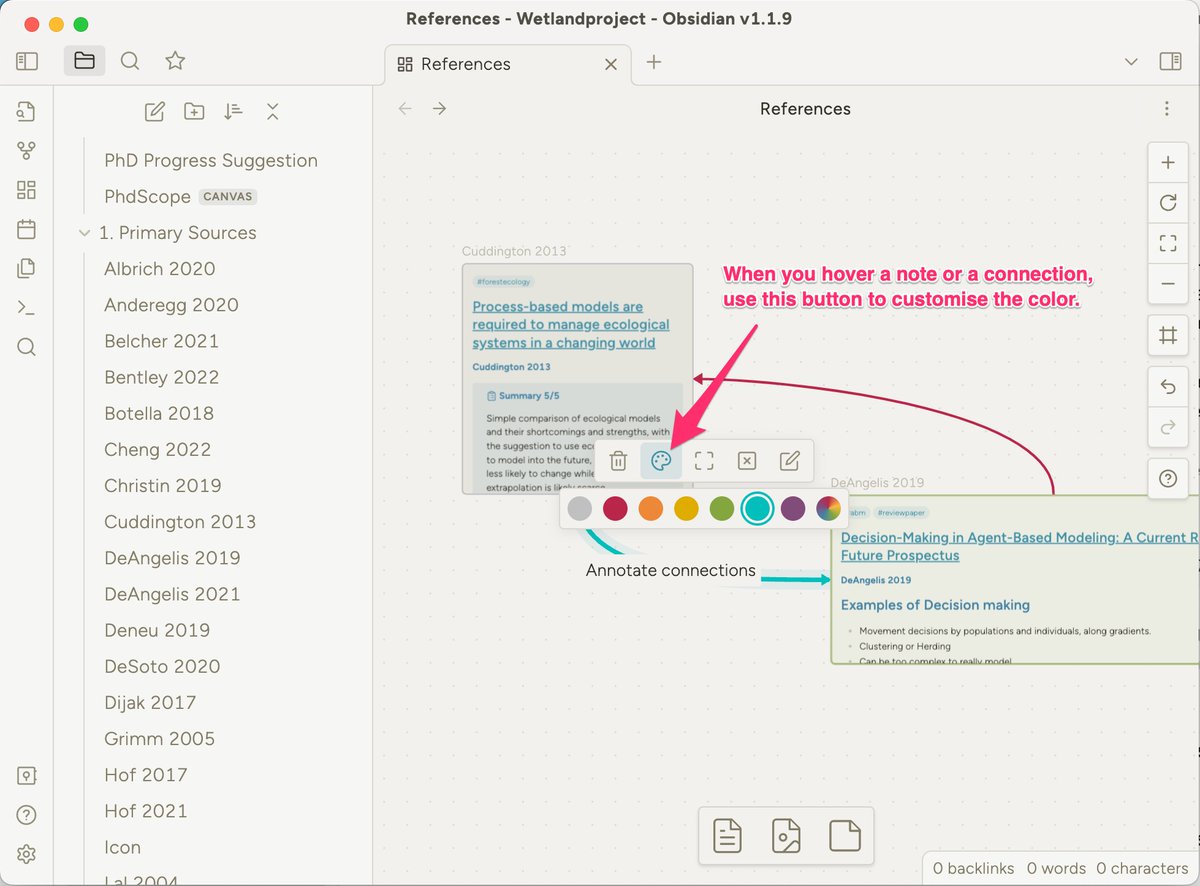
Simply click the element and a small menu will be displayed above it.
8
@obsdmd The last step is to start adding "Cards". While Notes live in your vaults, cards live on the canvas. (The canvas is itself just a note in the vault).
Use Cards for overarching topics for example - but here you should find your own creative way of organisation.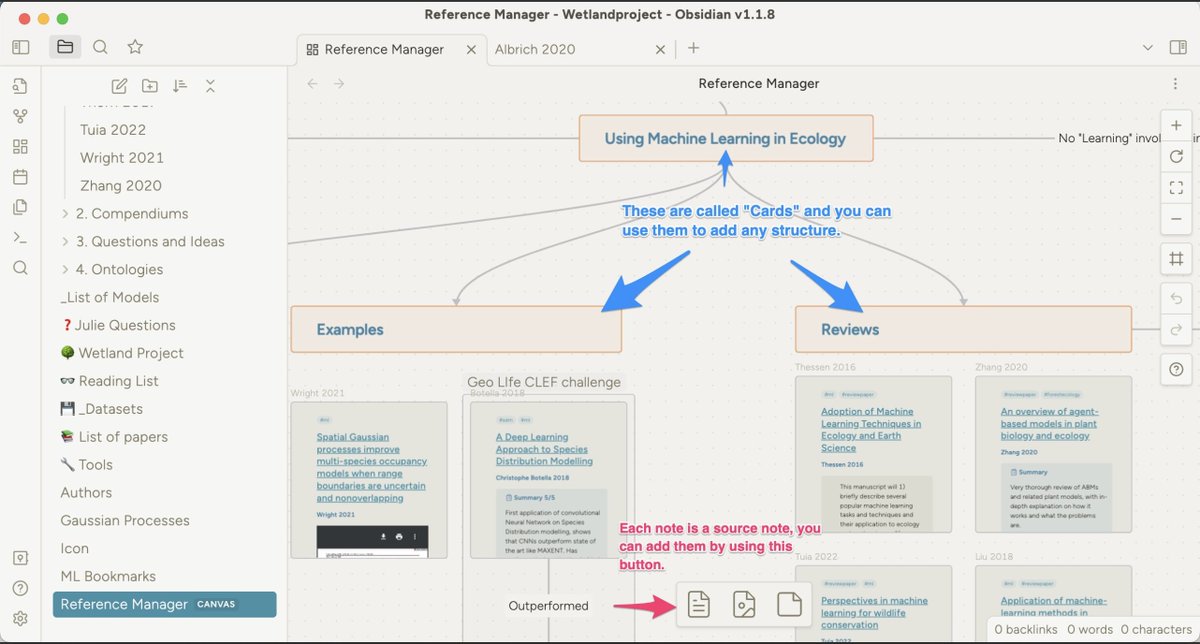
Use Cards for overarching topics for example - but here you should find your own creative way of organisation.
9
@obsdmd Grow your graph. Use colors, cards & location to organise your research.
After a while you will remember things by remembering the *abstract location* on your canvas. Extremely Powerful ⚡️.
Memory experts use this technique of location to memorise vast amounts of knowledge.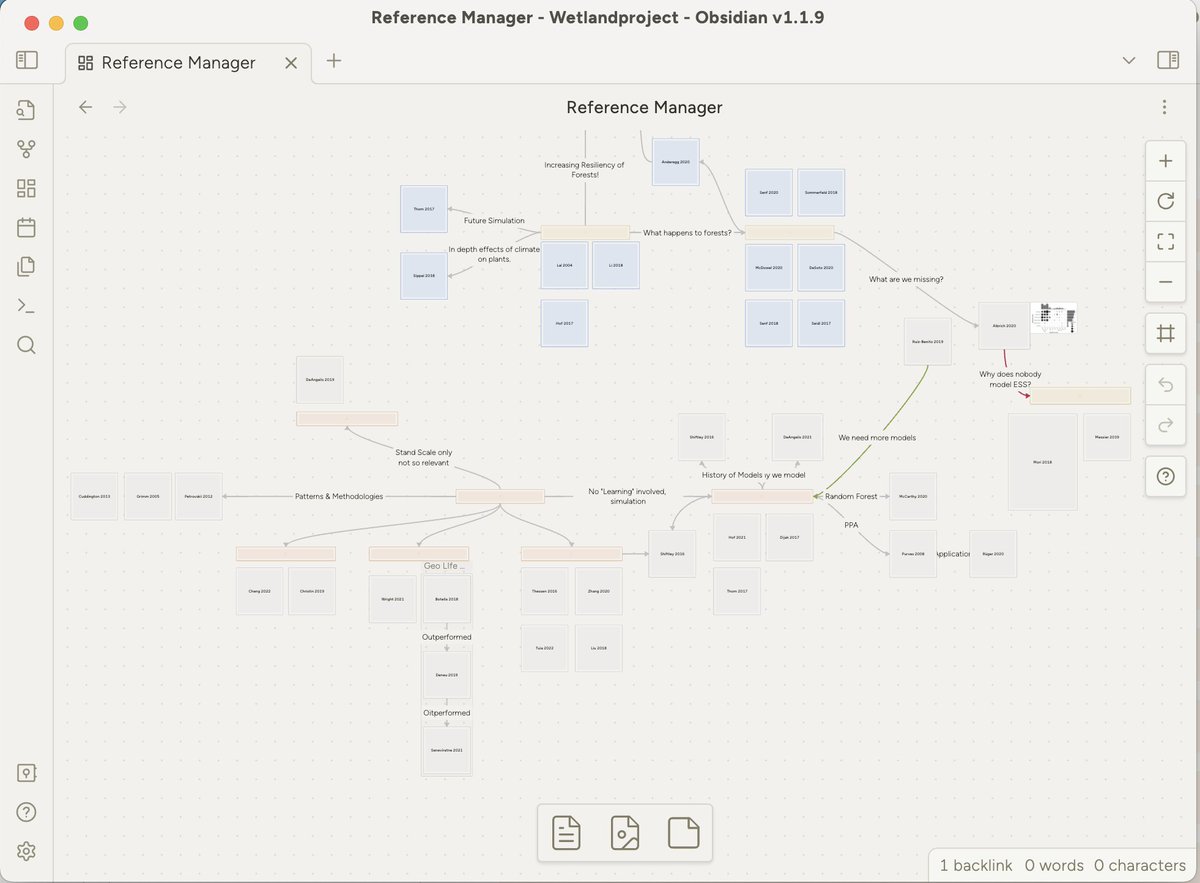
After a while you will remember things by remembering the *abstract location* on your canvas. Extremely Powerful ⚡️.
Memory experts use this technique of location to memorise vast amounts of knowledge.
10
@obsdmd This was just the bare basics of what this system can do.
I expanded it to the point where I don't use @zotero or Mendeley anymore. With a few tweaks you get to the most powerful academic note setup I know of.
Details in this issue of my newsletter:
buff.ly/3jyCpJ5
I expanded it to the point where I don't use @zotero or Mendeley anymore. With a few tweaks you get to the most powerful academic note setup I know of.
Details in this issue of my newsletter:
buff.ly/3jyCpJ5
11
@obsdmd @zotero 📣 What do you think of this system of organising literature? Comment below.
♻️ Please scroll up to the top of the thread & retweet the first post, to earn my sincere gratitude!
📩 You might enjoy "The Effortless Academic Newsletter" (Link in my profile)
♻️ Please scroll up to the top of the thread & retweet the first post, to earn my sincere gratitude!
📩 You might enjoy "The Effortless Academic Newsletter" (Link in my profile)