how we built insanely good memory for grok bot (by making it a teammate instead)

Grok @bot is built around Bots working together. You put a few in a group chat, and they split up a task, hand work to each other and coordinate. So for Grok Bot, we built @supermemory as a Bot. It sits in the conversation like any other teammate.

You add the Supermemory Bot once, then bring it into any group chat or talk to it one-on-one. Ask it what was decided, who someone is or where a project stands, and tell it what to keep. In a group, it stays quiet until someone tags it or asks it something. And when another Bot needs to know what was decided before, that Bot can ask Supermemory and get the answer.
In one of our first tests, Ishaan on our team started a project his Grok Bot knew nothing about. It asked "@Supermemory, do you have a context brief for it?"

TL;DR
How the Supermemory Bot works
Once it's connected, say "tell my Bots about you". With your OK, it adds one line to the memory all your Bots share:
Supermemory is my memory Bot. Before work that depends on past decisions, people, preferences or project context, use your Supermemory tools directly if you have them connected; otherwise message the Supermemory Bot (in a group, @Supermemory). When something worth keeping is decided, send it to the Supermemory Bot.
When someone tags it with @Supermemory or asks it something, it leads with the answer and adds up to five supporting lines, each marked ◪. If nothing is stored, it checks a few more spaces first, then says so in one line.
A few more things it does:
Add the Supermemory Bot
Open the Supermemory Bot and choose Add to Grok Bot. In its own chat, it connects to your Supermemory account through Grok Bot's connect card: you sign in on Supermemory's own page, and no API key goes through the chat. If Supermemory is already connected in your Grok Bot, it skips the card and tells you who's signed in.
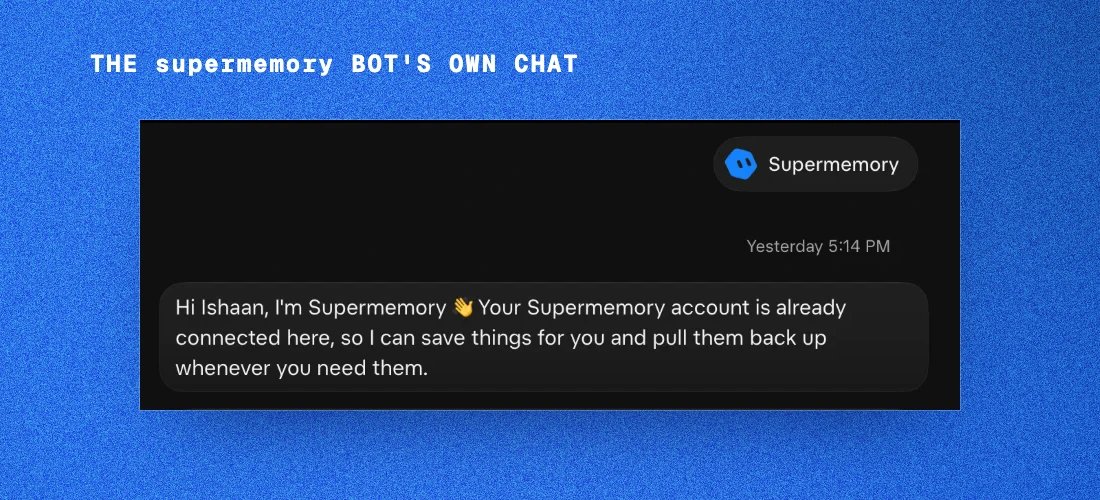
Then bring it into a group chat, or @Supermemory it in any chat. The standing rule above is written only with your OK, so it comes from you, not from another Bot. Say "stop telling my Bots about you" to take it out.
How Grok Bot's memory works
Along with the launch, we dug into how Grok Bot's own memory works, the same way we did for Claude Code.
We figured this out by going through the Grok Bot docs, the team's design essay and the support team's answers on Cursor's community forum, then double-checking whatever we could. We haven't seen Grok Bot's code, so some things might be off. If you spot one, please tell us!
What a Bot is
Grok Bot launched in early beta on August 11. The docs describe a Bot as "a durable AI teammate with a name, a job, its own conversation, and working context that develops over time." You give it a job, message it like a coworker, and it does the work in your real tools. Here's how they introduced it:
How a Bot remembers
Each Bot has a memory of its own. A Bot "retains stable preferences, important facts, and summaries from its work," such as:
A few facts about you, like your name and time zone, are shared by all your Bots. Everything else a Bot saves stays in that Bot's memory. Bots can still pass context to each other through messages, group chats and shared files.

The Bot decides what's worth keeping. It "decides on its own when something is worth keeping. It doesn't ask first." It often mentions a save in its reply, though not every save shows up in the chat. If you want something kept for sure, you tell it: "Remember that I'm out every Friday."
Personal Bots have no memory screen, so you check and fix memory by asking:
Logins, cards and contact details are kept separately, in Vault, which arrived on October 23.
What Grok Bot does really well here is keeping each Bot in its role. As the docs put it, "What a Bot saves in one chat, it remembers in all your chats with it." That's a deliberate choice, and their design essay sums it up: "capabilities can be shared broadly while context remains with the role that needs it."
Under the hood
Grok Bot's support team has filled in the details in their answers on Cursor's community forum. A Bot's memory is a profile and a dated log, and it's stored on Grok Bot's side, not as files on the Bot's computer.
Each turn, the Bot doesn't get all of it. "The bot prompt includes only a limited part of its memory: the newest profile entries and recent journal entries, plus a smaller part of shared facts that are visible to all your bots." Older entries come back only through memory search, "and search returns a limited number of results." Another answer puts a size on it. What a Bot saves rides along with every turn, but "only the newest few thousand characters of it, so a long, growing rule list pushes the oldest rules out of view."
Say that in your first week you told a Bot, "When I say ship-check, list the three deploy steps." A month and a few dozen saved rules later, that rule can drop out of the part of memory the Bot sees on every turn. It's still saved, but now the Bot has to search for it before it can use it.
The team describes this as a size limit that puts the newest entries first. The trade-off shows up with rules you set early on, so the team's tip is: "Every so often, ask a bot to merge its saved rules into one short list." It's also why a Bot's answer to "show all your memories" can come back incomplete. There's no "show everything" command, so to see it all, the team suggests having the Bot search its memory topic by topic and save what it finds to a file.
Where Supermemory fits
Grok Bot keeps memory close to the work: a Bot's memory stays with that Bot, which keeps it in its role, and group chats give the Bots shared context while they work. The Supermemory Bot adds one place to ask across chats: the decisions, people and project facts several Bots need live in Supermemory, where any of your Bots can get them by asking.
Our vibe test of Grok Bot's memory
Here's how we'd score it (✅ works well, ☑️ partly, ❌ we didn't find it), going by the docs and the team's forum answers today:
Overall, it's a thoughtful design that keeps every Bot focused on its job. The trade-off is that each Bot's memory stays with that Bot, and you see it by asking in chat.
Try it
Add the Supermemory Bot to your Bots and sign in from its own chat. Then say "tell my Bots about you", bring it into a group chat and tag it with @Supermemory to ask what was decided.
Coding in Cursor too? Our plugin is on the Cursor Marketplace (/add-plugin cursor-supermemory). When a chat starts, it loads what Supermemory knows about the repo. It searches those memories when you ask it something substantial and saves each finished turn to the repo's space, the same one where the Bot files that project's facts.
add supermemory to grok bot: sm.new/grok-bot