Give me 10 minutes. I'll teach you 80% of Claude Code.

On the 3rd of March 2026, I opened the terminal, typed "claude", and had no idea what I was doing. 173 days later, it runs (almost) 100% of my content business.
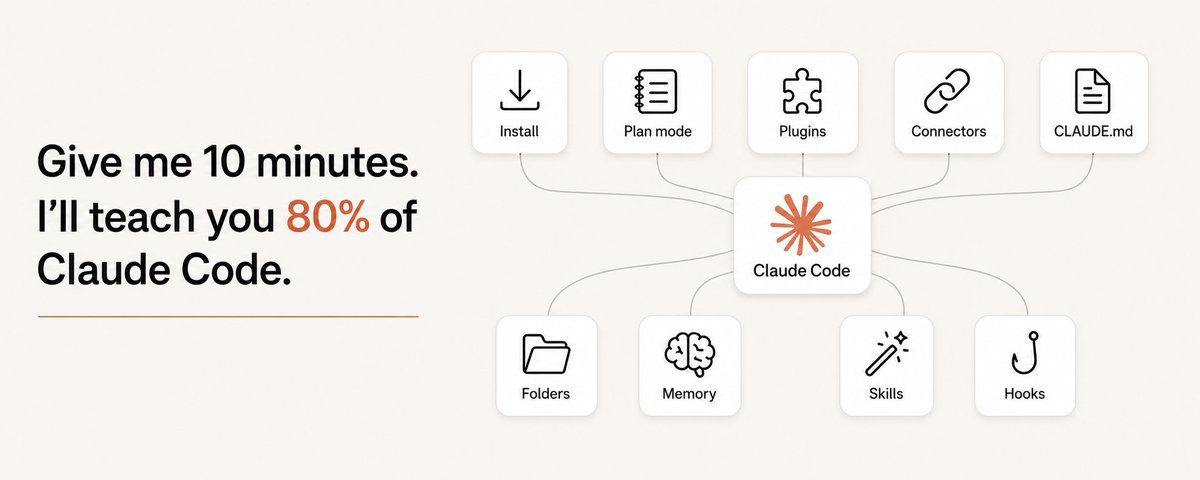
I'm not a developer. I'm a marketer who discovered the power of Claude Code for content. I might sound strange to say that, because coding is for developers, right? Wrong.
Coding is for everyone.
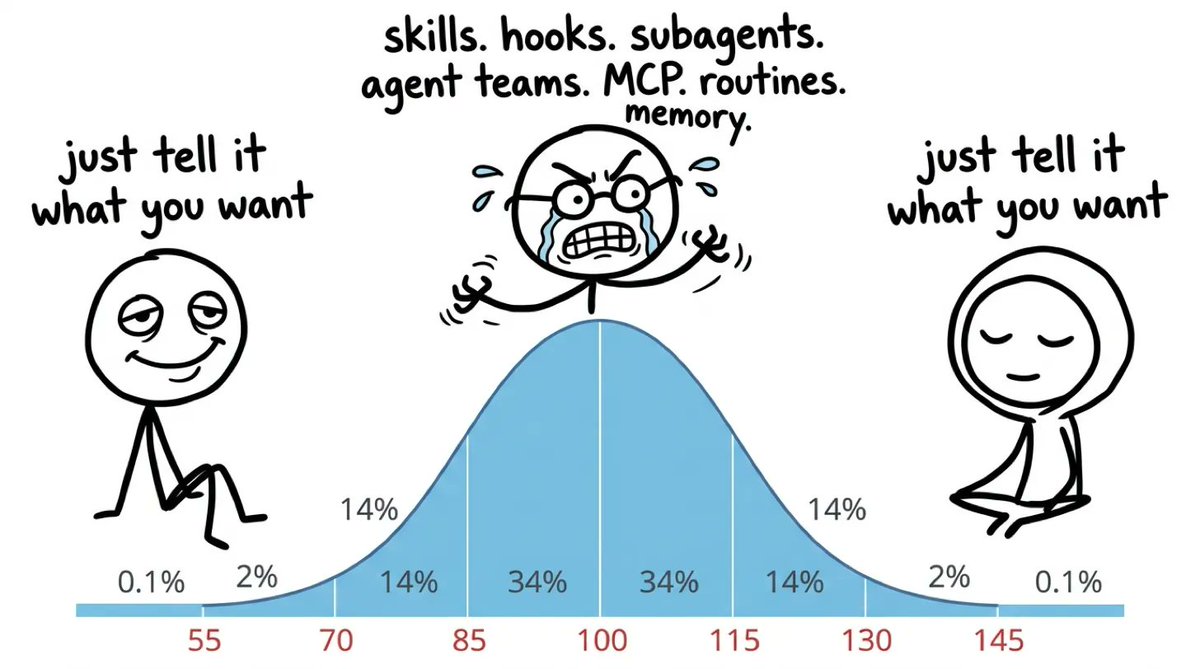
You've heard the term "vibe coding" before, I'm sure. The practice of describing what you want to AI and it'll build whatever you want. The same applies to marketing.
Every day I'm "vibe designing" or "vibe marketing" with Claude.
I've spent the last 173 days mastering the practice, so in this article I hope to offer you a glimpse of what it has done for me and what it could do for you, too.
This covers everything I have learned in 173 days.
Anthropic just dropped three new features worth knowing about if you are running Claude Code properly.
If you’re already comfortable in Claude Code, start here.
If you’re still learning, read the article, then watch :)
First, what this thing actually is
Claude Code used to terrify me.
So I thought, why should I be using Claude Code?
Well, Claude Code has changed the way that I run my content business. And it's not just for building applications. You can use Claude Code to create content, too.
It reads, writes and edits your files. It calls APIs. It browses the web.
It spawns workers to run jobs in parallel. It runs scripts you never wrote.
You do not need to be a developer. The barrier around tools like this is largely gone, and a few hours of learning-by-doing gets you real results.
#1 Get it running (about two minutes)
Day 1. I opened the terminal and typed “claude” with no idea what I was doing. Nothing I built in the first month compounded. Every session started from nothing and I re-explained myself.
Get a paid Claude plan first. Pro at $20/month is enough to start. Max gives you more usage if you end up running heavy workflows.
Install it with one command in your terminal, from code.claude.com/docs.
Takes about two minutes.

If you've never opened it, you access Claude Code through the terminal or through the Claude desktop app. I run mine through the terminal.
The desktop app is pretty good. Start there if you’re new.
Type claude. It prompts you to log in.
Now navigate to a folder you actually work in. You're running.

What you need to build out here is a CLAUDE.md file. This is basically your background on who you are, what you like, and how you exactly want Claude Code to work.
One of the best practices here is to simply type this:
/initThis will initialise a new CLAUDE.md file for you.
But you don't have to follow this step. To be honest, you can just talk naturally to Claude Code, and then ask it to update your MD file in retrospect, based on the learnings that you make along the way.
That second way is the one I'd actually recommend, because you don't yet know what's worth writing down.
#1.5 Then open /config
Don’t judge me, it’s day 173, and I only discovered this panel today.
/config is where Claude Code keeps its settings. About forty of them.

I'm not going to pretend I've tuned them. Most are still on whatever they came with. The point is that on day 173, writing a guide about this thing, there was a whole panel I'd never opened.
That's the thing about Claude Code. You find something new and work out how to use it every single day. With Claude Chat and Cowork you're fairly limited in what you can actually do. The ceiling is (almost) uncapped.
#2 Plan before it builds
You can slash command /plan, and Claude Code will build out a plan before it builds anything. I'd highly recommend using that command if you're totally new to Claude Code, like I was in March.
There are two ways in. Type /plan, or hit shift + tab. Same mode, and shift + tab cycles straight back out again.
Plan mode is read-only, and it is far cheaper than rebuilding. A failed build costs more than ten minutes of planning ever will.

This is the alignment step that runs before Claude builds anything. Claude proposes a layout, asks me what I want changed, and then it codes.

Pro tip: if you're mid-task and the output starts feeling off, drop back into plan mode to realign on where you actually want to take it. This is way better than letting Claude run down the wrong path and burning tokens.
#2.5 Auto mode
When I first started using Claude Code you had to bypass permissions, because otherwise it asks you a tonne of questions and it is genuinely annoying.

That is probably the first thing that blocks you when you get started. Not the terminal or the setup. Just being interrupted every thirty seconds.
That is what auto mode is for, and it is now the default. It is safe to use, and honestly, as long as you are not doing anything too sensitive, you are good.

The reason I am comfortable saying that is what sits underneath it. In auto mode every thing gets checked before it runs, and it deliberately ignores your own allow-list rather than trusting it. Shift + tab cycles you between manual, auto mode, and plan mode.
#3 Install things
This is the section I’d move to day one if I could start again.
I spent my first month building my own versions of things that already existed, were better, and were free to install.
Type this:
/pluginThat opens the marketplace.

1. Superpowers
To be honest, I only use this for brainstorming, and I do not even use that much.
/plugin install superpowers@claude-plugins-official2. gstack
I use this for one thing. The agent browser.
It opens a real browser and reads the live web, so you get what is on the page today.
You find it on GitHub, click code on the top right, and copy the installation command.
github.com/garrytan/gstackMy favourite thing about this workflow is that I built a system that writes my newsletter with me. Claude Code can now do a version of this itself (without gstack).
claude --chromeIt opens tabs in your own Chrome, the one already on your desktop, and it carries your logins with it. So it can work inside Gmail, Google Docs, Notion, anything you are signed into, with no connector set up at all.
3. HyperFrames
Writes HTML and renders it as video. I use it for the HTML video editing.
Almost every YouTube video I ship comes out of this. I describe the overlay, Claude writes the HTML, it comes back as an mp4.
/plugin install hyperframes@claude-plugins-official4. Claude HUD
This one sits at the bottom of my screen every time, so I can see my context and my usage.
What it’s doing, and what it’s spent.
/plugin marketplace add jarrodwatts/claude-hud
/plugin install claude-hud@claude-hud
5. Caveman
I installed this on day 72 to get short replies.
It gives no preamble or summary, just the answer.
/plugin marketplace add JuliusBrussee/caveman
/plugin install caveman@caveman
Pick the one for your job
Those five are mine because of the job I do. Yours will be different.
If you want somewhere to start that is not my list, Matt Pocock has a skills repo that is going up fast. 224k stars: github.com/mattpocock/skills
Which is the exact problem I got tired of. Every week someone asks me which repo to install, and whether you install it depends on what they do all day.
So I built the Claude Code GitHub Repo Bible.
There are 268 repos worth installing, in seven chapters, every link checked live and ranked by stars.
#4 Connect tools
All your connectors carry over from claude.ai. You don’t set them up again.
And I only keep the tools I genuinely use every day.
Connectors are one of the most useful features in Claude.
Connect Gmail and your calendar, and Claude can read both.
Ask it for a summary of your week and it actually knows what is in there. Then it can act inside those apps on your behalf.
To add one, go to customise, then connectors. There is a list of pre-built ones to browse.
Configure them in the web interface, and your Claude Code sessions inherit them.

Or you can add custom connectors, like I’ve done.
Google the tool name plus "MCP". Most things have a connector by now.

If yours doesn’t, use Zapier. It carries 9,000+ integrations, so whatever you run is in there somewhere.
There’s really no excuse anymore.
Worth two minutes on day one, because you are probably already holding more than you think:
List every tool you can reach right now through my connectors. For each one, tell me what you could do with it today without me setting anything else up.I don’t leave the terminal, every tool gets called from there.
#5 Brief it
Honestly, I didn’t really start with a CLAUDE.md.
I started with Boris Cherny’s, because it is the best starting point there is. He built Claude Code. I covered that here: Claude Code (for normal people).
CLAUDE.md is the single most important file in your entire setup.
Every project folder, skill and workflow you build inherits one of these.
It’s markdown, which is just text. It’s basically a system prompt. That’s all it is. It’s nothing complex. Mine holds my brand rules, my voice and my output format in one place.
Write your CLAUDE.md before you write a single prompt, and everything else adds on top of it. Where I went wrong was what I thought it was for. I treated it as the place everything lives. All the rules, all the context, every correction.
It’s your front desk, not your filing cabinet.
Then you point Claude at a specific folder. This is separate from your global one.
Global CLAUDE.md is the instructions that apply everywhere.
Local CLAUDE.md is the instructions for one project.
It’s basically the same as your custom instructions in ChatGPT or Claude, and your project instructions in the chat interface. Same idea, just sitting in a file instead of a settings panel.
Context is what keeps the two from bleeding into one another.

Keep them apart and neither one bloats.
Mix them and your global file becomes a landfill. That is exactly what mine became, because every correction feels global at the moment you make it.
Almost none of them are.
#6 Folders
I have one folder per social platform. That is my system.
LinkedIn got its folder on day 24. YouTube on day 65. Instagram and Substack on day 93. It took me three months to cover four platforms, one at a time, as each one got busy enough to need its own rules.
The restraint is the useful half. Do not open the second folder until the first one is genuinely busy enough to need its own rules.

I have been slowly rolling out folders as I build out my content ecosystem.
You don’t need to set up folders on day one. Perfect the most important thing first, which in my case was LinkedIn. Then gradually roll out folders, skills and MD files to the rest of the system.
LinkedIn holds 1,586 files and 1,037 lines of rules. X is three files.
A file that only loads for one job can be specific in a way a global file never can.
Never have one giant file.
Paste this, inside a project folder:
Read this project and write a CLAUDE.md for it. Include the commands I actually run here, my style, and the three mistakes you are most likely to make in this folder.
I (finally) wrote my Instagram project’s CLAUDE.md writing this newsletter :)
#7 Memory
If you don’t have memory enabled, this is the simplest fix you can make to your Claude experience.
Memory files I wrote per month: March 11, April 48, May 82, June 129. Then July, 590. You see the sharp rise in my memory. It begins the month after I started writing sessions down properly.
Just tell Claude to update its memory and it will.
It also does a chunk of this on its own now. Auto memory means Claude writes down what it learns as it works, across sessions, without you asking. Just type /memory to enable it.

Here’s example of it in action:

This makes the folder job smaller than it was when I started.
You are steering what it keeps, not typing it all out yourself.
You don’t need a complex memory system. You don’t need to learn graph engineering. You just need folders, made the way you want them to work.
Say you are doing design work. You need your references and your brand guidelines. You just need to subcategorise them.
Paste this:
Set up a memory folder for me. Ask me what work I do most, then create the subfolders that work needs, and tell me what goes in each one.Then add this one, so it keeps itself up to date:
Every time I correct you or tell you something, save it into a separate MD file. That is your memory.The more Claude knows about you, the less you have to re-explain yourself.
Claude will make mistakes. It takes time to ramp up, but you’re building a system.
#8 Skills
Anything you've retyped twice is already a skill.
Not the cleverest thing you do. The most repeated one.
Skills are how I turn the repetitive work in my business into one-line commands I fire from any chat. They're how I take a 200-word prompt and turn it into an eight-character command.
The only way I make new ones is this. Chat with Claude until the workflow is dialled in, then ask it to save the thing as a slash command.
So paste this, right after you've had a Claude that worked:
Turn the chat above into a reusable skill. Name it, and tell me the one word that fires it.Choose the trigger word deliberately. Too common and it fires in the middle of unrelated work, which is genuinely worse than it never firing at all.
I can’t remember the first skill I made. It is just something you intuitively do as you are doing a task, and then you ask Claude to make it into a skill. If you spend enough time and perfect a process with AI, make it a skill. If you do it twice, make it a skill.
There are three ways to get one, and none of them involve writing a file yourself.
#8.5 The ones I (actually) type
A command ships with Claude Code. A skill is a file you made. Both start with a slash, which is the entire reason people mix them up.
I went back through every prompt I have typed since January. Twenty-eight thousand of them, across two hundred and seventeen days. It is not the list I would have given you from memory.
Three built-in ones I genuinely reach for:
/plan
/goal
/clear
/plan is the only thing that survived from day one. I typed it at 16:57 on my first afternoon, and again this morning.
/goal I use most widely, a hundred and eight times across thirty-eight days. It goes at the end of a prompt, not the start:
You should keep going until this is fixed. I don’t want you stopping. /goalOne more, for anything I need properly researched:
/deep-researchIt sends five searches out at once, then argues with itself, and anything it can refute twice gets cut before you see it. What comes back is a short report where everything left standing survived a fight, with the sources next to it.
Then the three I built myself, which I use every working day:
/save-progress
/close
/show-me
Save progress writes what the session learned into my files.
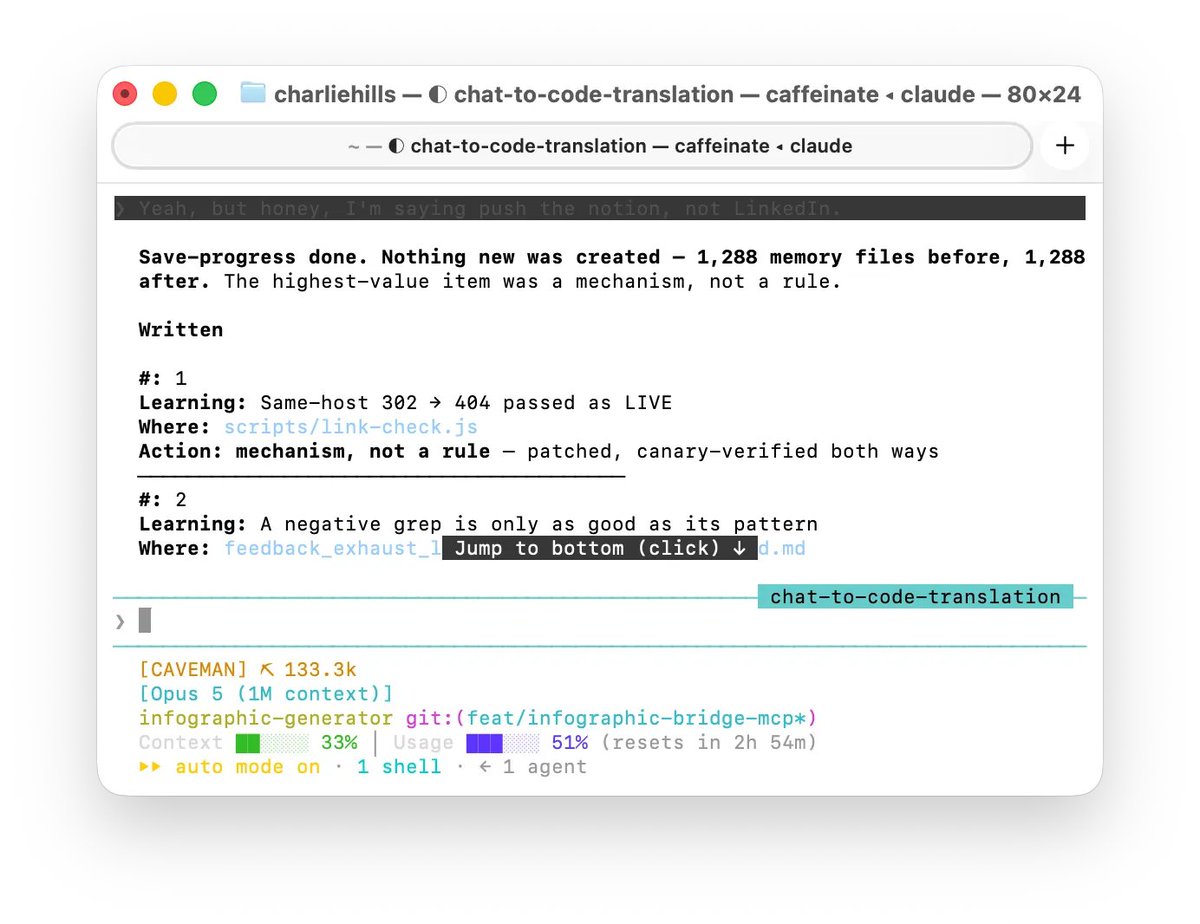
Close finds every loose end and either finishes it or hands it back as one decision.

Show me puts whatever I have just made in front of me in the browser, instead of describing it.

I’ve used /save-progress 103 times. /close, 80. /show-me 131 in the 11 days since I built it. More than any command that ships out the box.
That is the argument for building your own. The ones you make for your own friction get used harder than anything that arrives in the product.
All three are free and public: save-progress, close and show-me.
And the one I cannot give you:
/infographic-generatorIt runs my LinkedIn graphics from idea to finished render. The only thing I have built and will not publish, because it is becoming a product.
If you want it when it goes live, sign-up here: https://growth.charliehills.io/are-you-a-fit
And keep them small
Don’t have a monster skill. If a skill is really comprehensive, Claude is not going to read all of it. What you want is a CLAUDE.md that directs to a skill, and that skill directs to the next one, and it cascades. So every skill is a specialist, not an encyclopedia.
I have 214 on this machine. The average one is 539 lines, and the biggest is 3,153. That one loads its whole body every time it fires, whether I needed the last 2,000 lines or not.
Paste this:
Two things, and do not change anything yet.
1. List any skill of mine doing more than one job, and tell me exactly where the split is.
2. Look back over my history and tell me which of my skills I have never once invoked. Rank that list by how long ago I made them.

The other half of that is the ones you never fire.
Of the 214 sitting on this machine, only 72 have ever actually fired. The other 142 have never run once.
I pruned mine properly a fortnight ago and wrote up exactly how in Delete your CLAUDE.md. Same job, same method, whether it is instructions or skills.
#9 Make it fire without you
Rule of thumb: CLAUDE.md guides. A hook forces.
I wrote six hooks in my first 150 days and nine in the last 23. I spent five months writing requests and wondering why they only worked most of the time.
Everything in your CLAUDE.md is a request. Claude reads it, weighs it against everything else you wrote, and usually complies.
Usually.
A hook is a script that runs automatically at a fixed moment, and Claude doesn't get a vote. Straight from the docs: to block an action regardless of what Claude decides, use a PreToolUse hook.
The test: would you be annoyed if this got ignored once?
If yes, it shouldn't be a sentence in a file.
The word is the hook. What it goes and gets is the skill.
The simplest one you could build:
When I say the word “LinkedIn”, write me a LinkedIn post.
That’s a hook.

I never tell it to. I just say the word/s.
This is where hooks and skills meet. The word is the hook. What it goes and gets is the skill. You cannot see that pairing anywhere in Claude, which is why it took me so long to work out I already had loads of them.
Start by finding out what you already repeat. Paste this:
Help me work out what I should turn into a hook.
Look back over our recent conversations and find:
1. Things I ask for over and over, in roughly the same words.
2. Times I had to tell you something you should already have known.
3. Times you did something I had to correct more than once.
For each one, tell me:
- the word or phrase I actually say when I want it
- what you should go and read, or do, the moment I say it
- whether that word is unique enough that it won't fire by accident
Give me your top three, ranked, with the best one first. Do not build anything yet.
It read 15,109 prompts I had typed over 45 days. My most repeated phrase was “show me”, 424 times, and nothing was firing on it.

Then just tell Claude to turn the top one into a hook (no special command or config needed). You describe it, it builds it, and it shows you before it saves anything.
Worth adding this to your CLAUDE.md while you’re there:
If I ask you for the same thing three times in a session, tell me, and suggest it as a hook.If you want to read about it in more detail, you can visit:
Stay curious, stay human and keep creating
— Charlie