How to Run a Game Studio Solo with Claude Code + Higgsfield MCP

For years the hard part of shipping a game was never the idea. It was production. Someone had to design the systems, build the thing, make the art, and cut a trailer good enough to get anyone to care. In the old model that meant a team - designers, engineers, a 3D and VFX pipeline, a marketing artist. Every role ate the budget, and the more ambitious the game, the more people you needed before a single player ever touched it.
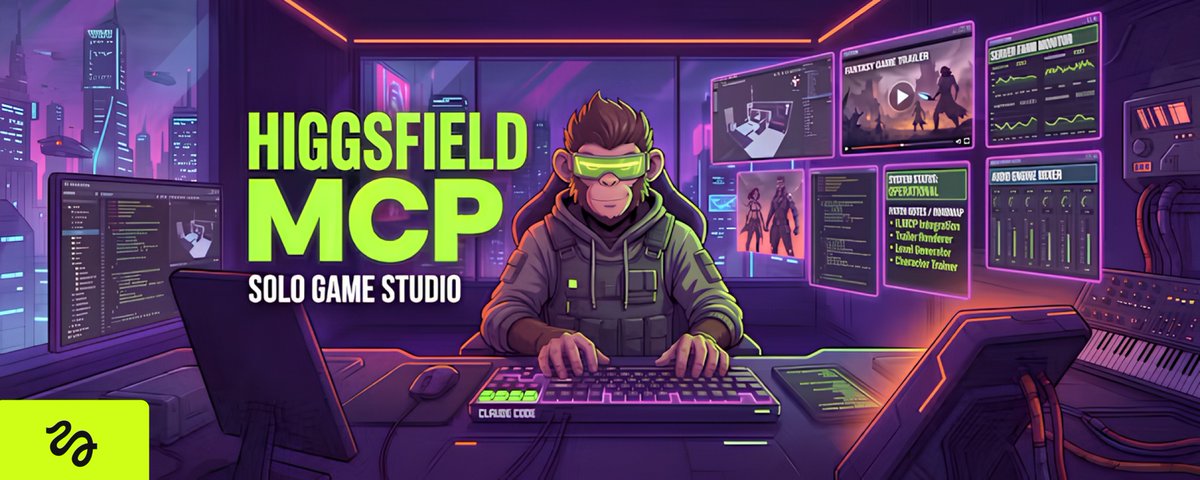
That’s the part that just changed. The production layer now runs on models instead of headcount, and one person can carry the load that used to take a studio. This is the playbook for running a solo game shop - with Claude Code as the build engine, Opus 5 / Fable 5 as the design engine, and Higgsfield MCP as the media engine that produces every trailer, cutscene, and piece of key art.
Be honest about what “solo studio” means
Let’s kill the fantasy first, because it’s the thing that gets people dunked on. One person plus these tools does not ship a 100-hour open-world AAA. What it does ship, at a quality that turns heads:
So the studio you’re running is a concept-to-trailer-to-prototype shop: you sell the vision, the visuals, and the marketing that make a game real to an audience - and small playable builds on top. That’s a real business, and almost nobody is doing it solo yet.
The offer: sell a product, not custom chaos
Most people kill the solo model before they start. They sell “whatever you need.” Every project becomes a snowflake, nothing systemizes, and you’ve built yourself a job you hate.
If you want to run solo, there’s one rule: the work has to be deliverable by a system, not by heroics. Productized and scoped tight.
What you sell: a launch package - a hero trailer, a set of key art, and social cutdowns - plus a monthly retainer for fresh content, updates, and new campaigns. The one-time package gets you in the door. The retainer turns one-off drops into recurring revenue, which is the only way solo math works.
What you don’t sell: anything that needs a human grinding for a week straight, or a full engine team. If a scope can’t route cleanly through the system, reshape it or pass on it.
The stack
Every project flows through the same pipeline. You personally touch two stages - the start and the end. The models handle the heavy middle.
You feed it the concept: genre, world, tone, the core loop, the key beats you want to sell. It outputs the design system - the pitch, the shot list, the trailer beat sheet, the art direction, the systems for a small playable build. This is the part that used to need a designer and a creative director in a room for a week. Your job is direction and taste, not documents.
For playable builds, the approved design goes to Claude Code, which writes the actual game: mechanics, controls, UI/HUD, state, deploy. This is where an engineer used to live. Claude Code builds it; you review against the spec. Reviewing finished work is far faster than producing it - which is exactly why one person can carry several projects at once.
Every game needs to be seen: a trailer, gameplay-style footage, character key art, cinematic moments, marketing stills. Instead of a render farm, a shoot, or stock, Higgsfield generates them from prompts. And with the MCP connector, your agent reaches them without leaving the chat - it plans, generates, and pulls the finished clips and images straight into the project.
Higgsfield MCP in action - the real workflow
This is the piece that makes the whole thing run solo, so here’s exactly how it works.
Connect it once. In your agent’s settings, add a custom connector and paste one URL. OAuth sign-in, no API keys to manage. That single connection unlocks 30+ models (Sora 2, Veo 3.1, Kling 3.0, Seedance 2.0, GPT Image 2, Nano Banana Pro, Soul 2.0), and the agent picks the right one per shot.
mcp_servers:
  higgsfield:
    url: "https://mcp.higgsfield.ai/mcp"
Then just describe the shot. Inside Claude you type the brief in plain language, and the agent fires the generation on Higgsfield, chooses the model, and brings the finished clip back into the conversation. A real trailer prompt looks like this:
Using Higgsfield, generate this as a video — 16:9, ~12 seconds, high quality. Pick the best model for stylized-cartoon next-gen game graphics (bright, glossy stylized 3D-platformer look — soft-shaded, rounded, colorful, NOT photoreal).

Third-person open-world platformer gameplay capture, over-the-shoulder camera trailing the player character. HYPER-VIVID saturated color — mossy greens, amber lantern-glow, teal and warm dawn light, glowing bloom, soft cel-shading, crisp clean detail. Whimsical and lively.

Player character (fully original creature design): "Glowsprig" — a small round forest sprite made of moss and bark, big lantern-lit eyes, twiggy limbs, a tattered leaf-cloak, and a softly glowing seed on its chest. Springy, floaty movement — hops, opens its leaf-cloak to GLIDE, fires a vine-hook to swing from hook-points, and releases a radial BLOOM-BURST pulse that sprouts plants.

Detailed gameplay HUD (clean, cartoon-crisp): top-left health leaves + a spark meter, top-right glow-seed counter ticking up, bottom-left circular minimap with objective ping, bottom-center context button-prompts (JUMP / GLIDE / HOOK / BLOOM) that pop on actions, a floating objective marker over a distant great tree.

Setting: a bright open-world enchanted grove — mushroom meadows, floating leaf-platforms, glowing spores, hollow logs, and an enormous ancient Heart-Tree glowing on the horizon.

Motion (12s — straight into gameplay from frame one, showing an open world with 2 distinct biomes):
0–3s — Glowsprig hops across a sunlit mushroom meadow, opens its leaf-cloak to glide between floating platforms collecting spinning glow-seeds (GLIDE prompt), counter ticking up.
3–7s — it drops into glimmering CRYSTAL CAVERNS — swinging on vine-hooks past bioluminescent glowworms and crystal spires, a LIGHT meter glowing as it passes glow-crystals, dodging an original many-eyed cave creature, grabbing a bright spirit-mote (HOOK prompt).
7–12s — it climbs the SKYROOT CANOPY — winding branches, hanging lanterns, dawn light — bounds up spiraling roots to the glowing Heart-Tree, releases a BLOOM-BURST that lights it up, and strikes a joyful pose as the camera eases wider.
Camera stays behind the shoulder throughout, snappy springy platformer game-feel, subtle squash-and-stretch and micro-shake on landings.

Look: vivid saturated storybook color, warm dawn light, glossy cel-shaded surfaces, clean highlights, cinematic depth of field, cheerful creature-adventure charm. Original characters and world only — no logos, no brand marks, no real game titles, no on-screen text beyond the game HUD.
And prompt for the game:
Build a playable web game.

Title: Glowsprig (original creature platformer — no existing IP)

Genre / core loop: a bright 3rd-person / 2.5D platformer with three short back-to-back levels (grove → caverns → canopy). Hop, glide, and grapple to collect glow-seeds and spirit-motes, reach the exit of each level. Reignite the Heart-Tree at the top of the canopy to win. Score = seeds + motes; lose a leaf (life) on hit or hazard, 3 leaves per run.

Controls (desktop + mobile):
Left / Right (A-D / arrows / on-screen buttons) — move
Space / tap — JUMP (double-tap = double jump); hold in mid-air — GLIDE (leaf-cloak, slow floaty descent)
Shift / on-screen HOOK button — VINE-HOOK toward a highlighted hook-point, then swing and release
Down / swipe-down — BLOOM-BURST (radial pulse: sprouts platforms from bloom-buds, stuns nearby critters)

Levels (3 short stages, ~20–30s each):
Sunlit Grove — mushroom meadow with floating leaf-platforms; glide across gaps, bloom-burst bloom-buds into platforms, bop simple original critters, collect glow-seeds, reach a glowing spore-gate.
Crystal Caverns — dark bioluminescent caves; swing between vine-hook points over chasms, a LIGHT meter that slowly drains in the dark and refills at glow-crystals, dodge an original many-eyed cave creature, grab a spirit-mote, reach the exit.
Skyroot Canopy — winding branches and hanging lanterns; ride rising bloom-updrafts, cross moving branch-platforms, avoid thorn/ember hazards, climb spiraling roots to the Heart-Tree and BLOOM-BURST it to win.

Visual style: bright glossy stylized-cartoon storybook look, saturated color — mossy greens, amber glow, teal caverns, warm dawn gold. Soft cel-shading, bloom, springy squash-and-stretch animation.

Character (fully original): Glowsprig — a small mossy bark sprite with lantern-lit eyes, twiggy limbs, a leaf-cloak, and a glowing chest-seed. Springy and expressive. The Heart-Tree is the goal (no royalty, no crown).

HUD: health leaves top-left, glow-seed + spirit-mote counter top-right, a LIGHT meter (visible only in the caverns), a level-name banner on each stage start.

UI: title screen ("Glowsprig — Press Start"), level-transition cards ("Grove → Caverns → Canopy"), win screen ("The grove is alight again!" + score), game-over + Retry, seed/hop/bloom sounds.

Make it smooth, springy, and instantly playable in the browser, with tight responsive controls. Original assets and characters only — no logos, no brand marks, no real game titles.Announce trailers, key art, character turnarounds, cinematic beats, social cutdowns - all from prompts, all in one place.
The toolkit does more than raw generation, too: it can turn any reference clip into a ready-to-run prompt, cut a long trailer into shorts, train a consistent character across shots, and score a hook before you post.
For context: a single short game-trailer or cinematic spot from a freelancer typically runs four figures and takes a week of back-and-forth.
The MCP outputs a batch for a subscription.
That’s the difference between a line item per project and a rounding error.
The build loop for a playable prototype
When the deliverable is an actual small game, here’s the loop between “design approved” and “build live.”
Six steps. You’re the reviewer, not the coder.
What the build actually looks like
Talk is cheap, so here’s the real thing. Take the magic-carpet flyer from earlier.
You describe the loop in one prompt - “auto-forward flight, steer left/right, dodge obstacles, collect coins, three hits and you’re out” - and Claude Code writes a working browser game.
This is roughly the core it hands back: a fixed-timestep game loop driving an HTML5 canvas.
const canvas = document.getElementById("game");
const ctx = canvas.getContext("2d");

const state = {
  player: { x: 120, y: 300, vy: 0, w: 64, h: 40 },
  obstacles: [],
  coins: [],
  score: 0,
  lives: 3,
  speed: 5,
  running: true,
};

const keys = {};
addEventListener("keydown", (e) => (keys[e.code] = true));
addEventListener("keyup",   (e) => (keys[e.code] = false));

function update(dt) {
  const p = state.player;

  // steer + climb/dive
  if (keys.ArrowUp || keys.KeyW)   p.vy -= 0.6;
  if (keys.ArrowDown || keys.KeyS) p.vy += 0.6;
  p.vy *= 0.92;                 // damping = that floaty carpet feel
  p.y = clamp(p.y + p.vy, 40, canvas.height - 40);

  // world scrolls toward the player
  state.speed += dt * 0.02;     // difficulty ramp
  for (const o of state.obstacles) o.x -= state.speed;
  for (const c of state.coins)     c.x -= state.speed;

  spawn();
  collide();

  state.obstacles = state.obstacles.filter((o) => o.x > -80);
  state.coins     = state.coins.filter((c) => c.x > -40 && !c.taken);
}
Collision and scoring are their own small, readable functions - the kind of thing you skim in ten seconds to confirm it does what the spec said, instead of writing it yourself.
function collide() {
  const p = state.player;

  for (const o of state.obstacles) {
    if (overlap(p, o) && !o.hit) {
      o.hit = true;
      state.lives--;
      shake(8);                 // juice: a little screen shake
      if (state.lives <= 0) gameOver();
    }
  }
  for (const c of state.coins) {
    if (overlap(p, c) && !c.taken) {
      c.taken = true;
      state.score += 10;
      state.boost = Math.min(state.boost + 5, 100);
    }
  }
}

const overlap = (a, b) =>
  a.x < b.x + b.w && a.x + a.w > b.x &&
  a.y < b.y + b.h && a.y + a.h > b.y;

const clamp = (v, lo, hi) => Math.max(lo, Math.min(hi, v));
And the loop that ties it together - a fixed timestep so the game feels identical on a 60Hz laptop and a 144Hz monitor:
let last = 0, acc = 0;
const STEP = 1000 / 60;

function frame(now) {
  acc += now - last;
  last = now;
  while (acc >= STEP) { update(STEP); acc -= STEP; }
  render();
  if (state.running) requestAnimationFrame(frame);
}
requestAnimationFrame(frame);
You didn’t hand-tune a damping constant, write an AABB overlap test, or debug a variable-timestep stutter.
You asked for “floaty carpet control and three lives,” read the result, and prompted “make the hits feel heavier” - which is where shake(8) came from.
That’s the whole loop in miniature: you direct feel, the model writes systems.
When it plays right, shipping it is one more prompt.
Claude Code wires the deploy so a finished build goes live behind a URL you can drop straight into a post:
# build the static bundle and push it live
npm run build
npx vercel deploy ./dist --prod --yes

# → https://sands-of-the-lost-carpet.vercel.app  (playable, shareable)
From “idea” to “a link people can play” without a single hand-modeled asset or a line of engine boilerplate you wrote yourself.
The delivery pipeline
Notice the shape:
The two stages that need a human - intake and QA - are the fast ones. The slow, labor-heavy middle is the one you removed yourself from. You went from producer to orchestrator.
The unit economics (illustrative)
Treat these as a model - plug in your own real numbers before you quote them anywhere. Monthly cost to deliver, one solo operator:
Roughly $600-$700/month in total delivery cost.
The margin isn’t high because you’re clever about pricing - it’s high because the cost of producing the work fell through the floor while the value studios and founders pay for stayed the same.
You pocket the spread. A staffed shop can’t reach the same number because their biggest line item - payroll - is one you simply don’t have.
Filling the pipeline
Margin means nothing without clients. You don’t need a sales team.