Grok 4.5 + Blender MCP: describe it, the model builds it, then it fixes its own render

Every demo of this starts with a game character, because a robot knight appearing out of a sentence is easier to sell than a properly lit shampoo bottle.
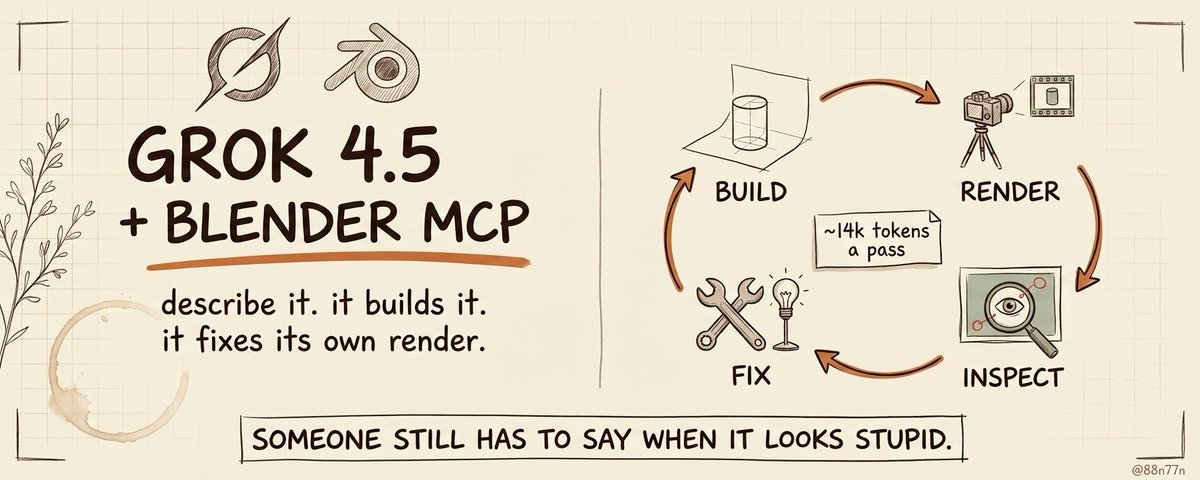
That's the narrow read. The wider one: a model can now open Blender, build almost any 3D thing you describe, look at the render it produced, notice it's wrong, and correct it - without you touching the viewport once.
For most people the wall in front of 3D was never the idea. It was Blender itself: the shortcuts, node graphs, modifiers, coordinate systems and several hundred controls standing between a clear picture in your head and an object that doesn't look like it was assembled during an evacuation. A model driving it through MCP doesn't remove the craft. It removes the part where you had to be fluent in the interface before you could make anything at all.
What the bridge actually is
Blender MCP is two pieces: an addon running inside Blender that opens a socket, and an MCP server that relays a model's tool calls into it. Once they're talking, the model can create and modify objects, apply materials, set up lighting and cameras, import real assets, run arbitrary Python against Blender's whole API - and take a screenshot or render to see what it made.
That last one is the capability that matters, and it's what separates this from asking a model to write a Blender script.
A script can produce technically valid geometry and an awful image. It can put the camera inside the product, aim the lights at the wall, and exit successfully because the code ran without errors. Once the model can see the render, the success condition changes from "the command executed" to "the result looks like what was described."
The loop is one sentence: describe the result, let it build, show it what it made, keep adjusting until the obvious gap closes.
Why Grok 4.5 for this specifically
Most model comparisons for creative work argue about raw capability. For this workflow the deciding factor is something less glamorous.
Grok 4.5 shipped in July 2026 on xAI's 1.5-trillion-parameter V9 foundation, co-trained with Cursor, and it's their first model built specifically around coding and agentic work. It takes image input, which is non-negotiable here - a model that can't see the render can't close the loop. It has a 500K context window, tool calling, and runs at around 80 tokens a second.
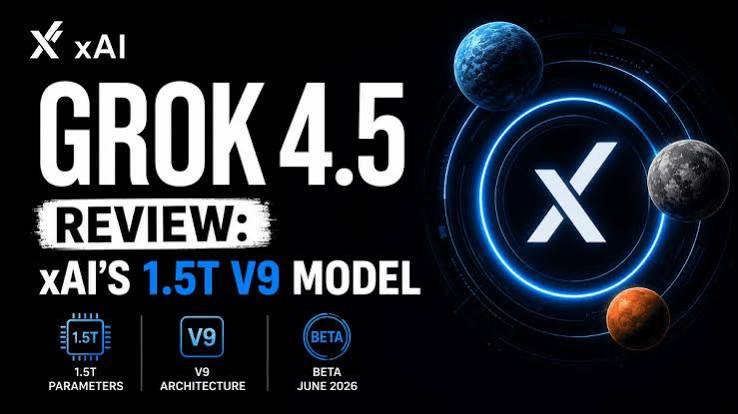
But the number that actually matters for a render-inspect-fix loop is token efficiency. Grok 4.5 uses roughly 14,000 output tokens per Intelligence Index task where Opus 4.8 uses about 67,000. In a one-shot chat that's a footnote. In a loop where you're running eight or twelve passes over the same scene - build, render, look, adjust, render again - it's the difference between a workflow you use freely and one you ration. At $2 per million input and $6 per million output, it's over 60% cheaper than the top-tier alternatives before you even count the efficiency.
The honest caveat on capability: it scores 93.1% on GPQA Diamond and 72.4% on the Coding Index, which puts it firmly in frontier territory without being the outright leader on every benchmark. For driving Blender through Python, that's more than enough - the bottleneck in this work has never been the model's raw reasoning.
The range is wider than game assets
Once a model can drive Blender, "make a 3D thing" stops being a specialist job. Game assets are just the loudest example.
Product visualization is the cleanest one. Describe a speaker, a bottle, a watch, a fictional device - get the geometry, materials, a studio lighting setup and several camera angles. Then ask for the ordinary client revisions: make the casing more transparent, kill the reflection across the logo, produce a darker version for a site header. The difference from image generation is that these are edits inside the existing scene, not a fresh render hoping the product stays recognizable.
Interior and architectural concepts work the same way. Block out a room, place furniture, set a sun angle, drop in an HDRI. Blender MCP supports asset workflows through services like Poly Haven and Sketchfab, so the agent assembles from a real library instead of sculpting every chair from a cube.
Procedural and motion work is arguably the best fit, because those scenes are systems of parameters rather than hand-sculpted objects: geometry nodes, arrays, extruded typography, animated grids, the floating chrome shapes agencies reach for when a landing page needs to look expensive. Driving modifiers through Python is exactly what an agent is good at.
Functional parts - a bracket, a phone stand, a replacement clip - can be described with dimensions and turned into an editable mesh. This is also where the gap between "looks correct" and "is correct" gets painful, which we'll come back to.
What a real session looks like
The worst way to use this is one enormous prompt requesting a finished cinematic commercial. That produces an enormous first attempt, which is not the same thing.
A better session starts with composition and adds complexity in stages. Ask for a transparent handheld console on a dark reflective surface, simplified internals, restrained studio lighting, a low camera angle that makes the object read as expensive rather than toy-like.
Underneath the prompt, the model is mostly writing Python against Blender's bpy API:
import bpy
# a clean backdrop
bpy.ops.mesh.primitive_plane_add(size=20, location=(0, 0, 0))

# the subject
bpy.ops.mesh.primitive_cylinder_add(radius=0.6, depth=1.4, location=(0, 0, 0.7))
obj = bpy.context.object

# a soft studio material
mat = bpy.data.materials.new("matte")
mat.use_nodes = True
bsdf = mat.node_tree.nodes["Principled BSDF"]
bsdf.inputs["Roughness"].default_value = 0.4
obj.data.materials.append(mat)

# key light and camera
bpy.ops.object.light_add(type="AREA", location=(4, -4, 6))
bpy.context.object.data.energy = 800
bpy.ops.object.camera_add(location=(6, -6, 4), rotation=(1.1, 0, 0.78))
bpy.context.scene.camera = bpy.context.object
On its own that's just a script. The workflow is the loop wrapped around it.
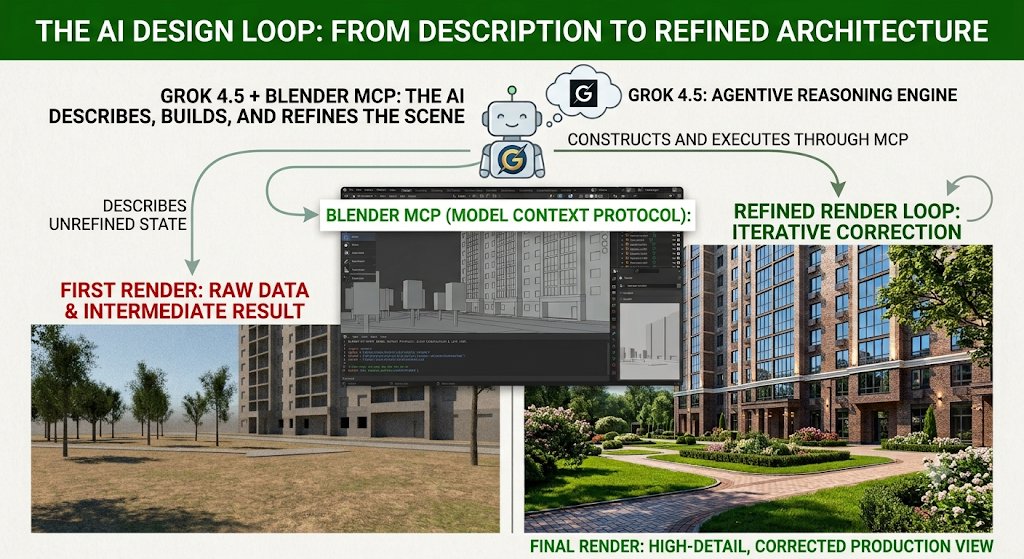
The first result will be recognizably right and obviously flawed. The transparent casing hides the internals. The wide lens makes the console look thick. The key light blows a white streak across the screen.
Each of those maps to a specific scene change: adjust material transmission and roughness, separate the lighting on the casing from the lighting on the internals, increase the focal length, pull the camera back, soften the key. Render again, compare against the brief, repeat.
Build, render, inspect, fix. It's the same maker-and-checker pattern that made coding agents useful instead of one-shot code generators, except the feedback is visual rather than a test suite. The model doesn't need to nail the perfect scene first try. It needs the current result, tools that can change it, and enough persistence to keep going instead of declaring victory because Blender didn't crash.
What "fixes itself" actually means
The headline makes the self-correction sound more magical than it is.
The model isn't developing taste while staring at the render. It's spotting visible mismatches, reasoning about which Blender settings probably caused them, and attempting a targeted correction.
That works well when the mistake points at a concrete action. Object outside the frame means move the camera. Intersecting geometry means change position or scale. Clipped highlights mean reduce light energy or change the angle. A missing material means check whether it got assigned to the right object.
It works much less well when the problem is subjective. A composition can feel weak. A product can look cheap. A technically polished render can be completely forgettable. The model may propose a longer lens, softer shadows or a different background - but it can't prove those improve the work, because Blender has no make_this_less_generic setting.
The loop is good at reducing visible mistakes. It's not good at rescuing a boring idea. And the last part of professional creative work is rarely whether the object exists - it's whether the proportions feel intentional, whether the lighting communicates anything, and whether the scene looks different from the other five hundred renders made from the same vague request for something premium.
Where describing it stops being enough
Precision is the first wall. The model can build something that resembles a bracket far faster than it can prove the bracket will fit. Anything that has to mate with a real mechanism still needs tolerances, real dimensions and physical validation. A convincing render is not evidence that the holes line up.
Topology is the second. A scene can look good from one camera while containing messy geometry, unnecessary subdivisions, broken normals and an object hierarchy organized as if the model received three conflicting instructions halfway through. Fine for a single still. A problem the moment the asset needs rigging, simulation, clean export, or another artist.
Organic form stays harder than clean product scenes, because believable creatures, faces and natural surfaces depend on anatomy and subtle geometry that can't be judged from one flat screenshot. The silhouette can look right while the object falls apart as soon as the camera moves.
Animation exposes the same gap. The model can inspect frames, positions and keyframe values, but weight and timing live between frames. A camera move can be mathematically smooth and still feel like it was directed by a conference-room chair.
So the honest version isn't that this replaces the 3D artist. It moves the starting point. An experienced artist skips the first several hours of rough scene building and spends them on topology, composition and motion instead. A beginner gets past the blank viewport without memorizing half the interface first. A small studio tests more directions before committing production time.
The last stretch still belongs to whoever can tell the difference between technically finished and actually good.
The part nobody puts in the demo
execute_blender_code runs whatever Python the model writes, with no guardrails, on your machine. That's precisely why the model can control such a broad range of the application - and it's why this deserves more caution than a normal creative plugin.
An agent with a Python socket into Blender has meaningful execution capability on the computer running it. The project's own guidance is to keep it in a VM or on a system with nothing sensitive on it. At minimum: save your work, never experiment inside the only copy of a client project, and treat an unfamiliar configuration like software with real permissions rather than a harmless chat extension.
The model may only be building a glass perfume bottle. It's still holding power tools.
The barrier was the interface
The shift isn't that a model can generate another 3D object. It's that a general-purpose model can enter professional creative software, manipulate the real project, look at the visible result and keep working from what it sees.
Blender is still complicated. More of that complication can now sit behind the conversation - you don't need to know the exact modifier, material node or Python function before producing a first version, because you can describe the outcome and direct the corrections once something exists on screen.
That changes where your value starts. Less time translating an idea into interface operations. More time judging proportion, accuracy, movement, and whether the object deserves to exist at all.
Start with something deliberately unremarkable: a bottle under studio lighting, a chair in an empty room, a logo with real depth, a product turning on a dark surface. Let the model build the first version, let it inspect its own render and fix the obvious problems, then take the wheel for the last twenty percent.
The model can operate Blender now. Someone still has to tell it when the result looks stupid.
I write about Claude, local AI, agents, and the systems that turn them into real work. Follow @88n77n.