Alright, Galaxy XR review megathread, been drafting this for about...

Shiny Quagsire@ShinyQuagsire
115 views
Nov 04, 2025
~10 min read
Advertisement
1
Alright, Galaxy XR review megathread, been drafting this for about a week now. tl;dr, a great upgrade option for QPro users, but has a lot of signs of engineers not being familiar with XR and/or rushing to release.
2
Starting with the good stuff: No-nonsense device setup and APK installation, the device is fully standalone and doesn't need an app to activate, 10/10. Very few complaints with the controller and headset tracking. The passthrough runs at a respectable FPS w/o distortion.
3
The displays are OLED, so they have inky blacks and great contrast, for PCVR it's miles above LCD headsets. However, streamers haven't tuned their transport encoding for OLED yet, so expect banding/blocking in dark areas until they do.
4
The optics/correction are SHOCKINGLY GOOD, though the top left of each lens has a pink fringe for me. But what surprised me is that I don't see ANY chromatic aberration at the edges with my prescription, which is the case on Vision Pro+IRL
5
Also the prescription box is super fancy, fancier than Vision Pro. It even has magnets to hold the lenses down on the felt. Nice job Kodak.


6
Grab bag of other impressive things: Developer documentation is good, eye/face tracking out of the box with permissions, hand matting is hidden behind an experiment toggle but is pretty good. The IPD motors are nice. WebXR works on day 1.
7
Biggest plus for casual use is the Google Play certification, meaning it basically works with any app OoTB, including Widevine DRM for media. It also has working direct touch.
8
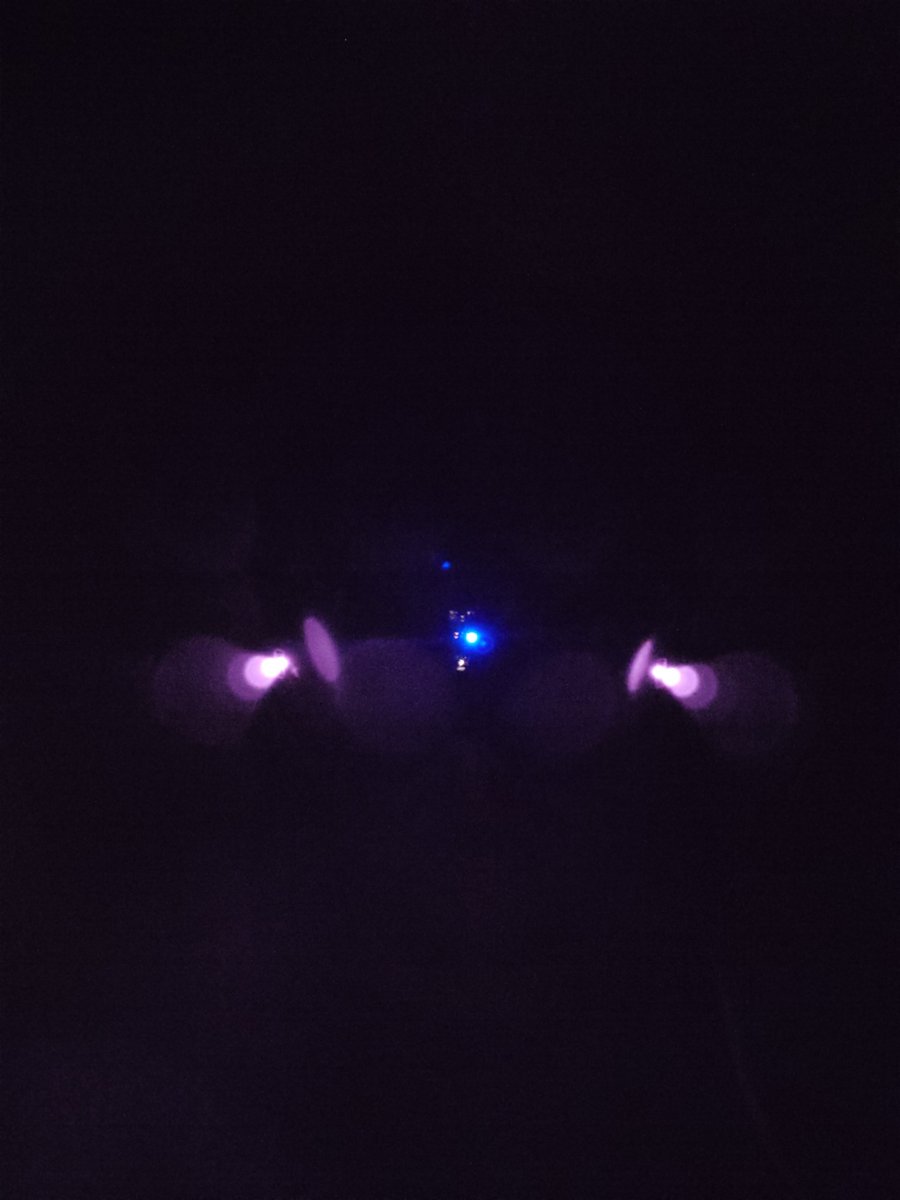
The SLAM, hand, face, and controller tracking works great in the dark thanks to the IR illuminators on the front, I can basically only get it to kill tracking by fully covering the cameras. Big upgrade from QPro.
9
Also big red IR floodlights on the front are good no matter what, join my cult.
10
The bootloader is unlockable which is a huge plus for anyone interested in trying to push the performance of the device or fix any nitpicks.
11
As far as I can tell, the OS does seem to have ~some correction for pupil swim, which is extremely beneficial for correcting slight roll rotations of the headset without resorting to eye strain.
12
The USB port being built in is also a massive plus, though it doesn't quite reach full USB3 speeds in my tests, capping out with an ethernet dongle at about 1.3Gbps (AVP peaks at around 2.3Gbps with the same dongle and cable).
13
Related: No visible option for enabling USB tethering is a bit of a bummer imho. On Play for Dream I was able to at least do it via forcing open the Settings app, but that fails on this headset.
14
Having a separate USB port for adb is a *massive* upgrade for development workflows, especially with the headset being able to power from the wall without waiting for the battery.
15
(The headset doesn't seem to be able to power from a wall charger or battery bank with the supplied USB-C cable exclusively, though)
16
WiFi is also mostly no-nonsense in my tests, scanning stays out of the way unlike Apple's AWDL which spikes latency by 100ms once every single second. Could probably use some work, but I haven't stared at it long enough at this point to say as much tho.
17
Also I guess the weight is good, but halo straps have their own brand of discomfort compared to full-contact face gaskets. And it's hard to do worse than Vision Pro.
18
Things I'm uncertain on:
19
The QR code on the prescription inserts was too small for the on-device setup to read, so I had to take a picture of it on my phone to enlarge it. Not sure whose fault that is tho.
20
The controllers are a little too filtered and overpredict wildly in streamed PCVR, I can play Expert+ in Beat Saber but my controllers definitely overshoot in a way that is unsatisfying.
21
Even in the OS UI, fast angular movements on the controller when pointing and clicking are sluggish. The controller is basically easy-mode pose prediction w/ an IMU and it's weird that they're this bad.
0:05
22
The eye tracking also seems to suffer from overfiltering compared to AVP, showing the cursor with Hover Actions it seems to snap around. Hover Actions also seems to be generally broken, completely disabling things like scrolling and controllers.
1:11
23
Also the cursor is way too flat and low contrast, which isn't good for the people who would be using the accessibility feature.
24
The face tracking (in VD) is really stiff and quantized, and has a lot of weird coactivations. Looking down closes my eyes and LIP_TOWARD isn't strong enough. It doesn't seem to handle jaw and face scrunches well. Cheek puffs coactivate.
25
Mouse and keyboard are as supported as it is on Android, but I find myself missing things like mouse acceleration. The cursor is mapped to a sphere around your current head position, so it's easy to misplace the cursor behind your head.
26
Direct touch seems really bad for some reason? There's no scroll velocity so it breaks muscle memory quite a bit. Also has poor audiovisual feedback in general.
27
The SLAM is fine like 90% of the time, but sometimes windows I placed will just randomly move and it's a bit disconcerting. Not sure if that's a SLAM or passthrough thing though.
28
XR2+ Gen2 shows its age a lot, windows often have strange aliasing artifacts or jagged edges and just don't quite feel correct. It doesn't feel like the system compositor is rendering a high enough resolution to counter lens distortion losses.
29
72Hz is honestly fine and I wish AVP had the option for immersive apps, but I think it rears its head in ugly ways sometimes with the passthrough and OS compositing.
30
The device seems to throttle immersive apps in a way that is noticable, because every time a system element shows up (notifications, the home button) the quality jumps back up and/or things shift slightly.
31
Passthrough feels worse than Quest 3 in terms of clarity. Minimal distortion, but not depth-accurate and makes windows feel less grounded. It has the same motion smearing around lights and highlights as AVP. It's a little more selective about what it anti-flickers than AVP.
32
Also with passthrough, it feels like I have to strain quite a bit to read black on white text on displays. Feels like they're missing a sharpening and contrast postprocess that Vision Pro and Quest has.
33
The lenses are great, but if you've been spoiled by the Quest 3's edge-to-edge clarity then by comparison they're really difficult to get into the sweet spot consistently due to the halo strap, especially while developing with it.
34
The lenses are especially sensitive to depthwise distance and it's incredibly shortsighted of Samsung to not make the forehead cushion more adjustable. The distance to and alignment with the lens dramatically blurs the edges.
35
The headset has somewhat poor binocular overlap, especially at the distance windows get placed it's really hard to get a window fully overlapped for media viewing. It doesn't help that there's no manual IPD adjustment either.
36
It bothers me that OS updating doesn't have an option to explicitly not autoupdate. I've had a Quest 3 bricked by Meta's autoupdates and I'd rather choose when to download and execute an update like visionOS.
37
It also bothers me that out of all the AI features, there's no live transcription. I'd love to have on-device transcriptions of people talking to me, but instead it's all designed by interstellar aliens who need to ask a headset what kind of succulent they bought.
38
(Not that asking AI what things are isn't useful for the visually impaired, but I have doubts that the visually impaired were consulted on the UX. But maybe I'm wrong.)
39
It also stinks that there's no way to bring other windows with you into an immersive app (afaict), because that would allow the live transcription gap to be filled.
40
The really abrasive stuff:
41
The build quality sucks, I can hear the fan clipping against the chassis any time it spins up. It's somewhere between a thermostat buzzing and someone sticking paper into a PC fan constantly.
42
Samsung's avatars don't have the LIP_TOWARD blendshape modeled correctly. It's weird how bad the blendshapes are on the models, I don't get it.
43
SO. MUCH. SCROLL. JUDDER. Direct touch judders, controller sticks judder, hands and controllers are smoother but still stutter. And it's different per-app, Settings of all things is the worst offender.
44
(Though, to be fair, M2 AVP also struggles with scroll judder in its Settings app and Safari)
45
While direct touch is technically a feature, it's nearly impossible to actually use it because the OS doesn't really allow bringing windows closer than arms' reach, and the minimum sizes are very large.
46
Window movement is also way too linear, I think it's literally just 2*deltaPose and it doesn't seem to allow pushing it further than 15 feet. imo a window should be movable to any position in a 20ft² room with one gesture.
47
Some windows cannot be resized at all, and I don't mean changing aspect ratios, I mean they open a giant 9:16 window with no way to scale it down except by excruciatingly pushing it further away 1m at a time.
48
The environments they didn't even try, it's just a hand-modeled landscape for 20-30m and then a painfully 2D skybox (and not even at a high enough resolution to be impressive), and texture bitdepth is extremely low. Access is scattered between Settings and Quick Settings.
49
Oh and I guess there's a gesture on the weird side button thing for the environment, but I can never manage to trigger it except accidentally.
50
Hand tracking has terrible fingertip accuracy and is filtered, swimmy, and delayed, making typing on the keyboard a nightmare with long fingers. Combined with the passthrough depth accuracy it's immediately unpleasant.
51
The longer your fingers, the worse the depth error is. Typing would be a nightmare without the ghost hands because the error can be up to 1cm in some cases, especially the pinky. Despite my virtual fingers being shorter, they often hit before my actual finger would.
0:24
52
Most of the error is because, afaict, they do a regression fit from 2D skeletons to 3D without any hand measurement calibration. So at a certain point it just overfits to the base hand model or drops.
53
I think part of the hand tracking/passthrough error is actually that the forehead cushion makes the eyes too swimmy, and hands in particular seem to bear the brunt of the slight angular differences between the cameras and the eyes.
54
Other handtracking nits: It's both stiff and drops a lot, I'd expect responsive with drops or stiff with no drops, but it's the worst of both. It handles extended poses (poking a button on a wall) and occlusion really poorly.
0:53
55
They also don't do shoulder estimation for the aim pose, so the cursor moves when you tilt your wrist, and it's once again heavily filtered and sluggish. Casting a ray from the shoulder to the middle metacarpal would have avoided the need for as much filtering.
0:07
56
Getting to quick settings is so much work that they might as well rename it to something else. The home menu opacity when in an immersive app is way too dark. The top button hold should be remappable to quick settings tbh.
57
The OS in general feels way too flat and gaze highlights are a bit crude feeling. The accessibility options are way too sparse and the Relumino outline isn't really usable. I'd like to see a Visual Comfort option similar to visionOS to help with vergence-accommodation conflict.
0:09
58
The lack of folders on the home menu is a weird omission. I kinda wish instead of pinning apps to the first page, I had a list of recent apps like the app switcher.
59
Allegedly there's no travel mode, which is a huge miss for media consumption when flying (though, the halo strap probably doesn't pack well on a carry-on anyway).
60
The lack of multiple profiles is also extremely disappointing considering that it's standard on Quest. Easily one of the most annoying parts of visionOS and I'd rather not see it continue to be copied. :/
61
And that's all I've got for now, might continue throwing things in this thread if I find something that's weird.