Bolt’s new design AI makes building polished landing pages insanely...

Prajwal Tomar@PrajwalTomar_
55 views
Apr 26, 2025
~3 min read
Advertisement
1
Bolt’s new design AI makes building polished landing pages insanely fast.
But AI can only build what you plan.
Here is my exact system to create beautiful landing pages using @boltdotnew
Bookmark this for your next build ↓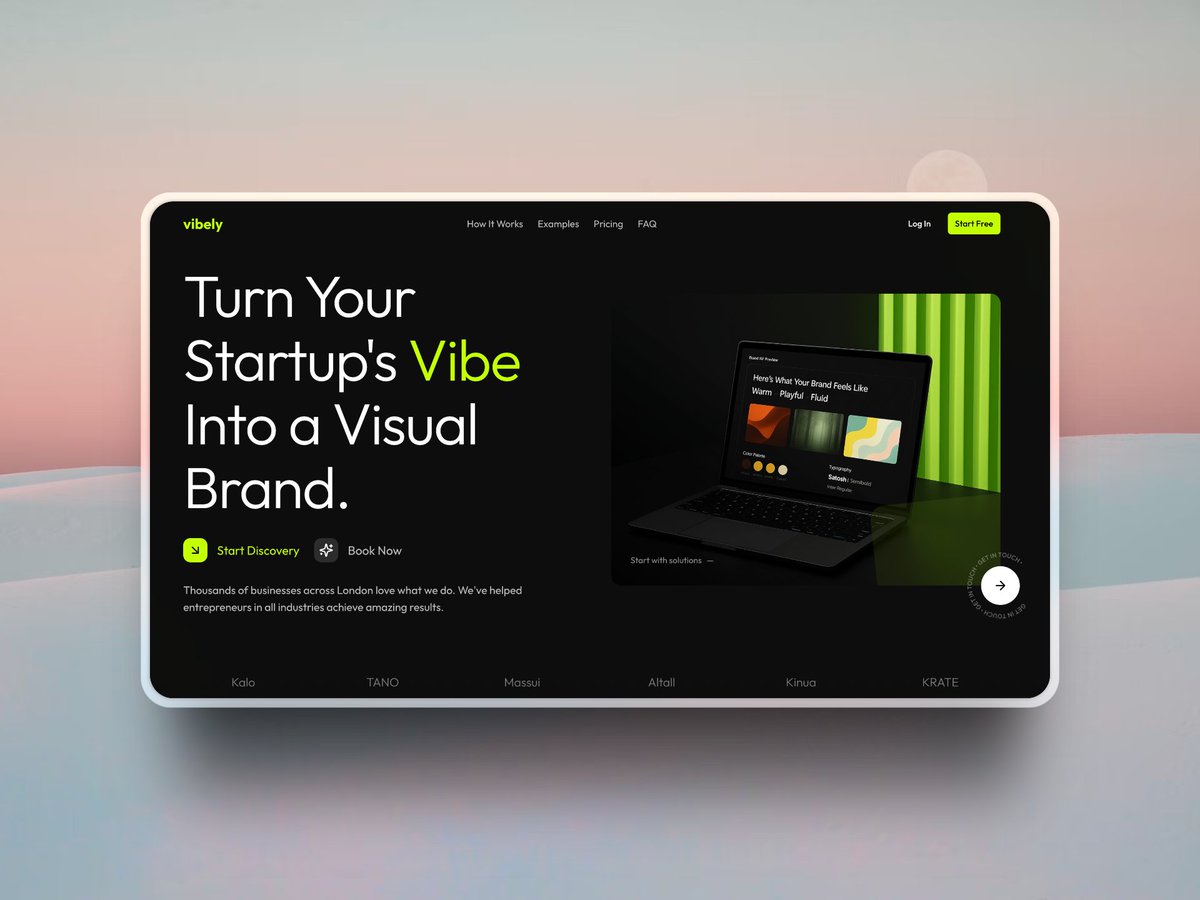
But AI can only build what you plan.
Here is my exact system to create beautiful landing pages using @boltdotnew
Bookmark this for your next build ↓
2
1/ Start with design inspiration
Before opening Bolt, I find strong design references.
Sources I use:
• Dribbble
• Behance
• Best SaaS landing pages
Focus on:
• Clean typography and spacing
• Strong CTAs
• Smooth animations and micro-interactions
Good design starts with knowing what works.
Before opening Bolt, I find strong design references.
Sources I use:
• Dribbble
• Behance
• Best SaaS landing pages
Focus on:
• Clean typography and spacing
• Strong CTAs
• Smooth animations and micro-interactions
Good design starts with knowing what works.
3
2/ Structure before generation
Most people drop a random prompt and hope for the best.
Here is what I do instead:
• Take a screenshot of the inspiration
• Use ChatGPT to describe the full layout
(or use my custom GPT (SnapPrompt) and upload a screenshot and get a detailed landing page prompt instantly)
It includes:
• Color palette
• Design principles
• Detailed UI breakdown
This gives Bolt a structured blueprint to build from.
Most people drop a random prompt and hope for the best.
Here is what I do instead:
• Take a screenshot of the inspiration
• Use ChatGPT to describe the full layout
(or use my custom GPT (SnapPrompt) and upload a screenshot and get a detailed landing page prompt instantly)
It includes:
• Color palette
• Design principles
• Detailed UI breakdown
This gives Bolt a structured blueprint to build from.
4
3/ Generate the first draft in Bolt
Once I have a clean structure:
• I paste the detailed prompt inside Bolt
• I upload the design reference image
• I ask Bolt to build the landing page based on both
This avoids random outputs and builds something close to what I actually want.
Once I have a clean structure:
• I paste the detailed prompt inside Bolt
• I upload the design reference image
• I ask Bolt to build the landing page based on both
This avoids random outputs and builds something close to what I actually want.
5
4/ Refine sections with custom components
Bolt’s first draft gets you 70–80% there.
To polish it:
• I head to 21st.dev
• Find high-quality component prompts (like navbars, hero sections, CTAs)
• Copy the prompt
• Inside Bolt, I select the exact section (using the Selector tool) and paste the prompt
This upgrades your UI without starting over.
Bolt’s first draft gets you 70–80% there.
To polish it:
• I head to 21st.dev
• Find high-quality component prompts (like navbars, hero sections, CTAs)
• Copy the prompt
• Inside Bolt, I select the exact section (using the Selector tool) and paste the prompt
This upgrades your UI without starting over.
6
5/ Generate custom images using ChatGPT and Ideogram
When you pick a design inspiration, you might notice images you want to replicate but do not have.
Here is what I do:
• Take a screenshot of the image
• Upload it to ChatGPT
• Ask it to create a detailed prompt for generating a similar image, but customized for my landing page
Then:
Use that prompt inside Midjourney, Ideogram, or even ask ChatGPT itself to generate the image
Then just take this image, save it inside Bolt, and ask Bolt to start using this image.
When you pick a design inspiration, you might notice images you want to replicate but do not have.
Here is what I do:
• Take a screenshot of the image
• Upload it to ChatGPT
• Ask it to create a detailed prompt for generating a similar image, but customized for my landing page
Then:
Use that prompt inside Midjourney, Ideogram, or even ask ChatGPT itself to generate the image
Then just take this image, save it inside Bolt, and ask Bolt to start using this image.
7
6/ Fix common AI mistakes
Even good drafts need cleanup:
• Align branding (colors, logos)
• Fix spacing and margins
• Ensure typography is clean
• Add subtle background depth (gradients, soft shadows)
Small tweaks make the difference between “okay” and “professional.”
Even good drafts need cleanup:
• Align branding (colors, logos)
• Fix spacing and margins
• Ensure typography is clean
• Add subtle background depth (gradients, soft shadows)
Small tweaks make the difference between “okay” and “professional.”
8
7/ Mobile optimization is non-negotiable
Over 60% of traffic comes from mobile.
I always:
• Stack sections properly
• Adjust font sizes
• Make CTAs thumb-friendly
• Ensure smooth scroll and spacing
Skipping this destroys conversions.
Over 60% of traffic comes from mobile.
I always:
• Stack sections properly
• Adjust font sizes
• Make CTAs thumb-friendly
• Ensure smooth scroll and spacing
Skipping this destroys conversions.
9
8/ Add animations for a modern feel
Motion brings designs to life.
In Bolt, I add:
• Smooth fade-ins
• Button hover effects
• Section slide-ins on scroll
• Subtle background movements
You can use framer motion for this.
Motion brings designs to life.
In Bolt, I add:
• Smooth fade-ins
• Button hover effects
• Section slide-ins on scroll
• Subtle background movements
You can use framer motion for this.
10
9/ Key takeaways
• Use design inspiration, not random prompts
• Build a structured prompt first
• Refine using tools like 21stdev and Bolt Selector
• Polish details manually
• Launch fast, optimize later
This is the fastest way I have found to build landing pages that actually look good and convert.
Bookmark this if you want to build smarter.
• Use design inspiration, not random prompts
• Build a structured prompt first
• Refine using tools like 21stdev and Bolt Selector
• Polish details manually
• Launch fast, optimize later
This is the fastest way I have found to build landing pages that actually look good and convert.
Bookmark this if you want to build smarter.