🧵 Steam Settings that I do after a Fresh Windows Install 1/5 -...

Thour@ThourCS2
26 views
Apr 10, 2025
~1 min read
Advertisement
1
🧵 Steam Settings that I do after a Fresh Windows Install
1/5 - Change Start Up Location to Library and Disable smooth scrolling, GPU accelerated rendering and hardware video decoding.
1/5 - Change Start Up Location to Library and Disable smooth scrolling, GPU accelerated rendering and hardware video decoding.
2
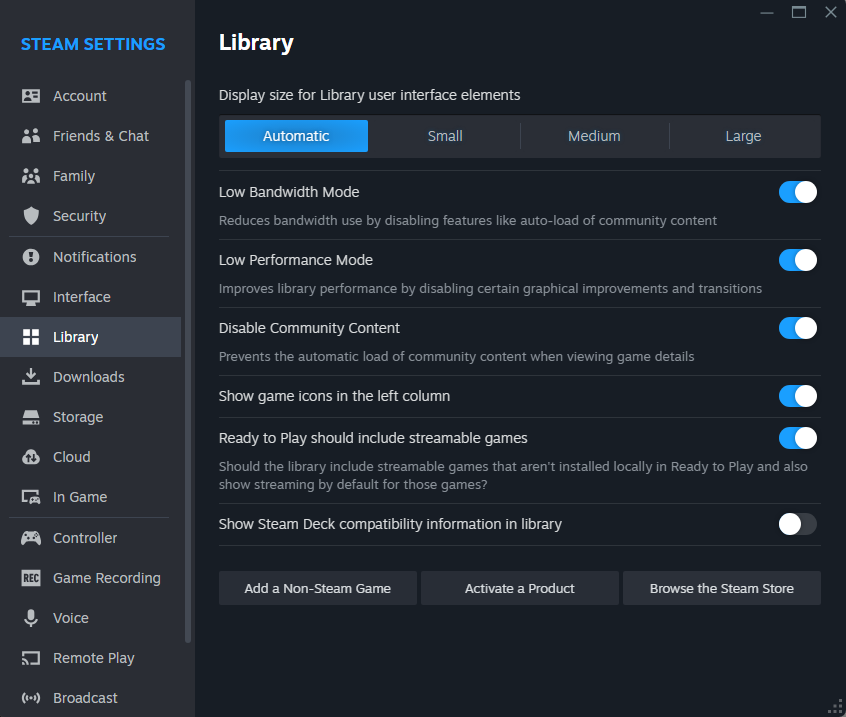
2/5 - Enable Low Bandwidth, Low Performance Mode and Disable community content. Helps reduce bandwidth and improve performance.
3
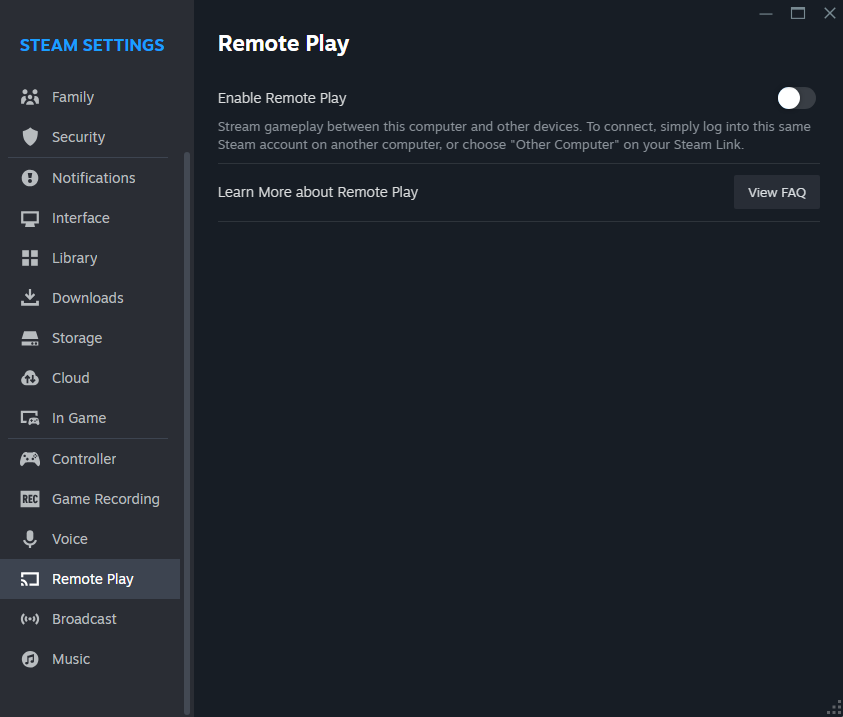
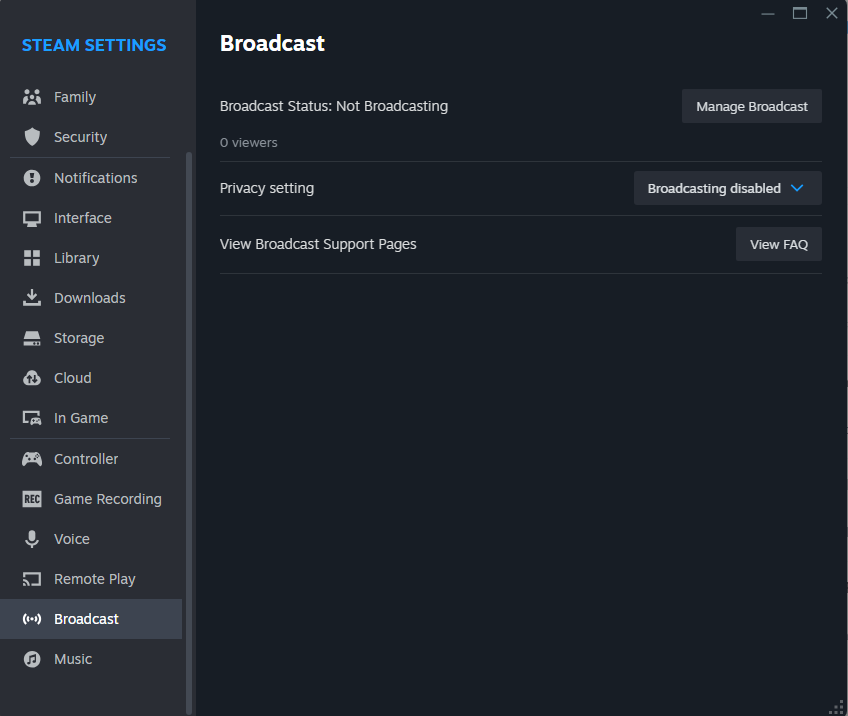
3/5 - Disable Remote Play and Broadcasting.
4
4/5 - In Interface, click "Show Taskbar Preferences".
- Disable Store, Community, Big Picture, SteamVR
- Enable Screenshots and Servers
Allows you to access Screenshots and Servers easily when you right click on Steam.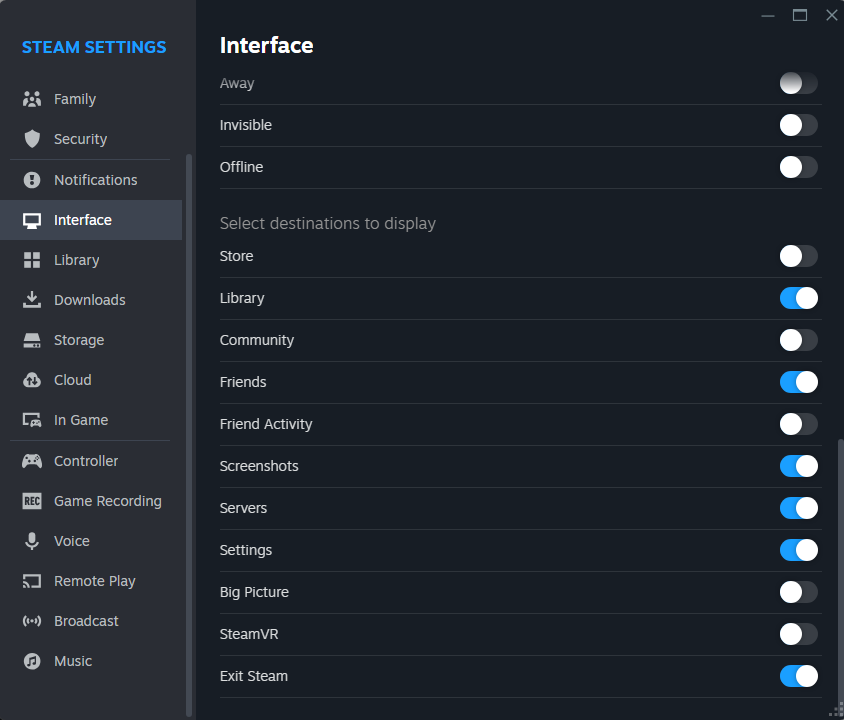
- Disable Store, Community, Big Picture, SteamVR
- Enable Screenshots and Servers
Allows you to access Screenshots and Servers easily when you right click on Steam.
5
5/5 - Uncheck Restore my previous browser tabs when starting a game.
Here, you can enable In-game FPS counter and select where to show FPS. In CS2, you have options in Telemetry and cl_showfps but it's helpful for other games.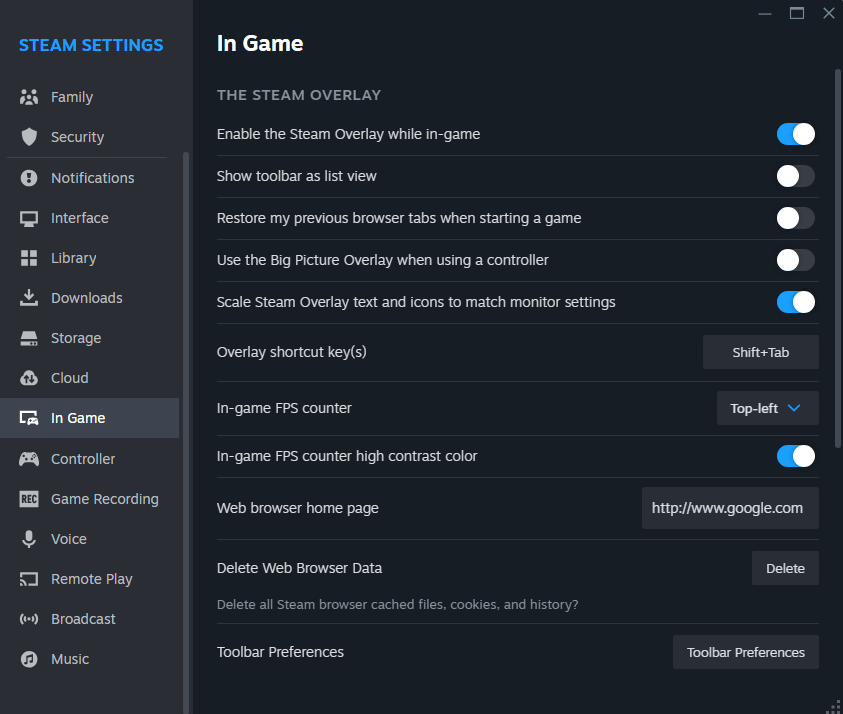
Here, you can enable In-game FPS counter and select where to show FPS. In CS2, you have options in Telemetry and cl_showfps but it's helpful for other games.
6
Pretty basic stuff, I am not saying this will improve your FPS by 10% but it's good to have it done when you do a fresh Install. Similarly, you need to turn off hardware acceleration for Browser and Discord/Spotify. 👍

