Most designers take 3+ months. I designed an entire mobile app in...

Prajwal Tomar@PrajwalTomar_
37 views
Apr 06, 2025
~2 min read
Advertisement
1
Most designers take 3+ months.
I designed an entire mobile app in 20 minutes using AI.
Everyone’s talking about vibe coding.
This is vibe designing ↓
I designed an entire mobile app in 20 minutes using AI.
Everyone’s talking about vibe coding.
This is vibe designing ↓
2
1/ Start with deep idea planning inside ChatGPT
I never jump into UI without understanding the idea
So I sit with ChatGPT and explain the full product vision
Together we break down:
- What the app does
- Target users and use cases
- Phase 1 core features
- The complete user journey
This step helps you internalize the product before designing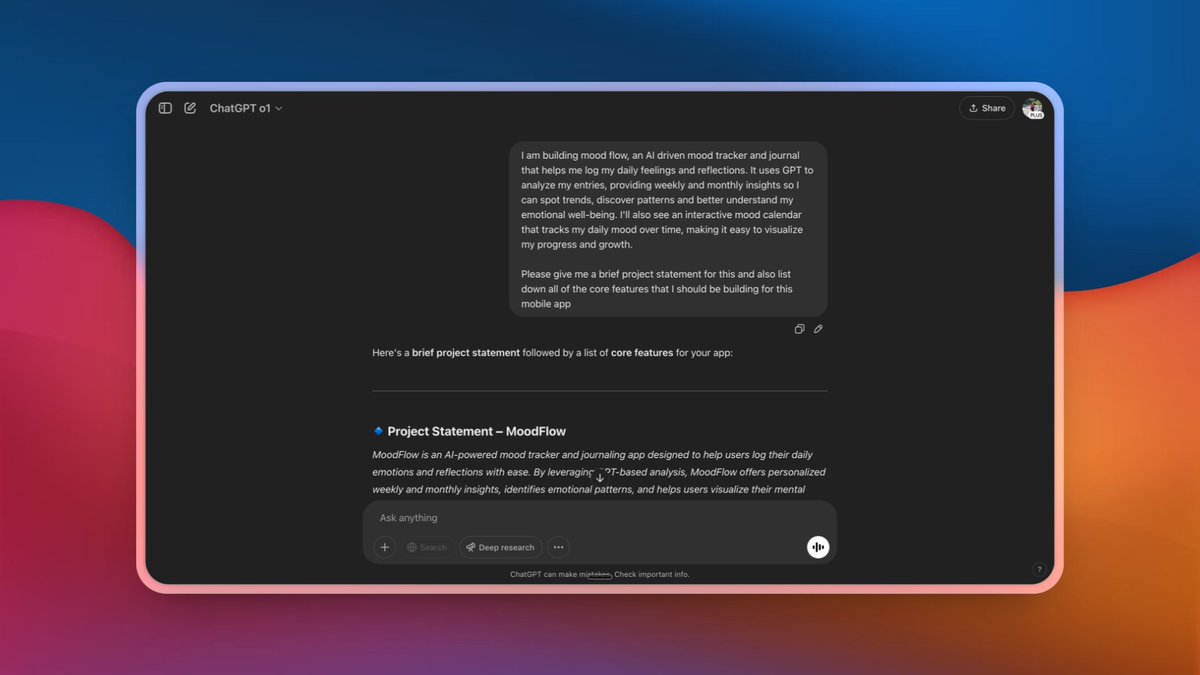
I never jump into UI without understanding the idea
So I sit with ChatGPT and explain the full product vision
Together we break down:
- What the app does
- Target users and use cases
- Phase 1 core features
- The complete user journey
This step helps you internalize the product before designing
3
2/ Build a proper UI Development Plan
Once the features and user flow are ready, I ask ChatGPT:
“Based on this conversation, create a UI development plan with 5–6 core screens for the MVP. Give detailed text descriptions for each screen. Mention theme, color palette, fonts, layout inspiration, and overall design direction”
At the end, you’ll have a ready-to-design plan for UX Pilot
Once the features and user flow are ready, I ask ChatGPT:
“Based on this conversation, create a UI development plan with 5–6 core screens for the MVP. Give detailed text descriptions for each screen. Mention theme, color palette, fonts, layout inspiration, and overall design direction”
At the end, you’ll have a ready-to-design plan for UX Pilot
4
3/ Start designing inside UX Pilot
Head to UX Pilot and begin your hi-fi design phase
Enter:
- Project brief: a simple one-liner summarizing the app
- Design inspiration: mention the vibe, theme, fonts, spacing
- Upload reference screenshots from Dribbble or Behance if needed
Then, start adding each screen from the UI plan one by one
Paste the full screen description as it is
UX Pilot will generate polished designs based on your prompt
Head to UX Pilot and begin your hi-fi design phase
Enter:
- Project brief: a simple one-liner summarizing the app
- Design inspiration: mention the vibe, theme, fonts, spacing
- Upload reference screenshots from Dribbble or Behance if needed
Then, start adding each screen from the UI plan one by one
Paste the full screen description as it is
UX Pilot will generate polished designs based on your prompt
5
4/ Generate, improve, and refine the flow
Once your core screens are added, click on “auto flow”
UX Pilot creates additional flow screens to complete the UX journey
You can:
- Prompt specific sections to update or improve
- Swap fonts in one click
- Adjust layout components easily
- Save and export to Figma for refinement
This gives you a complete, consistent UI flow without manual Figma work
Once your core screens are added, click on “auto flow”
UX Pilot creates additional flow screens to complete the UX journey
You can:
- Prompt specific sections to update or improve
- Swap fonts in one click
- Adjust layout components easily
- Save and export to Figma for refinement
This gives you a complete, consistent UI flow without manual Figma work
6
5/ Deliver to client or move to build
Once all screens are ready and you’re happy with the result:
- Share the project link with your client
- Collect feedback and adjust anything as needed
- Export screens to Figma if required
From here, you can move straight into development or plug the UI into tools like Bolt or Cursor depending on your stack
Once all screens are ready and you’re happy with the result:
- Share the project link with your client
- Collect feedback and adjust anything as needed
- Export screens to Figma if required
From here, you can move straight into development or plug the UI into tools like Bolt or Cursor depending on your stack
7
Wrap-up: From idea to UI in 20 minutes
This entire workflow helps you:
- Understand the product better
- Finalize core screens before designing
- Avoid messy iterations
- Deliver hi-fi screens fast
I’ve used this approach for multiple MVPs and clients love how fast and consistent the results are
Bookmark this for your next design sprint
This entire workflow helps you:
- Understand the product better
- Finalize core screens before designing
- Avoid messy iterations
- Deliver hi-fi screens fast
I’ve used this approach for multiple MVPs and clients love how fast and consistent the results are
Bookmark this for your next design sprint
8
If you found the thread helpful and want to support me, feel free to use my UX Pilot referral link 😉
uxpilot.ai/?ref=prajwal
It’s what I use to skip Figma and get clean UIs fast.
uxpilot.ai/?ref=prajwal
It’s what I use to skip Figma and get clean UIs fast.
9
