Cursor Agent can break your code. 8/10 times it can work against...

Prajwal Tomar@PrajwalTomar_
44 views
Mar 10, 2025
~5 min read
Advertisement
1
Cursor Agent can break your code.
8/10 times it can work against you and mess up the codebase.
This is how I make Cursor code exactly what I need every single time.
A complete handbook:
8/10 times it can work against you and mess up the codebase.
This is how I make Cursor code exactly what I need every single time.
A complete handbook:
2
1. AI coding is 70% planning, 30% execution
Most developers jump straight into coding, expecting Cursor to magically write perfect code.
That never works.
Without proper context and structure, Cursor makes assumptions, leading to inaccurate and messy output.
The key is feeding the AI the right inputs so it follows your intent without guessing.
Here is exactly how I do it.
Most developers jump straight into coding, expecting Cursor to magically write perfect code.
That never works.
Without proper context and structure, Cursor makes assumptions, leading to inaccurate and messy output.
The key is feeding the AI the right inputs so it follows your intent without guessing.
Here is exactly how I do it.
3
2. Start with ChatGPT Voice for Planning
Before writing any code, I define exactly what I want Cursor to do.
I use ChatGPT Voice to break down:
- The core idea
- Essential features
- The app flow (pages, navigation, user actions)
Then, I ask ChatGPT to draft a structured project outline.
This ensures I have absolute clarity before moving forward, so Cursor knows exactly what to generate.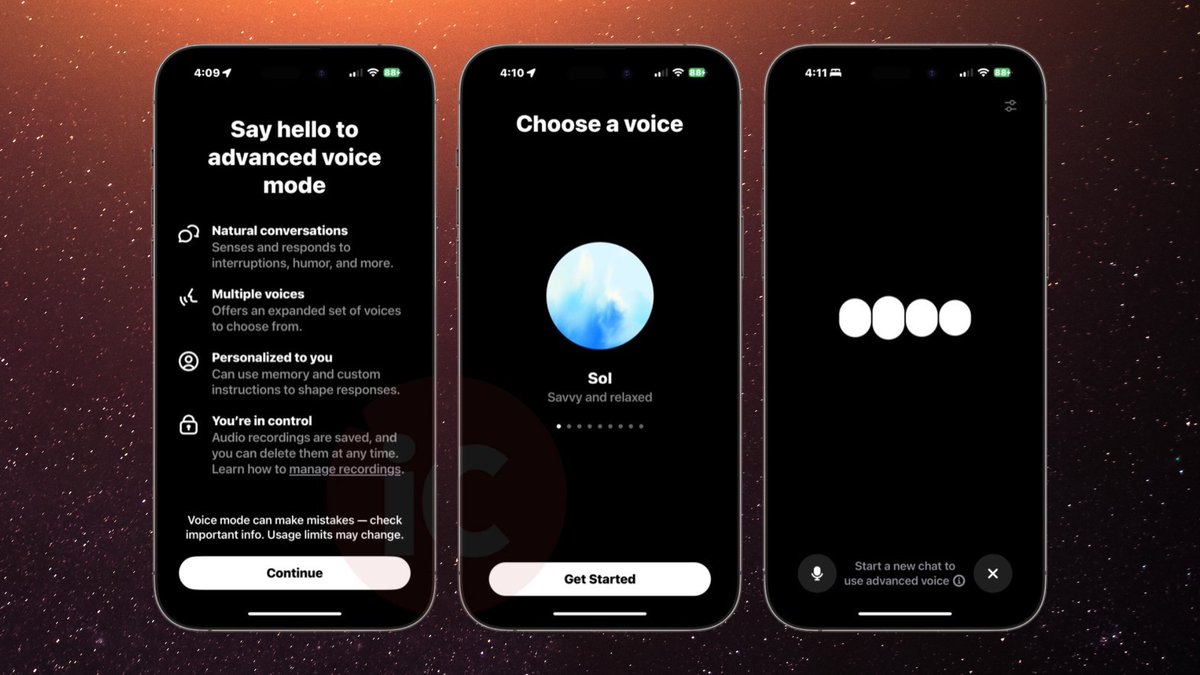
Before writing any code, I define exactly what I want Cursor to do.
I use ChatGPT Voice to break down:
- The core idea
- Essential features
- The app flow (pages, navigation, user actions)
Then, I ask ChatGPT to draft a structured project outline.
This ensures I have absolute clarity before moving forward, so Cursor knows exactly what to generate.
4
3. Generate Project Documentation with @CodeGuidedev
AI-generated code is only as good as the context it receives.
So before touching Cursor, I generate all necessary documentation using CodeGuide.
Documents I generate:
- PRD (Product Requirements Document)
- Tech Stack Overview
- File Structure
- Frontend & Backend Guidelines
- .cursorrules file for Cursor
These documents feed Cursor structured, detailed context, eliminating random AI mistakes.
CodeGuide also provides a 50-step implementation plan, which ensures Cursor follows a clear roadmap instead of guessing.
Without this, AI-generated code is unreliable.
AI-generated code is only as good as the context it receives.
So before touching Cursor, I generate all necessary documentation using CodeGuide.
Documents I generate:
- PRD (Product Requirements Document)
- Tech Stack Overview
- File Structure
- Frontend & Backend Guidelines
- .cursorrules file for Cursor
These documents feed Cursor structured, detailed context, eliminating random AI mistakes.
CodeGuide also provides a 50-step implementation plan, which ensures Cursor follows a clear roadmap instead of guessing.
Without this, AI-generated code is unreliable.
5
4. Use a Starter Kit Instead of Starting From Scratch
The biggest reason Cursor messes up early on?
Developers expect it to handle the entire project setup.
I never start from zero.
I always use a pre-built starter kit to:
- Avoid setup issues
- Ensure a structured codebase from the start
- Give Cursor a strong foundation to work with
I had my own starter kit, but recently, @CodeGuidedev introduced 6 new starter kits, and they work really well.
Starter Kits include:
- Pre-configured file structures
- Pre-installed dependencies
- A built-in documentation folder
This way, Cursor starts coding from an optimized base instead of fixing a messy setup.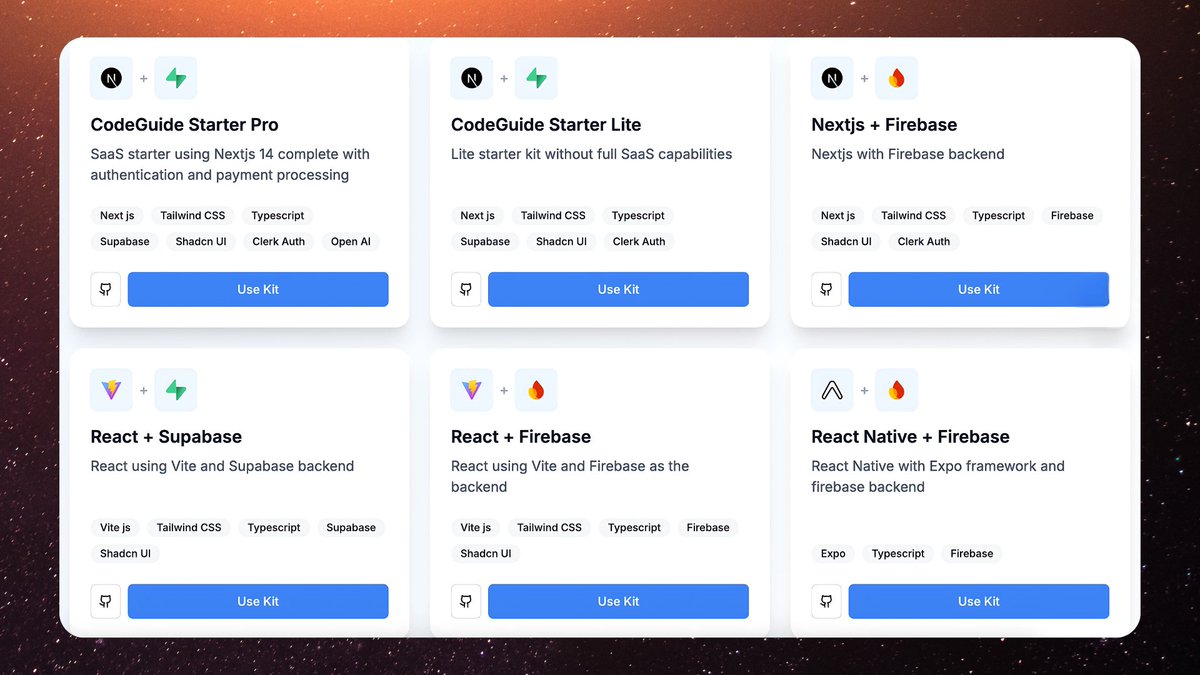
The biggest reason Cursor messes up early on?
Developers expect it to handle the entire project setup.
I never start from zero.
I always use a pre-built starter kit to:
- Avoid setup issues
- Ensure a structured codebase from the start
- Give Cursor a strong foundation to work with
I had my own starter kit, but recently, @CodeGuidedev introduced 6 new starter kits, and they work really well.
Starter Kits include:
- Pre-configured file structures
- Pre-installed dependencies
- A built-in documentation folder
This way, Cursor starts coding from an optimized base instead of fixing a messy setup.
6
5. Assembling the Codebase in Cursor
Now comes the actual coding phase.
Before asking Cursor to generate anything, I set the right context.
First, I create an Instructions folder in the root directory and add all the generated docs from CodeGuide.
Then, I run:
"Go through all files in the Instructions folder and summarize what you understand about my project."
This ensures Cursor fully understands the scope before coding.
Next, I run:
"Follow the @.implementation-plan.md file and start coding from Step 1."
Now, Cursor follows a step-by-step execution plan, reducing mistakes and ensuring structured output.
A useful tip:
I also ask Cursor to update the Implementation Plan file after every step so I can track progress.
Without these steps, AI-generated code is unpredictable.
Now comes the actual coding phase.
Before asking Cursor to generate anything, I set the right context.
First, I create an Instructions folder in the root directory and add all the generated docs from CodeGuide.
Then, I run:
"Go through all files in the Instructions folder and summarize what you understand about my project."
This ensures Cursor fully understands the scope before coding.
Next, I run:
"Follow the @.implementation-plan.md file and start coding from Step 1."
Now, Cursor follows a step-by-step execution plan, reducing mistakes and ensuring structured output.
A useful tip:
I also ask Cursor to update the Implementation Plan file after every step so I can track progress.
Without these steps, AI-generated code is unpredictable.
7
6. Cursor Project Rules: The Secret to Perfect AI-Generated Code
Most developers struggle with AI-generated code that doesn’t follow their expectations.
The issue? They do not set clear rules for Cursor to follow.
Cursor’s default behavior is to generate code based on patterns, it does not know your specific coding style unless you tell it.
Here’s how I fix that:
Most developers struggle with AI-generated code that doesn’t follow their expectations.
The issue? They do not set clear rules for Cursor to follow.
Cursor’s default behavior is to generate code based on patterns, it does not know your specific coding style unless you tell it.
Here’s how I fix that:
8
7. Why .cursorrules Wasn’t Enough
Cursor originally used a single .cursorrules file, but it had major flaws:
- One-size-fits-all approach
- AI ignored or misinterpreted instructions
- Lack of scalability for larger projects
- Unstructured rules = inconsistent AI responses
Developers kept getting random AI-generated code that did not match their style or project needs.
Cursor originally used a single .cursorrules file, but it had major flaws:
- One-size-fits-all approach
- AI ignored or misinterpreted instructions
- Lack of scalability for larger projects
- Unstructured rules = inconsistent AI responses
Developers kept getting random AI-generated code that did not match their style or project needs.
9
8. Introducing Cursor’s Project Rules (.mdc files)
Cursor solved these issues by introducing Project Rules (.mdc files) inside .cursor/rules/
This gives granular control over how AI-generated code follows specific project requirements.
Why Project Rules work better:
- Rules are applied per module or file type instead of one massive rules file
- Cursor loads only relevant rules, making AI output more precise
- Modular rules are easy to edit and update without affecting the entire project
Now, Cursor follows exactly what I want, without random deviations.
Cursor solved these issues by introducing Project Rules (.mdc files) inside .cursor/rules/
This gives granular control over how AI-generated code follows specific project requirements.
Why Project Rules work better:
- Rules are applied per module or file type instead of one massive rules file
- Cursor loads only relevant rules, making AI output more precise
- Modular rules are easy to edit and update without affecting the entire project
Now, Cursor follows exactly what I want, without random deviations.
10
9. How Project Rules Improved My Agency’s Code Quality
Since switching to Project Rules, my AI-generated code quality has improved significantly.
- Fewer AI mistakes: Cursor now follows strict, scoped rules
- No more repetitive corrections: AI remembers the coding style
- Consistent coding standards across all projects
- Faster development cycles: AI-generated code requires fewer fixes
The result?
AI that actually codes what I need instead of what it assumes.
Since switching to Project Rules, my AI-generated code quality has improved significantly.
- Fewer AI mistakes: Cursor now follows strict, scoped rules
- No more repetitive corrections: AI remembers the coding style
- Consistent coding standards across all projects
- Faster development cycles: AI-generated code requires fewer fixes
The result?
AI that actually codes what I need instead of what it assumes.
11
10. Best Practices for Structuring Project Rules
To make the most of Project Rules, I follow these best practices:
Keep rules modular and specific:
- Separate frontend, backend, and database rules
Use precise scope targeting:
- .tsx → React frontend components
- api/**/*.ts → Backend API logic
- /*.sql → Database queries
Regularly update rules:
- Adjust rules as the project evolves
Use Global Rules for universal coding standards:
- general.mdc → Global rules for clean code and readability
To make the most of Project Rules, I follow these best practices:
Keep rules modular and specific:
- Separate frontend, backend, and database rules
Use precise scope targeting:
- .tsx → React frontend components
- api/**/*.ts → Backend API logic
- /*.sql → Database queries
Regularly update rules:
- Adjust rules as the project evolves
Use Global Rules for universal coding standards:
- general.mdc → Global rules for clean code and readability
12
TL;DR
Most developers struggle with AI-generated code that does not follow their expectations.
The key to fixing this:
- Set clear project context before using Cursor
- Use ChatGPT Voice to structure the project before coding
- Generate detailed PRDs and docs with CodeGuide for proper AI guidance
- Use Starter Kits to eliminate setup issues
- Load project docs into Cursor before coding to ensure AI understands your project
- Use Project Rules (.mdc files) to enforce coding standards
With the right structure, AI will code exactly what you want.
A detailed thread on how to set up Project Rules in Cursor is coming up next. Stay tuned.
Most developers struggle with AI-generated code that does not follow their expectations.
The key to fixing this:
- Set clear project context before using Cursor
- Use ChatGPT Voice to structure the project before coding
- Generate detailed PRDs and docs with CodeGuide for proper AI guidance
- Use Starter Kits to eliminate setup issues
- Load project docs into Cursor before coding to ensure AI understands your project
- Use Project Rules (.mdc files) to enforce coding standards
With the right structure, AI will code exactly what you want.
A detailed thread on how to set up Project Rules in Cursor is coming up next. Stay tuned.
13
A closer look at Project Rules:

Prajwal Tomar@PrajwalTomar_
How to Set Up Cursor the Right Way
Cursor Rules are outdated. Project Rules is the correct way now. Here’s why it matters and how to set it up properly:
Cursor Rules are outdated. Project Rules is the correct way now. Here’s why it matters and how to set it up properly:
