If you’ve ever played RDR2, you probably noticed when you walk over...

STYLIZED STATION@StylizedStation
4 views
Jan 02, 2026
~3 min read
Advertisement
1
If you’ve ever played RDR2, you probably noticed when you walk over snow, it deforms as you walk through it. And its not just your character, anything that interacts with the snow affects it.
How the f**k does it look so good?
Strap in, another massive 🧵
How the f**k does it look so good?
Strap in, another massive 🧵
2
In the previous episode, I explained what a displacement shader does, and how it uses height maps to move the vertices of a mesh up and down.
3
But we're not done.
But I still haven’t told you the most essential step.
But I still haven’t told you the most essential step.
4
A displacement shader only toys around with the vertices that already exist on the mesh.
Meaning, if we wanted to add more detail, like a footprint for example, we need to find a way to add more vertices.
But how do we do that?
Meaning, if we wanted to add more detail, like a footprint for example, we need to find a way to add more vertices.
But how do we do that?
5
This is where displacement shader’s partner in crime comes in, tesselation.
6
Tessellation is a technique that enhances the detail of a mesh by subdividing its polygons, such as triangles, into smaller ones.

7
But as regular viewers of Stylized Station know, more triangles equals more work for the engine.
8
SO what’s the point of tesselating a mesh if its just going to slow everything down?
Well, the cool thing about this tessellation process is that it happens in real-time on the GPU and can be adjusted dynamically.
Well, the cool thing about this tessellation process is that it happens in real-time on the GPU and can be adjusted dynamically.
9
We can add more triangles when the camera is close, and take some away when the camera pulls back.
10
Meaning we can now add enough detail to a mesh to add more minor details, like footprints in the snow without setting your graphics card on fire and burning your house down.
11
But - this doesn’t explain everything.
Isn’t a height map just a static image?
How does the height map know where the character is stepping to make these boot footprints?
What magic technique is behind this?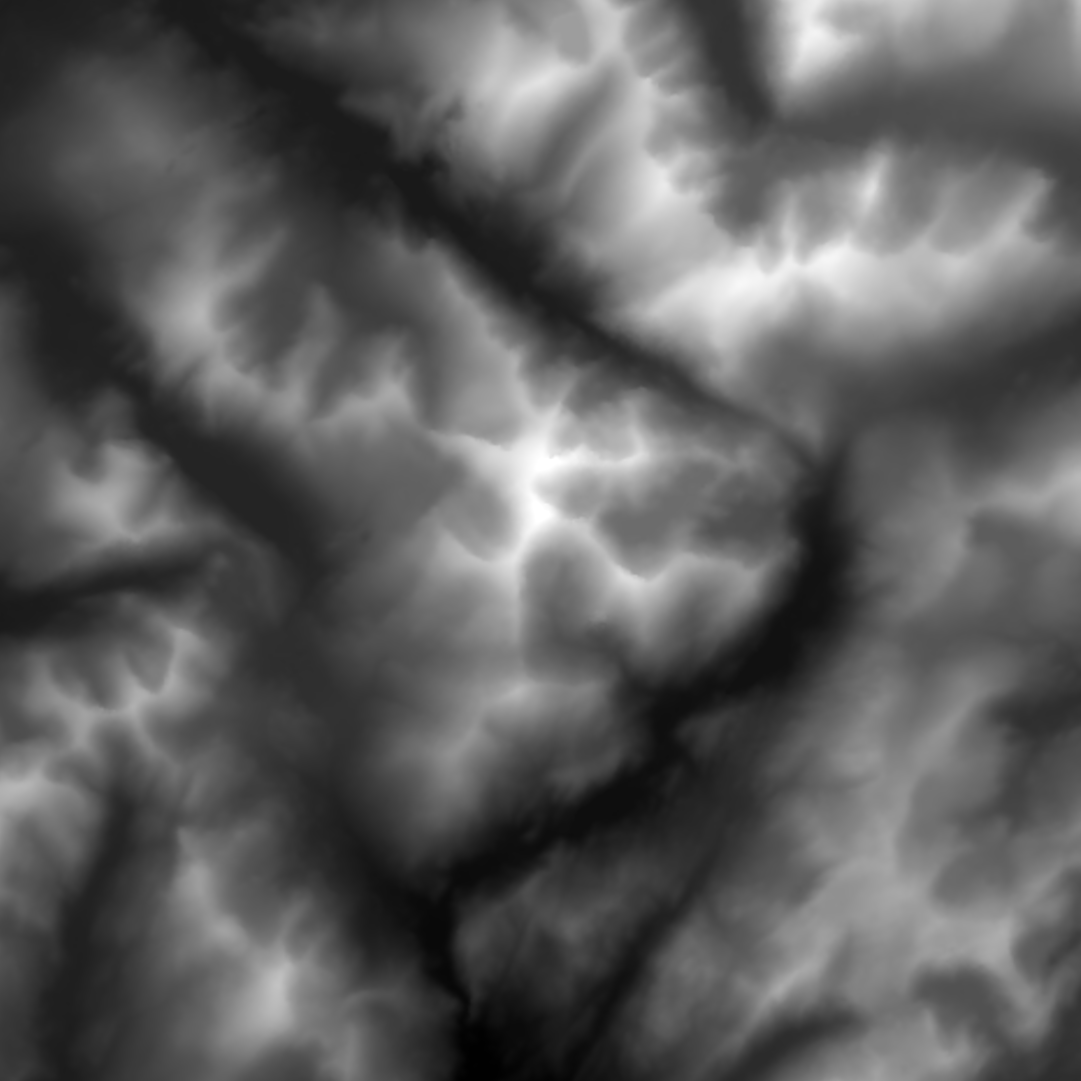
Isn’t a height map just a static image?
How does the height map know where the character is stepping to make these boot footprints?
What magic technique is behind this?
12
Well, picture this - every time a character steps onto the snow, we want a footprint to appear, dynamically on the fly.
This is where render targets come in handy.
This is where render targets come in handy.
13
Think of render targets as off-screen canvases or buffers. We can render or "draw" elements in these special areas before they appear on your screen.
They allow us to store, manipulate, and use that information later.
They allow us to store, manipulate, and use that information later.
14
In our system, we use a render target to hold a "map" of the snow surface. This map is a visual representation of the height of the snow - each pixel's color represents a different height.
15
So, when our character steps on the snow, we're going to "draw" onto this map at the location of the footstep, adjusting the colours and, thus the heights.
16
So how do we determine where to create footprints in the snow?
Instead of computing collision for every vertex of a model, which can tax processing power, we can attach collision spheres to their feet.
Instead of computing collision for every vertex of a model, which can tax processing power, we can attach collision spheres to their feet.
17
These spheres engage with the snow's surface and on impact, send information to our render target. This data is then employed in real-time to adjust our height map.
0:04
18
Now, you remember tessellation, right?
As the height map gets updated by our render target, the tessellation on the snow's surface dynamically increases only where the footprints are, allowing us to add detail exactly where we need it, and nowhere else.
As the height map gets updated by our render target, the tessellation on the snow's surface dynamically increases only where the footprints are, allowing us to add detail exactly where we need it, and nowhere else.
0:08
19
Then over time, as the character moves away and the footprints are no longer close to the camera, the tessellation level is reduced and the height map is reset, returning the snow surface to its less detailed, more GPU-friendly state.
20
So that is a Sparknotes version of how the snow deformation works in rdr2.
But hold up, there's another thing in RDR2 that's been tickling my brain.
But hold up, there's another thing in RDR2 that's been tickling my brain.
21
You ever notice how the animations in the game are so mind-blowingly realistic? Shoot a bad guy in the leg, and he hobbles and falls over; push them down the stairs, and they tumble realistically.
How the hell did they make so many lifelike animations?
How the hell did they make so many lifelike animations?
22
Well, I’m about to blow your mind, because the characters actually animated themselves.
If you’re dying to know how this works, I’ve already made the video, and its available right now on our Patreon.
patreon.com/StylizedStation
If you’re dying to know how this works, I’ve already made the video, and its available right now on our Patreon.
patreon.com/StylizedStation
23
Thanks for reading!