How to smooth a hand-drawn line? I grew up with Xara, I thought the...

Shottr@shottr_cc
22 views
Jan 08, 2026
~1 min read
Advertisement
1
How to smooth a hand-drawn line? I grew up with Xara, I thought the best way is to reduce points with Ramer–Douglas–Peucker, and build spline with Catmull-Rom or similar.
2
But I got disillusioned with this approach. It tends to produce an overly dramatic result. (Somehow Pen tool in Sketch behaves better while employing a similar technique; they seem to pick the skeleton points smarter.)

3
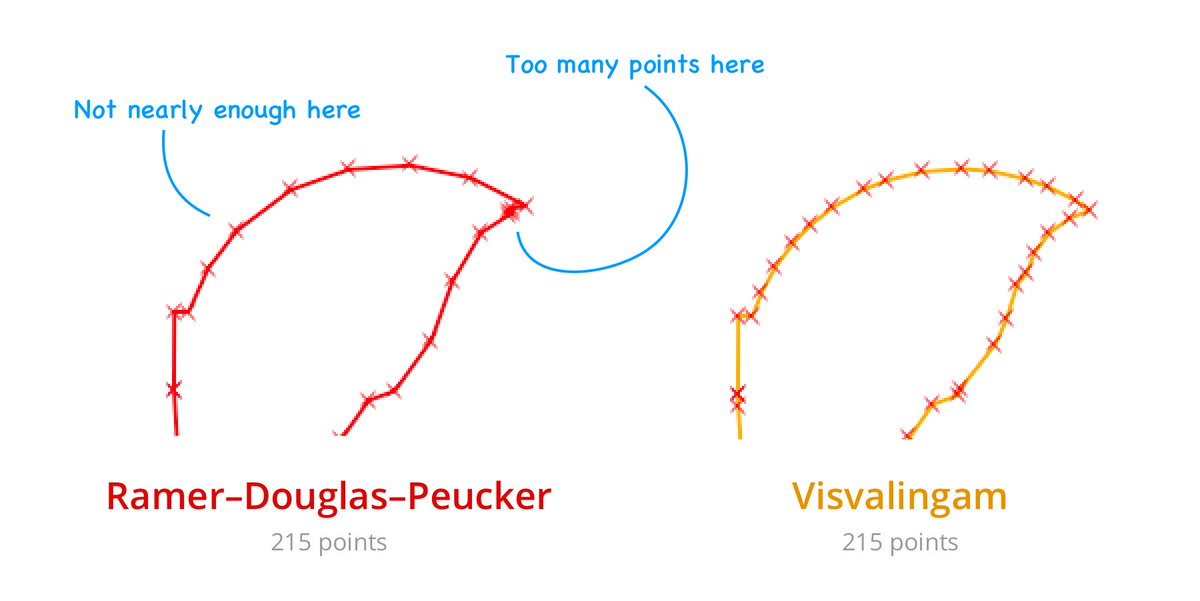
I swapped Ramer–Douglas–Peucker with Visvalingam and added a condition that keeps straight line points if they're far enough from each other. It worked better but wasn't perfect. Here’s a demonstration of why Visvalingam is a step up compared to the ubiquitous R-D-P.
4
At this point, I started looking at pro tools. Affinity Designer offers two curve-smoothing modes: window stabilization (moving average with Gaussian kernel) and rope stabilization (interpolates current and previous points with a factor that keeps lag constant). Here's the video:
0:11
5
Drawing with the rope is harder than it looks. @tldraw's Perfect-Freehand implements an interesting variation, an Exponential Running Average, which can be described as a rubber-made rope. I tried it, but my implementation loses accuracy when the cursor accelerates.
6
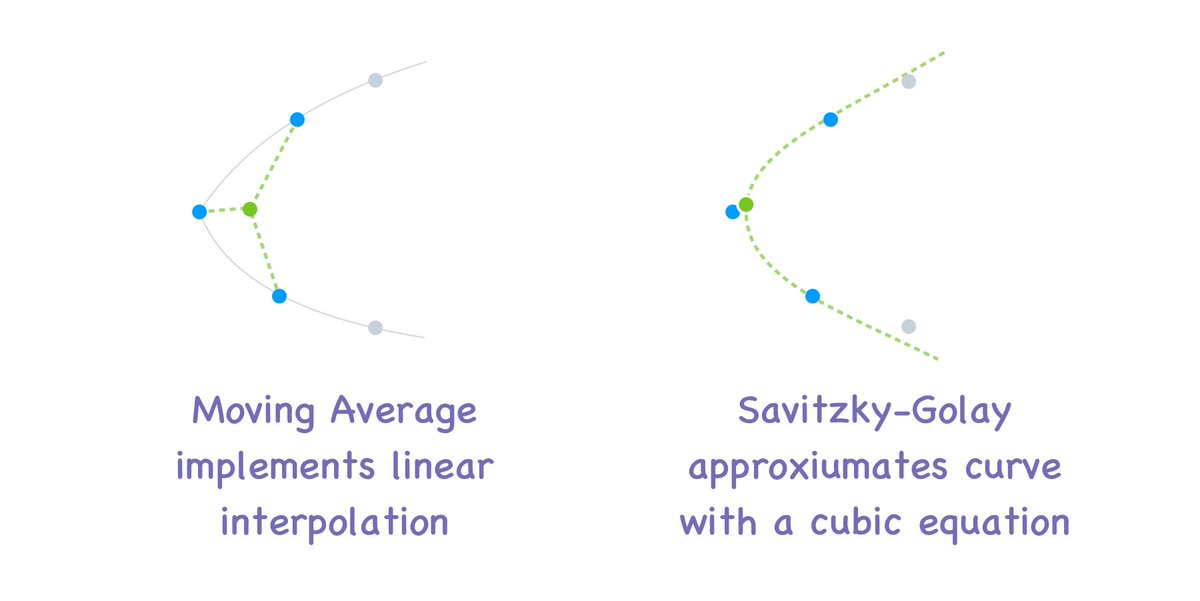
As with other averaging techniques, it reduces curves. If you draw a circle, averaging will make it smaller. I found a really clever Savitzky-Golay algorithm, that I hoped would fix this problem. It approximates points by fitting a cubic polynomial to the moving window.
7
Unfortunately, on larger moving windows the result was not much different from the old-school running average, and Savitzky-Golay is very slow because cubic regression involves inversion of large matrices.
8
For now, I settled on an exponential moving average for slow speeds, rope stabilization for high speeds, and no smoothing for sharp corners. Will keep fiddling with this approach.
