I'd like to take a moment to talk about my process for stacking...

Brandon Bovia@brandonbovia
4 views
Dec 18, 2025
~3 min read
Advertisement
1
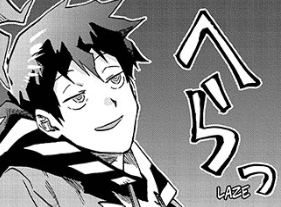
I'd like to take a moment to talk about my process for stacking dialog text in manga. Some manga letterer theorycraft! I'd love to hear how other people approach this as well.
2
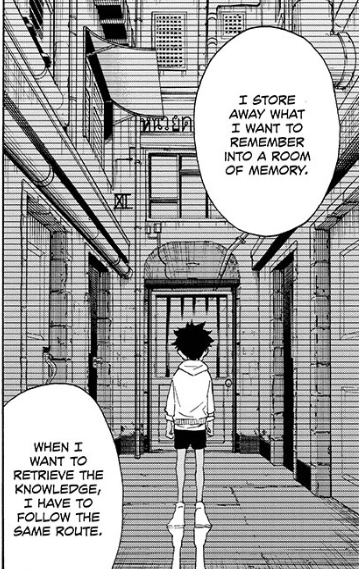
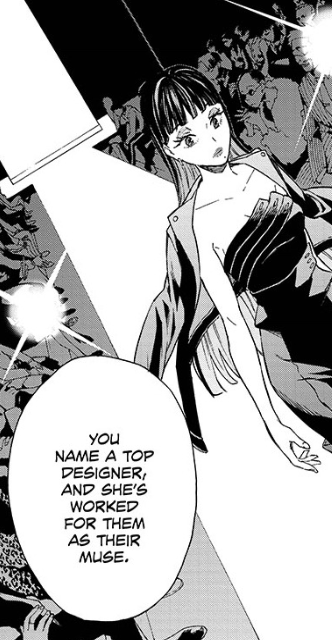
Generally speaking, I like to stack text so that it's widest in the middle, and the shape remains somewhat square for all lines above and below, or tapers off so the shape the text box makes is somewhat diamond-shaped.
3
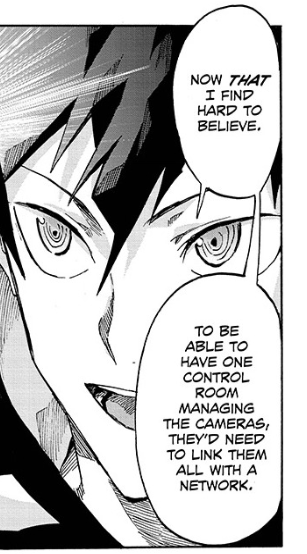
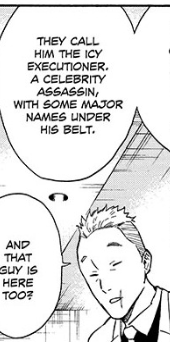
If at all possible I try to avoid situations like this, where the text makes an hourglass shape (wider at the tops and bottom than the middle) or breaks the "flow" by being thin, then wide, then thin, then wide again... But the limitations of manga are such that it happens a lot.
4
I could have moved "room" up to the same line as "control" but the shape wouldn't look quite as good. I could have moved it down with "managing" and moved the "ing" down to the same line as "the cameras" but the bubble is a little tight for to pull it off. Speaking of...
5
I would say these are the things I prioritize when stacking text, in no particular order:
1) keeping long words on their own line
2) ending a line with punctuation (comma, em dash, period, etc)
3) avoiding hyphenation if possible
4) making the textbox square or diamond shaped
1) keeping long words on their own line
2) ending a line with punctuation (comma, em dash, period, etc)
3) avoiding hyphenation if possible
4) making the textbox square or diamond shaped
6
In manga, we're generally restricted to the balloon size/placement, so what often ends up happening is sacrificing one of those above four to pull off one of the others.
7
Here's a panel where I wanted to keep "instructions" on its own line. I chose to hyphenate "feed-"
"ing" so that "ing you" makes a better transition to the longer word "instructions", plus "and" isn't stuck on its own line in the middle (creating that dreaded hourglass)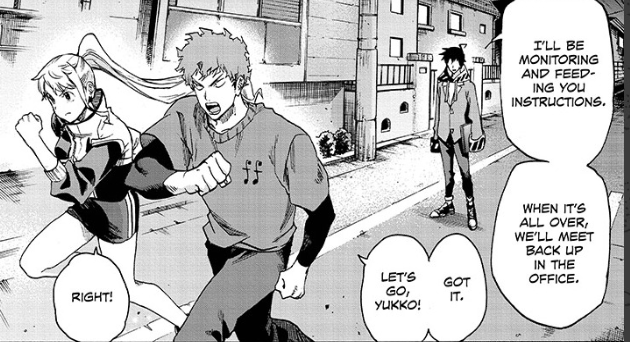
"ing" so that "ing you" makes a better transition to the longer word "instructions", plus "and" isn't stuck on its own line in the middle (creating that dreaded hourglass)
8
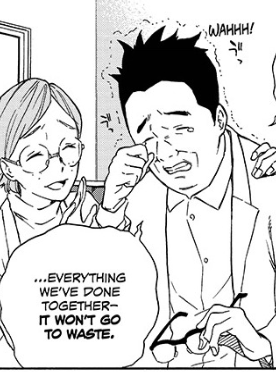
Here's a good random panel that checks all the boxes. Long word in the middle, square-ish shape, punctuation at the end of a line, no hyphens. I probably could have hyphenated "everything" and the box would have been fine still.
9
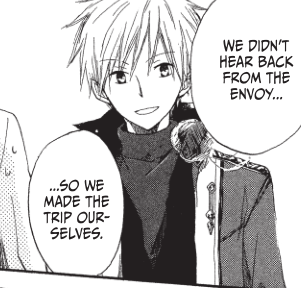
But I'm a sucker for good text box shapes. There wasn't much else I could do for this panel but "our-selves" breaks easily enough and the text above it happened to make a nice shape. In a wider balloon, I probably wouldn't have broken it, though.
10
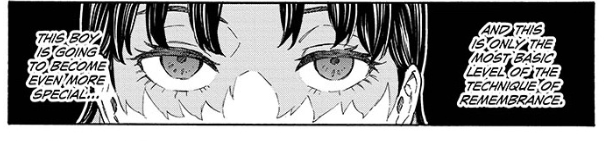
And here's another interesting example where the longest word in the box, "remembrance" is at the very bottom, so I stacked all the text above it in a way that makes a good shape. Good shape = easier to read
11
It's most convenient when the longest word is in the middle of the word balloon, but generally speaking I try to find the dominant line (usually the widest, or has the longest word(s)) and adapt the lines above it and/or below it to make a good shape.
12
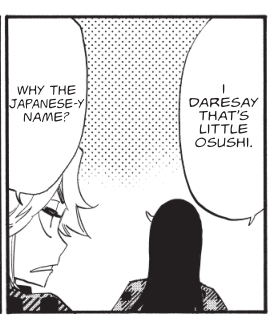
Also, there are times where I'll reduce the width of the characters themselves (usually by 5%, anything above 10% starts looking really obvious) to fit. Whizbang is a really wide font so I had to do this a lot during Burn the Witch...
13
But all in all, a letterer's job is to make the reading experience as natural and smooth as possible, so this is my approach to making the translator's hard work look as good as it possibly can.
14
Speaking of which, I don't think any of this stuff is necessarily anything a translator should be aware of while they're working. As long as there's at least some awareness of the space we're dealing with, that's good enough for me!
15
Manga used are ne0;lation, Tokyo Shinobi Squad, Snow White with the Red Hair and Burn the Witch, which were all lettered by myself naturally lol
16
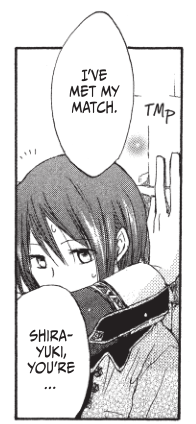
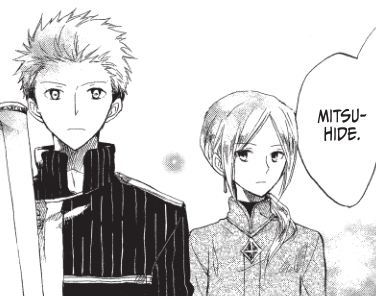
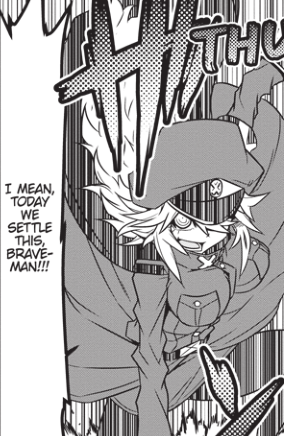
(I will probably continue to update this thread with more little stuff as I think about it.) I personally don't like hyphenating names/proper nouns, but... ¯\_(ツ)_/¯
17
I gained some followers since the last time I posted this, and like a good freelancer I'm working/thinkin' about work on a got dang holiday (I like it though, seriously!)