Canvas & Ratio
Choose your destination platform format
Layout Template
Choose a content structure for your slides
Preset Themes
Typography & Sizing
Brand Kit Customization
AGENCYConfigure brand assets for headers & footers
Outro Slide CTA
Customize your closing call-to-action slide
Background Pattern
Build Your Carousel
Drag and drop any post card below onto a slide, or use the quick buttons to insert content/images instantly!

I ditched Cursor for Claude Code and it's absolutely insane 🤯 $1000s of API credits for just $100-200/month AND way better at following instructions My complete guide to 10x your coding with Claude Code:

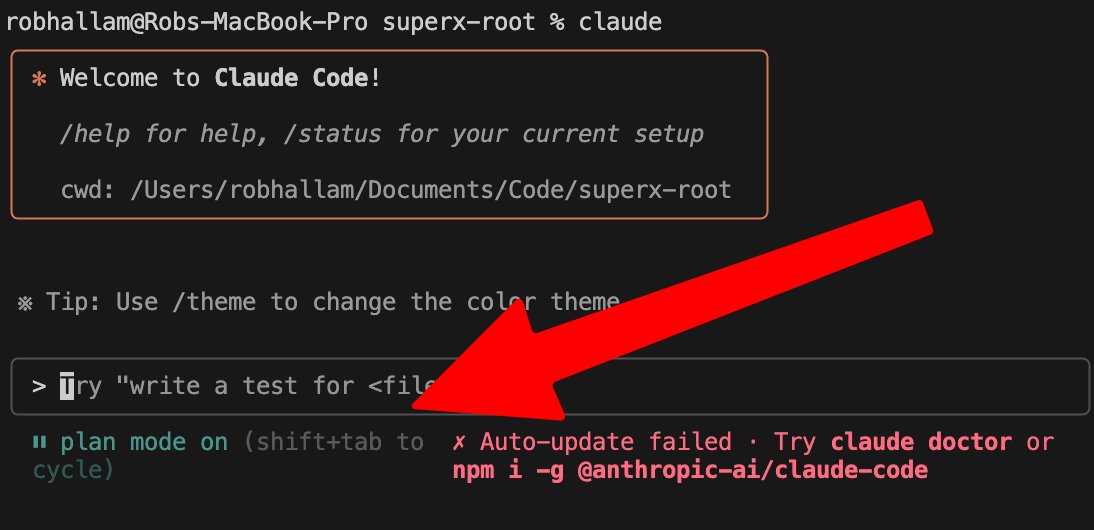
1/ Use Plan + Execution Mode (Shift+Tab) Plan first with Opus 4 - it's the strategic thinker Execute with Sonnet 4 - follows steps like a machine This two-phase approach eliminates the chaos of "one-shot" coding attempts
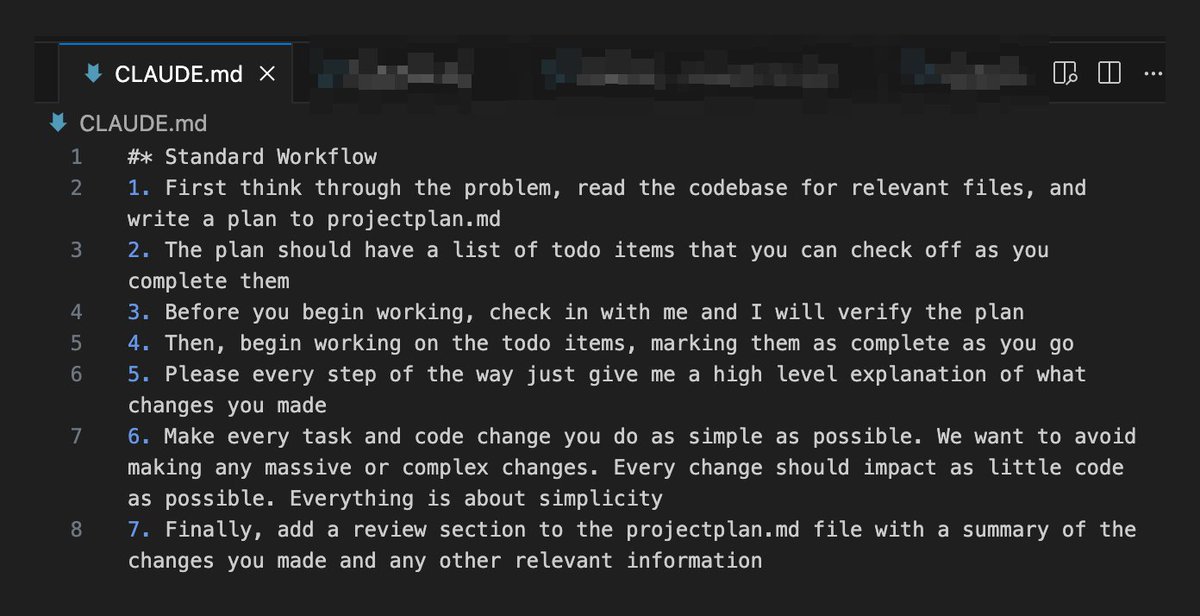
2/ Create a <a target="_blank" href="http://CLAUDE.md" color="blue">CLAUDE.md</a> file in your root folder Include a standard workflow that forces Claude to: - Think through problems first - Write plans to <a target="_blank" href="http://projectplan.md" color="blue">projectplan.md</a> - Check in before starting - Mark TODOs as complete - Keep changes simple Credit to @AlexFinnX and @mckaywrigley for this
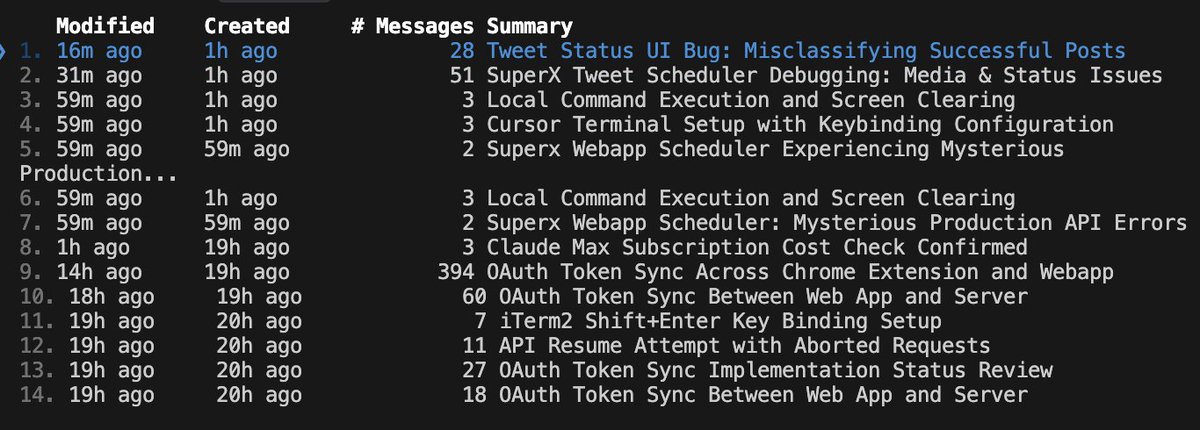
@AlexFinnX 3/ Master the --resume command Fork old conversations to try different approaches Maintain proper git hygiene by running git add . to stage often You can easily restore code AND conversation context It's like having multiple parallel universes of your project
@AlexFinnX 4/ Use /clear frequently Fresh context = better performance Don't try to do everything in one conversation Think of it like giving Claude a clean slate to think clearly instead of carrying baggage from 500 previous messages

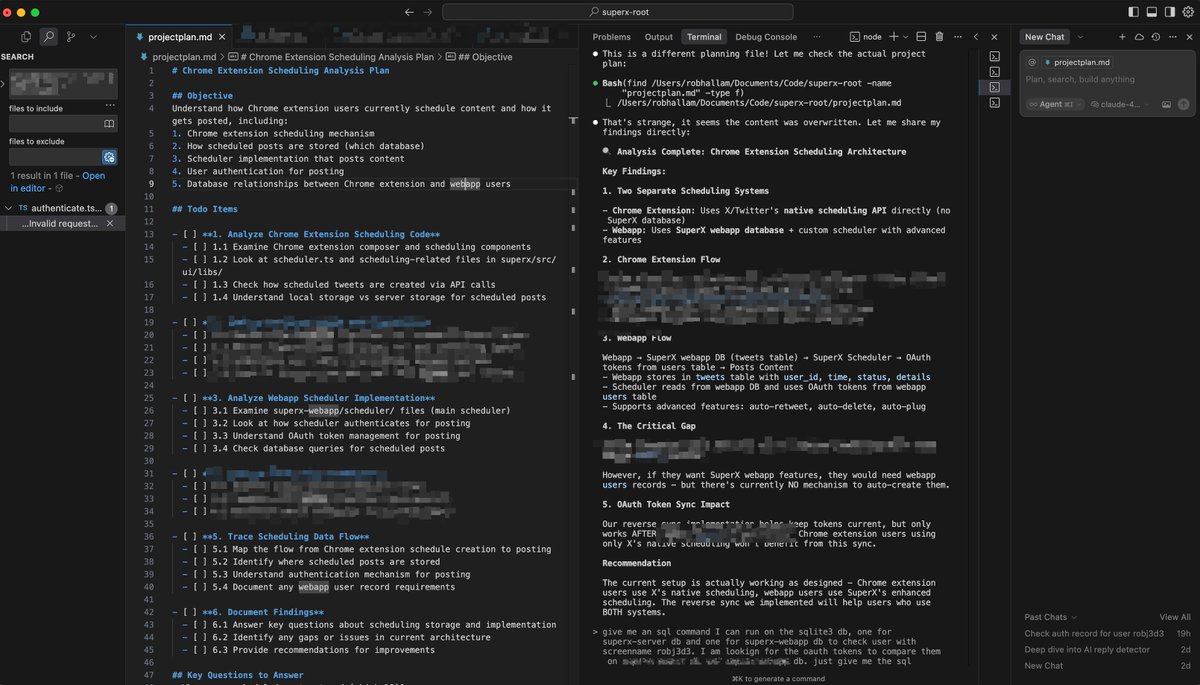
@AlexFinnX 5/ Run Claude Code INSIDE Cursor's terminal Right-click on the terminal to switch panel position to 'Right' Use Cursor chat for small tasks Spin up background agents for research/bugs Claude Code = your senior engineer Background agents = your research interns
@AlexFinnX 6/ Force Claude to read the docs Working with third-party APIs? Give it the documentation link Claude's training data might be outdated Fresh docs = accurate implementation
@AlexFinnX 7/ Speak your thoughts into existence Use voice-to-text tools like SuperWhisper to convert speech-to-text This way you don't have to type everything and can capture everything going on in your head without resistance

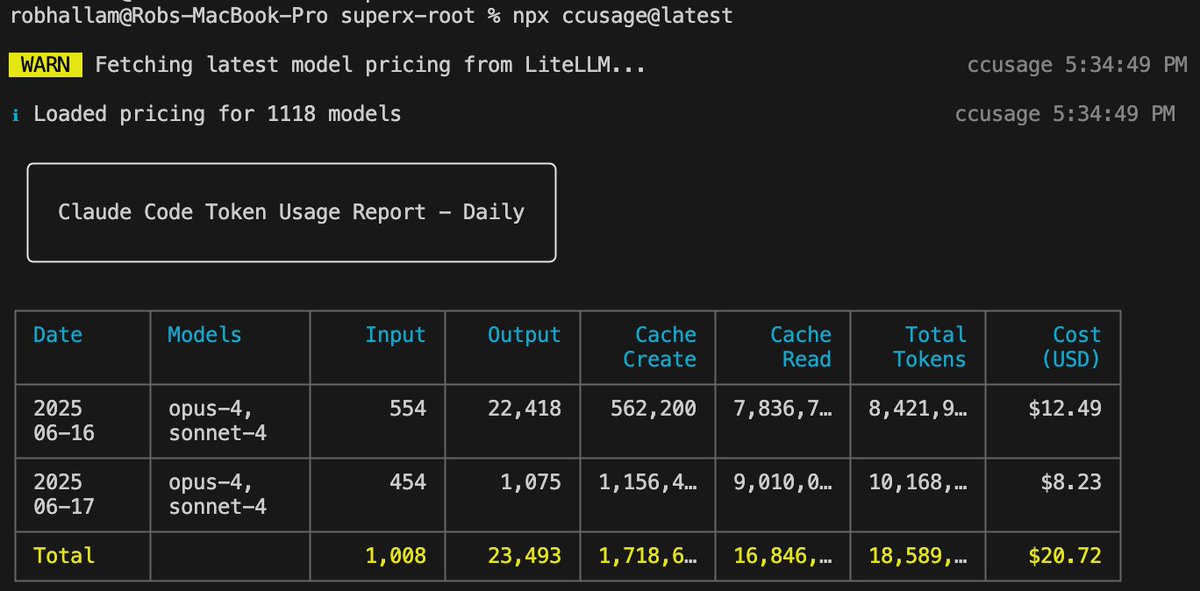
@AlexFinnX 8/ Track your usage (for fun) You see those people sharing their crazy usage costs? $6k+!? Fiind this out by running the following command: npx ccusage@latest This will get you a chart that looks like this:
@AlexFinnX Pro tip: 90% of AI "failures" are actually prompting failures Always plan first. Be specific. Tell Claude everything you know If you follow this workflow you will literally see your productivity explode Did I miss anything? Please share 👇