@robj3d3: I ditched Cursor for Claude Co...
@robj3d3
7 views
Jul 09, 2025
1
I ditched Cursor for Claude Code and it's absolutely insane 🤯
$1000s of API credits for just $100-200/month AND way better at following instructions
My complete guide to 10x your coding with Claude Code:
$1000s of API credits for just $100-200/month AND way better at following instructions
My complete guide to 10x your coding with Claude Code:
2
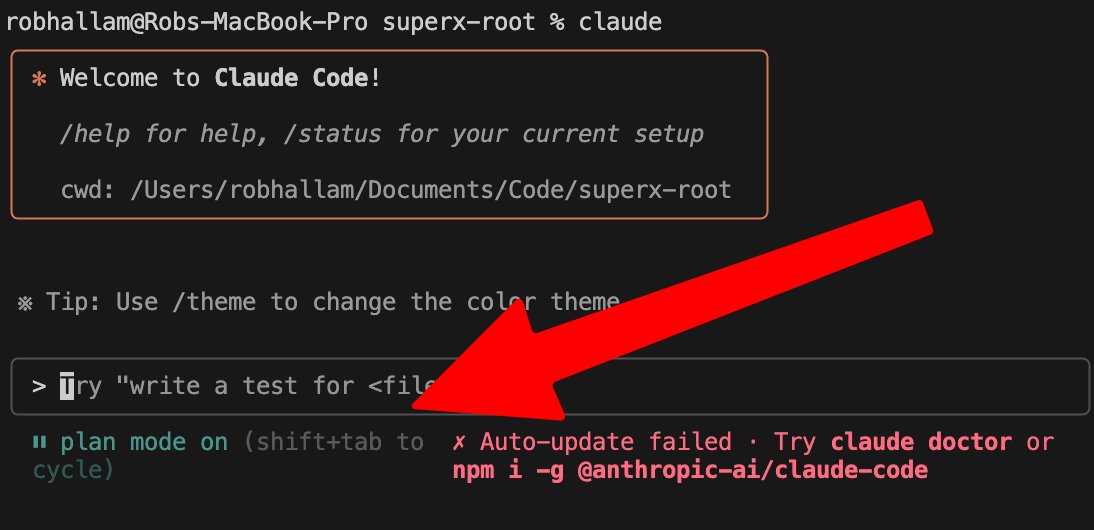
1/ Use Plan + Execution Mode (Shift+Tab)
Plan first with Opus 4 - it's the strategic thinker
Execute with Sonnet 4 - follows steps like a machine
This two-phase approach eliminates the chaos of "one-shot" coding attempts
Plan first with Opus 4 - it's the strategic thinker
Execute with Sonnet 4 - follows steps like a machine
This two-phase approach eliminates the chaos of "one-shot" coding attempts
3
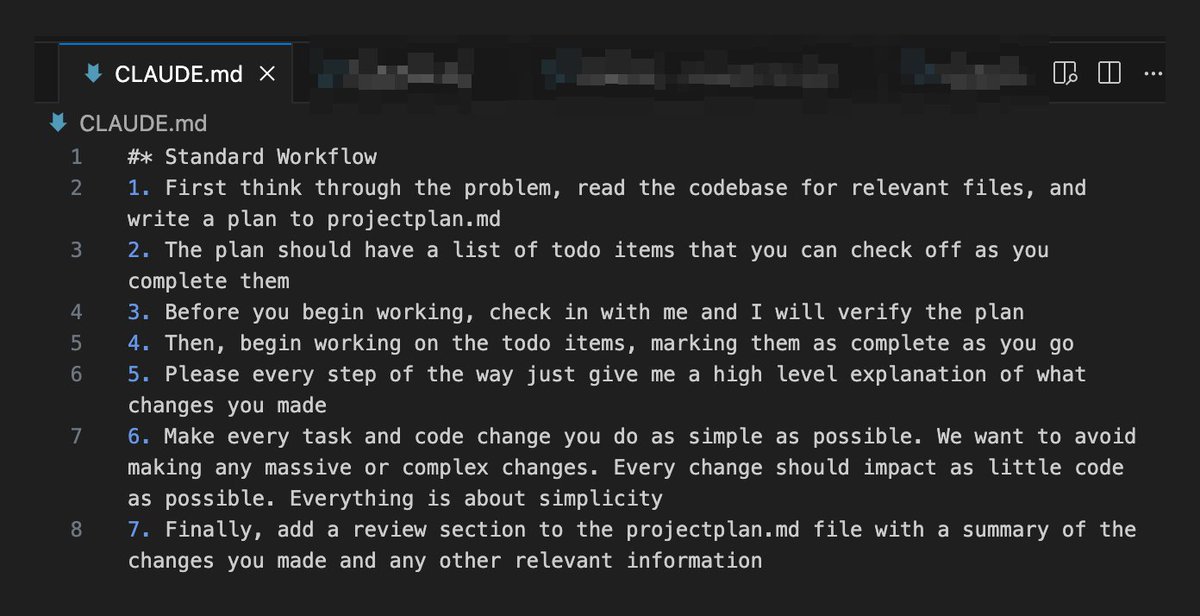
2/ Create a CLAUDE.md file in your root folder
Include a standard workflow that forces Claude to:
- Think through problems first
- Write plans to projectplan.md
- Check in before starting
- Mark TODOs as complete
- Keep changes simple
Credit to @AlexFinnX and @mckaywrigley for this
Include a standard workflow that forces Claude to:
- Think through problems first
- Write plans to projectplan.md
- Check in before starting
- Mark TODOs as complete
- Keep changes simple
Credit to @AlexFinnX and @mckaywrigley for this
4
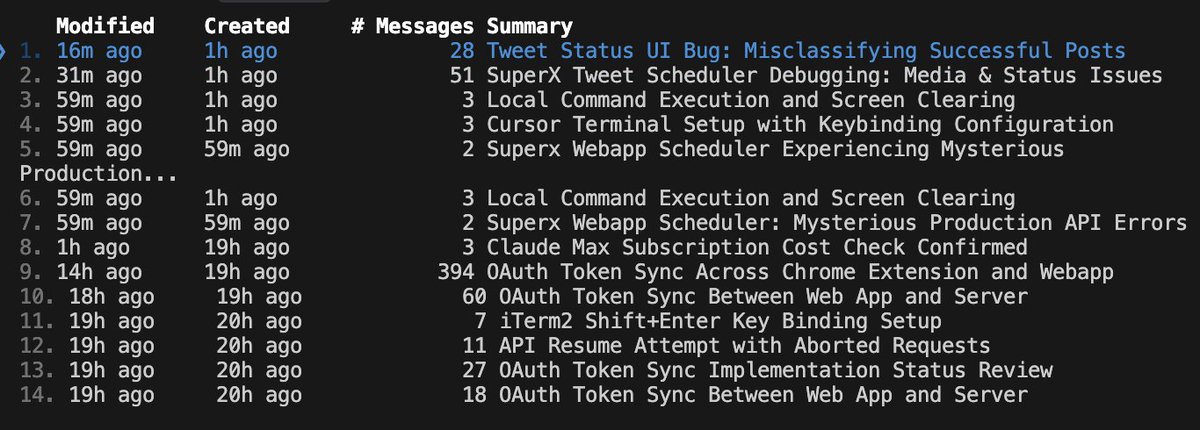
@AlexFinnX 3/ Master the --resume command
Fork old conversations to try different approaches
Maintain proper git hygiene by running git add . to stage often
You can easily restore code AND conversation context
It's like having multiple parallel universes of your project
Fork old conversations to try different approaches
Maintain proper git hygiene by running git add . to stage often
You can easily restore code AND conversation context
It's like having multiple parallel universes of your project
5
@AlexFinnX 4/ Use /clear frequently
Fresh context = better performance
Don't try to do everything in one conversation
Think of it like giving Claude a clean slate to think clearly instead of carrying baggage from 500 previous messages
Fresh context = better performance
Don't try to do everything in one conversation
Think of it like giving Claude a clean slate to think clearly instead of carrying baggage from 500 previous messages

6
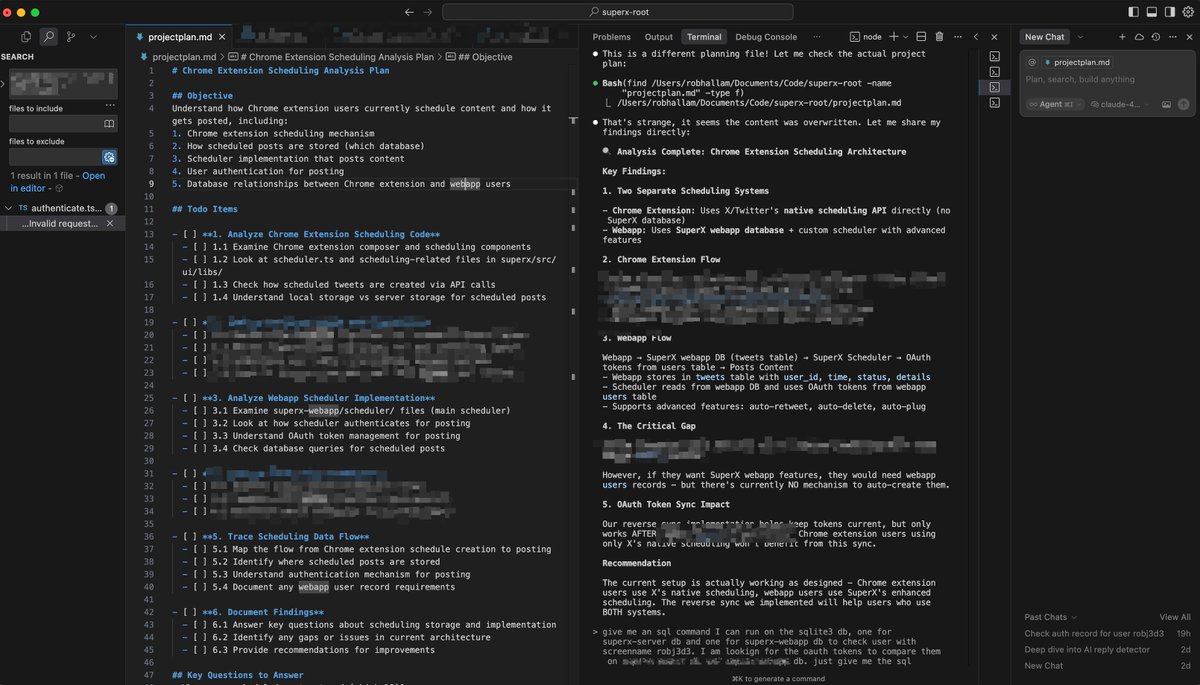
@AlexFinnX 5/ Run Claude Code INSIDE Cursor's terminal
Right-click on the terminal to switch panel position to 'Right'
Use Cursor chat for small tasks
Spin up background agents for research/bugs
Claude Code = your senior engineer
Background agents = your research interns
Right-click on the terminal to switch panel position to 'Right'
Use Cursor chat for small tasks
Spin up background agents for research/bugs
Claude Code = your senior engineer
Background agents = your research interns
7
@AlexFinnX 6/ Force Claude to read the docs
Working with third-party APIs? Give it the documentation link
Claude's training data might be outdated
Fresh docs = accurate implementation
Working with third-party APIs? Give it the documentation link
Claude's training data might be outdated
Fresh docs = accurate implementation
8
@AlexFinnX 7/ Speak your thoughts into existence
Use voice-to-text tools like SuperWhisper to convert speech-to-text
This way you don't have to type everything and can capture everything going on in your head without resistance
Use voice-to-text tools like SuperWhisper to convert speech-to-text
This way you don't have to type everything and can capture everything going on in your head without resistance

9
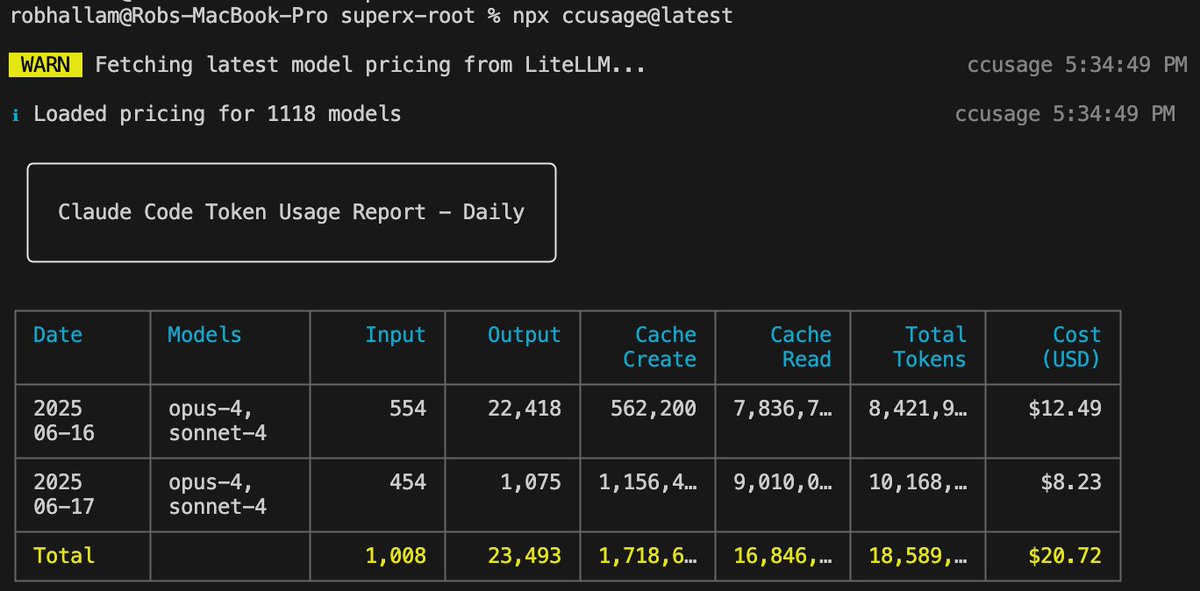
@AlexFinnX 8/ Track your usage (for fun)
You see those people sharing their crazy usage costs? $6k+!?
Fiind this out by running the following command:
npx ccusage@latest
This will get you a chart that looks like this:
You see those people sharing their crazy usage costs? $6k+!?
Fiind this out by running the following command:
npx ccusage@latest
This will get you a chart that looks like this:
10
@AlexFinnX Pro tip: 90% of AI "failures" are actually prompting failures
Always plan first. Be specific. Tell Claude everything you know
If you follow this workflow you will literally see your productivity explode
Did I miss anything? Please share 👇
Always plan first. Be specific. Tell Claude everything you know
If you follow this workflow you will literally see your productivity explode
Did I miss anything? Please share 👇