
Preparing for system design interviews can feel like climbing a mountain without a map. Unlike coding interviews where you can gain confidence by practicing data structures and algorithms on platforms like AlgoMonster, Exponent, and LeetCode, system design questions demand a mix of breadth and depth --- architecture principles, scalability patterns, trade-offs, and real-world application.
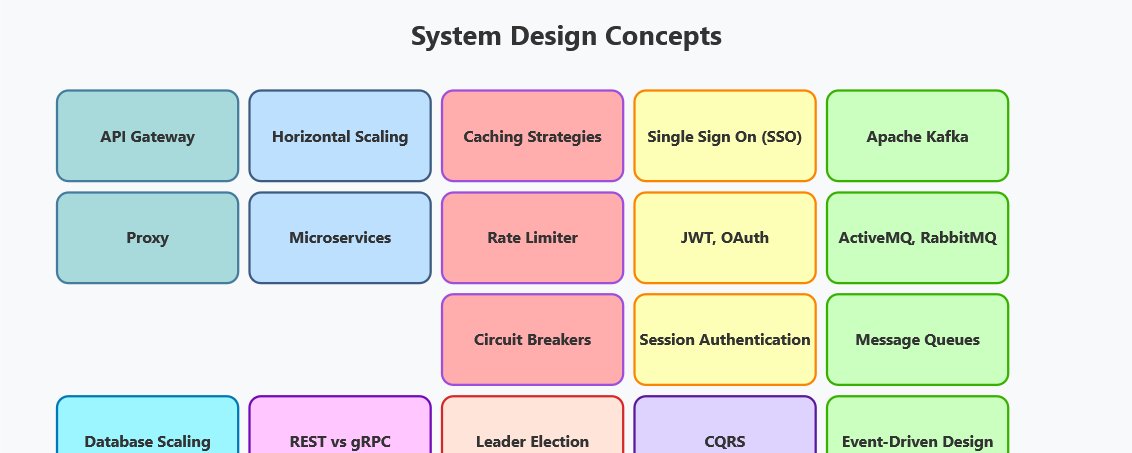
For me, this part of the interview loop was intimidating at first. I often felt lost in diagrams, unsure which concept to use where, and overwhelmed by the sheer vastness of distributed systems.
The turning point came when I started breaking the subject down into core concepts. Once I understood ideas like load balancing, caching, database sharding, CAP theorem, and message queues, everything else started to click into place.
Instead of memorizing solutions, I began recognizing patterns. That's when I realized system design isn't about giving a "perfect" architecture, but about reasoning through trade-offs with clarity.
What really accelerated my learning was leveraging structured resources. Books and visual explanations like ByteByteGo's System Design Course made the hardest concepts digestible with diagrams and case studies.
I also explored platforms such as Codemia.io and Bugfree.ai for hands-on interview prep and Exponent for mock interviews with engineers from top companies. Each helped me move from feeling clueless to confident, especially when facing open-ended system design questions at FAANG-level interviews.
In this article, I'll share the 20 core concepts that completely changed how I approach system design interviews. Mastering these will save you from confusion, help you build better mental models, and make those tough whiteboard sessions a lot less scary.
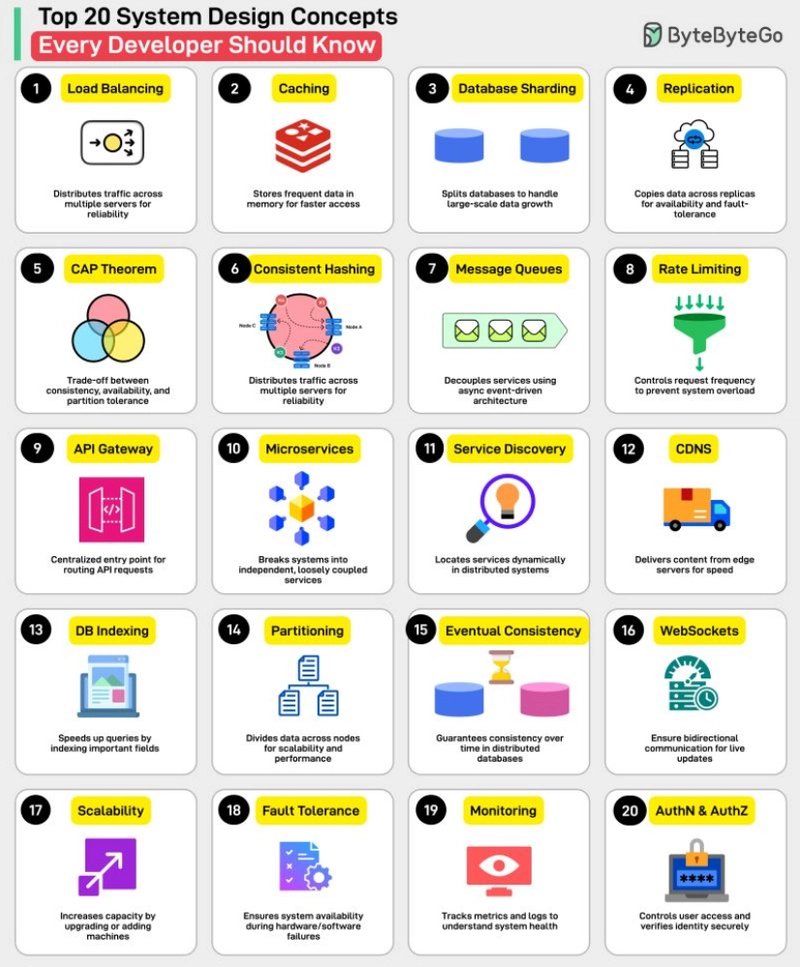
## Stop Failing System Design Interviews: Master These 20 Core Concepts First
Here are the 20 key concepts I learned and mastered by going through different System Design resources. Once you understand these concepts, half the battle is already one.
Think of load balancers as smart traffic directors for your application. They distribute incoming requests across multiple servers to prevent any single server from becoming overwhelmed.
Key insight: There are different types --- Layer 4 (transport layer) and Layer 7 (application layer). Layer 7 load balancers can make routing decisions based on content, while Layer 4 focus on IP and port information.
Real-world example: When you visit Amazon, a load balancer decides which of their thousands of servers will handle your request.
Here is a nice diagram from designgurus.io which explains the load balancer concept along with the API gateway, which we will see in a couple of seconds.
• Vertical Scaling (Scale Up): Adding more power to existing machines
• Horizontal Scaling (Scale Out): Adding more machines to the pool
Game-changer moment: Understanding that horizontal scaling is almost always preferred for large systems because it's more cost-effective and provides better fault tolerance.
Here is a visual guide from ByteByteGo which makes this concept crystal clear
Generated by Thread Navigator
Press ⌘ + S to quick-export