The smartest money-move of 2026: build her in 30 min, earn $1,500 per viral. System inside.

A face that doesn't exist can out-earn a real one.

One AI model, one warmed-up Instagram account, one video that hits 1,000,000 views. That funnel converts into 100 to 1,000 paid subscribers at $15 each. Do the math: $1,500 to $15,000 from a single clip. Subscriptions alone. Chatting revenue comes on top.
This is the full build: strategy, face creation, content pipeline, account warmup, promotion mechanics, monetization, and the real numbers. Every prompt is copy-paste ready.
Follow for more systems like this. Save this one. You'll come back to it.
The plan
1 · Strategy: 70–90% of your success is decided before you generate anything
Everything starts with the niche. Lock in the model's look and target audience before you touch a single tool. The concept decides 70–90% of your result.
Don't pick a face based on your own taste. Your first generated model will probably be a throwaway. That's normal. Create several variants, test them, keep the one that pulls, launch that one.
Before launch, scan the market:
Archetypes at the top right now
Build a detailed backstory
You are creating the illusion of a living person. The deeper the legend, the higher your odds. Use ChatGPT to flesh out the details.
The rule that matters: the money goes to the person who tries, breaks things, and learns the mechanics hands-on. Planners earn nothing. Start now, fix details as you go.
2. Creating the model (identity)
The most important stage. The gold standard for photorealistic faces is Nano Banana 2 / Nano Banana Pro from Google.
Open Google Labs Flow. Click Create with Flow. Sign in with your Google account.

Creative Fusion: one unique face from two references
Blending faces solves two problems at once: you dodge takedowns and you get a look nobody has seen.
Step 1. Find 2–3 photos of girls you like on Instagram or Pinterest (Pinterest queries: girl, cute girl, selfie).
Step 2. Upload 2 references into Flow.
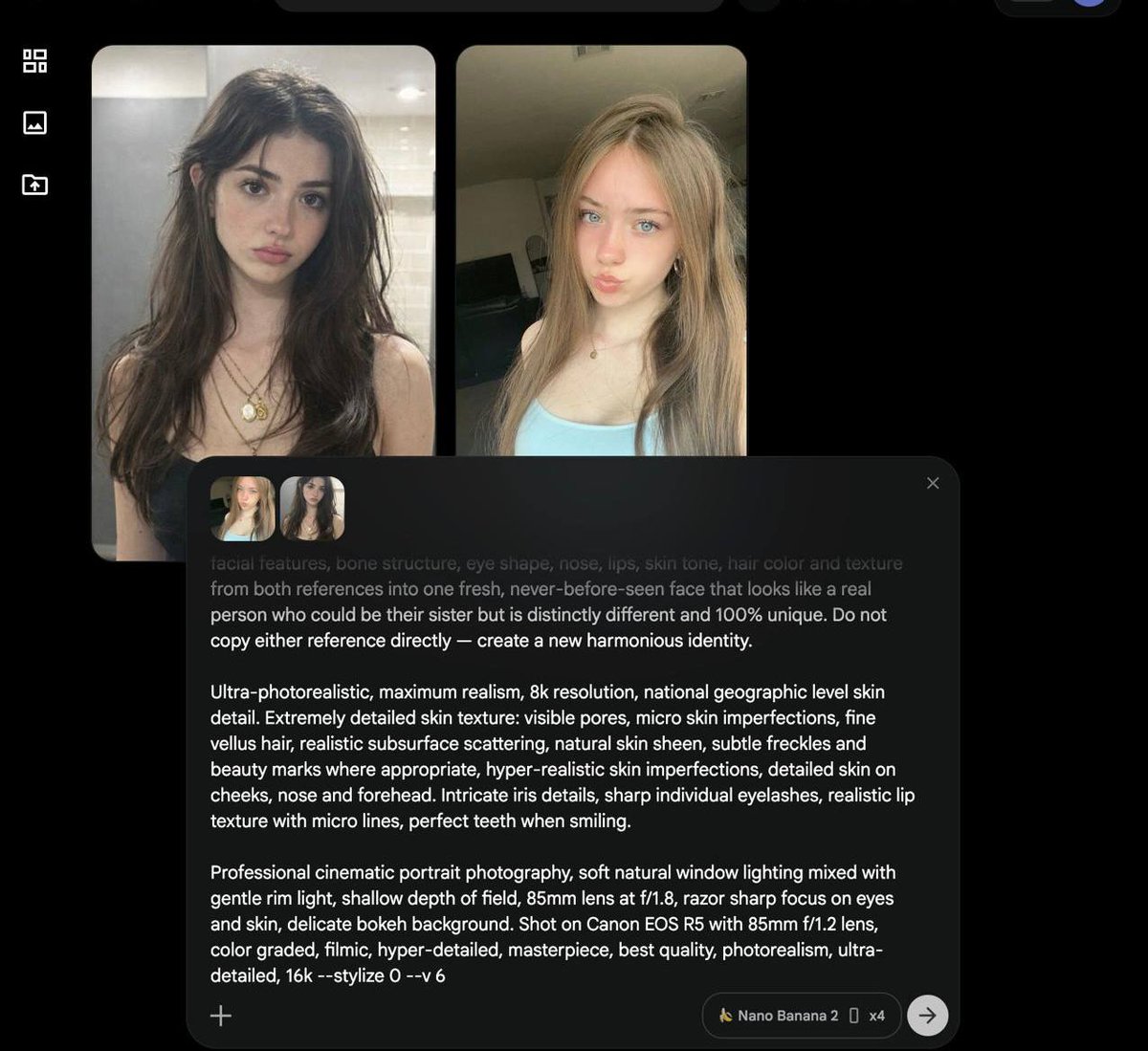
Step 3. Select Nano Banana 2 / Pro and your output size.
Step 4. Paste the master prompt:
Photorealistic portrait of a beautiful young woman in her early 20s.
Create a completely unique and original face by smart creative fusion of the two reference photos.
Blend facial features, bone structure, eye shape, nose, lips, skin tone, hair color and hairstyle from both references.
The result: one fresh, natural-looking girl.
A real person, never seen before.
Distinctly different from both references.
Realistic human identity.

Natural real-life photography.
No plastic skin.
No doll-like appearance.
No artificial smoothness.
Highly detailed natural skin texture with visible pores.
Subtle skin imperfections and natural micro-texture.
Realistic subsurface scattering.
Fine vellus hair.
Natural skin sheen, slight oiliness in the T-zone.
Natural freckles and small moles if it fits.
Authentic skin details on cheeks, forehead and nose.
Sharp detailed eyes with realistic iris patterns.
Natural eyelashes.
Realistic lip texture with fine lines.

Casual natural daylight portrait.
Soft even lighting.
Straightforward composition.
Sharp focus throughout the entire face.
No bokeh.
No blurred background.
Clear and clean background.
Shot on Sony A7R IV, 85mm lens, f/5.6.
Natural colors, zero stylization.
Documentary style photography.
Extremely detailed.
Hyperrealistic skin.
Maximum realism, best quality, raw photo, unedited look, 8k --stylize 0Lifehack: swap the reference photos around, or add specifics to the prompt (eye color, hair color). You'll end up with 2–3 perfect faces. Those become your dataset for LoRA training.
After 20–30 minutes of attempts, reference swaps, accessories, and refinements, we had 2 finished faces for the model.

Pick one, or run both. For a first launch, run one.
3. Content generation
Photos
Find a photo on social media that you like. The face doesn't matter. You're stealing the scene: the pose, the light, the frame. Upload the photo to Gemini, Grok, or ChatGPT with this prompt:
Analyze this photo.

Write a detailed prompt for generating a similar image.
Base it on my model's reference photo.

Describe only:
- Camera angle.
- The person's position and pose. In detail.
- Clothing.
- Lighting: light type, shadows.
- Frame composition.

Strictly forbidden: describing the face, hair, or age.

Refer to the person only as "the model" or "the girl".

Use professional photography language.
Here is a photo I liked:

Take the photo into any image model, paste the photo plus the prompt above.
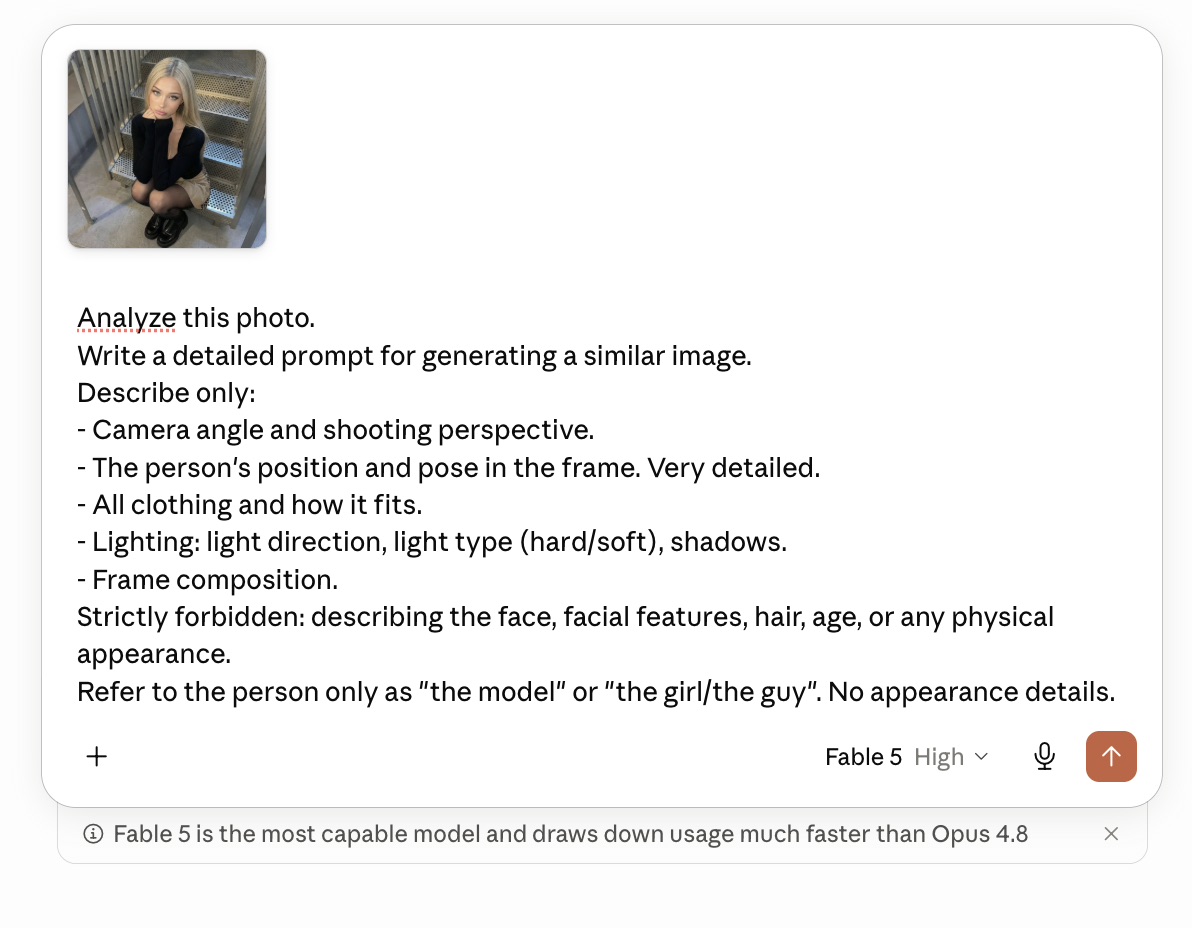
Critical: always append this tail to the generated description. It locks the face across generations:
Exact same woman as in the reference image.
Identical face.
Perfect face consistency.
Same facial features.
Same eye shape.
Same nose.
Same lips.
Same jawline.
Highly detailed face.
Photorealistic.
Face locked to reference.
Load that prompt plus your model's face photo into Flow (Nano Banana). The output beats the original.

Metadata scrubbing (technical hygiene)
Platform algorithms can flag AI content through metadata. Scrub every file before upload.
Location tip: give her a home. Find a room photo on Pinterest, use it as a reference alongside the model's face, and add:
Young woman with reference 1.
Standing in this room.
Perfect composition and perspective from reference.
Realistic.
Natural lighting.
A consistent room makes the character believable.
Video
Source your references from TikTok and Instagram. Generation tools:
The video pipeline:
Step 1. Screenshot a frame from the video reference.
Step 2. Ask the AI to describe the camera angle and lighting in that screenshot.

On the left is a screenshot from the video we saved; on the right is the generated photo, featuring a similar angle but showing our model.
Step 3. Generate a photo of your model in the same angle in Nano Banana (small deviations are fine; describe clothing and accessories in the prompt, or upload a clothing reference). Then open Kling.
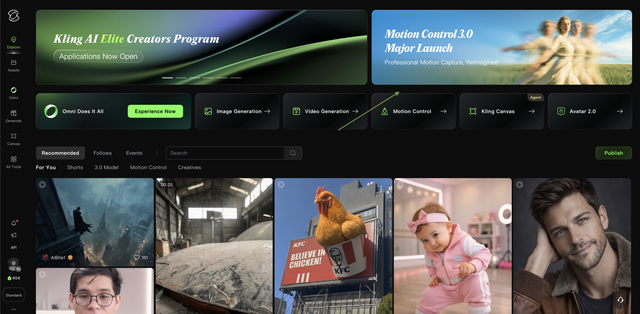
Step 4. In Kling AI: video reference in the left field, your model's generated photo in the second.
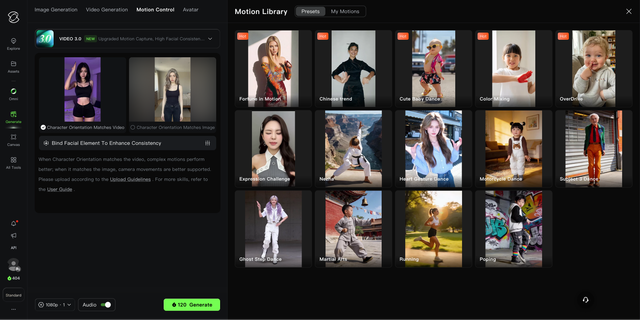
Step 5. Hit Generate. Out comes a finished video of your model, ready for upload.
4. Social accounts
Traffic is the blood of this project. Core platforms: Instagram, TikTok, Threads.
Shortcut first: an old account that already lived on your device is the perfect starting point. It's already trusted. Skip the warmup entirely and dodge the ban risk.
No old account? Run the 7-day warmup. The goal: act like a real, interested user until the algorithm assigns your account high trust.
Day 1 · First touch (10–15 min). Scroll the feed and Reels recommendations. Watch 10–15 videos and photos. Visit 2–3 profiles of similar models. CRITICAL: zero likes, follows, or comments. Don't close the app right after the session.
Day 2 · Deep watching (30–45 min). Watch target content (dance, lifestyle, girls) to the very end. Skip off-target content within 2–3 seconds. CRITICAL: still zero activity.
Day 3 · First activity. Keep watching Reels to the end. Like one post you enjoyed. Open the author's profile, watch 2–3 more videos. Follow 1–2 accounts. No more.
Day 4 · Tuning the feed. Scale up: 5–10 likes per day. Follows: 3–5 per day. Leave 1–2 natural comments. More profile visits, more full watches.
Day 5 · Bringing the profile alive. Set the avatar (your most realistic photo). Post the first Story with your model's photo. CRITICAL: the photo must be unique and metadata-scrubbed.
Day 6 · Locking in trust. Behave like a regular active user: like, watch stories, follow authors you enjoy. Spread the actions across the day. Don't burst.
Day 7 · First post. Publish the first Reel. Rules: unique video only (no re-uploads), zero NSFW at the start.
Rules for the first two weeks
5. Promotion: how the algorithm pays you in views
Stage 1: the test pool. Your first Reel on a warmed account gets an advance from Instagram and TikTok: a base 100–200 views. The platform tests your content on a small group to learn who wants it. On a clean, warmed account those views come from the regions you want (USA/UK/Europe), not junk locations.
Stage 2: retention decides everything. The video's fate rests on how those first 200 people react. A beautiful, unique, photoreal AI girl has a stop effect: the user scrolls, sees a perfect face, and freezes. Full watches (double watches are better), likes, saves. That combination tells the algorithm the content is quality.
Stage 3: the snowball. Good retention on 200 views and the algorithm widens the pool: first 1,000 views. Engagement holds: 10,000. Then the video enters Global Recommendations, where views run into the millions.
Why AI models outrun real ones
Consistency = algorithm trust
Organic reach rewards discipline. Post 1–2 Reels daily and the algorithm starts trusting the account, pushing it to new users more often. Your first 5 videos flop? The 6th can blow up and drag views onto every clip before it.
The mechanic in one line: your character is a free 24/7 ad. Every video is a fishhook pulling fans into the funnel: Instagram → Linktree → Fanvue/TG. More videos, more fish in the net.
6. Monetization: turning reach into hard currency
Your funnels bring traffic. Now move it where fans pay. Two core tools: Fanvue and Telegram.
The bridge link: build it on Linkme,Linktree, or Beacons. Put your Fanvue and Telegram links there. Telegram can also go straight into pinned Story highlights.
Warning: linking Fanvue in your Instagram bio gets you banned. Always route through the bridge.
The main channel: Fanvue
Fanvue is the most progressive OnlyFans alternative. The difference that matters: the platform officially allows and promotes AI models. No ban risk for using neural networks. The platform's own algorithms push virtual influencers.
7. The numbers: project economics

No salary ceiling in this niche. Income scales with reach and with how magnetic your character turned out.
7.1 Average check and subscriptions
7.2 Viral math
Organic reach is your free ad budget. One lucky Reel or TikTok can flip your finances overnight. The viral funnel:
Revenue from one viral video:
100 subscribers × $15 average sub = $1,500
1,000 subscribers × $15 average sub = $15,000
Subscriptions only. DM sales sit on top, and chatting is where the real money lives. Whale donors alone can send $10,000 a month in tips.
7.3 Income forecast by stage
Start (beginner) · months 1–2 · $300–$2,000/mo. Model creation, warmup, first 30–50 videos.
Steady growth · months 3–6 · $3,000–$15,000/mo. Regular content, loyal fan base, active chatting.
Top level · months 6–12 · $15,000–$50,000+/mo. Account network, multi-million viral videos, chatter team.
What it costs
No models. No photographers. No studio rent.
Why this works
Where it breaks
Five ways people kill this system before it pays:
The bottom line
Your character is a 24/7 sales agent. She never sleeps, never eats, and looks perfect in every frame. The more unique and interesting the model, the higher your conversion from a casual view to dollars in your account.
Links to every tool in this system (Flow, Kling, Higgsfield, Glam, EXIF cleaner) are in the comments below.
Found this useful? Hit follow.
Stay a step ahead. I'll help you get there.
Yours,@0xAIGOATexe
All tools from the system, in order of appearance:
Google Labs Flow (Nano Banana 2 / Pro) → labs.google/fx/tools/flow/
Kling AI → kling.ai/app/
Higgsfield → higgsfield.ai
Glam → glam.ai
EXIF cleaner (IMGonline) → imgonline.com.ua/delete-exif.php