Loop Engineering - My Current Setup in a Nutshell
Loop engineering is often explained in abstract terms.

Here is my concrete, current, and pragmatic implementation in a nutshell.
What is loop engineering?
Definitions of loop engineering differ in some details, but the common building blocks seem to be these:
My pragmatic setup
Sub-agents
I use SwarmForge by @unclebobmartin, which brings the idea of different roles, realized as separate agents.
I have an Architect, which prepares the plan, an Implementer, which only changes the production code, and a Verifier, which checks the result and writes the tests. This splits the responsibilities of planning, coding, and verification.
Furthermore, I have instructions that tell agents to use sub-agents for detailed analysis or research. For example, my Architect instructions include this:
## Research
If you require details from the code, do not read it directly. Use sub-agents instead.
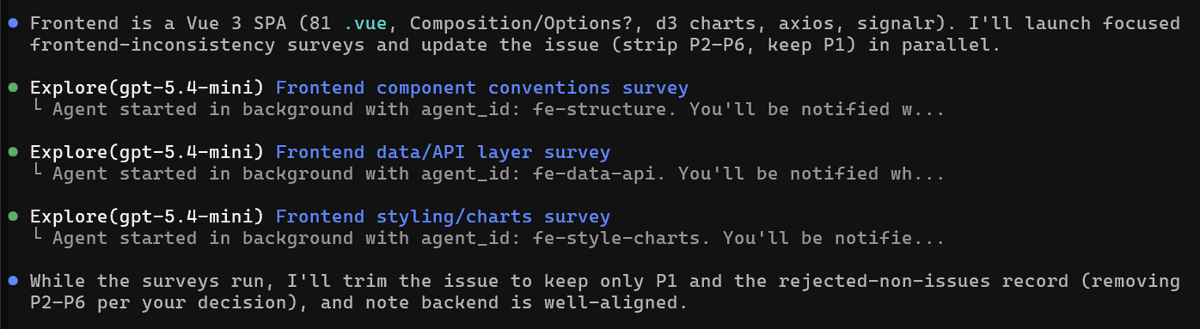
GitHub Copilot then seems to spawn temporary sub-agents automatically for different tasks, such as analysis and verification of details. When I watch my team working, I see those temporary sub-agents being used quite a bit.
Worktrees
SwarmForge provides dedicated workspaces for each role or agent.
Its tooling creates and maintains a dedicated worktree and branch for each agent. It also provides instructions to keep agents disciplined in that regard.
State
The overall state of my loop is persisted in tickets: simple Markdown files inside the repository. Open tickets show which work still needs to be done. Completed tickets are simply deleted.
The details and slices of the current ticket are persisted in an _implementation plan_. It is written by the Architect and read by the rest of the team. It is stored as a Markdown file in a shared folder called `agent_context`.
Internally, the team also maintains a logbook. I only gave them the instruction to keep track of handoffs and status. I never look into this file. They use it for coordination.
Skills
My skills mostly describe capabilities and reusable workflow steps.
Many people bundle factual knowledge with skills, but I like to keep descriptions of the domain and architecture separate in my knowledge base. The same is true for guidelines like “how to write good Gherkin specs”.
So I only have a few skills, for example:
Plugins and connectors
I do not have any actual CLI plugins or MCP servers yet.
There is simply no need for them right now. All relevant artifacts, such as tickets, the knowledge base, and code, can be accessed directly by my agents through the file system.
However, my AI team wrote quite a few scripts and tools over the recent weeks. Those tools help with codebase discovery, regression checks, and team workflow. What exactly those tools do is something I will share in a later article.
Automations
I do not use an external trigger or scheduler yet, mostly because I still do the final review and approval manually. If everything ran fully automatically, I would probably end up with a long pile of unapproved work.
What I do instead is simpler: I put a certain amount of tickets on “ready”. Then I tell the team to process them according to priority. And they do, except for high-risk changes, where they have to ask for my approval first. That assessment is done by the Architect.
How I work
My "loop" does not run without me yet.
But my role has changed a lot.
I almost stopped coding directly. I also spend less time explaining individual coding steps. I write tickets for new features and improvements, and I review the final outcome. In most cases, I simply approve it. In some cases, I write more tickets for the review feedback.

So the value is not full autonomy.
The value is that more and more of my work moves from doing individual changes to improving the system that delivers those changes.
Now I am interested in your thoughts 😉