@eng_khairallah1: Every single result you get fr...
Every single result you get from Claude starts with one thing. Your prompt.
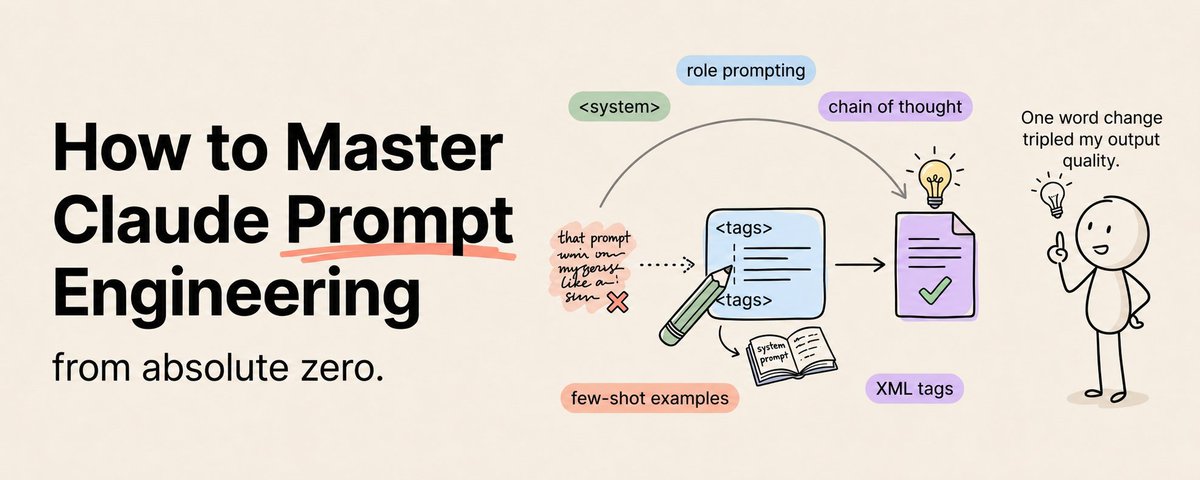
Save this :)
A mediocre prompt produces mediocre output. A precise prompt produces precise output. The model is the same. The subscription is the same. The only variable is how you communicate with it.
And most people are terrible at it.
Not because they are dumb. Because nobody taught them. They type whatever comes to mind, press enter, and hope for the best. When the result is not great, they blame the model instead of the prompt.
Prompt engineering is the single highest-leverage skill in AI right now. It costs nothing to learn. It takes no technical background. And the difference between beginner-level prompting and expert-level prompting is the difference between a tool that "kind of helps" and a tool that transforms how you work.
This is the complete course. Zero to expert. Every technique that matters, explained with examples.
Level 1: The Foundation (What 90% of People Get Wrong)
The Single Biggest Mistake
Most people write prompts like this:
"Write me a blog post about AI trends."
This is like walking into a restaurant and saying "give me food." You will get something. It might even be edible. But it will not be what you wanted because you did not say what you wanted.
The fix is specificity. Every element you leave unspecified is an element Claude has to guess. And Claude's guesses are not your preferences.
Here is the same request, done right:
"Write a 1,500-word blog post about the three most important AI trends in enterprise software for 2026. My audience is VP-level decision makers at mid-market SaaS companies. Tone should be authoritative but conversational — like a knowledgeable colleague, not a textbook. Include specific company examples and data points for each trend. Open with a hook that challenges a common assumption. Close with three actionable next steps. Do not use phrases like 'in today's rapidly evolving landscape' or 'it's important to note.'"
Same model. Same subscription. Completely different output. The only difference is the prompt.
The Five-Part Framework
Every expert prompt has five components. Miss any one and the output suffers.
1. Role — who is Claude in this interaction? "You are a senior product marketing manager with 10 years of experience in B2B SaaS" gives Claude a perspective to write from. Without a role, Claude defaults to "generic helpful assistant" which is nobody's ideal voice.
2. Context — what does Claude need to know? Your industry. Your audience. Your project. Your goals. The more relevant context Claude has, the more tailored the output.
3. Task — what exactly do you want? Not approximately. Exactly. "Analyze this" is vague. "Identify the top three risk factors in this contract, explain why each one matters, and suggest specific language changes to mitigate each risk" is exact.
4. Format — what should the output look like? A bullet list? Flowing prose? A table? An email? A report with sections? If you do not specify format, Claude will pick one that may or may not match what you need.
5. Constraints — what should Claude NOT do? "Do not exceed 500 words. Do not use jargon. Do not add caveats or disclaimers. Do not use the passive voice." Negative constraints are the fastest way to eliminate generic AI-sounding output.
Memorize this framework. Use it on every prompt. Your output quality will improve immediately.
Level 2: Intermediate Techniques
Technique 1: Give Examples
One example is worth ten paragraphs of instructions.
Instead of describing the format you want in abstract terms, show Claude a concrete example:
"Here is an example of the output format I want:
Trend: Edge Computing AdoptionWhat is happening: Companies are moving inference workloads from cloud to edge devices, reducing latency from 200ms to under 10ms. Why it matters: For real-time applications like autonomous vehicles and industrial robotics, this latency reduction is the difference between viable and non-viable. Who is doing it: Tesla (Dojo chips), Apple (Neural Engine), Qualcomm (AI Hub). What to watch: Whether cloud providers respond with hybrid edge-cloud offerings or cede this market.
Now write three more trend sections following this exact format."
Claude pattern-matches against examples more accurately than it interprets abstract descriptions. Always show, do not just tell.
Technique 2: Chain Your Prompts
Complex tasks produce better results when broken into steps.
Do not ask Claude to research, analyze, outline, and write a complete report in one prompt. Break it into four prompts:
Prompt 1: "Research the top 5 developments in [topic] from the last 3 months. For each, give me a 2-sentence summary and the source."
Prompt 2: "Based on these findings, identify the 3 most significant trends. For each trend, explain the driving forces and potential implications."
Prompt 3: "Create an outline for a report on these trends. Include an executive summary section, a detailed section for each trend, and a recommendations section."
Prompt 4: "Write the full report based on this outline. Match my writing style [reference examples in project]. Target 2,000 words."
Each step builds on the previous one. Quality compounds with each step because Claude is working with refined input instead of trying to do everything from scratch.
Technique 3: The Negative Constraint Stack
Sometimes the fastest path to great output is eliminating everything bad.
"Do NOT use filler phrases. Do NOT start sentences with 'It is important to note' or 'In conclusion.' Do NOT use the words 'leverage,' 'synergy,' 'paradigm,' or 'ecosystem.' Do NOT add unnecessary caveats or hedge language. Do NOT use the passive voice. Do NOT repeat points you have already made."
Stack six to ten negative constraints and the output instantly sounds less like AI and more like a real person with actual opinions.
Technique 4: The Self-Evaluation Loop
"After writing your response, rate it from 1-10 on three criteria: accuracy, clarity, and usefulness to my specific audience. If any score is below 8, improve it. Show only the improved version."
This is significantly more effective on Opus 4.7 than on earlier models because of the improved self-verification capability. Claude catches its own weak spots and fixes them before you even see them.
Technique 5: Context-First Ordering
Put your reference material ABOVE your instructions. Not below.
Bad: "Summarize the key findings from this data. [500 lines of data]" Good: "[500 lines of data] Based on the above, summarize the 3 key findings most relevant to a Series B fundraise."
Anthropic's own testing shows this ordering produces better results because Claude processes the context before receiving the instruction, rather than having to hold the instruction in memory while reading through the context.
Level 3: Expert Techniques
Technique 6: XML Structure
Claude was trained on structured prompts. XML tags are its native language.
<role>You are a senior financial analyst specializing in SaaS metrics</role>
<context>I am preparing for a board meeting next Tuesday. The board includes three investors who care primarily about growth efficiency metrics.</context>
<task>Analyze the attached financial data and create a board-ready summary</task>
<output_format>
  - Executive Summary (3 sentences)
  - Key Metrics Table (ARR, growth rate, burn multiple, CAC payback, NRR)
  - Three areas of strength with supporting data
  - Two areas of concern with recommended actions
  - Appendix with methodology notes
</output_format>
<constraints>
  - No speculation or forward-looking projections without labeling them as estimates
  - Use specific numbers, not approximations
  - Total length under 1,500 words excluding the appendix
</constraints>
XML prompts produce more consistent, structured output than natural language prompts because they eliminate ambiguity about where one instruction ends and another begins.
Technique 7: Multi-Persona Debate
"Analyze this business decision from three perspectives: Persona 1: The growth-focused CEO who wants to move fast and capture market share. Persona 2: The risk-averse CFO who cares about unit economics and runway. Persona 3: The customer advocate who cares only about whether this improves the user experience.
Each persona makes their strongest case in 3-4 sentences. Then synthesize a recommendation that accounts for all three perspectives, identifying the key trade-offs."
This technique produces dramatically richer analysis than asking Claude to simply "analyze" something because it forces consideration of multiple angles.
Technique 8: Graduated Difficulty
Start with a simple version of the task. Then escalate.
"First, give me the 3 key points from this document in one sentence each." [Claude responds] "Good. Now expand point 2 into a full paragraph with specific supporting evidence." [Claude responds] "Now write a counter-argument to point 2 that a skeptic would raise, and then rebut it."
Each step builds on the previous one and goes deeper. The final output is more nuanced than anything a single prompt would have produced.
Technique 9: Iterative Refinement
The best prompt engineers do not expect perfection on the first try. They expect a good starting point and then refine.
"This is 70% of the way there. Here is what needs to change:
Specific, numbered feedback produces specific improvements. Vague feedback like "make it better" produces random changes.
Technique 10: The Master Prompt Template
Here is the template that expert users keep saved and customize for every major task:
<role>[Specific expert identity]</role>
<context>[Background on the project, audience, and situation]</context>
<task>[Precise description of what to produce]</task>
<examples>[2-3 examples of the desired output quality and format]</examples>
<output_format>[Exact structure of the deliverable]</output_format>
<quality_criteria>[What "excellent" looks like for this specific output]</quality_criteria>
<constraints>[5-10 specific things to avoid]</constraints>
<verification>[Ask Claude to self-evaluate against the quality criteria before delivering]</verification>
Fill this template once per task type. Save it. Reuse it. Customize the variables. Your prompts will be more structured, more consistent, and more effective than anything you could write from scratch each time.
Technique 10: The Master Prompt Template
Here is the template that expert users keep saved and customize for every major task:
<role>[Specific expert identity]</role>
<context>[Background on the project, audience, and situation]</context>
<task>[Precise description of what to produce]</task>
<examples>[2-3 examples of the desired output quality and format]</examples>
<output_format>[Exact structure of the deliverable]</output_format>
<quality_criteria>[What "excellent" looks like for this specific output]</quality_criteria>
<constraints>[5-10 specific things to avoid]</constraints>
<verification>[Ask Claude to self-evaluate against the quality criteria before delivering]</verification>
Fill this template once per task type. Save it. Reuse it. Customize the variables. Your prompts will be more structured, more consistent, and more effective than anything you could write from scratch each time.
The 5 Prompts That Produce the Best Results Across Any Use Case
If you want a head start, here are five ready-to-use prompts that consistently produce excellent output:
The Analysis Prompt: "You are a [domain] analyst with 15 years of experience. Analyze [subject] and identify the 3 most significant [insights/risks/opportunities]. For each one, provide: (1) a clear statement of what it is, (2) specific evidence supporting your claim, (3) why it matters for [audience], and (4) a recommended action. Use specific numbers wherever possible. Do not hedge or add unnecessary caveats."
The Writing Prompt: "You are a professional writer whose work has been published in [relevant publication]. Write a [format] about [topic] for [audience]. Open with a hook that [challenges an assumption / presents a surprising fact / tells a specific story]. Use short paragraphs. Every sentence should either teach something, prove something, or move the reader forward. Do not use filler phrases, corporate jargon, or passive voice. Target [word count] words."
The Decision-Making Prompt: "I need to decide between [Option A] and [Option B]. Here is my situation: [context]. Analyze each option across these criteria: [criteria 1], [criteria 2], [criteria 3]. For each criterion, rate each option on a 1-10 scale and explain the score in one sentence. Then give me your overall recommendation with a confidence level (high/medium/low) and identify the one piece of additional information that would most change your recommendation."
The Problem-Solving Prompt: "I am experiencing [problem]. Here is what I have tried so far: [attempts]. Here is what I know about the root cause: [knowledge]. Diagnose the most likely cause. Propose three possible solutions ranked by likelihood of success. For each solution, estimate the effort required and the probability it will work. Recommend the best path forward."
The Feedback Prompt: "Review [my work] against these quality criteria: [criteria]. For each criterion, rate from 1-10 and explain specifically what works and what does not. Identify the single highest-impact improvement I could make. Rewrite the weakest section to show what "excellent" looks like. Be direct — I prefer harsh truth over gentle encouragement."
Save these five prompts. Customize the bracketed variables for each use case. You now have expert-level templates for the five most common AI tasks.
The Honest Truth About Prompt Engineering
It is not about memorizing tricks. It is about clarity of thought.
Writing a great prompt requires you to know exactly what you want, exactly who your audience is, exactly what "good" looks like, and exactly what problems to avoid.
Most people cannot write great prompts because they have not done that thinking yet. They are unclear about what they want and they expect Claude to figure it out.
The best prompt engineers are not the best typists. They are the clearest thinkers.
Every technique in this article is really a thinking technique disguised as a formatting technique. XML tags force you to separate your instructions into clear categories. Negative constraints force you to articulate what you do not want. Examples force you to define what "good" actually looks like.
The prompt is just the artifact. The thinking is the skill.
Start with the Five-Part Framework today. Use it on your next five prompts. You will see the difference immediately. Then add one new technique per week until all ten are second nature.
Follow me @eng_khairallah1 for more AI courses and breakdowns. I post content like this every week.
hope this was useful for you, Khairallah ❤️