@AnatoliKopadze: ---...
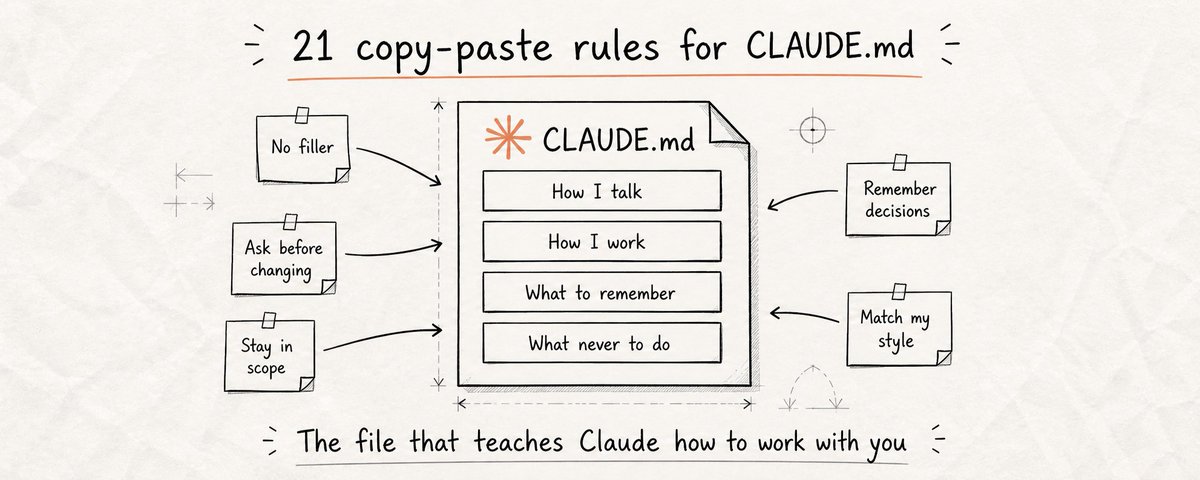
A single CLAUDE.md file just hit #1 on GitHub Trending with 82,000 stars and 7,800 forks.
Most people using Claude have never heard of it. The ones who have don't know what to actually put in it.
That gap is costing people hours every single week.
Every time you open a new Claude session, it starts with zero memory. It doesn't know your name, your work, your preferences, or how you like things done. You spend the first few minutes re-explaining everything, or you don't, and Claude gives you something that doesn't fit how you actually work. CLAUDE.md fixes this permanently.
Why this matters for everyone - not just developers
Most people think CLAUDE.md is a developer tool. It's not. It's an instruction file that Claude reads automatically at the start of every session and it works for anyone who uses Claude regularly.
Writers use it to lock in their voice and tone so Claude never sounds like someone else. Marketers use it to define their audience so Claude stops writing generic copy. Researchers use it to set how they want information structured. Business owners use it to give Claude the full context of their company so every output fits their reality.
Without CLAUDE.md, you are starting from zero every single session. You repeat yourself. You correct the same mistakes. You explain your preferences for the hundredth time.
CLAUDE.md is the first thing you should set up before any serious work with Claude, regardless of what you use it for.
How to create the file - takes 2 minutes
How Claude Talks to You
1 - Kill the filler
Claude's default is to open every response with "Great question!", "Of course!", "Certainly!", "Absolutely!" - phrases that add nothing and waste your time. When you're using Claude for hours every day, this friction compounds.
One instruction eliminates it permanently. Every response starts directly with the answer. No warmup, no performance of helpfulness - just what you asked for, immediately.
```
Never open responses with filler phrases like "Great question!", "Of course!", "Certainly!", "Absolutely!", "Sure!", or similar warmups.

Start every response with the actual answer.
No preamble, no acknowledgment of the question.
Just the information.
```
2 - Always show options before acting
Claude picks one approach and runs with it by default. You ask it to rewrite a paragraph and it changes the entire tone of the piece. You ask it to restructure a document and it reorganizes things in a way that doesn't match how you think. Now you're correcting something you didn't ask to change.
This instruction changes that dynamic entirely. Before any significant task, Claude shows you 2-3 ways it could approach the work. You choose the direction that fits. What follows is what you actually wanted.
```
2.Always show options before acting
Claude picks one approach and runs with it by default. You ask it to rewrite a paragraph and it changes the entire tone of the piece. You ask it to restructure a document and it reorganizes things in a way that doesn't match how you think. Now you're correcting something you didn't ask to change.

This instruction changes that dynamic entirely. Before any significant task, Claude shows you 2-3 ways it could approach the work. You choose the direction that fits. What follows is what you actually wanted.
```
3 - Be honest when you don't know
Claude will give you a confident, detailed, completely wrong answer before it admits uncertainty. It fills gaps with plausible-sounding information, dates, statistics, quotes, facts, that feel true but aren't. You use that information, and the problem shows up later when it matters most.
This single instruction changes that behavior. Claude flags uncertainty before answering instead of hiding it inside a confident response. "I'm not sure about this" at the top of a response saves you from building on a foundation that isn't there.
```
If you are uncertain about any fact, statistic, date, quote, or piece of information, say so explicitly before including it.

"I'm not certain about this" is always better than presenting a guess as a fact.

Never fill gaps in your knowledge with plausible-sounding information.
When in doubt, say so.
```
4 - Match length to what's actually needed
Ask Claude a simple question and it writes four paragraphs. Ask it to write something complex and it gives you a skeleton that looks complete but isn't. Neither is useful. Response length should match what the task actually requires, short when the answer is short, detailed when the work demands depth.
This instruction calibrates that relationship. No more padding on simple questions, no more shallow output on work that needs real substance.
```
Match response length to task complexity.

Simple questions get direct, short answers.
Complex tasks get full, detailed responses.

Never compress or summarize work that requires real depth.
Never pad responses with restatements of the question or closing sentences that repeat what you just said.
```
How Claude Behaves
5 - Ask before making big changes
You ask Claude to fix one paragraph and it rewrites the entire document. You ask it to shorten something and it removes sections you needed. You ask it to adjust the tone and it changes the structure too. Every time, you lose something you didn't want to lose, and have to rebuild it from memory or an earlier version.
This instruction turns every significant change into a checkpoint. Claude stops, tells you exactly what it's about to do, and waits for your yes before touching anything. The work that follows is the work you agreed to.
```
Before making any change that significantly alters content I've already created (rewriting sections, removing paragraphs, restructuring the flow, changing tone), stop completely.

Describe exactly what you're about to change and why.
Wait for my confirmation before proceeding.

"I think this would be better" is not permission to change it.
```
6 - Stay focused on what was asked
Ask Claude to fix one thing and it will "improve" five others while it's in there, adjusting your phrasing, reorganizing your structure, rephrasing sentences you were happy with. Sometimes those changes are improvements. Often they're not. And now you have to sort through everything to find what actually changed.
This instruction keeps Claude on task. Fix what was asked. Leave everything else exactly as it is. If something else looks worth addressing, mention it, but don't touch it without being asked.
```
Only change what I specifically asked you to change.

Do not rewrite, rephrase, restructure, or "improve" anything I didn't ask about, even if you think it would be better.

If you notice something that could be improved elsewhere, mention it at the end of your response.
Do not touch it unless I explicitly ask you to.
```
7 - Always tell me what you changed
Claude finishes a task and you're left scanning the output trying to figure out what's different from what you had before. Which sections changed? Did it cut anything? Did it add something you didn't ask for? Without a summary, you're doing a manual diff every single time.
This instruction makes Claude close every task with a brief summary: what changed, what stayed the same, and anything that needs your attention. You stay in control of your own work.
```
After completing any editing or writing task, always end with a brief summary:
- What was changed: [description]
- What was left untouched: [if relevant]
- What needs my attention: [anything requiring a decision or review]

Keep it short. This is a status update, not a recap of everything you just did.
```
8 - Never take actions on my behalf without asking
As AI tools become more connected, to your email, calendar, social accounts, documents, the risk of Claude taking an action you didn't fully intend grows with every new integration. Sending a message. Posting content. Sharing a document. Scheduling something. These actions have real consequences and they happen fast.
This instruction creates a hard wall. No matter what Claude thinks you want, no action with external consequences happens without you explicitly saying yes in that specific moment.
```
Never send, post, publish, share, or schedule anything on my behalf without my explicit confirmation in the current message.

This includes:
- Emails
- Social posts
- Calendar invites
- Document shares
- Any action that affects something outside this conversation

"You mentioned wanting to do this" is not confirmation.
I must say yes in the current message.
```
Your Context
9 - Tell Claude who you are and what you know
Claude doesn't know if you're an expert or a beginner, a founder or a freelancer, someone who wants technical depth or plain language. Without that context, it guesses, and it's wrong as often as it's right. Sometimes it explains things you've known for years. Sometimes it skips context you actually need.
One paragraph about who you are calibrates every response Claude gives you from that point forward. It stops treating you like a stranger and starts talking to you like someone who actually knows you.
```
About me:
- Name: [Your Name]
- Role: [what you do, writer, founder, marketer, researcher, etc.]
- Background: [relevant experience or knowledge level]
- Strong in: [topics or areas you know well, skip the basics here]
- Still learning: [areas where you need more context and explanation]

Adjust the depth of every response to match this background. Never over-explain what I already know. Never skip context I need.
```
10 - Give Claude the context of what you're working on
Every session, Claude starts with no idea what you're working on, who it's for, or what actually matters. It gives you generic output because it has no other choice. It doesn't know your audience. It doesn't know your goals. It doesn't know the constraints that shape every decision you make.
A short context paragraph changes everything. Suggestions stop being generic and start fitting your actual situation. Claude knows who it's writing for, what tone is right, and what tradeoffs matter to you specifically.
```
What I'm working on:
- Project: [one sentence description of what this is]
- Goal: [what success looks like]
- Audience: [who this is for and what they care about]
- Tone: [how the writing or output should feel, casual, professional, direct, conversational, etc.]
- What to avoid: [anything that doesn't fit, jargon, certain topics, specific styles]

Apply this context to every task. When something doesn't fit this picture, flag it before proceeding.
```
11 - Lock in your voice and style
Claude has a default writing style. It's fine. It's also not yours. It uses certain phrases, structures sentences a particular way, and has a tone that doesn't match how you actually communicate. Every time you use Claude to write something, you end up editing it back toward your voice anyway.
Define your voice once in CLAUDE.md and Claude writes in it from the first draft. Less editing. More output that actually sounds like you.
```
My writing style, always match this:
- Voice: [e.g. direct, conversational, confident, no-fluff]
- Sentence length: [e.g. short and punchy / long and detailed / mixed]
- Words I use: [phrases or vocabulary that sound like me]
- Words I never use: [words or phrases that don't fit my style]
- Format preference: [e.g. paragraphs only / bullet points / headers / no headers]

When writing anything on my behalf, match this style exactly. Do not default to your own patterns.
```
Memory & Continuity
12 - Make Claude keep a memory file
Claude forgets everything between sessions. Every conversation starts fresh. But Claude can write files, and files persist. This instruction tells Claude to maintain a MEMORY.md file with every important decision you make together: what was decided, why, and what alternatives were considered and rejected.
At the start of each session, Claude reads that file. Suddenly it knows why you made the choices you made two months ago. It stops re-suggesting things you already tried. It builds on your decisions instead of contradicting them.
```
Maintain a file called MEMORY.md. After any significant decision, about direction, format, content, approach, or strategy, add an entry:

## [Date], [Decision]
**What was decided:** [the choice made]
**Why:** [the reasoning]
**What was rejected:** [alternatives considered and why they were ruled out]

Read MEMORY.md at the start of every session before doing anything. Never contradict a logged decision without flagging it first.
```
13 - End-of-session summary, never lose progress
You close the session. You come back two days later. You spend 15 minutes reading old messages trying to remember where you were, what you finished, and what you were in the middle of. This is a completely avoidable waste that happens to almost everyone who uses Claude regularly.
This instruction makes Claude write a session summary to MEMORY.md before you wrap up. Next session opens with full context. You pick up exactly where you left off without reconstructing anything from scratch.
```
When I say "session end", "wrapping up", or "let's stop here", write a session summary to MEMORY.md:

## Session Summary, [Date]
**Worked on:** [what we focused on]
**Completed:** [what's finished]
**In progress:** [what's started but not done]
**Decisions made:** [key choices from this session]
**Next session:** [what to pick up first and any important context to carry forward]
```
14 - Log what didn't work, stop solving the same problem twice
You try a prompt approach for a piece of content. It takes four attempts to get something usable. Three weeks later you're back with a similar task and Claude starts over with the same bad suggestions. The same trial and error, the same wasted time, from the beginning.
An error log breaks that loop. Every approach that failed gets documented, what you tried, why it didn't work, what finally did. Next time Claude checks the log first and skips straight to what's known to work.
```
Maintain a file called ERRORS.md. When an approach takes more than 2 attempts to work, log it:

## [Task type or description]
**What didn't work:** [approaches that failed and why]
**What worked:** [the approach that finally succeeded]
**Note for next time:** [anything worth remembering for similar tasks]

Check ERRORS.md before suggesting approaches to tasks similar to logged ones. If a task matches a logged failure, say so and skip to what worked.
```
15 - Give Claude a list of facts that never change
Every project has permanent facts: constraints that come from past decisions, rules that exist for important reasons, things that are always true about your work regardless of the specific task. Without this instruction, Claude doesn't know these facts exist, and will casually suggest things that contradict them, undo work you did for a reason, or require you to stop and explain the same context for the hundredth time.
This block gives Claude a permanent foundation that applies to every session, every task, every output. You stop repeating yourself. Claude operates inside your actual reality instead of a generic version of it.
```
These facts are always true. Apply them to every session and every task without exception:

- [Permanent fact #1, e.g. "My audience does not have a technical background"]
- [Permanent fact #2, e.g. "All content must be appropriate for a professional context"]
- [Permanent fact #3, e.g. "We never make claims without a source"]
- [Permanent fact #4, e.g. "The brand voice is always warm, never corporate"]

If any task conflicts with one of these, flag it before proceeding. Do not work around a constraint without telling me.
```
For Developers
The instructions below are specifically for people using Claude Code to write, review, or manage code. If that's not you, everything above is enough. If it is, these six rules are the difference between Claude being a useful coding assistant and a loose cannon in your codebase.
16 - Stay in scope, touch nothing you weren't asked about
Ask Claude to fix one bug and it will refactor three files, rename your variables, reorganize your imports, and "improve" code you've been working with for months, all without asking. Some of those changes break things. Some introduce subtle differences that take days to track down.
This is one of the most important rules for anyone using Claude Code. Scope control is the difference between a precise tool and a loose cannon in your codebase.
```
Only modify files, functions, and lines of code directly and specifically related to the current task.

Do not refactor, rename, reorganize, reformat, or "improve" anything I did not explicitly ask you to change.

If you notice something worth fixing elsewhere, mention it in a note.
Do not touch it. Ever.
```
17 - Confirm before anything destructive
Claude Code runs in your terminal with access to your file system. It will delete files, overwrite functions, and drop database tables without hesitation, because you told it to, even if you didn't fully realize what you were telling it. One misread instruction and hours of work are gone with no undo.
This rule turns every destructive action into a checkpoint. Claude stops, shows you exactly what will be affected, and waits for your explicit yes before touching anything.
```
Before deleting any file, overwriting existing code, dropping database records, removing dependencies, or making any change that cannot be trivially undone, stop completely. List exactly what will be affected. Ask for explicit confirmation. Only proceed after I say yes in the current message.

```
18 - Hard stops, actions that never happen without explicit permission
Deploying to production. Running migrations on a live database. Sending API calls to external services. These are not "be careful" situations, they are full stops that require you to be consciously in the room and deliberately saying yes. This rule creates a permanent wall around those actions.
```
The following actions require explicit in-session confirmation before executing, no exceptions:
- Deploying or pushing to any environment (staging, production, etc.)
- Running migrations or schema changes on any database
- Sending any email, message, or external API call
- Executing any command with irreversible external side effects

"You mentioned this earlier" is not confirmation. I must say yes in the current message.
```
19 - Lock your tech stack
Without a defined stack, Claude will suggest whatever framework it considers most popular, whatever library it's seen most often, and whatever package manager it defaults to. Sometimes fine. Often not what you use, not what your team knows, and not compatible with what you've already built.
Define the stack once and Claude stops suggesting things you don't want. Everything it writes fits the system you're actually building.
```
Tech stack, always use these, never suggest alternatives unless I ask:
- Language(s): [list]
- Framework(s): [list]
- Package manager: [npm / yarn / pip / cargo / etc.]
- Database: [list]
- Testing: [your testing framework]
- Linting / formatting: [your tools]

If something in the stack seems like the wrong tool, flag it, but use it anyway unless I say otherwise.
```
20.Always show exactly what changed
Claude finishes a task and you're left scanning the output trying to figure out what's different. Which files changed? Did it touch anything else? Did it leave something unfinished? Without a file-level summary you're doing a manual diff every single time you ask Claude to do anything.
```
After completing any coding task, always end with:
- Files changed: [list every file touched]
- What was modified: [one line per file]
- Files intentionally not touched: [if relevant]
- Follow-up needed: [anything requiring my attention or a decision]

Keep it short. This is a status update, not a recap.
```
21 - The 4 rules that made Andrej Karpathy's CLAUDE.md go viral
Andrej Karpathy, former Director of AI at Tesla, founding member of OpenAI, identified 4 specific behaviors that make Claude Code fail at coding tasks. A developer distilled them into 4 instructions in a single CLAUDE.md file. That file hit #1 on GitHub Trending and improved coding accuracy from 65% to 94%.
These are the 4 rules. They're worth adding to every developer's CLAUDE.md regardless of what else is in there.
```
1. Ask, don't assume. If something is unclear or underspecified, ask before writing a single line. Never make silent assumptions about intent, architecture, or requirements.

2. Simplest solution first. Always implement the simplest thing that could work. Do not add abstractions, layers, or flexibility that weren't explicitly requested.

3. Don't touch unrelated code. If a file or function is not directly part of the current task, do not modify it, even if you think it could be improved.

4. Flag uncertainty explicitly. If you are not confident about an approach, a library's behavior, or a technical detail, say so before proceeding. Confidence without certainty causes more damage than admitting a gap.
```
CLAUDE.md is not just a developer tool. It's a permanent instruction file that anyone who uses Claude seriously should set up before their first real session.
Instructions 1-4 fix how Claude communicates. Instructions 5-8 stop it from changing things you didn't authorize. Instructions 9-11 give it the context to produce output that fits your actual work. Instructions 12-15 give it the closest thing to real memory that currently exists. Instructions 16-21 are for developers who want Claude Code to behave like a precise tool instead of an unpredictable one.
Create the file. Paste in 3 instructions. Add more as you go.
Follow @AnatoliKopadze for more systems that actually change how you work with AI.