How to Master MCP Servers & Turn Claude Into an Unstoppable Machine — The Complete Guide.
Most people using Claude right now are using it with its hands tied behind its back.
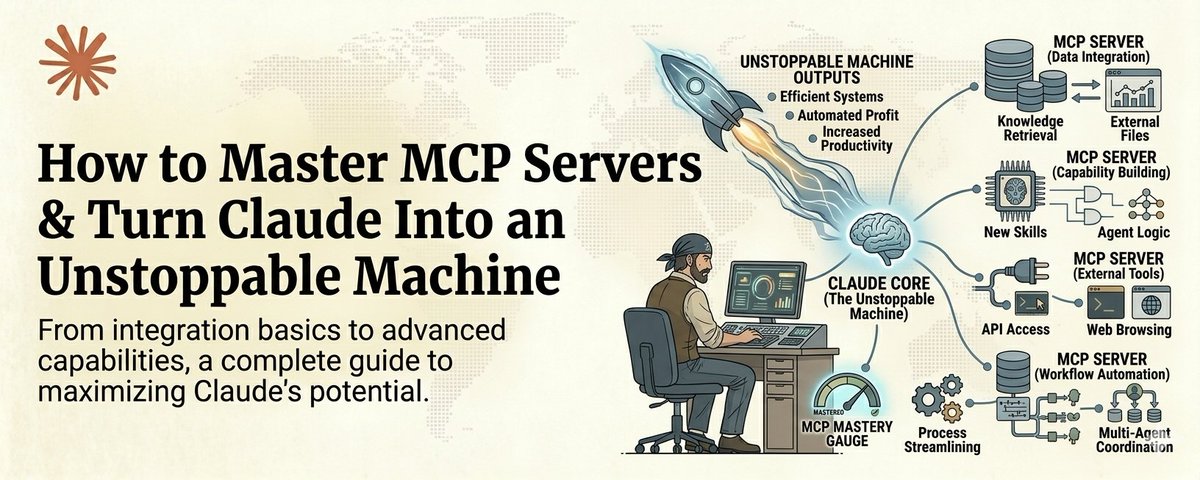
Save this :)
They type a question. They get an answer. They copy it somewhere. They go find the data themselves. They paste it into another tool. They do the integration work manually.
That is not AI leverage. That is AI with training wheels.
MCP servers are what take the training wheels off.
MCP stands for Model Context Protocol. It is the system that lets Claude reach out and interact with the real world. Read your Google Drive. Search the web with real-time data. Pull from your Slack messages. Query your databases. Access your CRM. Interact with GitHub.
Without MCP, Claude is a brain in a jar. Incredibly intelligent but completely isolated.
With MCP, Claude becomes an operator. It does not just think about your work. It does your work.
And right now, less than 5% of Claude users have set up a single MCP server.
That is an insane competitive advantage sitting right there for anyone willing to spend an afternoon learning how it works.
Here is the full course.
What MCP Actually Is (The 60-Second Version)
Think of MCP servers as plugins that give Claude superpowers.
Each MCP server connects Claude to one external system. One server for Google Drive. One for web search. One for your database. One for Slack. One for GitHub.
Once connected, Claude can read from and write to those systems directly. No copy-pasting. No tab switching. No manual data transfer.
You tell Claude "find the Q3 report in my Drive, pull the revenue numbers, compare them to the industry benchmarks online, and draft a summary for my team in Slack."
Without MCP, that is 5 separate tasks across 4 different apps and probably 30 minutes of your time.
With MCP, Claude does all of it. In seconds.
That is the difference. And it is massive.
Part 1: The 5 MCP Servers Everyone Should Install First
You do not need 50 MCP servers. You need the right 5. These are the ones that cover 90% of real work.
1. Tavily — Real-Time Web Search
This is the one that makes Claude actually useful for current information.
Without Tavily, Claude's knowledge has a cutoff date. With Tavily, it can search the live web, extract clean structured data from any page, and bring real-time information directly into your conversation.
Not blue links like Google. Clean, structured, AI-ready data.
Use cases: market research, competitive analysis, finding current pricing, checking recent news, verifying facts before publishing content.
Setup takes under 5 minutes. One API key. One config file entry. Done.
2. Google Drive — Your Files, Accessible
This turns Claude from an outsider guessing about your work into a team member who has read all the docs.
Claude can search your Drive, read documents, pull data from spreadsheets, and reference your existing files when generating new work.
Instead of uploading files one at a time, Claude just accesses them directly.
3. Context7 — Always Up-To-Date Documentation
If you write any code at all, this one is non-negotiable.
Context7 injects the latest documentation for any library directly into Claude's context. No more hallucinated APIs. No more deprecated methods. No more wasting 30 minutes debugging code that Claude wrote using a function that does not exist anymore.
Just add "use context7" to your prompt and Claude gets the real, current docs for Next.js, React, Supabase, MongoDB, and thousands more.
4. Slack — Communication Access
Claude can read your Slack channels, search message history, and draft responses. For anyone managing a team or working across multiple channels, this is hours saved every week.
5. GitHub — Code and Project Access
Claude reads repos, reviews pull requests, searches issues, and understands your codebase in context. If you are building software, this is the bridge between Claude and your actual work.
Part 2: How to Install Your First MCP Server (Step by Step)
This is simpler than most people think. The complexity is a myth that keeps people from starting.
Step 1: Open your Claude Desktop app settings
Navigate to your config file. On Mac it lives at ~/.claude/ and on Windows in your user config directory.
Step 2: Find or create your MCP configuration file
This is a simple JSON file that tells Claude which servers to connect to.
Step 3: Add your first server
Each MCP server has a connection URL and usually an API key. The format looks like this:
{
  "mcpServers": {
    "tavily": {
      "type": "url",
      "url": "<https://mcp.tavily.com/sse>",
      "name": "tavily"
    }
  }
}
Step 4: Restart Claude Desktop
The server connects automatically. You will see the tools appear in your available tools list.
Step 5: Test it
Ask Claude to use the tool. "Search the web for the latest AI news today" if you installed Tavily. "Find my Q3 report" if you installed Google Drive.
If it works, you just gave Claude its first superpower. The whole process takes about 10 minutes.
Part 3: Building Workflows That Chain Multiple MCP Servers Together
This is where it gets genuinely powerful.
One MCP server is useful. Multiple MCP servers working together in a single workflow is transformative.
Here is an example of a real workflow that chains three MCP servers:
The Weekly Competitive Intelligence Workflow
That workflow used to take someone 2 to 3 hours every week. With MCP it runs in under 5 minutes and the output is more thorough than what a human typically produces because Claude does not get bored, does not skip sources, and does not forget to check last week's data.
The pattern is always the same:
Once you see this pattern, you start seeing MCP workflows everywhere. Content pipelines. Sales research. Code review. Report generation. Market monitoring.
Part 4: Building Your Own MCP Server
This is the advanced move. And it is simpler than it sounds.
If you have a tool, a database, or a system that does not have an existing MCP server, you can build one yourself using FastMCP.
FastMCP lets you create an MCP server in minimal Python. You define the tools Claude can use, what inputs they take, and what they return.
Here is what a basic custom MCP server looks like:
from fastmcp import FastMCP

mcp = FastMCP("my-custom-tool")

@mcp.tool()
def get_client_data(client_name: str) -> str:
    """Pull client data from our internal database"""
    # Your logic here
    return result
That is it. You now have an MCP server that gives Claude access to your internal client database.
The builders who are creating custom MCP servers for their specific workflows right now are building moats that will be extremely hard to replicate later. Because the server itself is simple. The domain knowledge baked into it is what makes it valuable.
Part 5: The MCP Mindset Shift
Here is the mental model that changes everything.
Stop thinking about Claude as a tool you ask questions to.
Start thinking about Claude as an operator that needs access to systems.
Every time you find yourself manually copying data from one app to another, that is a missing MCP connection. Every time you upload a file to Claude because it cannot access your file system, that is a missing MCP connection. Every time you type context that already exists somewhere in your digital life, that is a missing MCP connection.
The goal is zero manual data transfer between you and Claude.
When Claude can see everything you can see and reach everything you can reach, you stop being a middleman and start being a director. You give the instruction. Claude does the execution. Across all your tools. In parallel. In seconds.
That is what mastering MCP servers actually means.
Where to Start Right Now
If you have not installed a single MCP server yet, install Tavily today. It takes 5 minutes and the immediate payoff of having Claude search the live web is enough to convince you the rest is worth pursuing.
If you already have one or two servers running, build your first multi-server workflow this week. Pick a real task that touches multiple tools and chain them together.
If you are already comfortable with MCP, build a custom server for your specific niche. That is where the real competitive advantage lives.
The people who master MCP servers in the next 6 months are going to operate at a level that looks like magic to everyone else.
Not because the technology is magic. But because most people will still be copy-pasting between tabs.
Don't be that person.
The ones who connect Claude to their entire digital world will never go back to working in isolation.
Follow me @eng_khairallah1 for more tools, workflows, and systems. No fluff. Just what works.
hope this was useful for you, Khairallah ❤️