Thread Truncated (Cap Enforced)
Only the first 20 tweets are unrolled into slides to ensure reliable PDF exporting and high server performance.
Canvas & Ratio
Choose your destination platform format
Layout Template
Choose a content structure for your slides
Preset Themes
Typography & Sizing
Brand Kit Customization
AGENCYConfigure brand assets for headers & footers
Outro Slide CTA
Customize your closing call-to-action slide
Background Pattern
Build Your Carousel
Drag and drop any post card below onto a slide, or use the quick buttons to insert content/images instantly!

There’s a moment every AI engineer knows well. You’ve built something impressive — a multi-agent pipeline that researches, analyzes, writes, and publishes. It works great in testing. You demo it to your team and everyone is amazed. Then you push it to production, and within 48 hours, it’s doing something nobody asked for. Your analyst agent is writing reports. Your writer agent is pulling data. Your orchestrator is talking directly to users. Everything is technically functional, and yet everything is wrong.

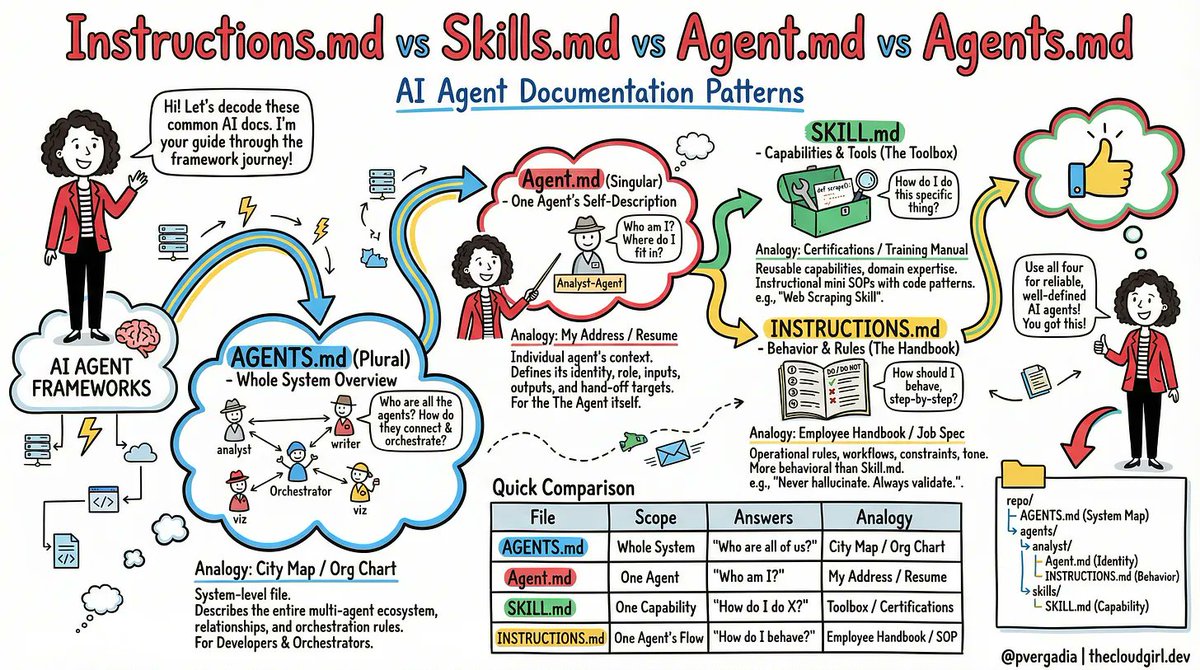
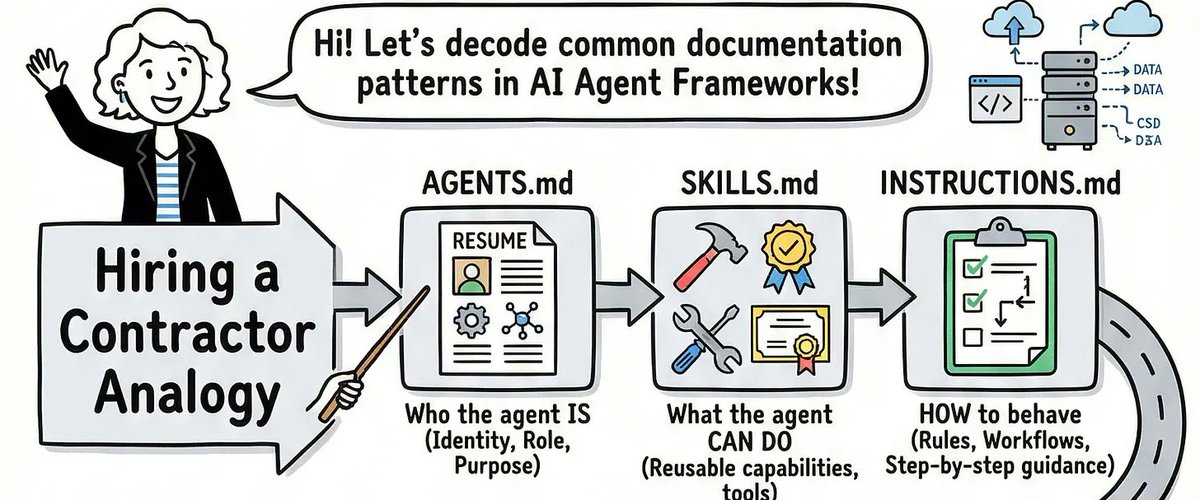
I lived that moment. And the root cause, every single time, was the same: nobody had told the agents <i>who they were</i>, <i>what they could do</i>, <i>where they fit</i>, or <i>how they should behave</i>. The agents were brilliant but unsupervised — like hiring a team of genius contractors and forgetting to give them job descriptions.
The fix turned out to be four simple files. Not new frameworks. Not more prompts. Just four markdown files, each answering one specific question. Let me walk you through them.
## The Problem With Winging It
Most teams start the same way. They write one giant system prompt for each agent — a sprawling wall of text that describes the agent’s personality, its tools, its rules, its role, and its outputs all in one place. It works at first. Then it breaks in weird ways. The agent ignores half the prompt because it’s too long. It hallucinates a rule that wasn’t there. It starts doing things that made sense in isolation but clash with what another agent is doing downstream.
The root issue is that one system prompt is trying to answer four fundamentally different questions at once:
1. What can this agent <i>do</i>?
1. Who <i>is</i> this agent in the system?
1. Where does it <i>fit</i> among all the other agents?
1. How should it <i>behave</i>, step by step?
When those four questions live in the same blob of text, agents treat them all with equal weight — or worse, they mush them together into something incoherent. The solution is to give each question its own file.
## SKILL.md (The Training Manual)
A skill file answers: <i>“How do I actually do this specific thing?”</i>
Think of it as a certification document. If you hire a data engineer, you expect them to know SQL. The SKILL.md file is the proof — and the reference — for exactly that knowledge.
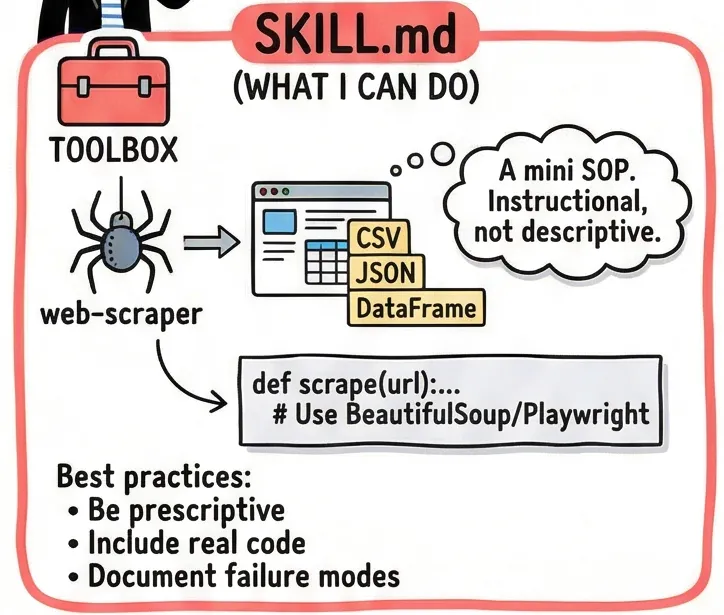
Here’s a real example. Imagine you’re building a web scraping agent. Its SKILL.md would look something like thi
<b>--- name: web-scraper description: Extracts structured data from websites using BeautifulSoup and Playwright. Use when asked to scrape tables, listings, or articles. --- ## When to use this skill - User provides a URL and wants structured data back - Page may be JS-rendered (use Playwright) or static (use requests + BS4) ## Step-by-step process 1. Check if the page is JS-rendered. If yes, use Playwright headless. 2. Prefer semantic selectors: <article>, <table>, role= attributes. Avoid brittle CSS paths like .div > span:nth-child(3). 3. Return a pandas DataFrame. Save to /outputs/data.csv. ## Error handling - 403 or 429: Add User-Agent header, add a 2-second delay, retry once. - Empty results: Log the selector used. Suggest an alternative to the user.</b>
Notice what’s here: real code patterns, explicit steps, and — critically — failure modes. The best SKILL.md files don’t just describe sunny-day scenarios. They tell the agent exactly what to do when things go wrong.