Thread Truncated (Cap Enforced)
Only the first 20 tweets are unrolled into slides to ensure reliable PDF exporting and high server performance.
Canvas & Ratio
Choose your destination platform format
Layout Template
Choose a content structure for your slides
Preset Themes
Typography & Sizing
Brand Kit Customization
AGENCYConfigure brand assets for headers & footers
Outro Slide CTA
Customize your closing call-to-action slide
Background Pattern
Build Your Carousel
Drag and drop any post card below onto a slide, or use the quick buttons to insert content/images instantly!

If you work in AI and don’t understand these 10 concepts, you’re already behind: (thread)
1/ Tokens When you type a message to ChatGPT, it doesn't read words. It reads tokens. A token is roughly 3-4 characters. "Unbelievable" is 4 tokens. "AI" is 1. This matters because every model has a token limit. Hit it, and the model starts forgetting earlier parts of the conversation.
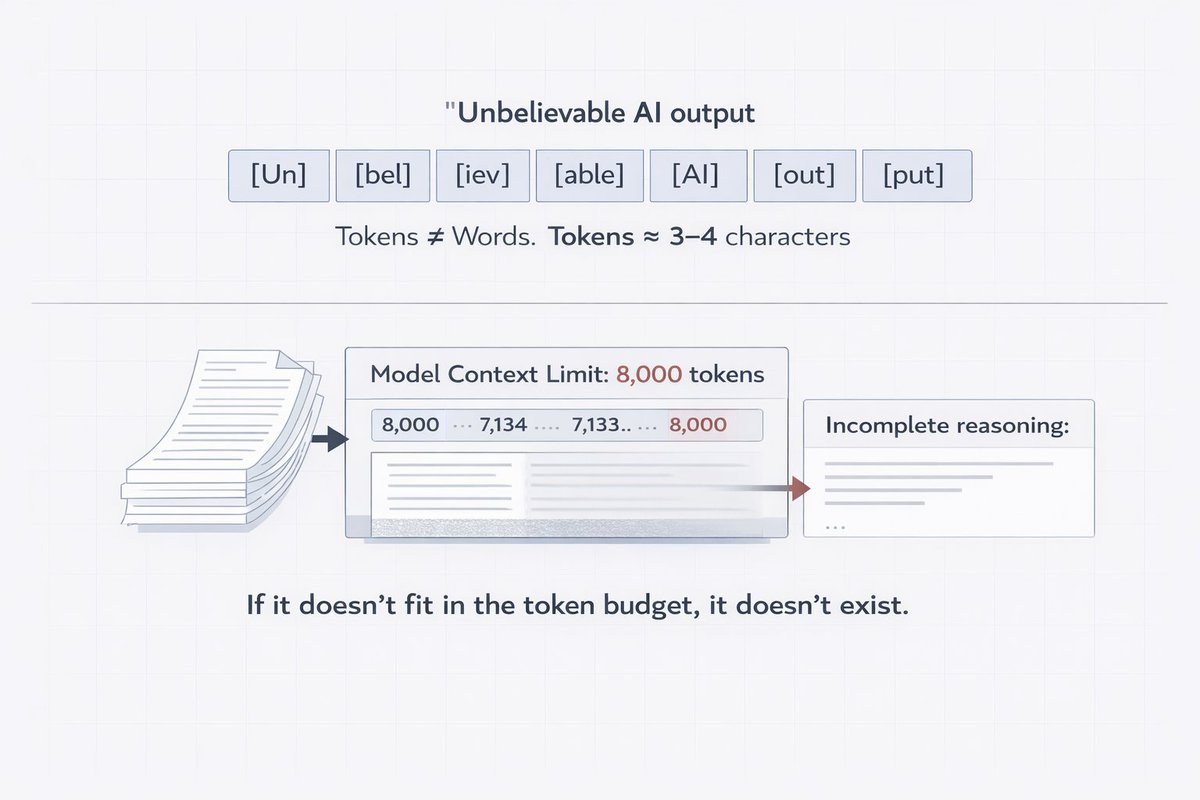
Here's why this should change how you work: If you're stuffing a 50-page doc into a prompt and wondering why the output is garbage tokens are your problem. The model didn't "read" your doc. It ran out of budget halfway through and started guessing. Shorter, denser context = better outputs. Always.
2/ Context Window The context window is the model's working memory. Everything it can "see" at once your prompt, the conversation history, documents you attached all of it fits inside this window. Think of it like a whiteboard. Once it's full, old stuff gets erased to make room. Most people treat context windows like unlimited storage. They're not. The model doesn't remember last week's conversation. It doesn't remember what you said 3 hours ago in a different chat. Every session starts blank. If you want it to "remember," you have to manually put that info back in.

3/ Temperature Temperature controls how "creative" or "random" the model is. Low temperature (0.1) = precise, predictable, almost robotic. High temperature (0.9) = creative, surprising, sometimes chaotic. Most people leave it at default and wonder why outputs feel off.
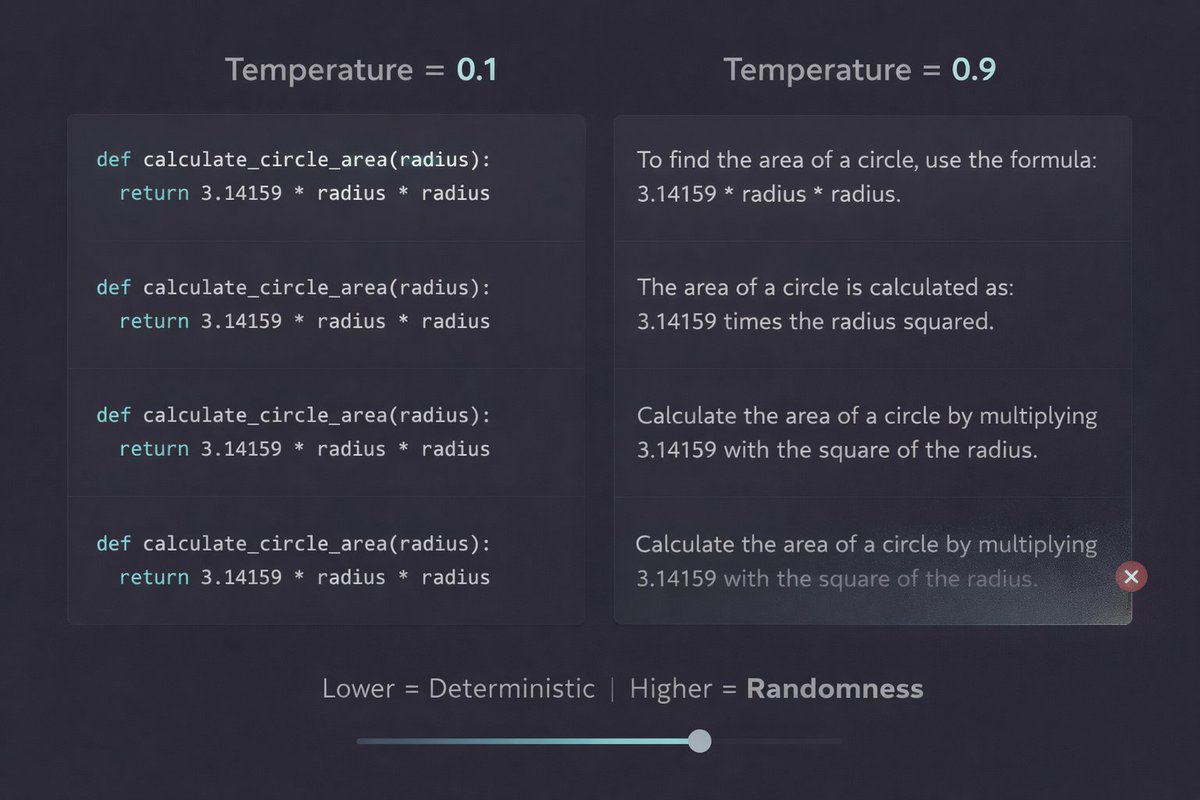
Quick rule of thumb: Writing code or extracting data? Set temperature low. You want accuracy, not creativity. Brainstorming ideas or writing marketing copy? Bump it up. You want the model to take risks. One setting. Massive difference in quality.
4/ Embeddings Embeddings are how AI understands meaning, not just words. Every word, sentence, or document gets converted into a list of numbers (a vector). Similar meanings end up with similar numbers. That's how a search for "car" can return results about "vehicle" or "automobile."
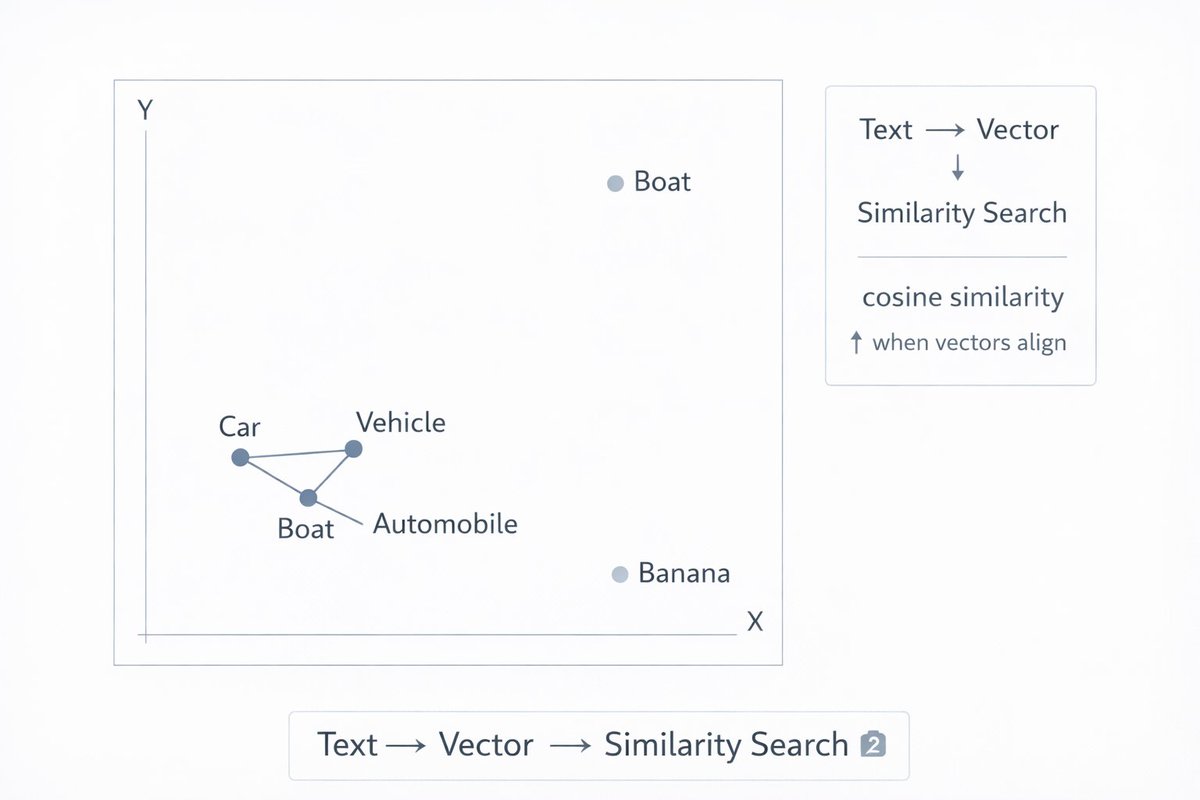
This is the engine behind RAG systems, semantic search, and recommendation engines. When your AI "retrieves" relevant documents before answering it's comparing embeddings to find what's closest in meaning. If you're building any AI product that handles data, you need to understand this.
5/ RAG (Retrieval-Augmented Generation) RAG = giving the model fresh, relevant information before it answers. Instead of relying on what it learned during training (which has a cutoff date), you pull in real-time data and inject it into the prompt. It's why AI can answer questions about your specific company docs.
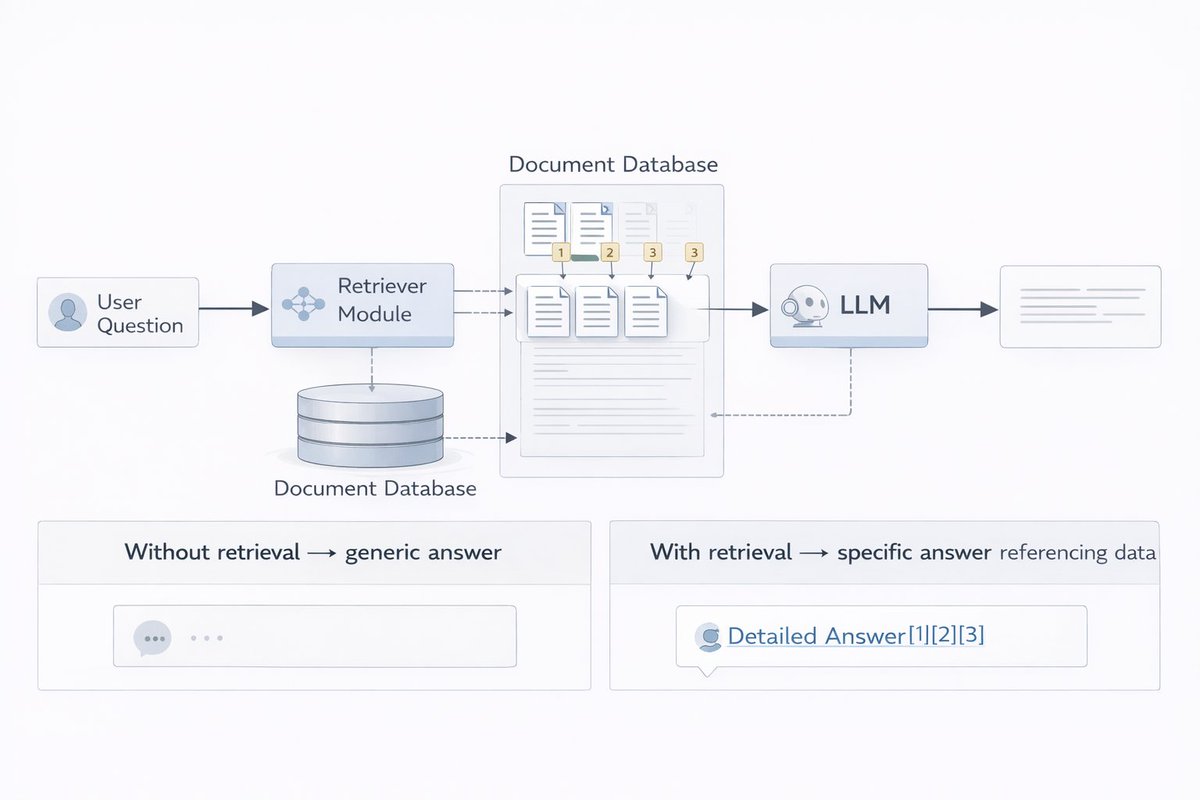
Here's the part people miss: RAG doesn't make the model smarter. It makes the model informed. Bad retrieval = bad answers. Even a brilliant model will hallucinate if you feed it the wrong context. The quality of your RAG system is almost entirely determined by how well you retrieve not the model itself.
6/ Fine-tuning Fine-tuning is when you take a pre-trained model and train it further on your own data. Think of it like hiring a general doctor and then sending them to a 6-month surgical residency. Same base intelligence. Now specialized for your specific use case.
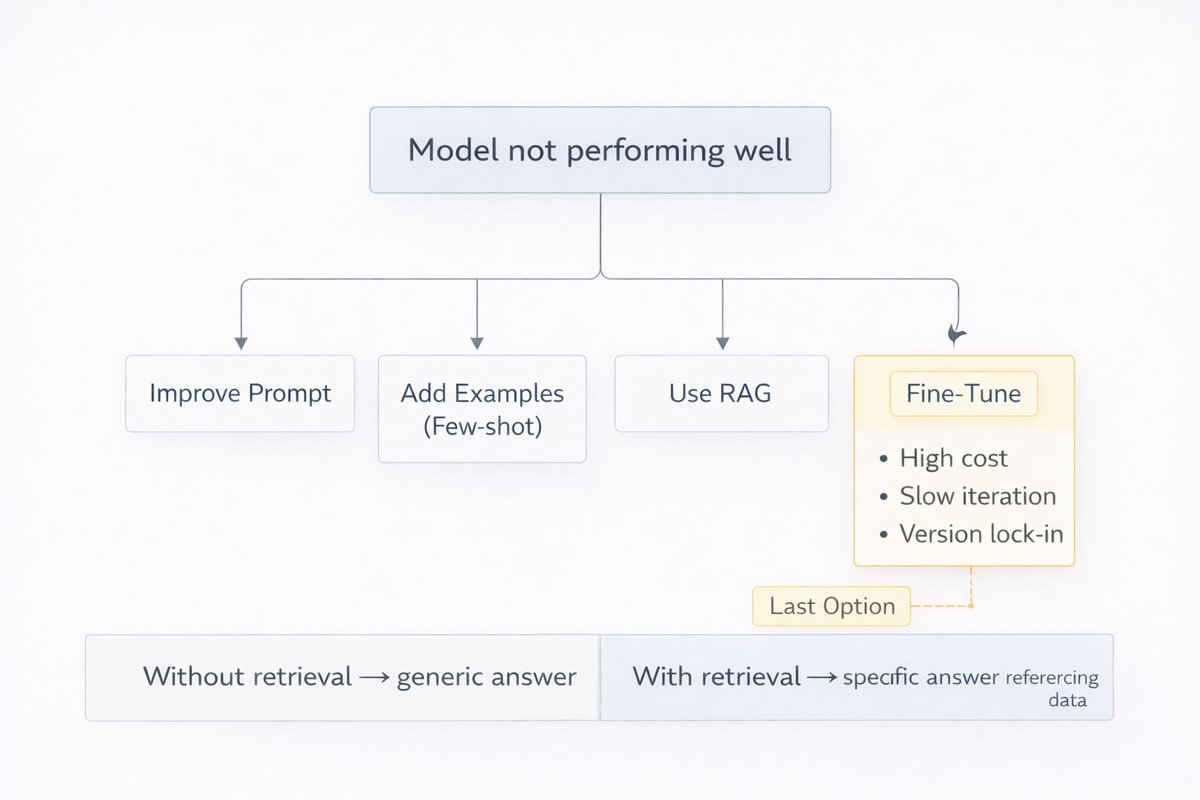
But here's what everyone gets wrong: Fine-tuning is NOT the first step. It's the last resort. Before you fine-tune, try better prompts. Try RAG. Try few-shot examples. Fine-tuning is expensive, slow, and locks you into a model version. Only do it when everything else fails.
7/ Hallucination Hallucination is when an AI confidently states something completely false. It's not lying. It doesn't know it's wrong. It's pattern-completing based on training data and sometimes the pattern leads somewhere that sounds right but isn't.

The scary part? The more confidently it's stated, the more likely people believe it. The fix isn't just "use a smarter model." It's: give the model a source to work from. Use RAG. Ask it to cite. Tell it "if you don't know, say so." Hallucinations drop dramatically when you constrain the model's playground.
8/ Agents An AI agent isn't just a chatbot. It's a model that can take actions search the web, write and run code, send emails, call APIs in a loop until a task is completed. The model decides what to do next based on what just happened.

Most "agents" you've seen demoed are fake. Real agents need memory, error handling, tool use, fallback logic, and security guardrails. What most startups ship is a prompt that calls 3 API endpoints and calls itself "autonomous." Real agents are distributed systems. Build them like one.
9/ System Prompt The system prompt is the invisible instruction layer that sits above every conversation. You don't see it. The model does. It's where you define the persona, the rules, the tone, the constraints, and the task. It's the difference between a generic chatbot and a specialized tool.
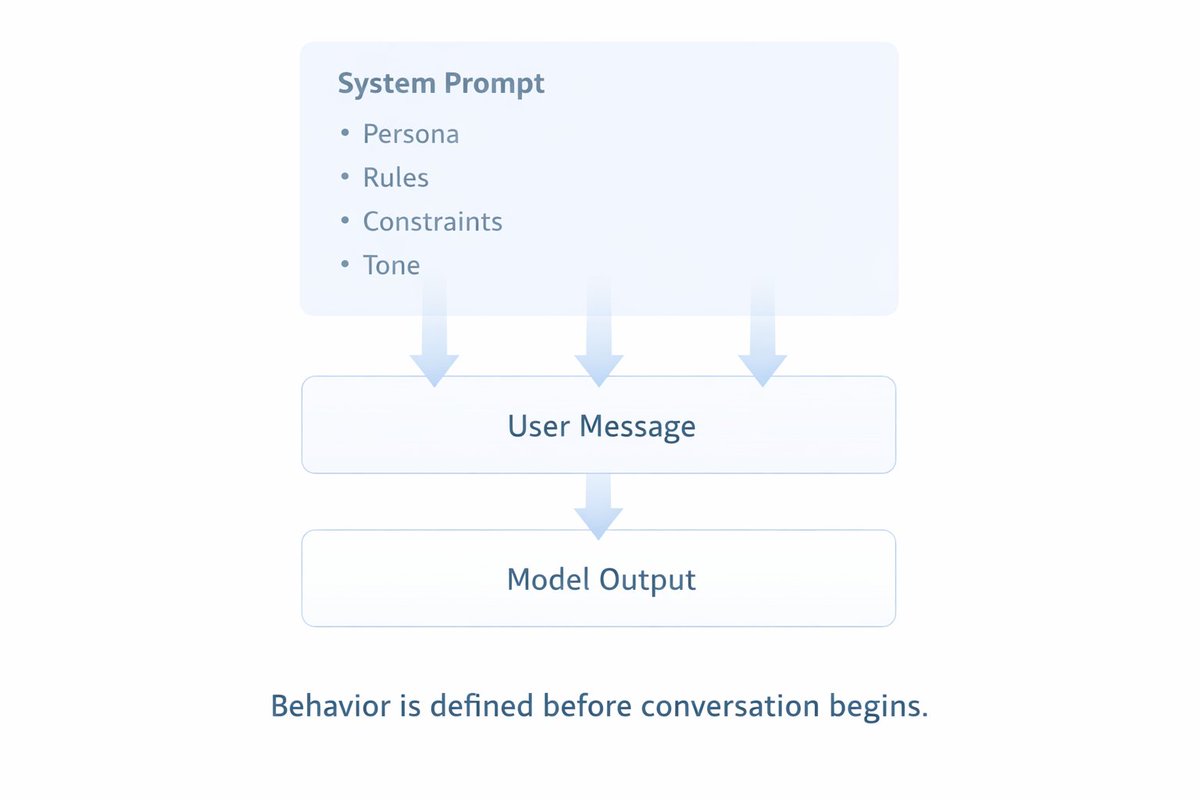
Most people obsess over their user messages and ignore the system prompt. That's backwards. A weak system prompt means the model guesses your intent on every single message. A strong system prompt means the model already knows who it is, what it's doing, and how to behave before you type a word.
10/ Context Engineering This is the new skill that's replacing "prompt engineering." Prompt engineering is about what you ask. Context engineering is about everything the model sees what's included, what's excluded, in what order, and in what format.
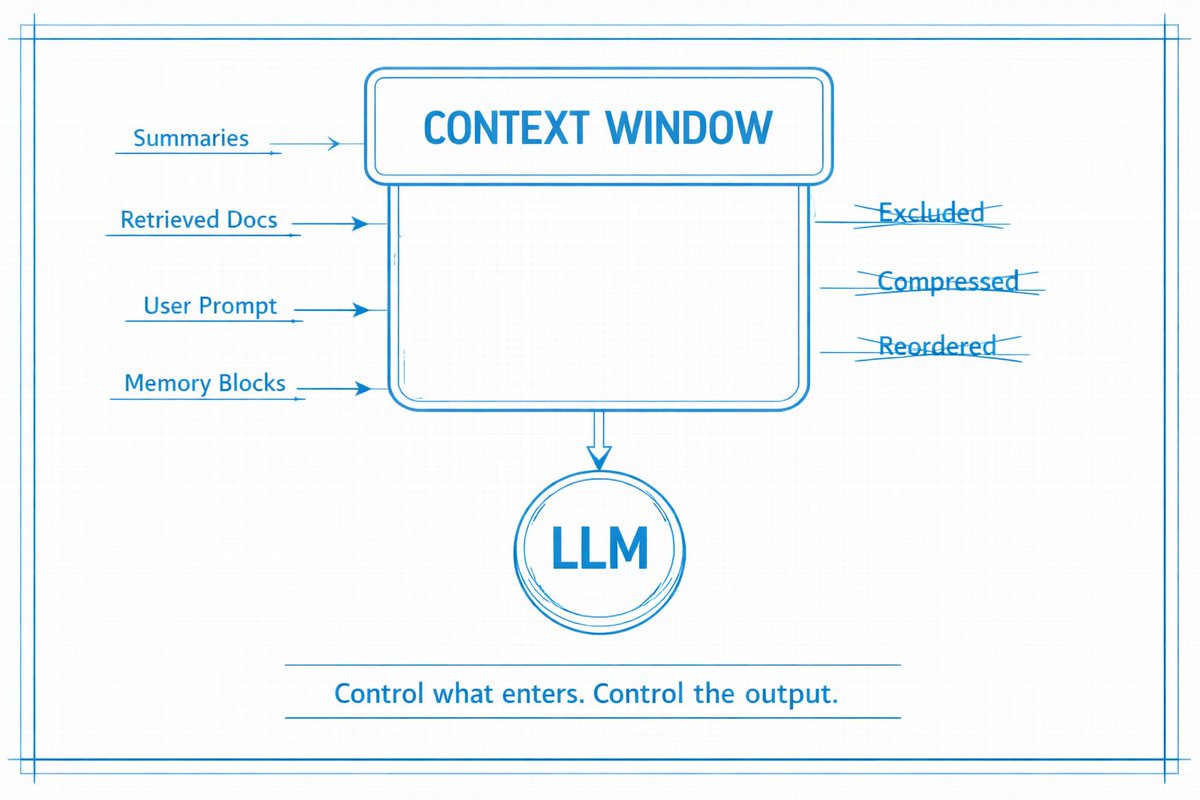
The best AI engineers today aren't writing clever prompts. They're architects deciding: → What information hits the context window → When to retrieve vs. pre-load → What to summarize vs. keep verbatim → How to structure memory across long tasks Master context. Master AI.