Canvas & Ratio
Choose your destination platform format
Layout Template
Choose a content structure for your slides
Preset Themes
Typography & Sizing
Brand Kit Customization
AGENCYConfigure brand assets for headers & footers
Outro Slide CTA
Customize your closing call-to-action slide
Background Pattern
Build Your Carousel
Drag and drop any post card below onto a slide, or use the quick buttons to insert content/images instantly!

- Google Maps uses graph ML to predict ETA - Netflix uses graph ML in recommendation - Spotify uses graph ML in recommendation - Pinterest uses graph ML in recommendation Here are 6 must-know ways for graph feature engineering (with code):
Like images, text, and tabular datasets have features, so do graph datasets. This means when building models on graph datasets, we can engineer these features to achieve better performance. Let's discuss some feature engineering techniques below!

First, let’s create a dummy social networking graph dataset with accounts and followers (which will also be accounts). We create the two DataFrames shown below, an accounts DataFrame and a followers DataFrame. Check this code👇

The above data is tabular, but we need to convert this into a graph format. To do this, we use the networkx framework as follows: • Initialize a graph G. • Add nodes from the accounts DF. • Added edges between the nodes using the followers' DF. Here's the code👇
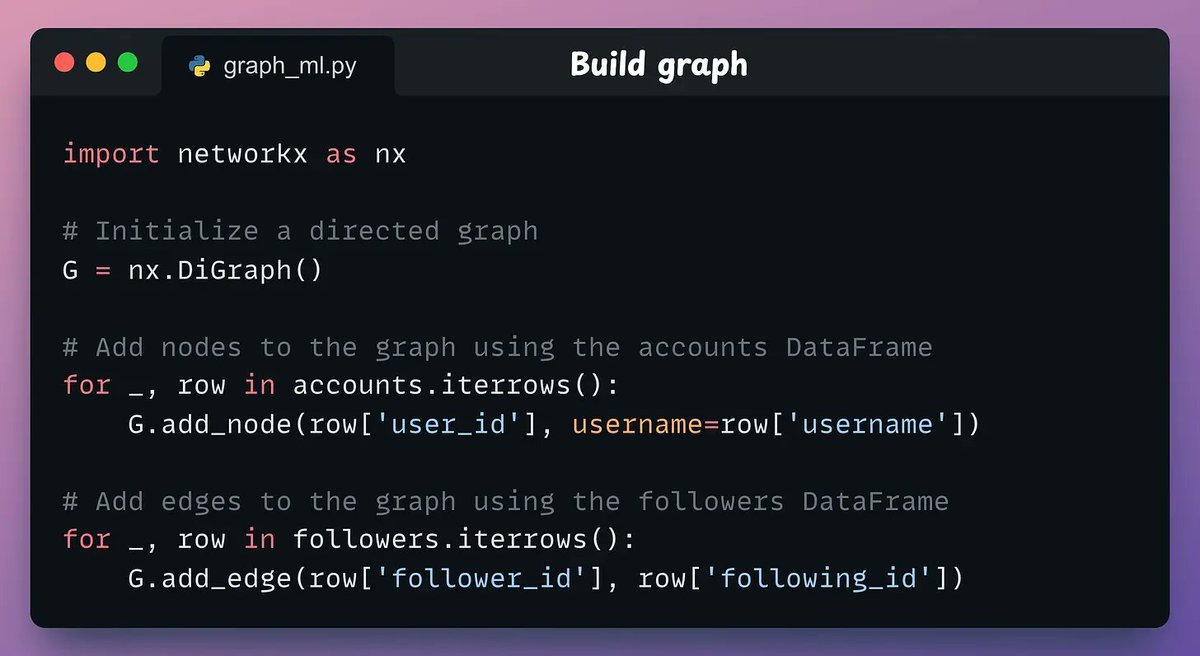
This produces the following graph. Next, let's cover the 6 graph feature engineering techniques.

1-3) Node degree In a directed graph, there are two types of degrees: • In-Degree: The number of incoming edges (followers) a node has. • Out-Degree: The number of outgoing edges (followings) a node has.
Here’s how we can compute them using NetworkX: • in_degree(x) counts edges directed toward the node x. • out_degree(x) counts edges directed away from the node x. • degree(x) is the sum of the in-degree and out-degree of node x. Check this code👇

These features are now part of the accounts DataFrame. Check this👇

4-6) Node centrality Node degree features capture connectedness but fail to capture the influence of those connections. For instance, a user can have many online friends just because they send friend requests to everyone. Centrality features handle this.
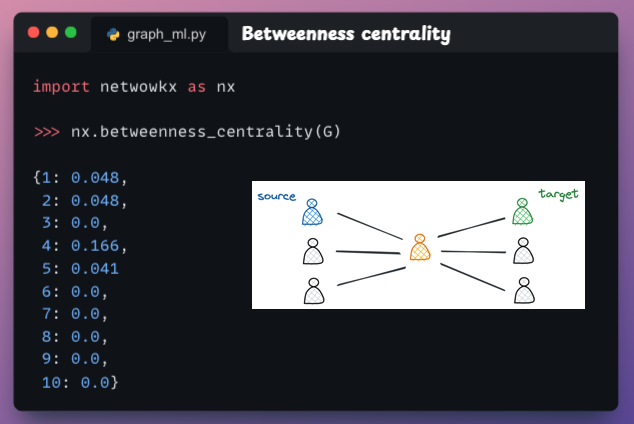
4) Betweenness centrality This measures how often a node appears on the shortest paths between other nodes. If a node often acts as a “bridge” between other nodes, it plays a key role in facilitating information flow. Here's the code👇
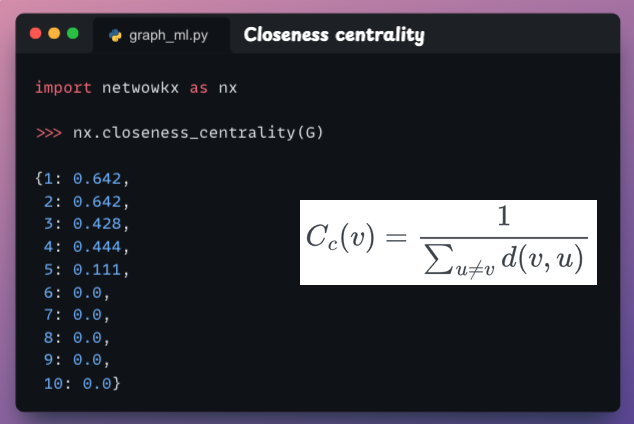
5) Closeness centrality This indicates how close a node is to all other nodes in the network based on the shortest paths. To compute closeness centrality for a node v, we sum the shortest path length from v to all other nodes and take its reciprocal. Here's the code👇
6) Eigenvector centrality If a node is connected to other influential nodes, it amplifies its own influence. It helps identify nodes that are influential not only due to their direct ties but also due to their connections with other influential nodes. Here's the code👇

PyTorch Geometric is a PyTorch extension specifically developed for building graph-based neural networks. It has an intuitive API that facilitates inspecting and analyzing graphs and building ML models on graph-based datasets. Open-source with 22k+ stars!
