Canvas & Ratio
Choose your destination platform format
Layout Template
Choose a content structure for your slides
Preset Themes
Typography & Sizing
Brand Kit Customization
AGENCYConfigure brand assets for headers & footers
Outro Slide CTA
Customize your closing call-to-action slide
Background Pattern
Build Your Carousel
Drag and drop any post card below onto a slide, or use the quick buttons to insert content/images instantly!

We’re releasing new Codex features to make it a more effective coding collaborator: - A new IDE extension - Easily move tasks between the cloud and your local environment - Code reviews in GitHub - Revamped Codex CLI Powered by GPT-5 and available through your ChatGPT plan.
Codex now runs in your IDE Available for VS Code, Cursor, and other forks, the new extension makes it easy to share context—files, snippets, and diffs—so you can work faster with Codex. It’s been a top feature request, and we’re excited to hear what you think!
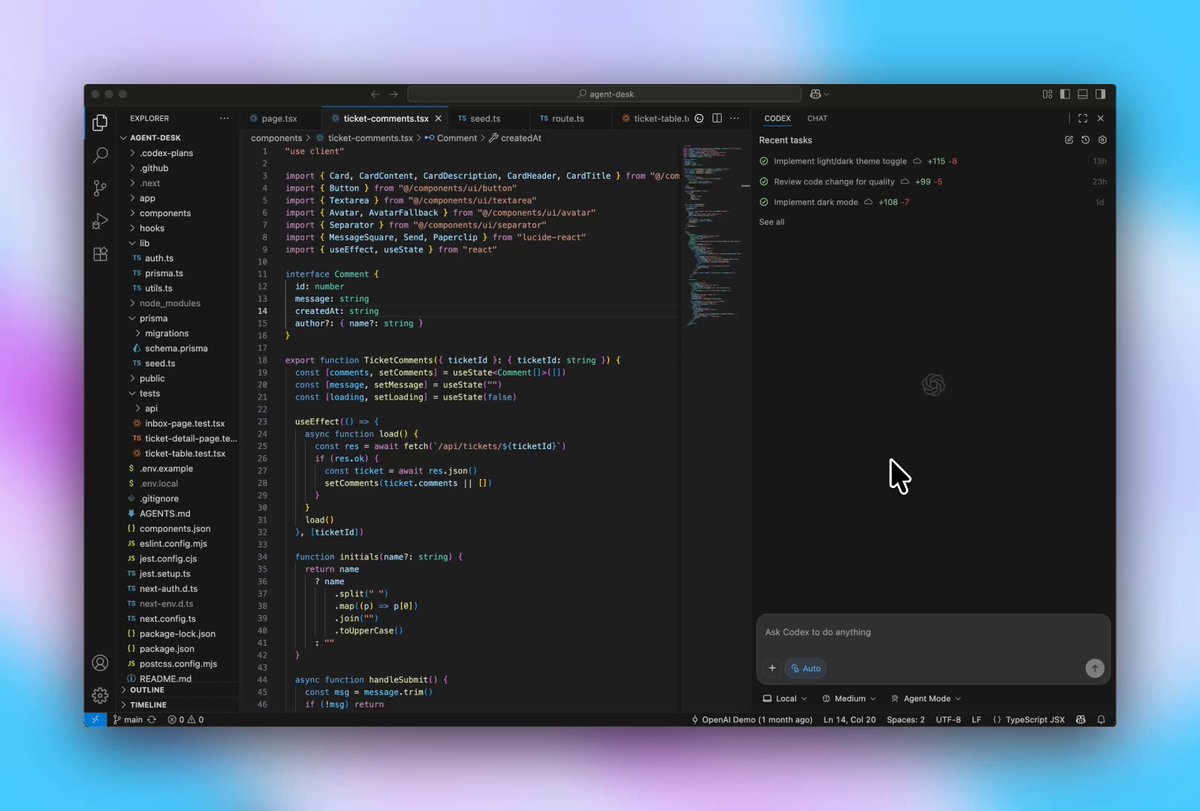
Hand off to the cloud from your IDE. Kick off new tasks, delegate in-progress work, and review results without leaving your editor. Then continue tasks from Codex web in your IDE to keep building locally, without losing context.

Code reviews Codex goes beyond static analysis—it checks a PR against its intent, reasons across the codebase and dependencies, and can run code to validate the behavior of changes. Set it up to auto-review new PRs in your repo, or tag @ codex.

Codex CLI We’ve rebuilt the Codex CLI to harness GPT-5’s agentic coding capabilities so it's more reliable and capable. We’ve redesigned the terminal UI and also added image inputs, message queuing, simplified approval modes, to-do lists, web search, and more.

With these updates, Codex works as one agent across your IDE, terminal, cloud, GitHub, and even on your phone — all connected by your ChatGPT account. It’s all included in Plus, Pro, Team, Edu, and Enterprise plans. Check out the new Codex developer hub to get started. <a target="_blank" href="http://developers.openai.com/codex" color="blue">developers.openai.com/codex</a>
Codex keeps getting better every day, and your feedback has been invaluable. Download the IDE extensions or install the CLI here 👉 <a target="_blank" href="http://openai.com/codex" color="blue">openai.com/codex</a>