Canvas & Ratio
Choose your destination platform format
Layout Template
Choose a content structure for your slides
Preset Themes
Typography & Sizing
Brand Kit Customization
AGENCYConfigure brand assets for headers & footers
Outro Slide CTA
Customize your closing call-to-action slide
Background Pattern
Build Your Carousel
Drag and drop any post card below onto a slide, or use the quick buttons to insert content/images instantly!

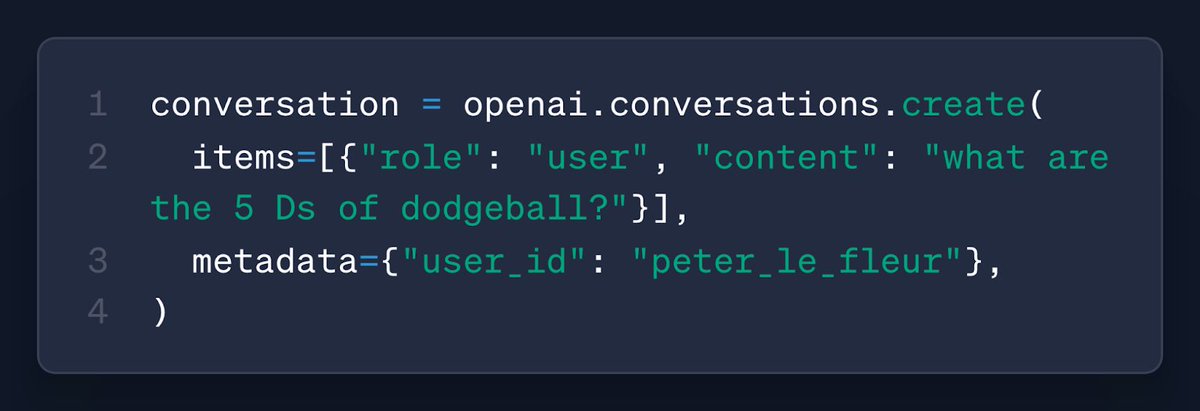
Two big updates to the Responses API today. 🖇️ Connectors — Pull context from Gmail, Google Calendar, Dropbox, and more in a single API call. 💬 Conversations — Persist chat threads for your users, without running your own database. More below:
Build rich experiences with connectors to: - Read emails - Fetch calendar events - Search files and chats Gmail, Google Calendar, Drive, Dropbox, Teams, Outlook Calendar + Email, and SharePoint are available now. They work with deep research, too! <a target="_blank" href="https://platform.openai.com/docs/guides/tools-connectors-mcp" color="blue">platform.openai.com/docs/guides/to…</a>

Here’s a demo app that shows how you can connect your app to Google Calendar and fetch upcoming events: <a target="_blank" href="https://github.com/openai/openai-responses-starter-app" color="blue">github.com/openai/openai-…</a>
With the Conversations API, you can now store context from Responses API calls (messages, tool calls, tool outputs, and other data). Easily render past chats, then let your users pick up where they left off (just like in ChatGPT). <a target="_blank" href="https://platform.openai.com/docs/guides/conversation-state?api-mode=responses" color="blue">platform.openai.com/docs/guides/co…</a>