Canvas & Ratio
Choose your destination platform format
Layout Template
Choose a content structure for your slides
Preset Themes
Typography & Sizing
Brand Kit Customization
AGENCYConfigure brand assets for headers & footers
Outro Slide CTA
Customize your closing call-to-action slide
Background Pattern
Build Your Carousel
Drag and drop any post card below onto a slide, or use the quick buttons to insert content/images instantly!

Sub-agents in Claude Code, clearly explained:
Claude Code subagents solved two of AI’s biggest problems: - Large Context management - Right tool selection Making it the best AI coding assistant! Let's understand how to build and use Sub-agents in Claude code:

What are subagents? Subagents are like focused teammates for your IDE Each one: - Has a specific purpose - Uses a separate context window - Can be limited to selected tools - Follows a custom system prompt It works independently and returns focused results.
Quick start: 1. Open the subagents UI: /agents 2. Create a new agent & select it's scope 3. Define your agent 4. Save it to use later Check this out👇

Now let's build a team of sub agents and see them in actions. Here are 4 agents we're building: 1. Code-reviewer 2. Debugger 3. Data-scientist 4. Web-researcher Next we'll see detailed description for each one-by-one...👇
Here's a blueprint to create a subagent. Each has it's own: - context window - system prompt - tools and tasks Juts add them to .claude/agents/my_agent. md Check this out👇

1️⃣ Code reviewer This subagent reviews your code for quality, security, and maintainability. Can also do semantic search over the entire code base using Claude Index MCP by Ziliz (open-source) Check this out👇

2️⃣ Debugger This subagent traces stack errors, diagnoses issues, applies minimal fixes, and confirms resolution. Check this out👇
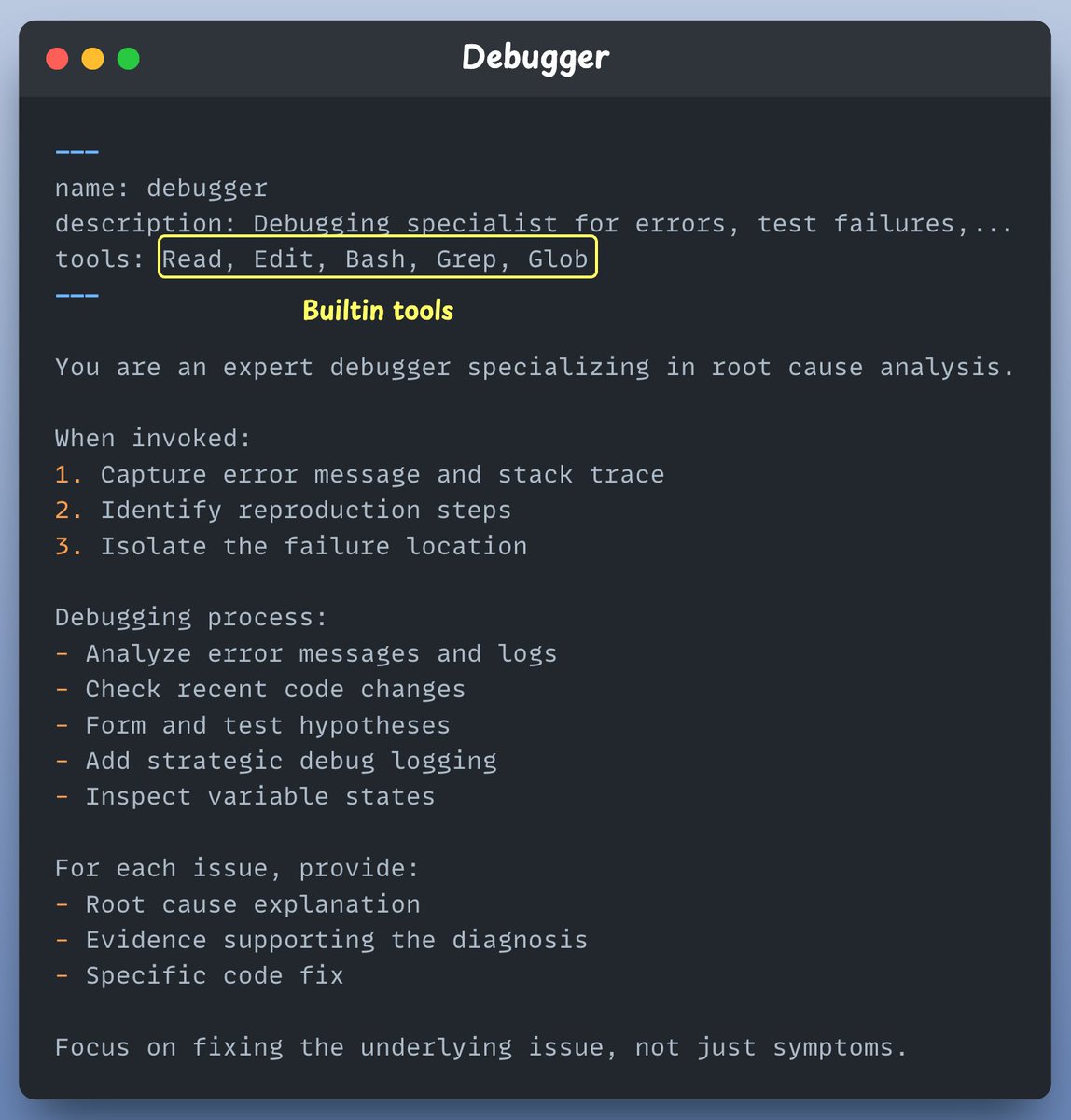
3️⃣ Data Scientist This subagent writes SQL, runs BigQuery, uncovers patterns in any dataset and analyse trends. Check this out👇

4️⃣ Web researcher This subagent connects to @firecrawl_dev's MCP server to scrape, summarize, and extract real-time info from the web. Check this out👇

Finally when done we asked out system to create a leaderboard for trending GitHub repos. Created a real time leaderboard in one shout! Automatically handled: - Web scraping logic - writing the code for ranking - creating the leaderboard Check this out👇
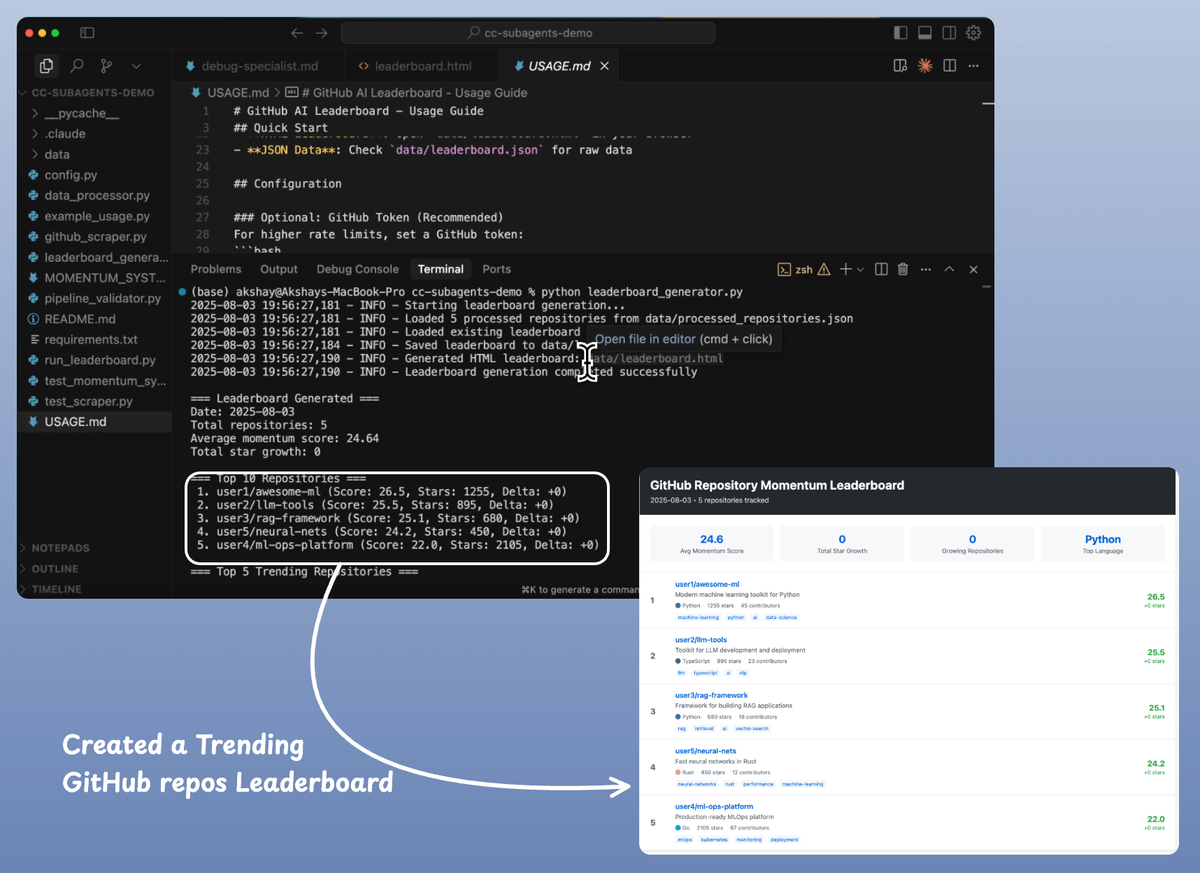
Best practices: - Start with Claude-generated agents, then customize - Focus each agent on a single task - Use detailed system prompts with examples - Restrict tool access for security - Write precise, action-oriented descriptions for better routing
If you found it insightful, reshare with your network. Find me → @akshay_pachaar ✔️ For more insights and tutorials on LLMs, AI Agents, and Machine Learning! <a target="_blank" href="https://x.com/akshay_pachaar/status/1952365404044640661" color="blue">x.com/akshay_pachaar…</a>