Canvas & Ratio
Choose your destination platform format
Layout Template
Choose a content structure for your slides
Preset Themes
Typography & Sizing
Brand Kit Customization
AGENCYConfigure brand assets for headers & footers
Outro Slide CTA
Customize your closing call-to-action slide
Background Pattern
Build Your Carousel
Drag and drop any post card below onto a slide, or use the quick buttons to insert content/images instantly!

Andrew Ng's team once made a big mistake in a research paper. And it happened due to randomly splitting the data. Here's what happened:
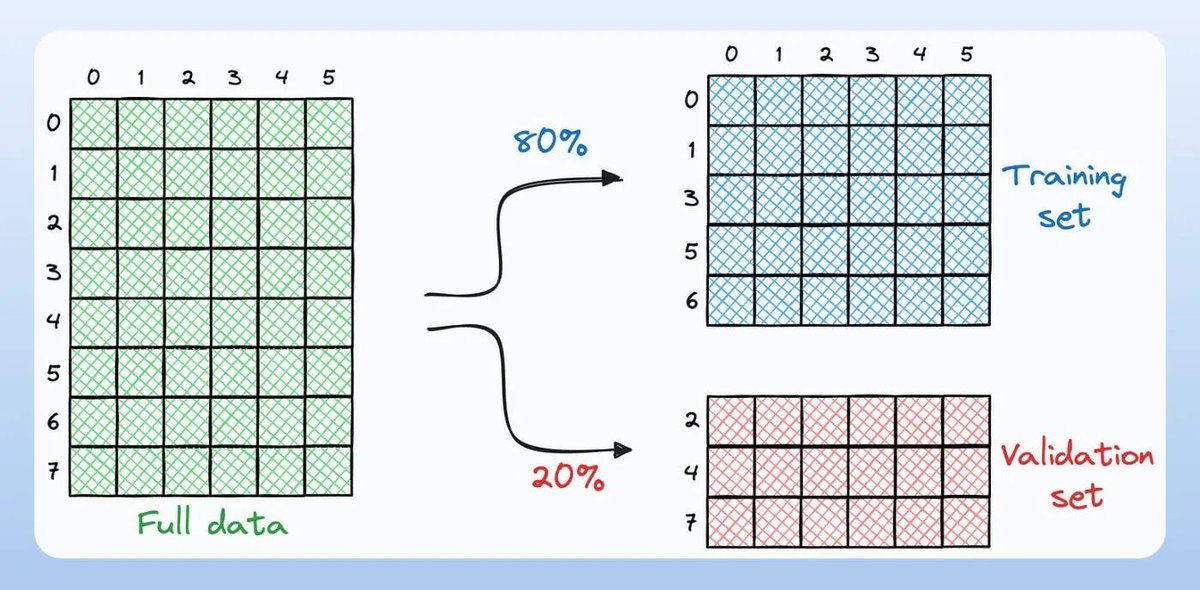
It is common to generate train and validation sets using random splitting. However, in many situations, it can be fatal for model building. Let's learn below!
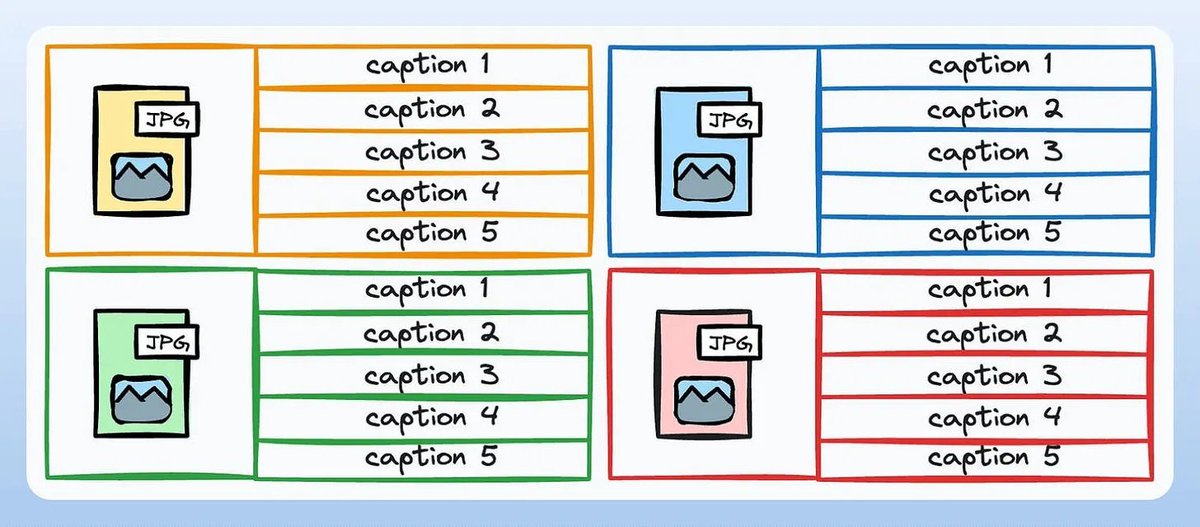
Consider building a model that generates captions for images. Due to the inherent nature of language, every image can have many different captions. - Image-1 → Caption-1, Caption-2, Caption-3, etc. - Image-2 → Caption-1, Caption-2, Caption-3, etc. Check this 👇
If we use random splitting, the same data point (image) will be available in the train and validation sets. As a result, we end up evaluating the model on the instances it was trained on. This is an example of data leakage (also called group leakage), resulting in overfitting!

Group shuffle split solves this. There are two steps: 1) Group all training instances corresponding to one image. 2) After grouping, the ENTIRE GROUP (all examples of one image) must be randomly assigned to the train or validation set. This will prevent the group leakage.

If you use Sklearn, the GroupShuffleSplit implements this idea. Here's the module that implements this 👇

As an example, consider we have the following dataset: - x1 and x2 are the features. - y is the target variable. - group denotes the grouping criteria. Check this 👇

First, we import the GroupShuffleSplit from sklearn and instantiate the object. Check this 👇

The split() method of this object lets us perform group splitting: This is how to invoke it👇

The above method returns a generator, and we can unpack it to get the following output: - The data points in groups “A” and “C” are together in the training set. - The data points in group “B” are together in the validation/test set. Check this 👇

The same thing happened in Andrew Ng's paper, where they prepared a medical dataset to detect pneumonia. - Total images = 112k - Total patients = 30k Due to random splitting, the same patient's images were available both in the training and validation sets. Check this 👇

This led to data leakage, and validation scores looked much better than they should have. A few days later, the team updated the paper after using the group shuffle split strategy to ensure the same patients did not end up in both the training and validation sets. Check this 👇

That's a wrap! If you found it insightful, reshare it with your network. Find me → @_avichawla Every day, I share tutorials and insights on DS, ML, LLMs, and RAGs. <a target="_blank" href="https://twitter.com/1175166450832687104/status/1946459143990292493" color="blue">x.com/11751664508326…</a>