Canvas & Ratio
Choose your destination platform format
Layout Template
Choose a content structure for your slides
Preset Themes
Typography & Sizing
Brand Kit Customization
AGENCYConfigure brand assets for headers & footers
Outro Slide CTA
Customize your closing call-to-action slide
Background Pattern
Build Your Carousel
Drag and drop any post card below onto a slide, or use the quick buttons to insert content/images instantly!

uv in Python, clearly explained (with code):
uv is incredibly fast. - Creating virtual envs. using uv is ~80x faster than python -m venv. - Package installation is 4–12x faster without caching, and ~100x with caching Today, let's understand how to use uv for Python package management. Let's dive in!

uv is a Rust-based Python package manager built to be fast and reliable. It replaces not just pip but also pip-tools, virtualenv, pipx, poetry, and pyenv, all with a single standalone binary. Here's a uv cheatsheet for Python devs👇 Let's look at the code next!
1️⃣ Create a new project To set up a new Python project, run: uv init project-name. This creates a directory structure, a TOML file, a sample script, and a README. Check this 👇

2️⃣ Initialize an env. Although uv automatically initializes a virtual env. in a project, you can explicitly create a virtual env. with `uv venv` command. Activate it as follows: - MacOS/Linux: source .venv/bin/activate - Windows: .venv\Scripts\activate Check this 👇

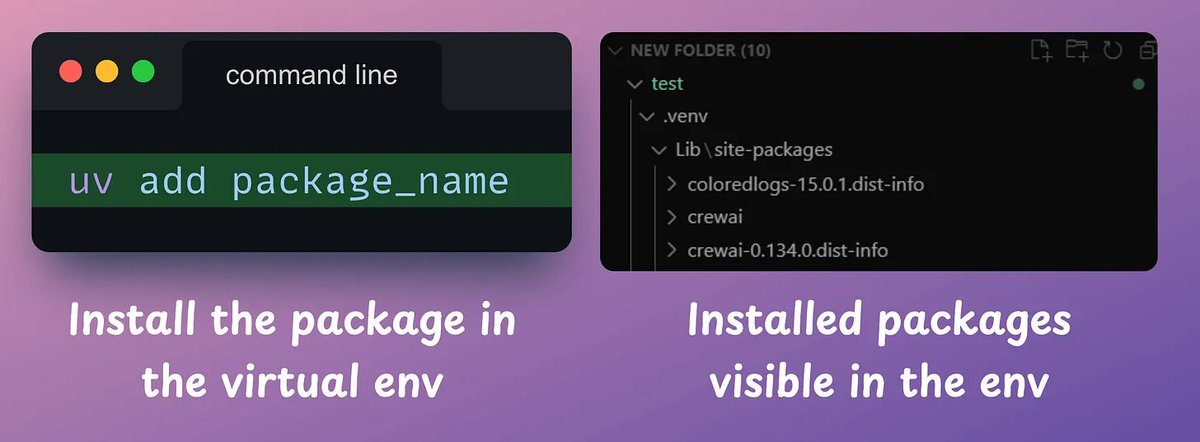
3️⃣ Install packages Next, you can add dependencies using `uv add <library-name>` command. When you add packages, uv updates the toml file and resolves the full dependency tree, generating a lockfile. Check this 👇
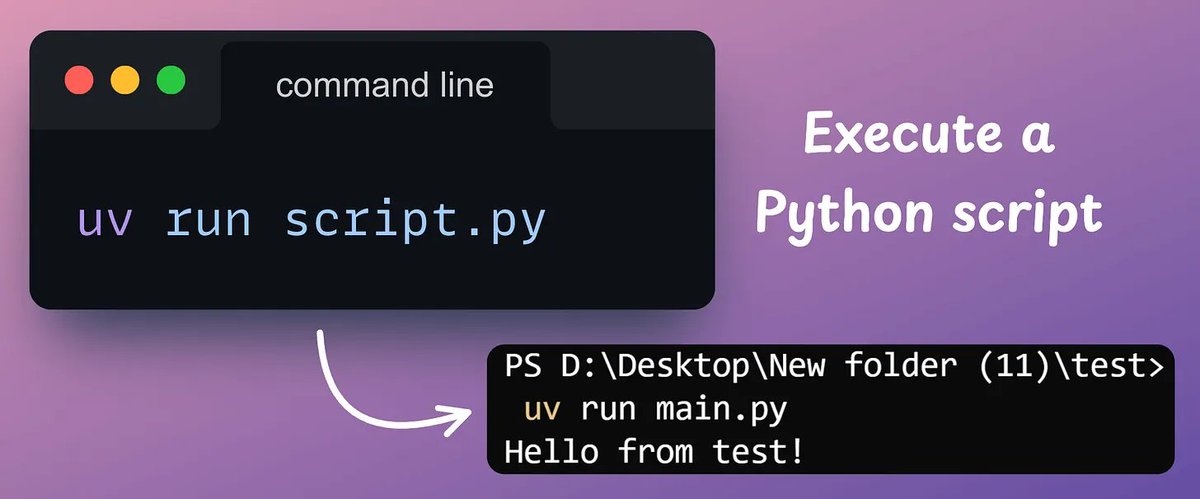
4️⃣ Execute a script To run a script, use `uv run script[.]py` command. If a package is not available in your environment but it is used in the script, uv will install it when you run the script, provided the dependency is specified in the toml file. Check this 👇
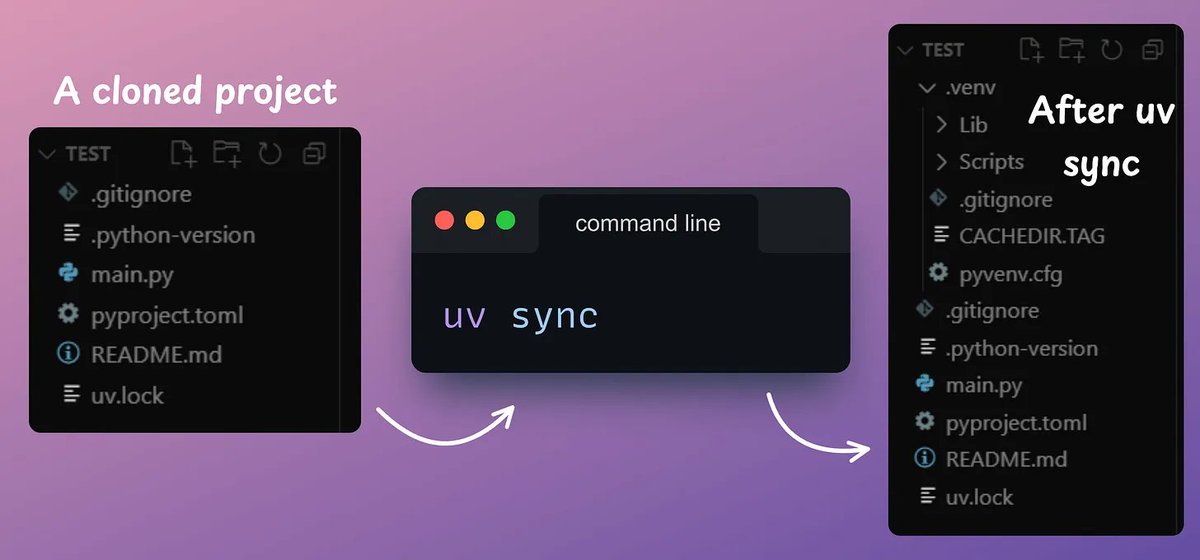
5️⃣ Reproduce an env. Finally, uv gives 100% reproducible installs. Say you cloned a project that used uv. You can run `uv sync` to precisely match the project. This works across OS, and even if the project you cloned used a different Python version. Check this 👇
And that is how you can start using uv. Note: When you push your project to GitHub, DO NOT add the uv[.]lock file to your gitignore file. This helps uv reproduce the environment when others use your project. Here is the cheatsheet again for your reference 👇
If you found it insightful, reshare it with your network. Find me → @_avichawla Every day, I share tutorials and insights on DS, ML, LLMs, and RAGs. <a target="_blank" href="https://twitter.com/1175166450832687104/status/1940659274981822722" color="blue">x.com/11751664508326…</a>