Canvas & Ratio
Choose your destination platform format
Layout Template
Choose a content structure for your slides
Preset Themes
Typography & Sizing
Brand Kit Customization
AGENCYConfigure brand assets for headers & footers
Outro Slide CTA
Customize your closing call-to-action slide
Background Pattern
Build Your Carousel
Drag and drop any post card below onto a slide, or use the quick buttons to insert content/images instantly!

Let's generate our own LLM fine-tuning dataset (100% local):
Before we begin, here's what we're doing today! We'll cover: - What is instruction fine-tuning? - Why is it important for LLMs? Finally, we'll create our own instruction fine-tuning dataset. Let's dive in!
Once an LLM has been pre-trained, it simply continues the sentence as if it is one long text in a book or an article. For instance, check this to understand how a pre-trained LLM behaves when prompted 👇

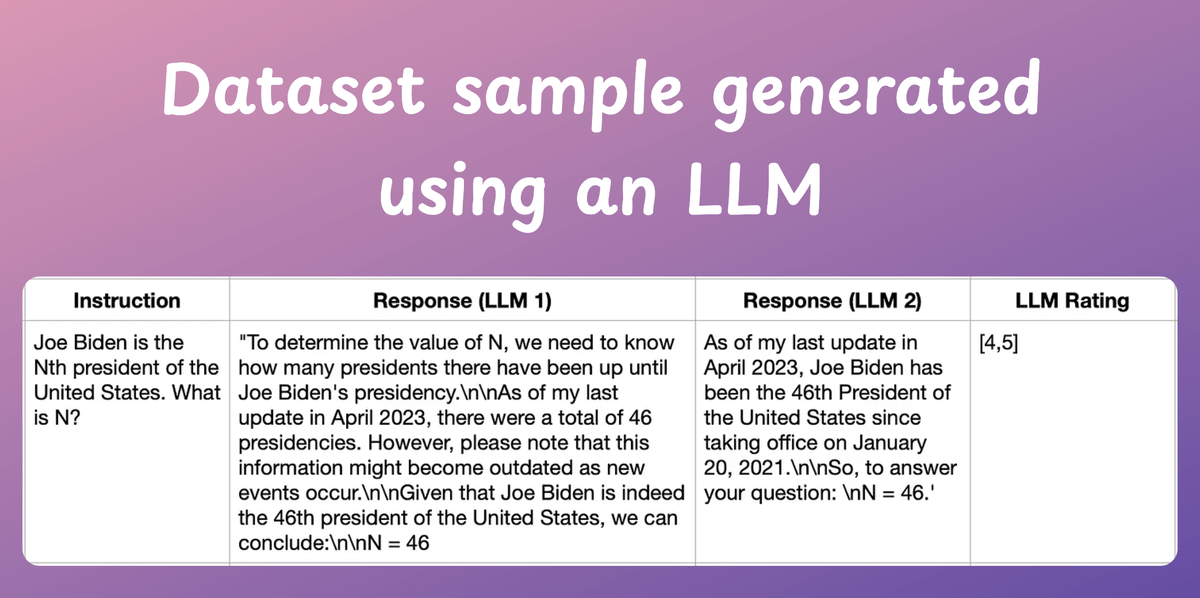
Generating a synthetic dataset using existing LLMs and utilizing it for fine-tuning can improve this. The synthetic data will have fabricated examples of human-AI interactions. Check this sample👇

This process is called instruction fine-tuning. Distilabel is an open-source framework that facilitates generating domain-specific synthetic text data using LLMs. Check this to understand the underlying process👇
Next, let's look at the code. First, we start with some standard imports. Check this👇

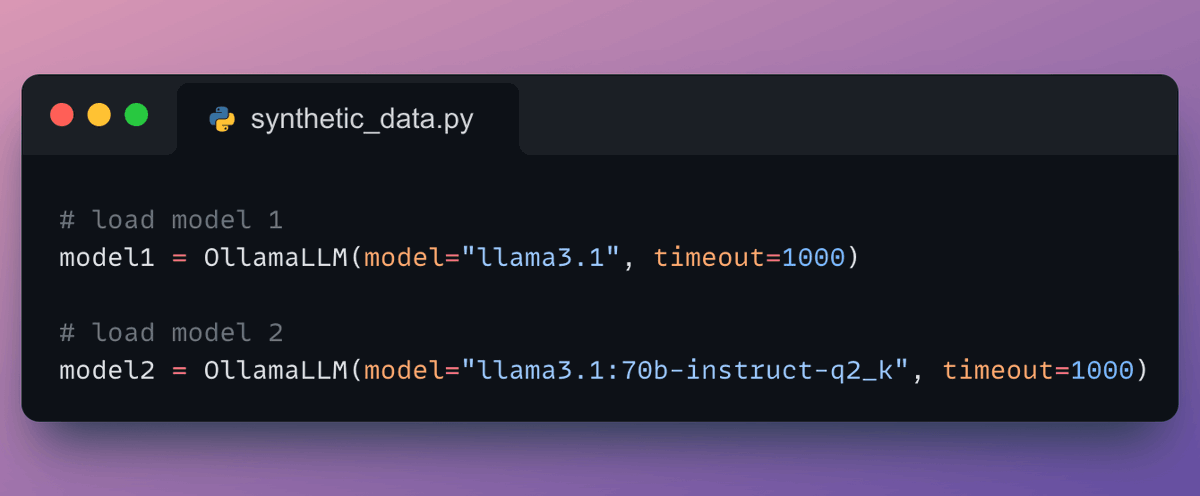
Moving on, we load the Llama-3 models locally with Ollama. Here's how we do it👇
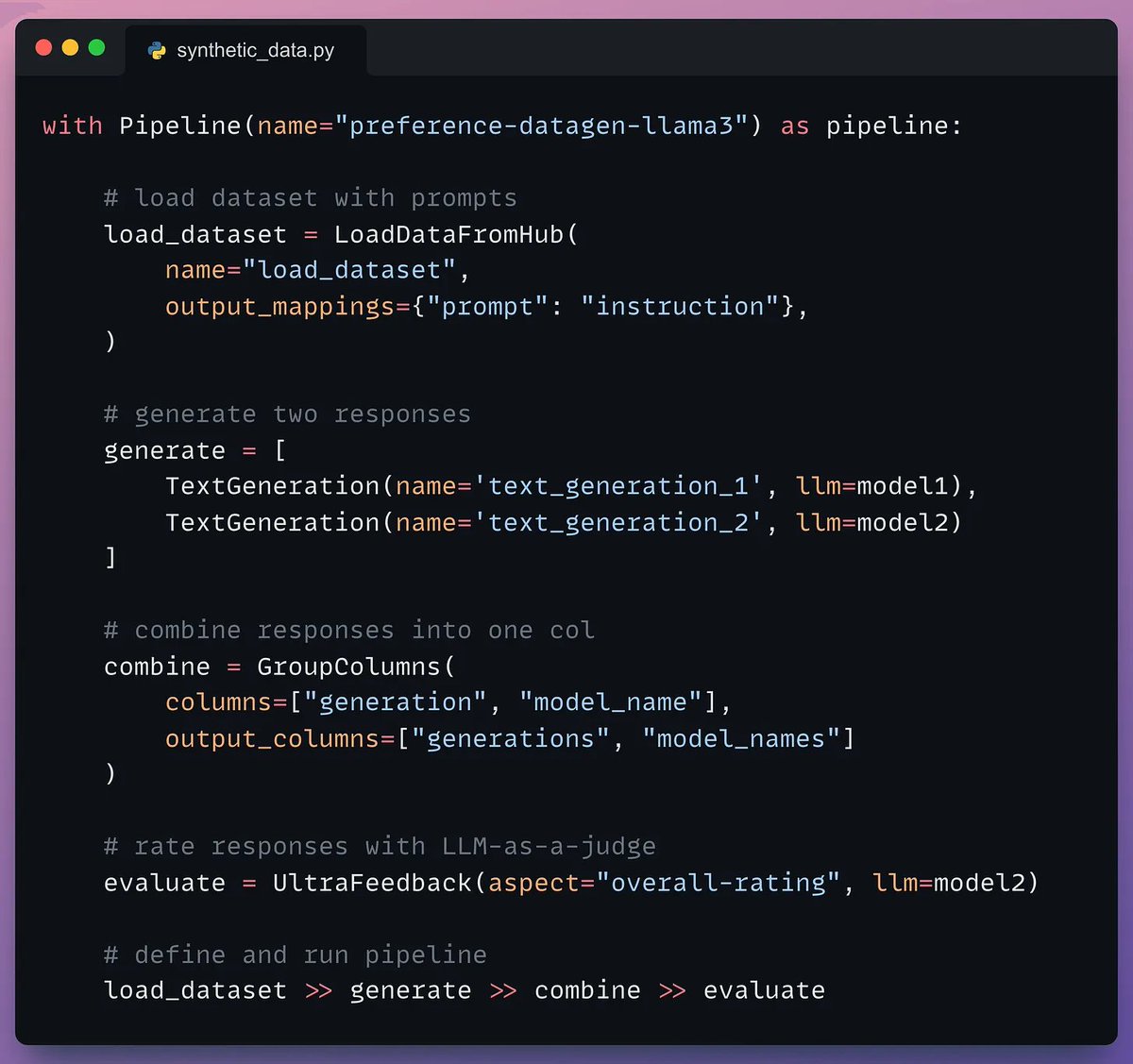
Next, we define our pipeline: - Load dataset. - Generate two responses. - Combine the responses into one column. - Evaluate the responses with an LLM. - Define and run the pipeline. Check this👇
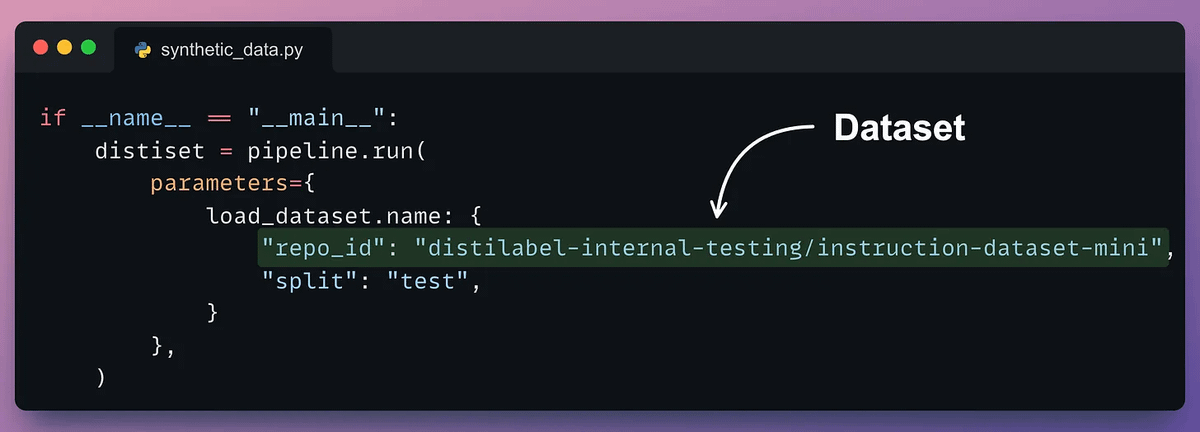
Once the pipeline has been defined, we need to execute it by giving it a seed dataset. The seed dataset helps it generate new but similar samples. Check this code👇
Done! This produces the instruction and response synthetic dataset as desired. Check the sample below👇
Here's the instruction fine-tuning process again for your reference. - Generate responses from two LLMs. - Rank the response using another LLM. - Pick the best-rated response and pair it with the instruction. Check this👇
That's a wrap! If you enjoyed this tutorial: Find me → @_avichawla Every day, I share tutorials and insights on DS, ML, LLMs, and RAGs.